Join/Leave Log + Login
- By
Minecraft Bedrock addon featuring join/leave logs, player tag inspection, and password login. Includes admin tools, password management, settings, and English/Thai language support.
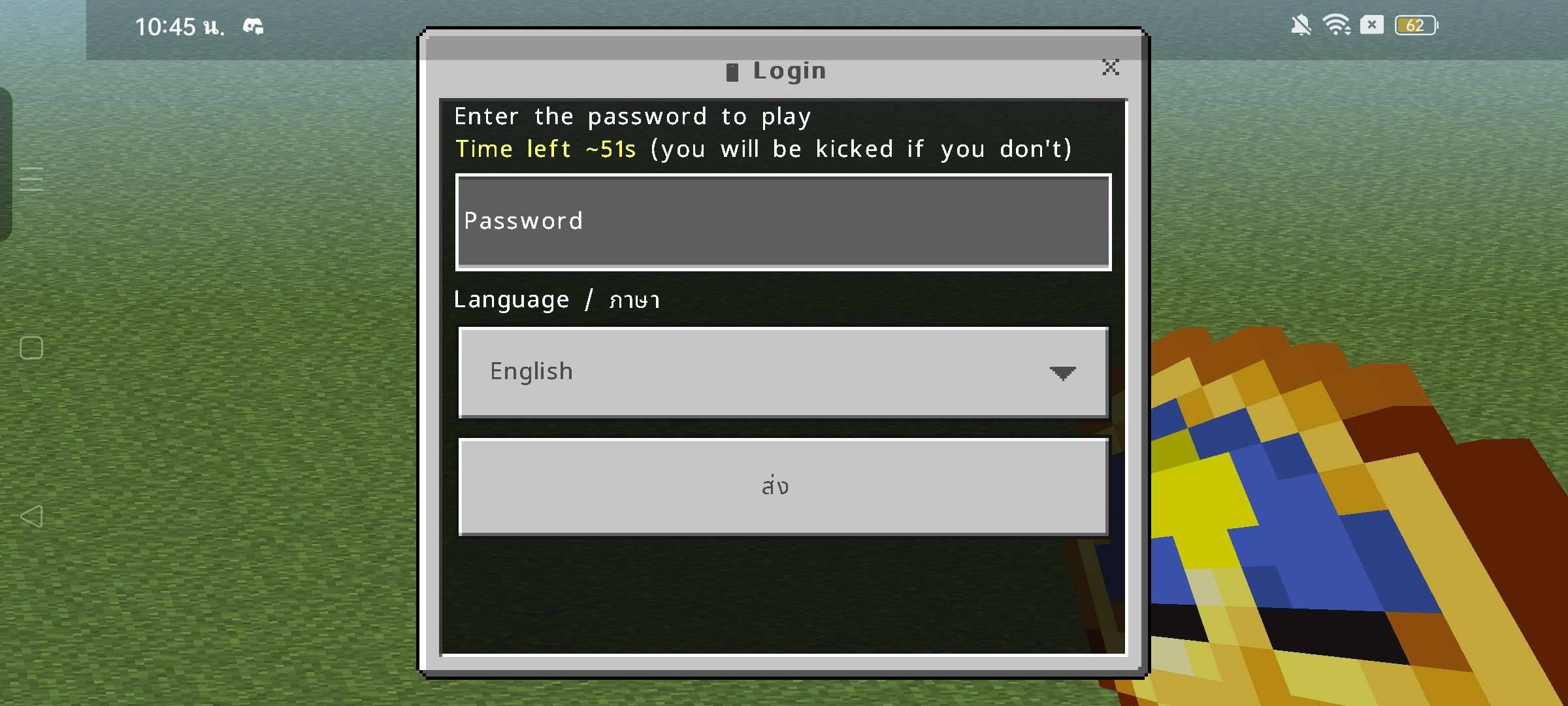
Screenshot_2026-10-29-10-45-58-78_5c8300b655012b1930f2e0a7b81bf6a9.jpg
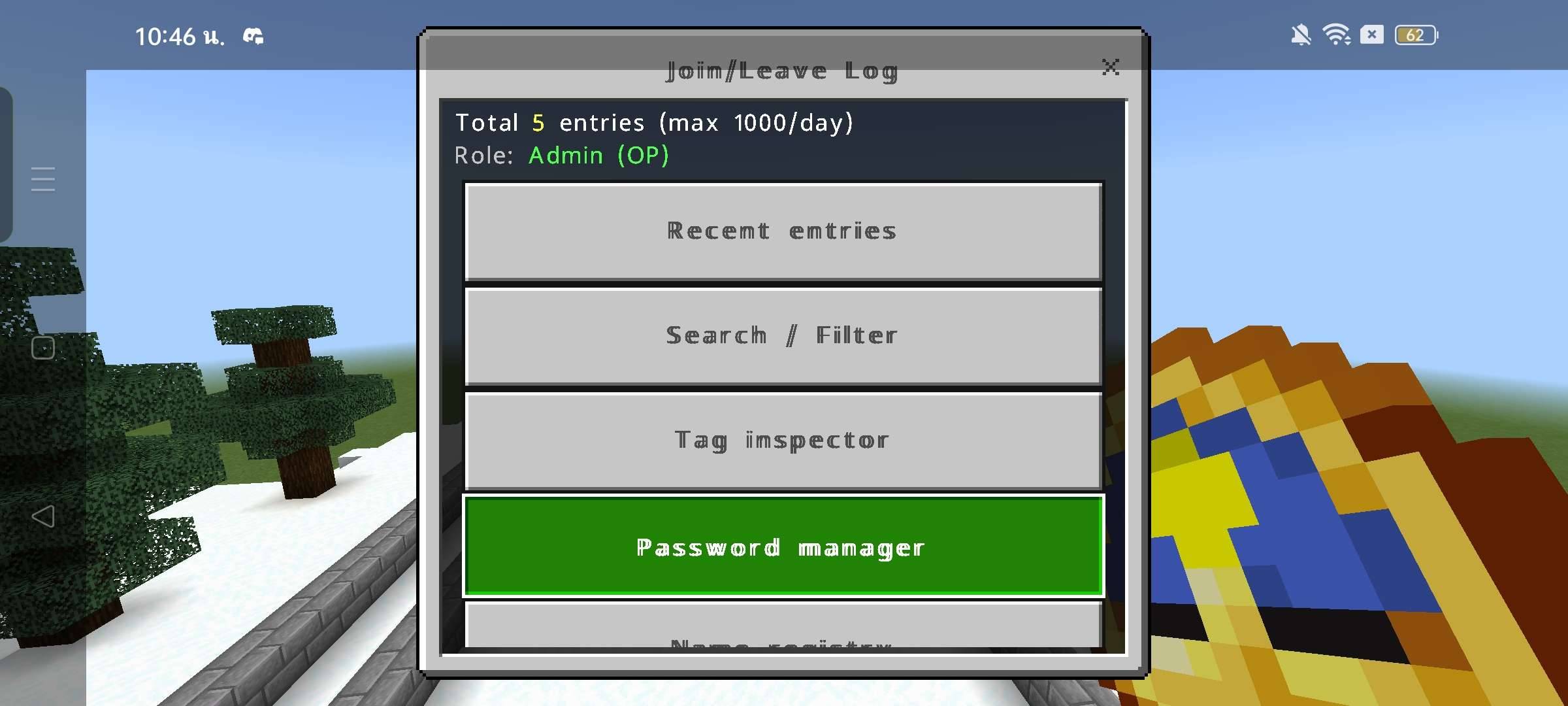
Screenshot_2026-10-29-10-46-12-91_5c8300b655012b1930f2e0a7b81bf6a9.jpg
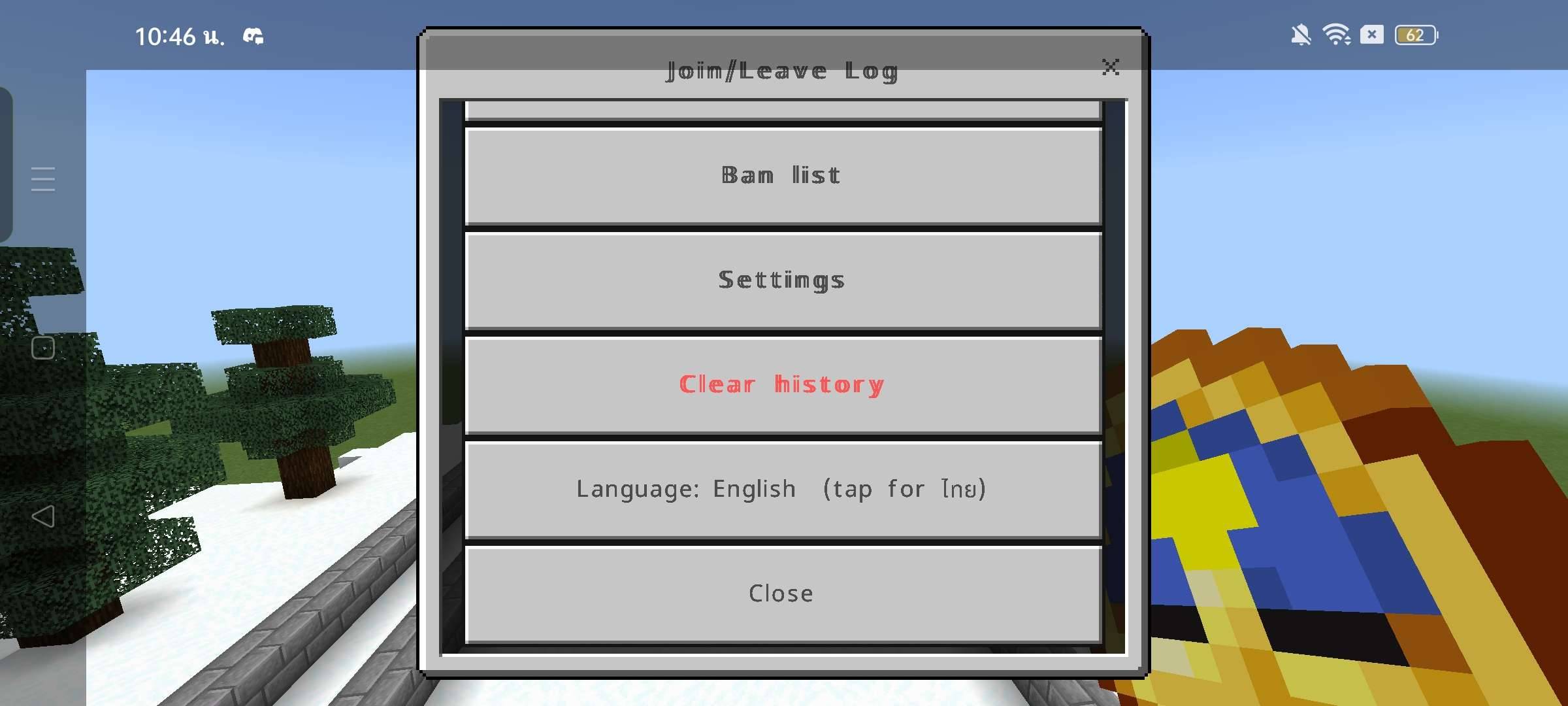
Screenshot_2026-10-29-10-46-18-96_5c8300b655012b1930f2e0a7b81bf6a9.jpg
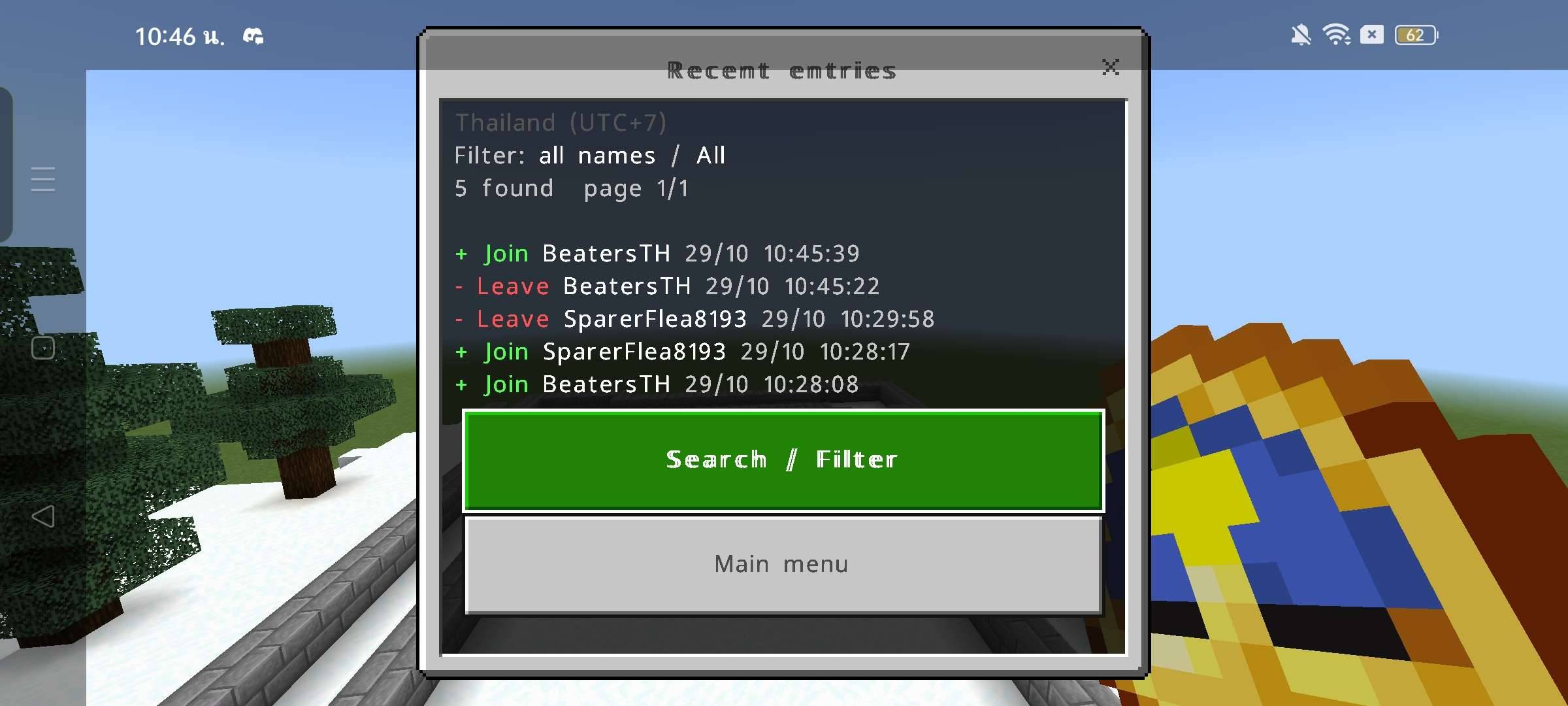
Screenshot_2026-10-29-10-46-29-70_5c8300b655012b1930f2e0a7b81bf6a9.jpg
Screenshot_2026-10-29-10-46-50-32_5c8300b655012b1930f2e0a7b81bf6a9.jpg
Description
🔐 Lock & Key – Lock Blocks & Party System
Version: 1.6.1
Minecraft Bedrock Edition: 1.26.0+
Overview
Lock & Key is a security addon for Minecraft Bedrock Edition that allows players to protect their doors, chests, and other blocks from unauthorized access and destruction.
Craft your own key, lock important blocks, manage permissions, and create parties to share access with trusted players. Perfect for survival worlds, multiplayer servers, and private communities.
Features
🔑 Block Lock System
- Lock doors, trapdoors, fence gates, chests, barrels, and shulker boxes.
- Prevent unauthorized players from opening or breaking locked containers and doors.
- Protect other blocks from being broken or destroyed by explosions.
🗝️ Key & Permission System
- Craft a key using copper and iron ingots.
- Unlock your own blocks with the key.
- Grant special key permissions to trusted players.
- Authorized permit holders can unlock other players' locks.
👥 Party System
- Create your own party and invite other players.
- Allow party members to open each other's locked doors and containers.
- Manage your party with invite, kick, leave, and disband options.
- Supports up to 10 party members.
📖 Guide Book
- Learn how to craft and use keys.
- Manage your party through the guide book menu.
- Switch languages directly from the menu.
🌐 Two-Language Support
- English (EN)
- Thai (TH)
- Change the language in the guide book menu.
How to Use
1. Craft a key using 4 Copper Ingots and 1 Iron Ingot.
2. Hold the key, sneak, and right-click a block to lock it.
3. Sneak and right-click again with the key to unlock it if you have permission.
4. Hold the key and right-click a locked door or container to open it.
5. Use the Guide Book to manage your party and language settings.
Important Notes
- Locked blocks cannot be broken normally, even by their owner. Unlock them first.
- Party members can open locks but cannot unlock or break them.
- Pistons may still move locked blocks.
- Beds must be locked on both halves.
- Requires the Minecraft Script API and UI API.
Protect your builds. Control access. Keep your world secure! 🔐
Join/Leave Log + Login (Per-Player Password)
Join/Leave Log + Login is a Minecraft Bedrock Edition addon designed for multiplayer worlds and servers. It records player join and leave events, provides a player tag inspection system, and adds an individual password login system where every player has their own password.
✨ Features
- Join/Leave Logs — Record when players join or leave the world.
- Search & Filter — Search records by player name and filter join or leave events.
- Tag Inspector — View player tags, search tags, and see which players have specific tags.
- Individual Password Login — Each player sets and uses their own password.
- Password Management — Players can change their passwords, while admins can set or reset passwords for individual players.
- Password Change Tickets — Admins can issue single-use tickets that allow players to change their passwords.
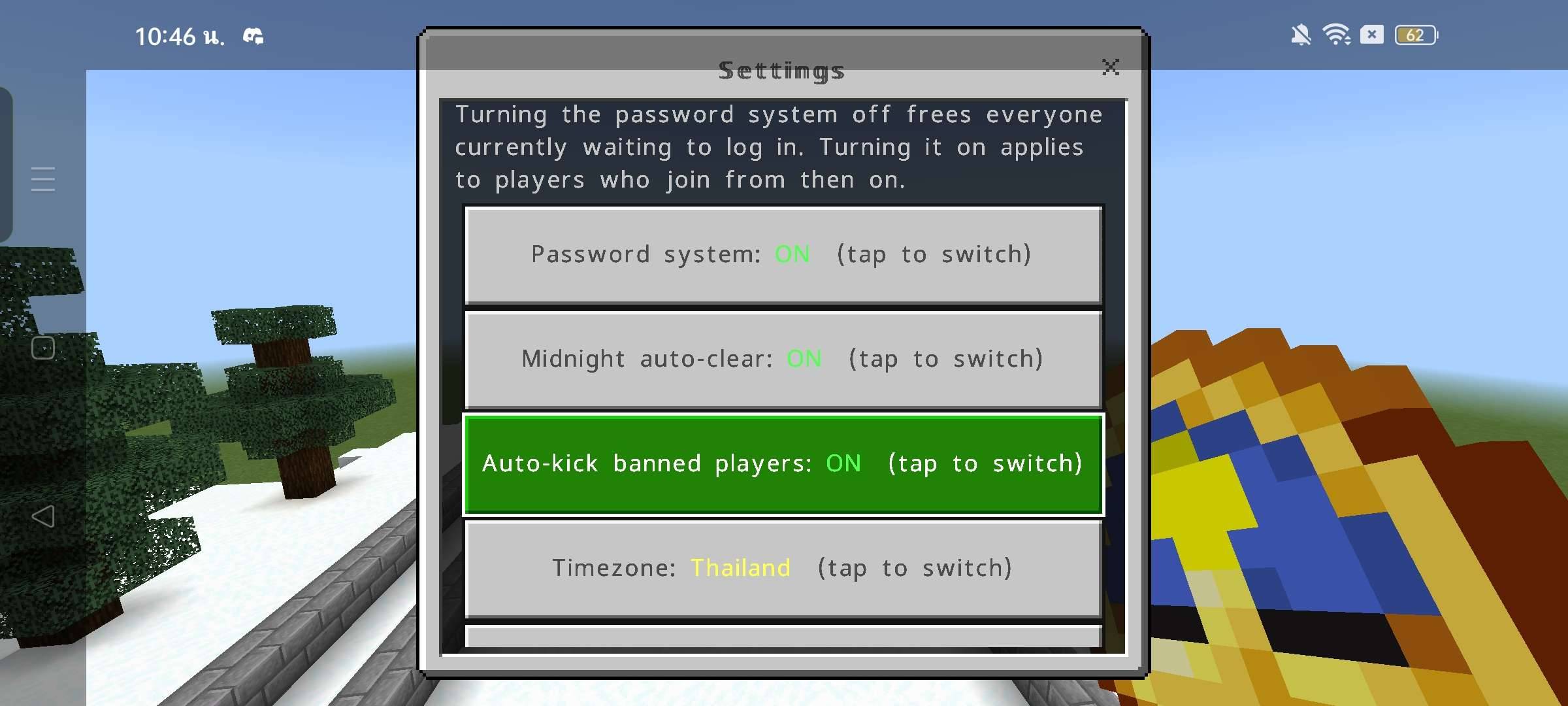
- Admin Settings — Enable or disable the password system and automatic daily log clearing.
- Automatic Log Management — Store up to 1,000 join/leave entries per day and manage older records.
- Bilingual Menus — English and Thai language support.
- Easy Access — Open the main menu using a clock or a command.
🎮 Commands
Run these commands in Minecraft chat.
Main Menu
/scriptevent joinlog:menu
Open the main menu to access join/leave records and management tools.
Tag Inspector
/scriptevent joinlog:tags
Open the player tag inspection menu. Admin permissions are required.
Password Manager
/scriptevent joinlog:password
Open the password management menu.
Change Your Password
/scriptevent login:changepass
Open the menu to change your own password.
Admin Password Management
/scriptevent login:admin
Open the admin menu to set or reset individual players' passwords.
Settings
/scriptevent joinlog:settings
Open the settings menu to manage the password system and automatic daily log clearing. Admin permissions are required.
Language
/scriptevent joinlog:lang
Switch between English and Thai.
🛠️ Installation
1. Download the ".mcpack" file.
2. Import it into Minecraft Bedrock Edition.
3. Activate the addon on your world.
4. Make sure the required Script API modules are supported by your Minecraft version.
5. Enable any required experimental features if your version requires them.
6. Join the world and use a clock or run "/scriptevent joinlog:menu" to open the menu.
🔐 Permissions & Login
- Operators (OPs) and players with the "joinlog" tag can access administrator tools.
- Players must set their own password when required by the login system.
- Players must enter their password when joining again.
- Players who fail to log in within the time limit may be kicked.
- Administrators can reset a player's password if it is forgotten.
📌 Compatibility
- Minecraft Bedrock Edition
- Addon version: 0.3.1
- Minimum engine version declared: 1.26.30
- Script API: "@minecraft/server" 2.8.0
- UI API: "@minecraft/server-ui" 2.1.0
Actual compatibility depends on the Minecraft version and available Script API support.
Join/Leave Log + Login (Per-Player Password) — A useful management and login tool for Minecraft Bedrock multiplayer worlds and servers.
Found a bug or have a suggestion? Leave a comment!
Join/Leave Log + Login Team