Jeam`s Floating Texts
- By
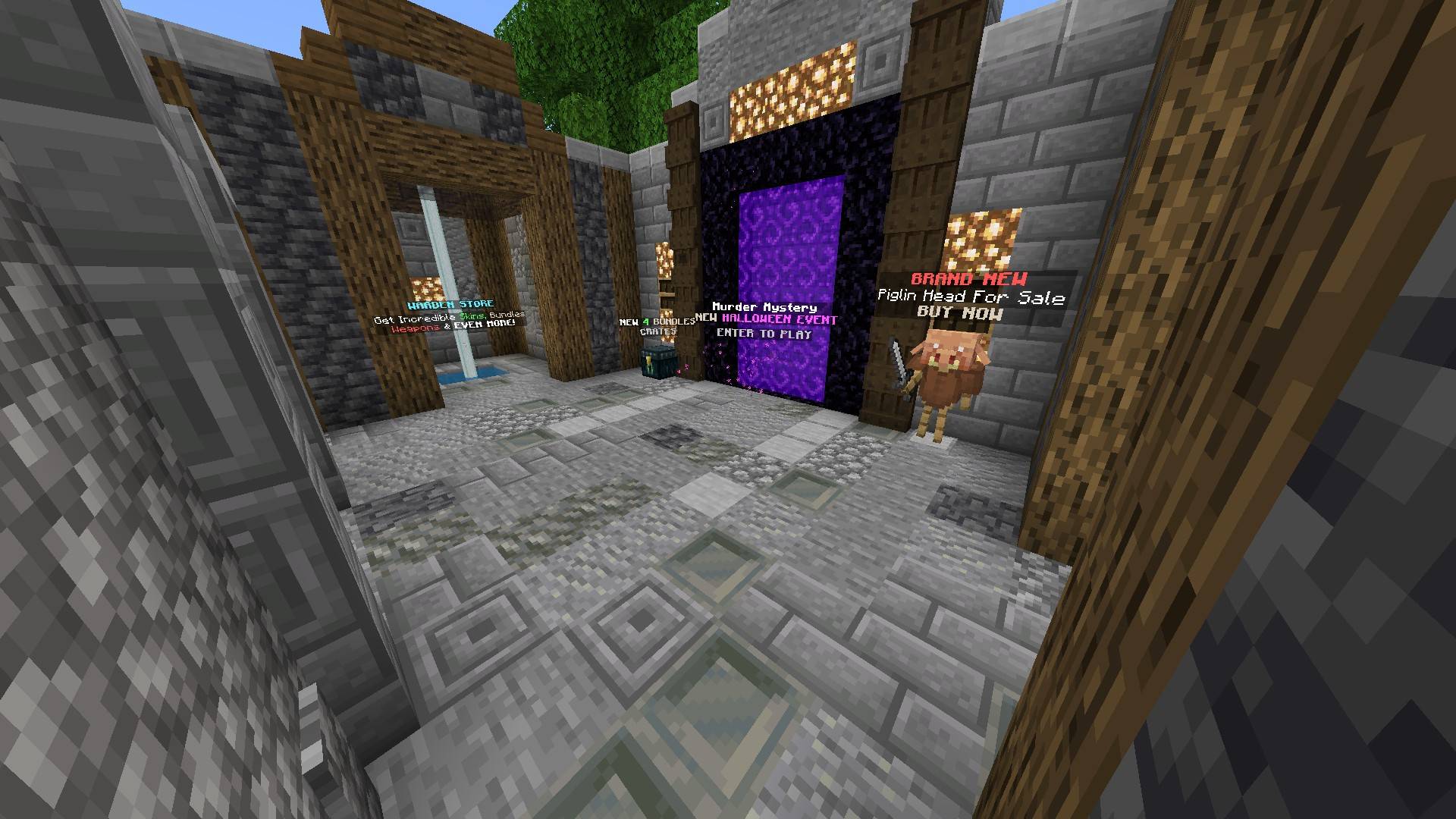
Example of a Hub using Jeam's Floating Texts.
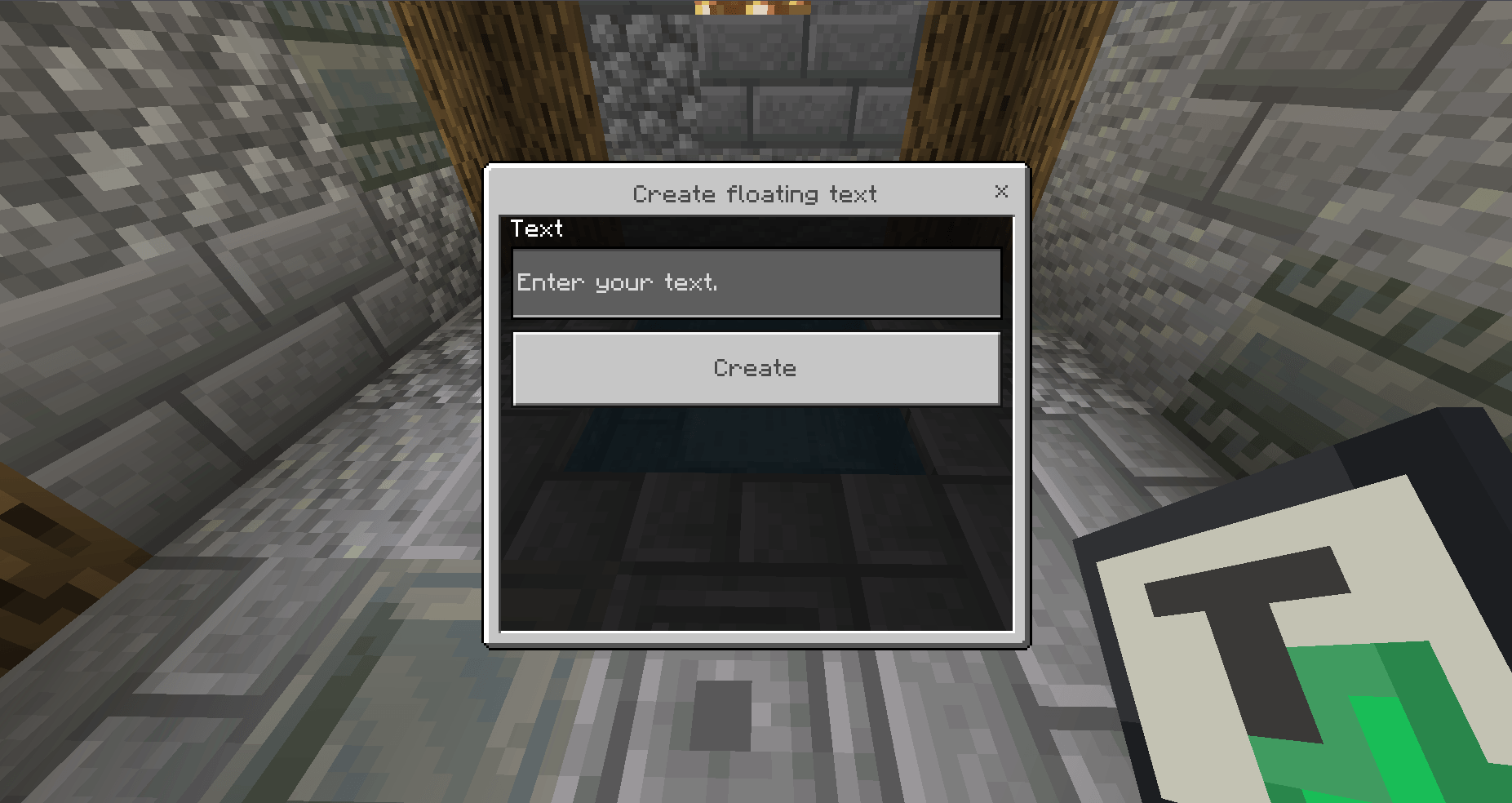
Creating a new text using the menu.png
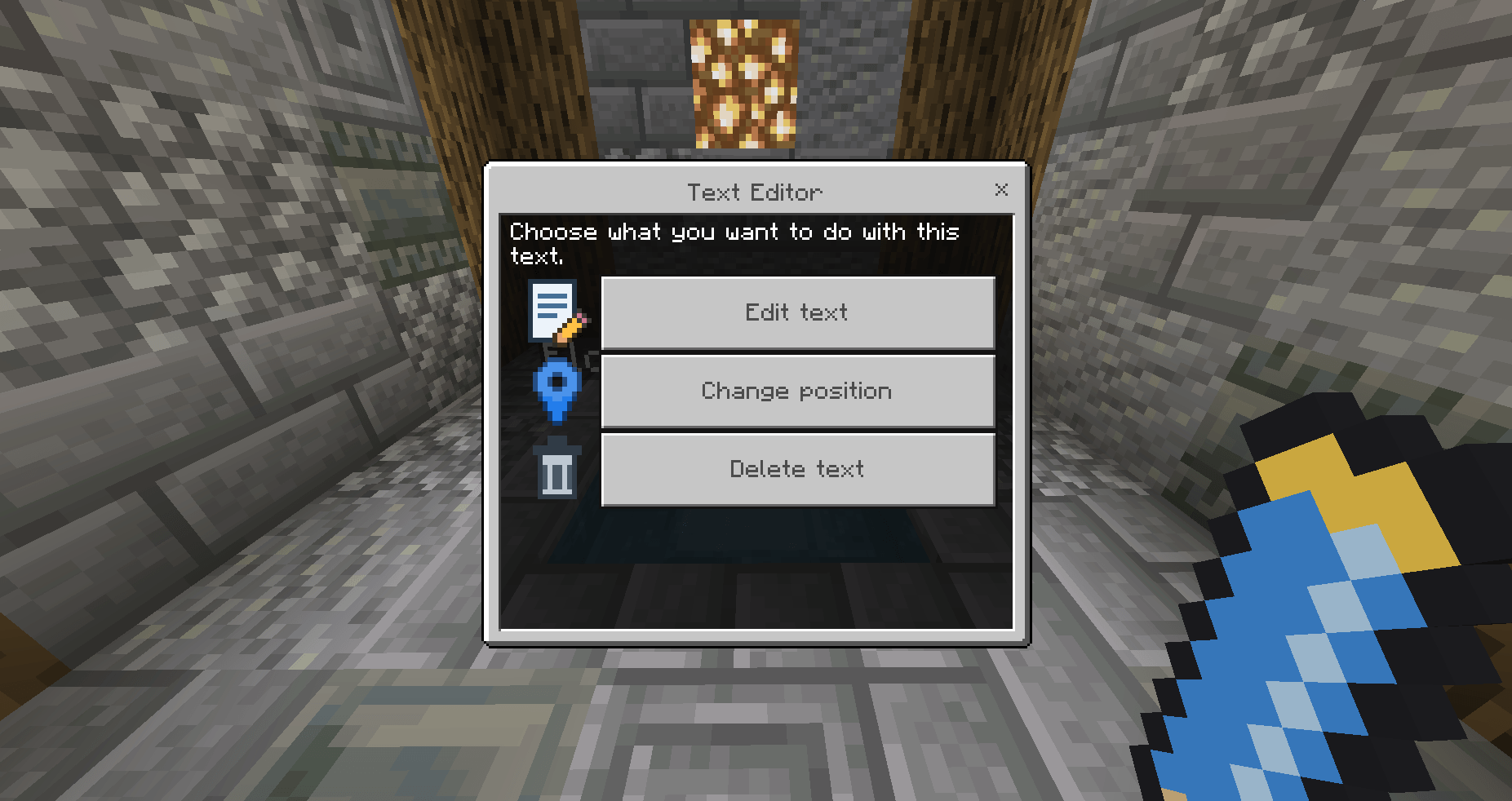
Text editor menu.png
Description
Floating Texts is a lightweight add-on that lets you place floating text anywhere in your world using a clean, easy-to-use in-game menu. It’s built for people who just want good-looking floating labels without learning a complex system.
What it does
Create floating texts right from the add-on's UI
Edit any floating text after placing it
Move a floating text to your current position or custom coordinates
Delete floating texts safely from the menu
It supports Multiline Text using \n and also Colored Texts using Formatting codes like §e, §9, §c, §l,
How to use the add-on menus
Create New Floating Texts You can create texts using the "Create New Floating Text" item in your hand. Type the content you want to show and hit Create to place it.
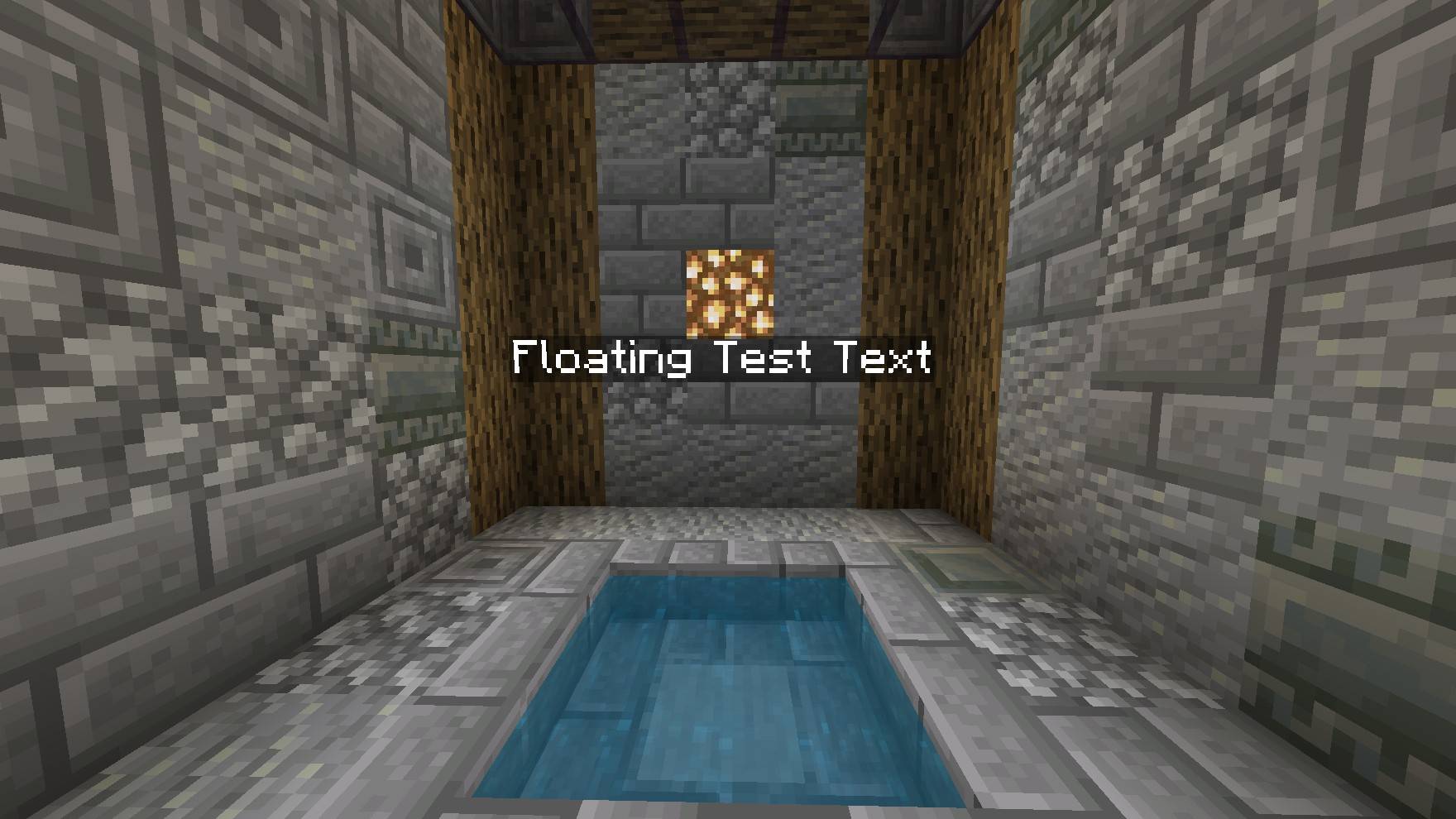
Edition Menu: You can open this menu by interacting with an existing floating text using the Editing item. From here, choose whether to edit the text, change its position, or delete it.
Built to stay simple
This add-on is intentionally minimal. Open the menu, type your text, place it, and done. There's no need to make things complicated, you can also create Floating Texts using its dedicated command: /floatingtext add "text you'd like"
Made for map makers, server owners, and developers
Good for:
- Welcome signs and spawn labels.
- Map titles and credits.
- Area names, rules, and info points-
- Decorative text in builds and lobbies / server hubs.
Here's an example i did…
Current status and future plans
At the moment, the add-on supports static floating texts only. If it gets enough support from the community, I may expand it with more features in future updates. Feedback and ideas are always welcome!
Jeam`s Floating Texts Team