JavaStyle Spawn Control
- By
JSC_CurseForge_Actual_Screenshots_Collage.png
Description
JavaStyle Spawn Control (JSC)
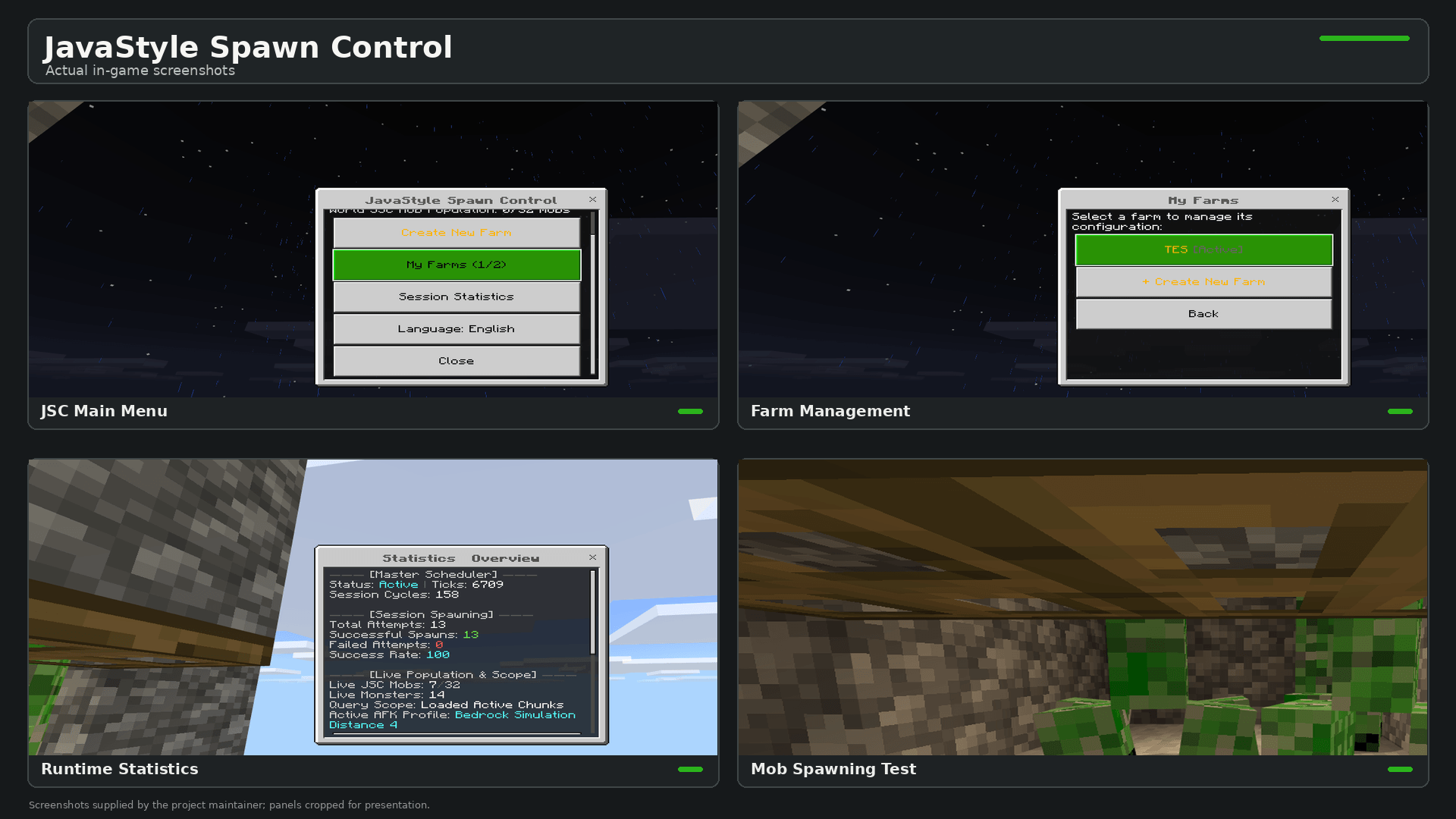
JavaStyle Spawn Control (JSC) is an early-release Minecraft Bedrock add-on designed to give players more control over mob spawning in configured farm areas.
JSC is still a work in progress. It currently supports specific farm configurations and spawning setups, so not every mob farm design or mob type is guaranteed to work. Some farms may require adjustments to their boundaries, spawn layers, allowed mobs, or player position before spawning works as expected.
Features
Custom Farm Areas — Define farm boundaries using two corner positions.
Mob Selection — Configure which supported mob types are allowed to spawn in a farm.
Spawn Layers — Configure the spawn layers supported by the farm settings.
AFK Distance Checks — Check whether the player's position meets JSC's spawning-distance requirements.
Runtime Diagnostics — Inspect farm status and spawning eligibility to help identify configuration problems.
Spawn Statistics — View available spawning activity and runtime statistics.
Debug Modes — Use compact or verbose debug output when troubleshooting.
Language Selection — Switch the interface between English and Bahasa Indonesia.
How JSC Works
JSC uses configured farm areas and spawning settings to manage spawning attempts. It evaluates eligible locations within the configured area using checks such as farm boundaries, selected mob types, spawn layers, and player distance.
The result depends on the farm configuration and the conditions required by the spawning system. JSC does not automatically make every existing mob farm compatible, and it does not guarantee that every spawning attempt will succeed.
If a farm is not producing mobs, check its boundaries, allowed mob types, spawn layers, AFK position, and diagnostic results.
How to Open the Menu in Survival
The main menu can be opened without enabling Cheats or Beta APIs by using a specially named stick.
-
Rename a regular stick to
JSCusing an anvil. -
Hold the renamed stick in your main hand and sneak.
-
Interact with a block to open the JSC menu.
When the trigger is recognized, JSC handles the interaction so that an interactive block, such as a chest, does not open accidentally. The stick is not consumed when used as the menu trigger.
A regular stick without the correct name will not activate the menu.
Optional Chat Commands
Chat shortcuts may be available when the required pre-release chat API is supported by the game configuration.
!jsc or !jsc menu — Open the main menu.
!jsc diag — Run runtime diagnostics.
!jsc afk — Check AFK distance.
!jsc debug compact — Enable compact debug output.
!jsc debug verbose — Enable detailed debug output.
!jsc debug off — Disable debug output.
!jsc lang — Open the language selector.
!jsc lang en — Switch to English.
!jsc lang id — Switch to Bahasa Indonesia.
Note: Chat shortcuts depend on chat API availability and may require Beta APIs. The named-stick trigger is the intended way to open the menu in Survival without relying on these shortcuts. /scriptevent alternatives require Cheats and the appropriate command permissions.
Compatibility
Target platform: Minecraft Bedrock for Windows.
Tested game version: 26.52 (1.26.52.03).
Android and iOS: Not tested.
Other Minecraft versions: Not verified.
Third-party add-ons: Compatibility has not been comprehensively tested.
The current release should be treated as an early version. Results may vary depending on farm design, configuration, and game conditions.
Development and Future Updates
JSC will continue to be developed as time and resources allow. Future improvements may include broader farm compatibility, additional configuration options, bug fixes, and usability improvements.
Updates are not guaranteed on a fixed schedule. Player feedback and useful bug reports can help guide future development.
When reporting a problem, include your Minecraft version, JSC version, farm configuration, steps to reproduce the issue, and any relevant diagnostic output.
License
JavaStyle Spawn Control is distributed under the GNU General Public License v3.0 only (GPL-3.0-only).
The source code is provided in the accompanying source archive. Refer to the included LICENSE file for the complete terms.
JavaStyle Spawn Control Team