Java Style Zoom V2.3
- By
MCPEDL
MCPEDL
1000045081.jpg
1000045080.jpg

1000045024.png
Description
# Java Style Zoom
Bring a simple Java-style zoom experience to Minecraft Bedrock Edition!
Java Style Zoom adds a smooth FOV-based zoom that lets you see distant areas more clearly while playing.
## ✨ Features
• Java-style FOV zoom
• Zoom FOV: 30
• Normal FOV: 70
• Easy stick activation
• Custom Java Style Zoom resource pack
• Custom HUD zoom icon
• Lightweight addon
• Designed for Minecraft Bedrock 1.26.40+
## 🎮 How To Use
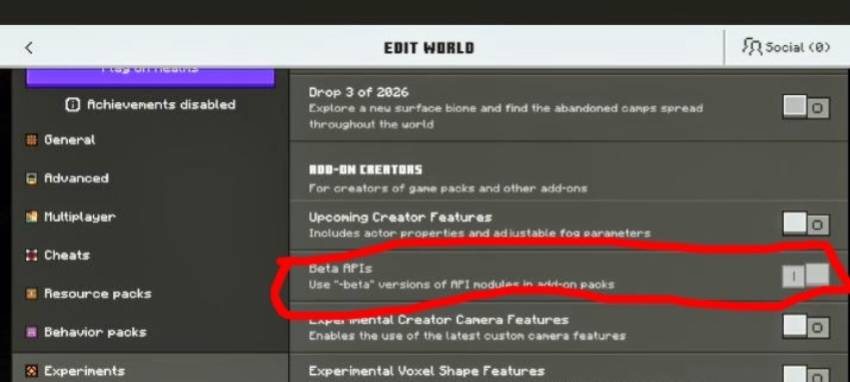
1. Activate Java Style Zoom BP.
2. Activate Java Style Zoom RP.
3. Enter your world.
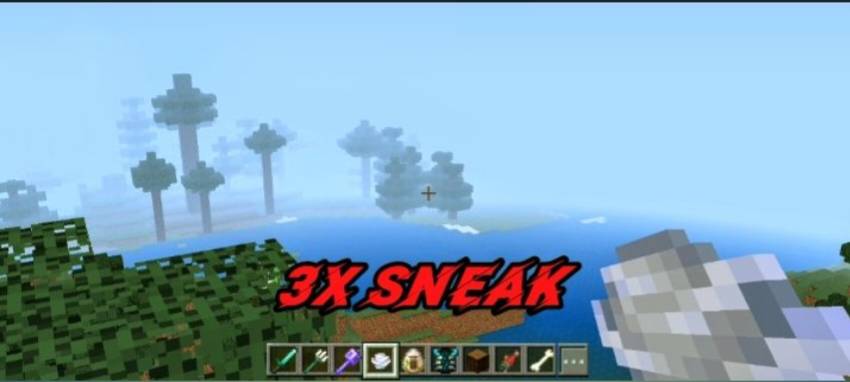
4. 3x sneak for activate
5.Use the sneak button for zoom ON/OFF.
When zoom is enabled, the FOV changes to 30.
Use the sneak again to return to normal FOV 70.
## 📱 Compatibility
Minecraft Bedrock Edition
Tested on Minecraft 1.26.40+
## ⚠️ Note
The custom HUD icon is included as a visual element.
The currently supported zoom control is the stick activation.
## 📦 Installation
Import the BP and RP files into Minecraft Bedrock.
Then activate both packs in your world settings.
Changelog
# Changelog
## v1.0.0
• Added Java-style FOV zoom
• Added FOV 30 zoom mode
• Added FOV 70 normal mode
• Added stick activation
• Added custom resource pack
• Added custom zoom icon
• Added HUD zoom visual
• Initial public release
## Known Limitation
• HUD zoom icon is currently visual only.
• Stick activation is the working zoom control.
Enjoy the Java-style zoom experience! 🔭
The Java Style Zoom V2.3 Team