Java Mobspawn+
- By
Java Mobspawn+ is a simple addon for Minecraft Bedrock that increases the number of mobs that can spawn in your world.
Java Mobspawn+
Java Mobspawn+ is a simple addon for Minecraft Bedrock that increases the number of mobs that can spawn in your world.
The idea is to make mob spawning feel closer to Java Edition while keeping the addon simple and easy to use. You can change the mob limit, turn the addon on or off, and check the current mob count directly in-game.
ACHIEVEMENT FRIENDLY
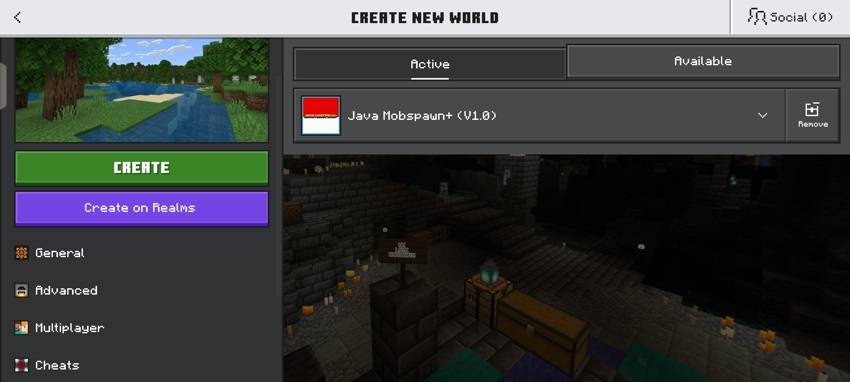
Java Mobspawn+ is made to work with achievements enabled.
You don't need to activate cheats just to use the addon. This allows you to use the addon in a normal survival world while keeping achievements available.
The addon is designed to change the mob spawning system without requiring the usual cheat-based setup.
Minecraft Bedrock Version: v26.52
HOW TO USE
After installing the addon, activate Java Mobspawn+ in your world.
You can open the Java Mobspawn+ menu by using:
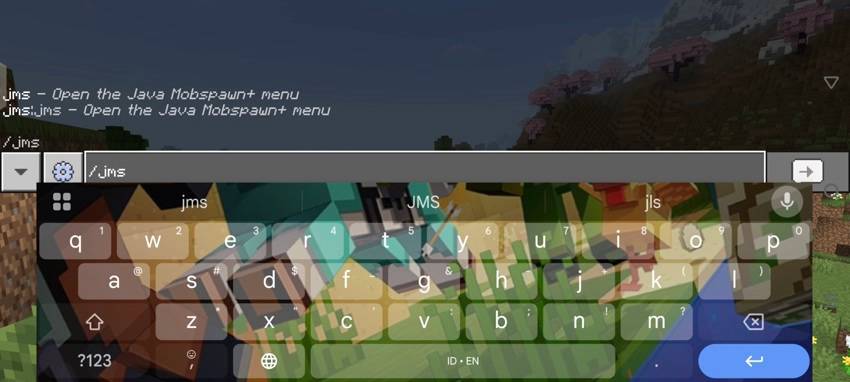
/jms
The menu allows you to enable or disable the addon and change the mob limit.
The default mob limit is 70 mobs.
Mob limit options:
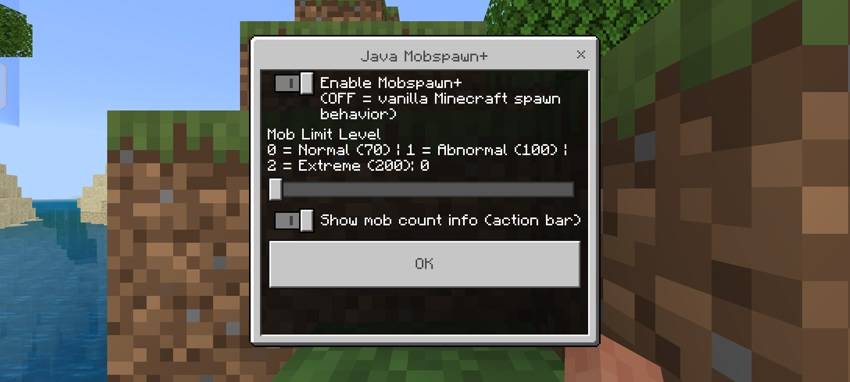
70 = Normal
100 = Abnormal
200 = Extreme
You can also turn the mob count information on or off from the same menu.
RECOMMENDED SIMULATION DISTANCE
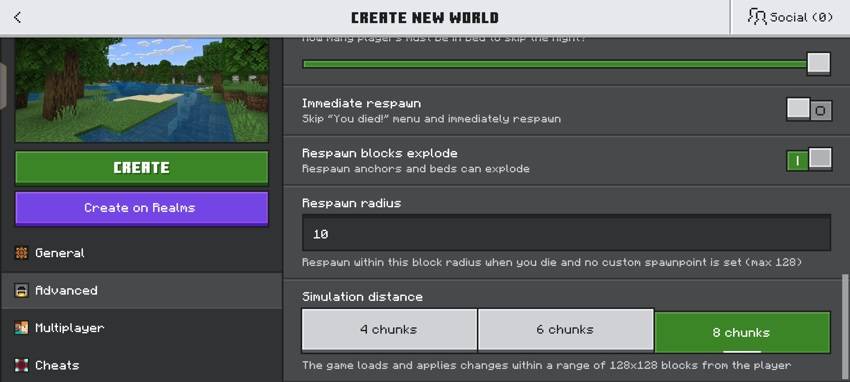
For the best experience, I recommend using 8 chunks of Simulation Distance.
The addon works with the game's simulation area, so using 8 chunks gives the spawning system more room to work.
Recommended:
Simulation Distance: 8 chunks
You can use other simulation distances, but 8 chunks is the setting I recommend for Java Mobspawn+.
OPENING THE ADDON MENU
The addon menu can be opened using:
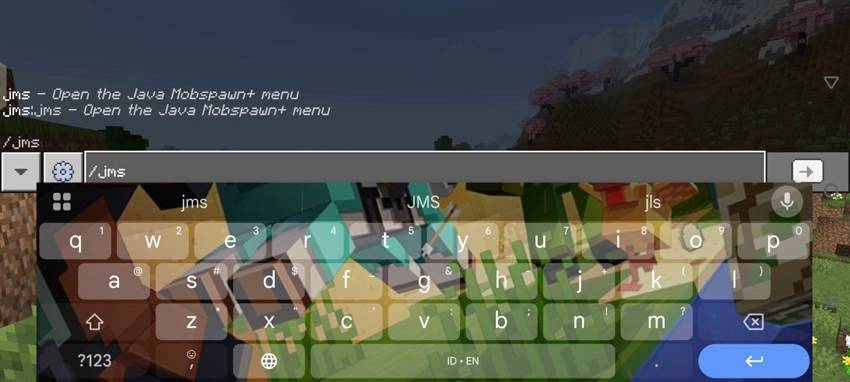
/jms
After entering the command, the Java Mobspawn+ menu will appear.
From there you can access the addon settings without having to manually edit any files.
ADDON SETTINGS
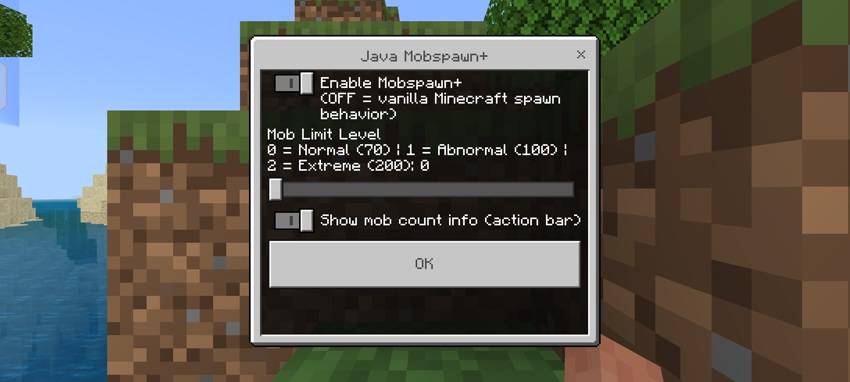
The Java Mobspawn+ menu includes several simple options.
Enable Mobspawn+
This turns the custom mob spawning system on or off.
Mob Limit Level
70 = Normal
100 = Abnormal
200 = Extreme
Show mob count information
This option displays the current mob count on your screen.
The default mob limit is 70 mobs, so you can simply install the addon and start playing without changing anything.
OVERWORLD — BEFORE
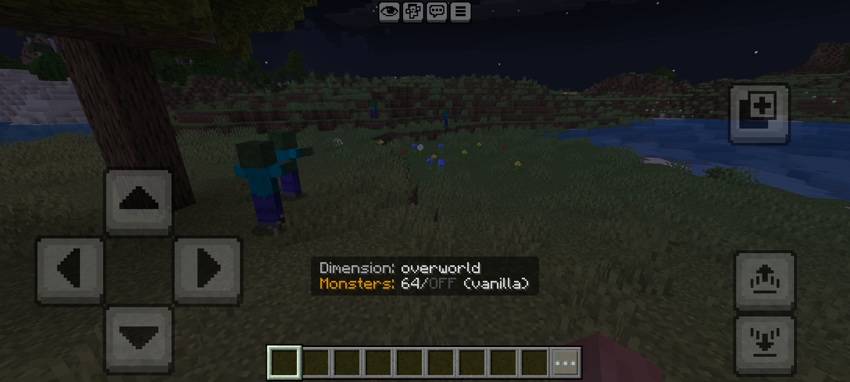
Without Java Mobspawn+, the Overworld uses the normal vanilla mob spawning behavior.
The screenshot above shows the normal mob population before using the addon.
OVERWORLD — AFTER
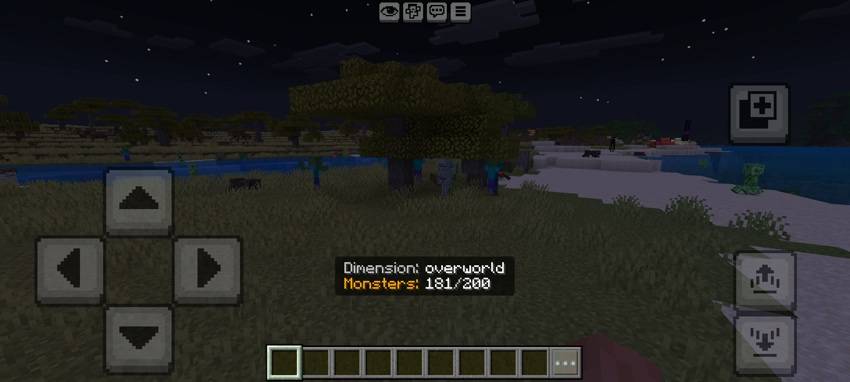
After enabling Java Mobspawn+ and increasing the mob limit, more hostile mobs can be active around the player.
The difference is especially noticeable in open areas where there is enough space for mobs to spawn.
The screenshot above shows the Overworld after using Java Mobspawn+.
THE END — BEFORE

The End also uses the normal vanilla mob spawning behavior without Java Mobspawn+.
The number of Endermen is limited by the normal spawning system.
The screenshot above shows the End before increasing the mob limit.
THE END — AFTER
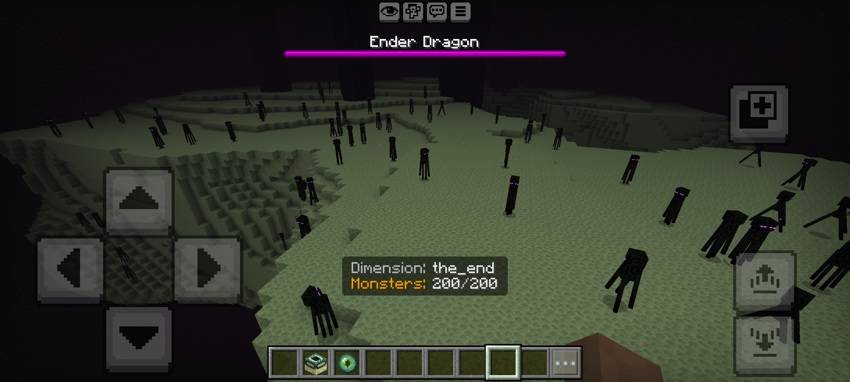
With Java Mobspawn+ enabled, the mob limit can also be increased in The End.
With the higher settings, many more Endermen can be active at the same time.
In the example above, the mob count reaches:
Monsters: 200/200
This makes the difference quite noticeable compared to the normal End.
MOB COUNT INFORMATION
Java Mobspawn+ can display the current mob count while you are playing.
You can turn this option on or off from the addon menu.
For example:
Dimension: overworld
Monsters: 64/70
Or when using the higher limit:
Dimension: overworld
Monsters: 181/200
The same system also works in The End:
Dimension: the_end
Monsters: 200/200
This makes it easy to see how many monsters are currently being counted and how close you are to the selected limit.
MOB LIMIT OPTIONS
Java Mobspawn+ currently has three mob limit levels:
70 mobs — Normal
100 mobs — Abnormal
200 mobs — Extreme
The 70 mob setting is the default and is recommended for normal survival gameplay.
100 mobs gives you a higher mob population.
200 mobs is the extreme setting for players who want a much higher number of mobs.
PERFORMANCE
Higher mob limits mean that the game has to process more entities.
If you are playing on a lower-end device, I recommend starting with the default 70 mob setting.
If the game runs smoothly, you can try 100 mobs.
The 200 mob setting can be much heavier, especially when many mobs are active in the same area.
If you experience lag, try lowering the mob limit or Simulation Distance.
FEATURES
- Increased mob spawning limit
- 70, 100 and 200 mob options
- Simple /jms configuration menu
- Enable or disable Java Mobspawn+
- Optional mob count information
- Works in the Overworld and The End
- Designed for survival gameplay
- Achievement friendly
- Supports Minecraft Bedrock v26.52
- Recommended Simulation Distance: 8 chunks
IMPORTANT
The higher mob limits are not intended to be suitable for every device.
70 mobs is the default setting and is recommended for normal survival gameplay.
100 mobs gives you a higher mob population, while 200 mobs is the extreme setting for players who want to push the mob limit further.
FINAL NOTES
That's Java Mobspawn+.
The addon was made for players who want more mobs in their Bedrock worlds while keeping the setup simple.
You can keep the default 70 mob setting, increase it to 100, or go all the way to 200 depending on your world and device.
If you find any bugs or have suggestions for future updates, feel free to leave a comment.
Thanks for checking out Java Mobspawn+.
Java Mobspawn+ Team