


Improved Wolves
 TIRED OF ONLY HAVING YOUR WOLVES LOOK CUTE AND HAVING THEM SITTED ALL THE TIME?
Well, now you can make your wolves functional (with realistic sense) with this add-on
✋ INTERACTIONS:
Interact with a tamed wolf to display a menu on the screen. This menu contains the key functions that have been implemented.

-----
PC (Keyboard & Mouse): Right-click
Mobile (Touch): Tap and hold
Console / Controller: Press LT / L2
-----
(The design or what you see here about the menu might change in the future.)
FOLLOW:
The wolf will interrupt any previously given command and begin to follow you.
PROTECT THIS AREA:
The wolf will stay within its designated area. You can choose from different sizes for the area you wish to protect (example: 14 blocks). There is also an option that allows the wolf to move around freely, without any limits; you can use this feature so that your wolf can move about instead of remaining seated all the time. (set the combat mode to Aggressive if you really want the wolf to protect).
COMBAT MODES:
A new menu will open, allowing you to choose between three combat modes:
- Passive: Regardless of the situation, the wolf will not attack any entity—even if it is struck or its owner is attacked.
- Neutral: This is the default mode, maintaining the behavior of standard MINECRAFT wolves.
- Aggressive: The wolf will attack any animal not owned by the player, with the exception of villagers, iron golems, and powerful creatures like the Warden. Creepers are also excluded to prevent them from exploding when provoked by the wolf.
SHOW LOG:
An optional feature that, when enabled, displays various messages in the in-game chat. For example, a notification is triggered when a wolf owned by the player drops below 75% health; the same applies at 50% and 25%. This feature can be enabled on an individual, wolf-by-wolf basis to prevent spam.ROLEPLAY DIALOGUE:
An optional feature that displays comments and narration regarding the wolf's interactions within the in-game chat. At any given moment, messages or narrative text may appear, describing the wolf's current state or actions. While not strictly functional, this adds more personality to the wolves and provides clues about their behavior. This feature can be enabled on an individual, wolf-by-wolf basis to prevent spam.RELEASE WOLF:
You will set the tamed wolf free, and it will become wild once again. Upon being released, it will retain its size, name, and health. It will drop its armor and collar :( (a confirmation menu will show on scrren)
🐕🦺 BEHAVIORS:
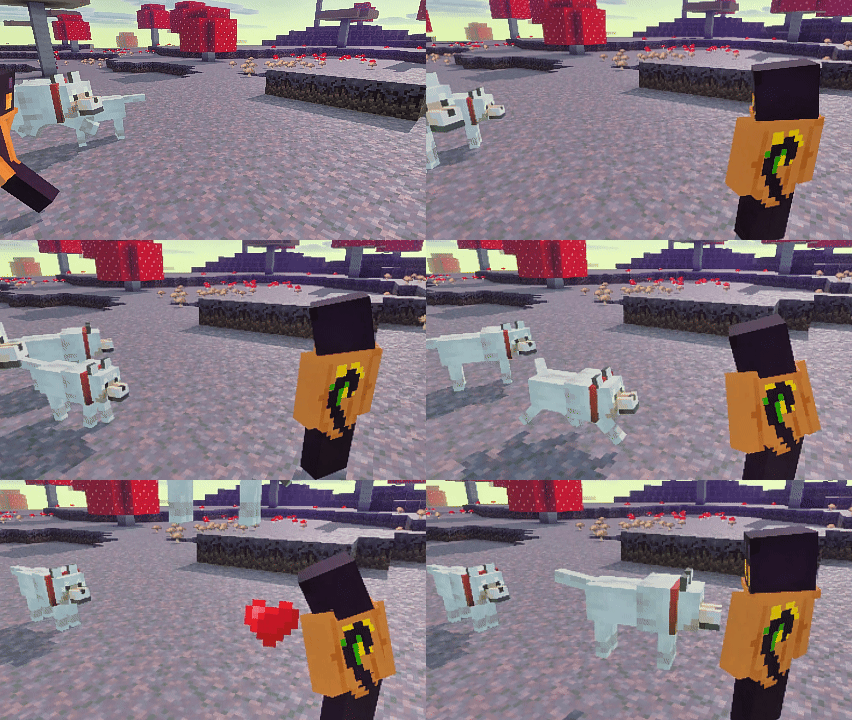
Now the wolves perform various behaviors that they can do on their own or depending on the player's actions.
Since I don't want to spoil all of the wolf's actions, I'll give a description of some of them that I consider difficult to figure out.
---
HAPPY JUMPS
Your wolf jumps when you sneak 3 times in a short period of time.
And that’s it... the rest is easy to figure out as you play. Just one hint: they like to spin around and jump. (Actually, that was a pretty spot-on hint.)
⚔ COMBAT ⚔
Features that will save you—or your wolves—during your adventures.
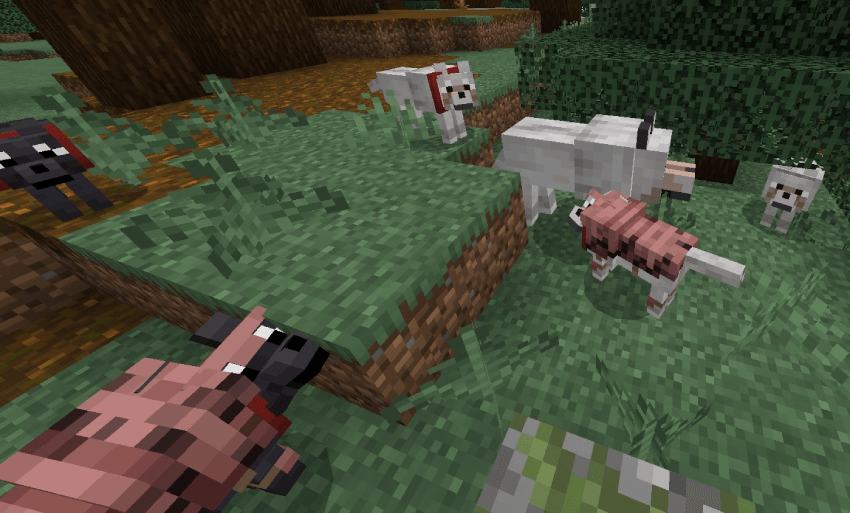
On their own, wolves are... not exactly great at helping you fight mobs. Don't worry, though—they’re still a bit clumsy and certainly not overpowered, but they’ll at least make it a little harder for you to die at the hands of those monsters. If you really want your wolves to be useful, adopt two—or three. Give them some food and a roof over their heads—thanks!
🧠 Intelligence
The Escapist: When a wolf’s health drops to 25%, it will panic and attempt to flee from danger for a few brief seconds, gaining a movement speed boost. If you haven’t saved it from its enemy by then, it will return to the fight as a last resort.
I’ve Got Your Back!: When the player is severely wounded, wolves will prioritize staying as close to the player as possible, attacking any hostile mobs nearby until the player has recovered sufficiently.
Gotta Go Fast: When a wolf enters combat, it gains a movement speed boost—no more leisurely pacing while fighting for its life!
🐶Quality of Life
When a wolf is far away while following the player, it gains a movement speed boost to catch up, helping to avoid awkward, sudden teleports.
Wolves will avoid entering water unnecessarily.
Extra Wild Behaviors
Wild wolves follow an alpha leader. If one gets injured, the others will come to its aid.
Wolves can spawn in different sizes. There is a rare variant that is significantly larger than the rest—it has a 7% spawn chance (watch out for doorways!).
🌟 IMPORTANT 🌟 IMPORTANT 🌟 IMPORTANT 🌟
ACTIVATE THE EXPERIMENTAL SETTINGS "Beta APIs"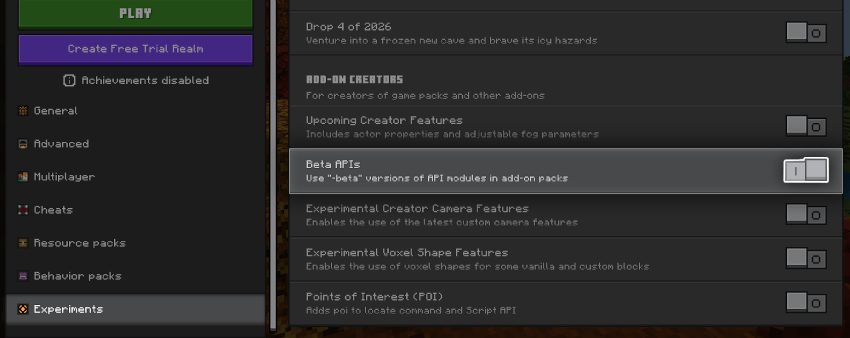
This add-on does not include any animations or resource packs, so it is compatible with any texture or animation pack, such as "Actions & Stuff"
However, it is not recommended to use add-ons that modify the vanilla Minecraft wolves.
INMORTAL WOLVES: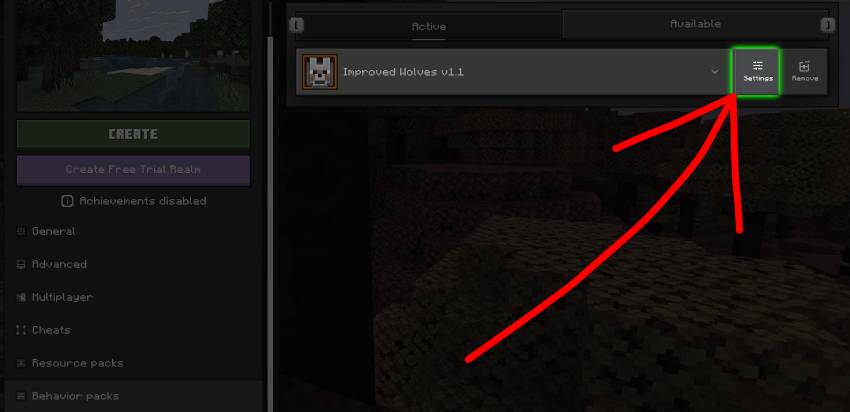
there is a setting that let you enable a special option on the wolf interaction menu, and it makes your wolf inmortal. you can find it on yiur world behavior addons, then find this addon and click "settings". once enabled, enter your wolrd and interact with a tamed wolf. there will be the toggeable.
also, don't give your wolf rotten flesh... why would you do that anyways?
END
MULTILINGUAL SUPPORT
Bug reports regarding the addon system or translations are appreciated, as are any suggestions.
Improved Wolves Team
