Immersive Ragdolls
- By
Mobs crumple into physics ragdolls that react to the hit that killed them: swords, arrows, explosions, falls. No experimental toggles, stable Script API only, with a public API for other add-ons.
Immersive Ragdolls
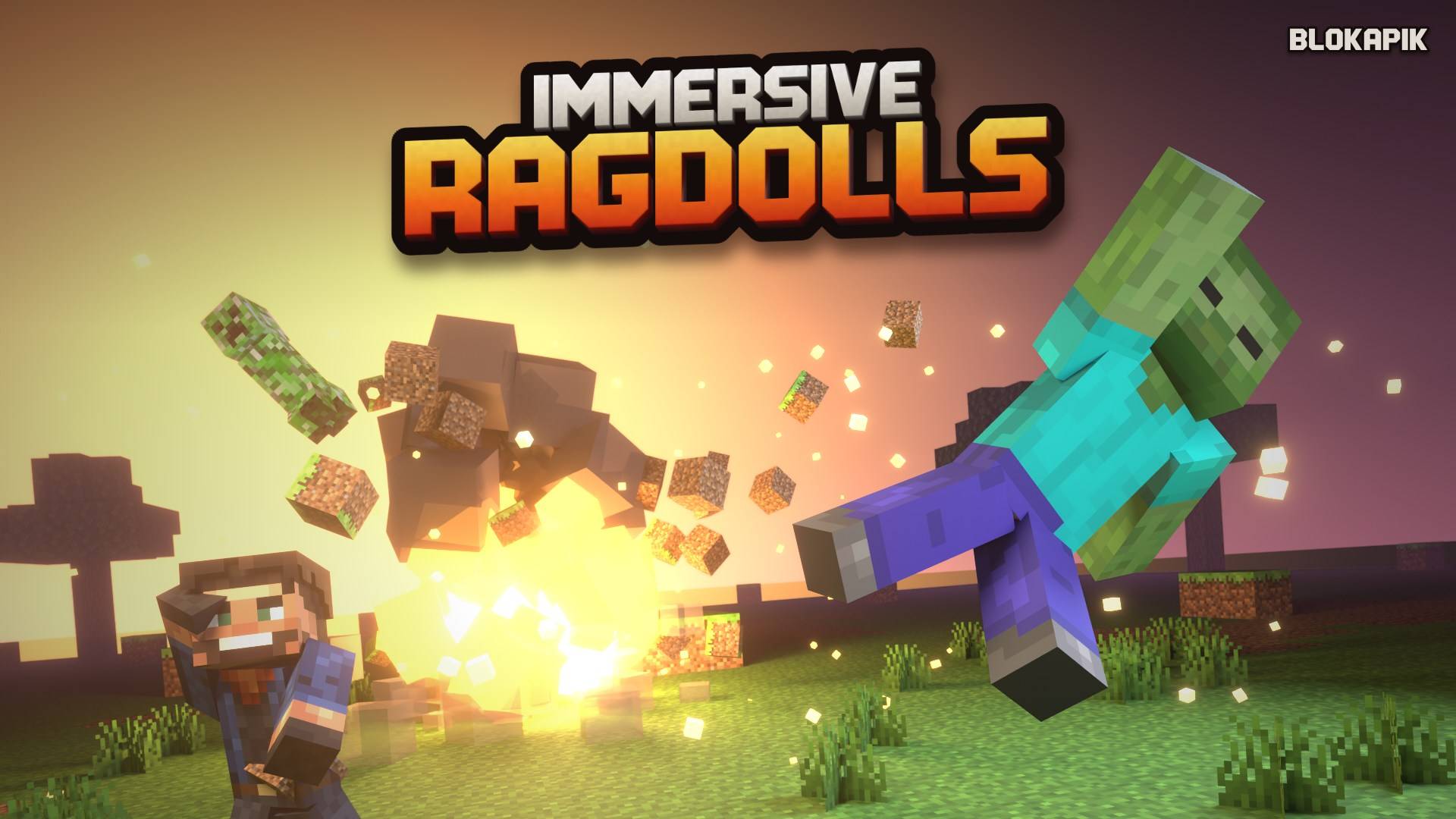
Zombies, skeletons, spiders, illagers, villagers, cows and more vanilla mobs crumple into physics bodies, fall flat from high places, react to every hit and can lose limbs.
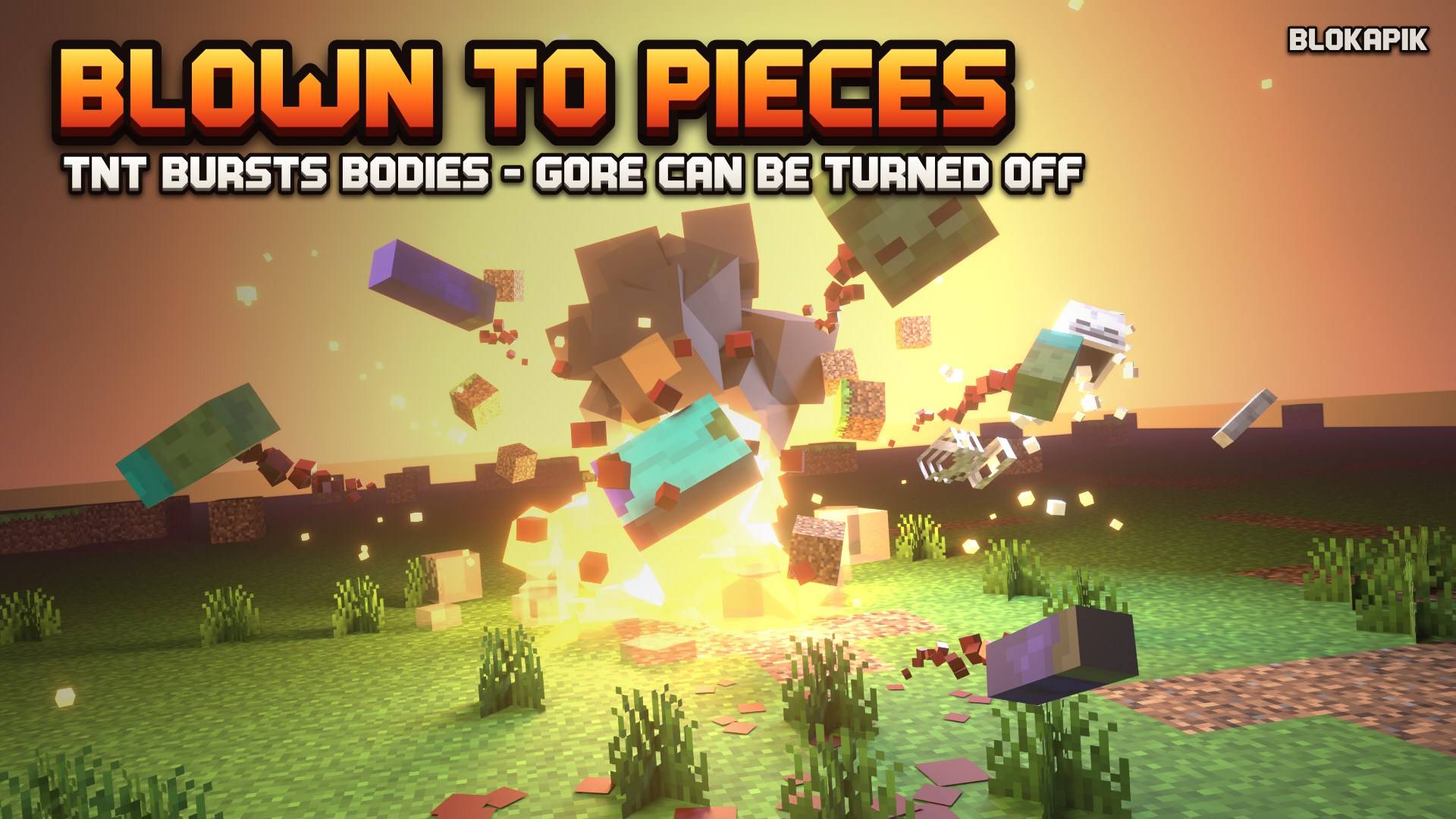
Contains stylized, blocky blood and dismemberment (monsters on hits, every mob in explosions). Turn it off in /blokapik:ragdoll_config (Gore: Off).
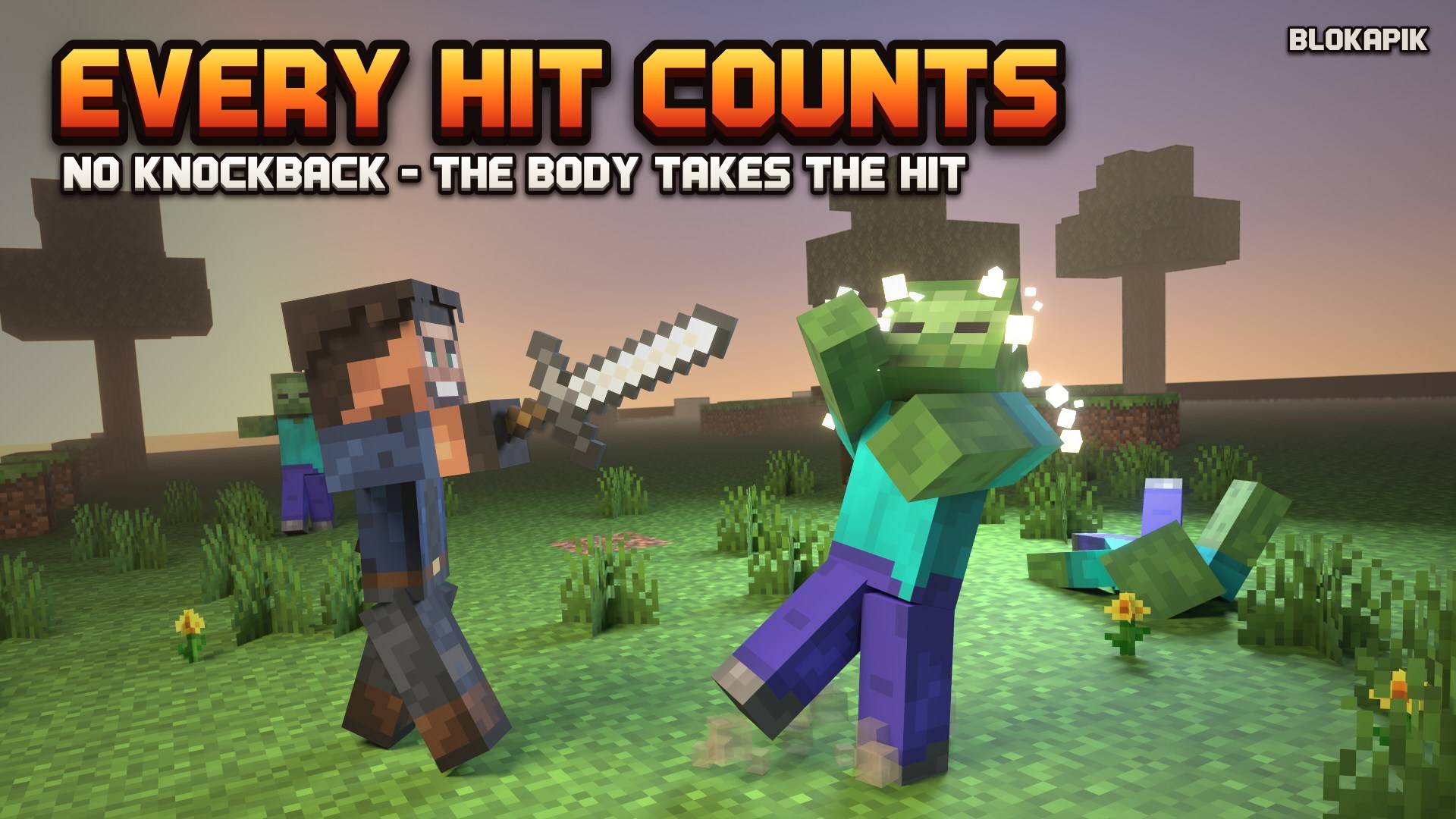
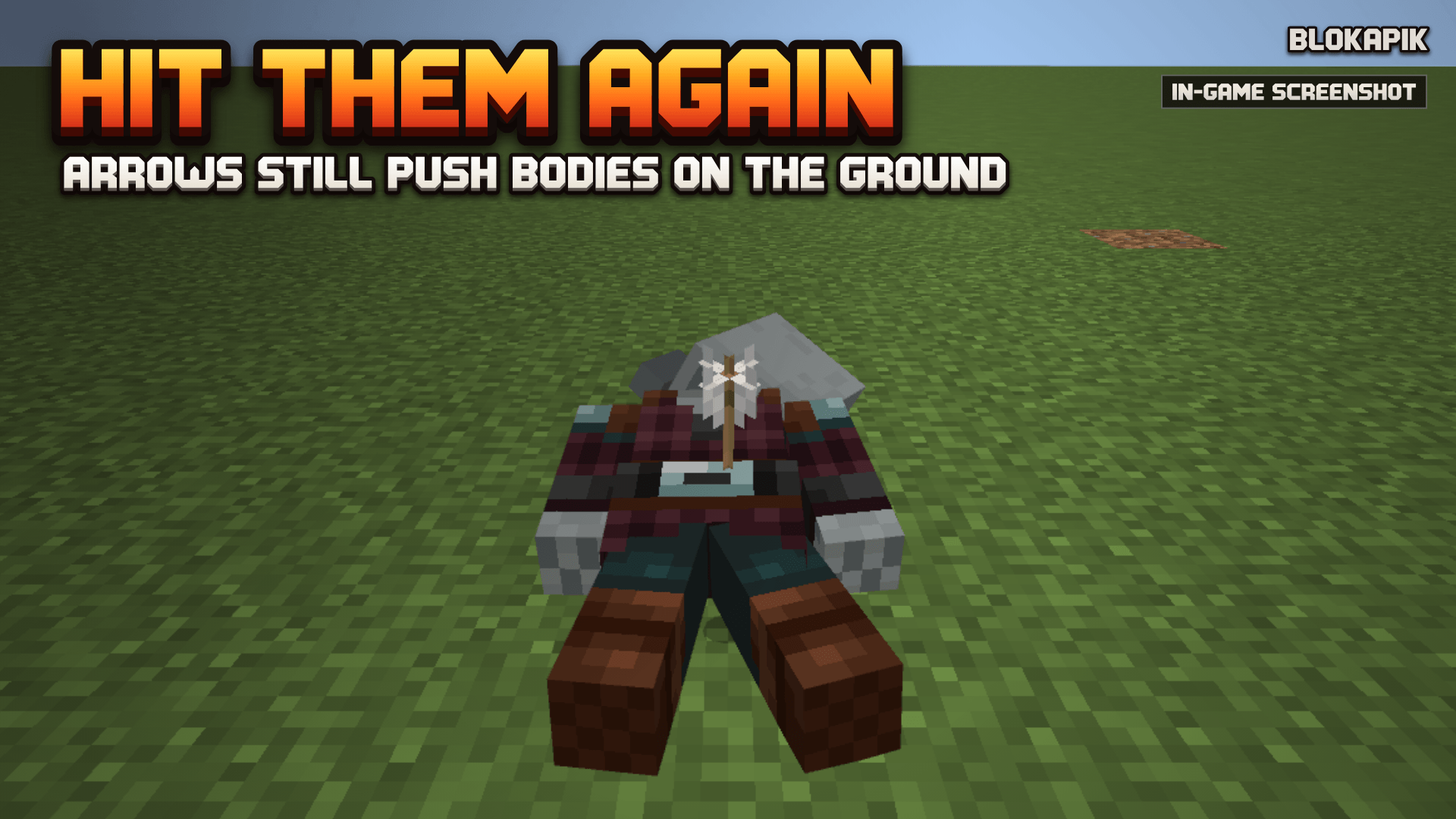
Swing a sword and the zombie falls back, away from you. Put an arrow in a skeleton and it reacts to the impact. Blow up a TNT and the bodies fly. While they lie on the ground you can still push them with arrows, punches and explosions. The add-on measures its own cost: it simulates as many bodies at once as its time budget allows (1 or 2 with the default settings), and the others play pre-computed falls placed on the ground, which become physics bodies again when they come to rest.
Features
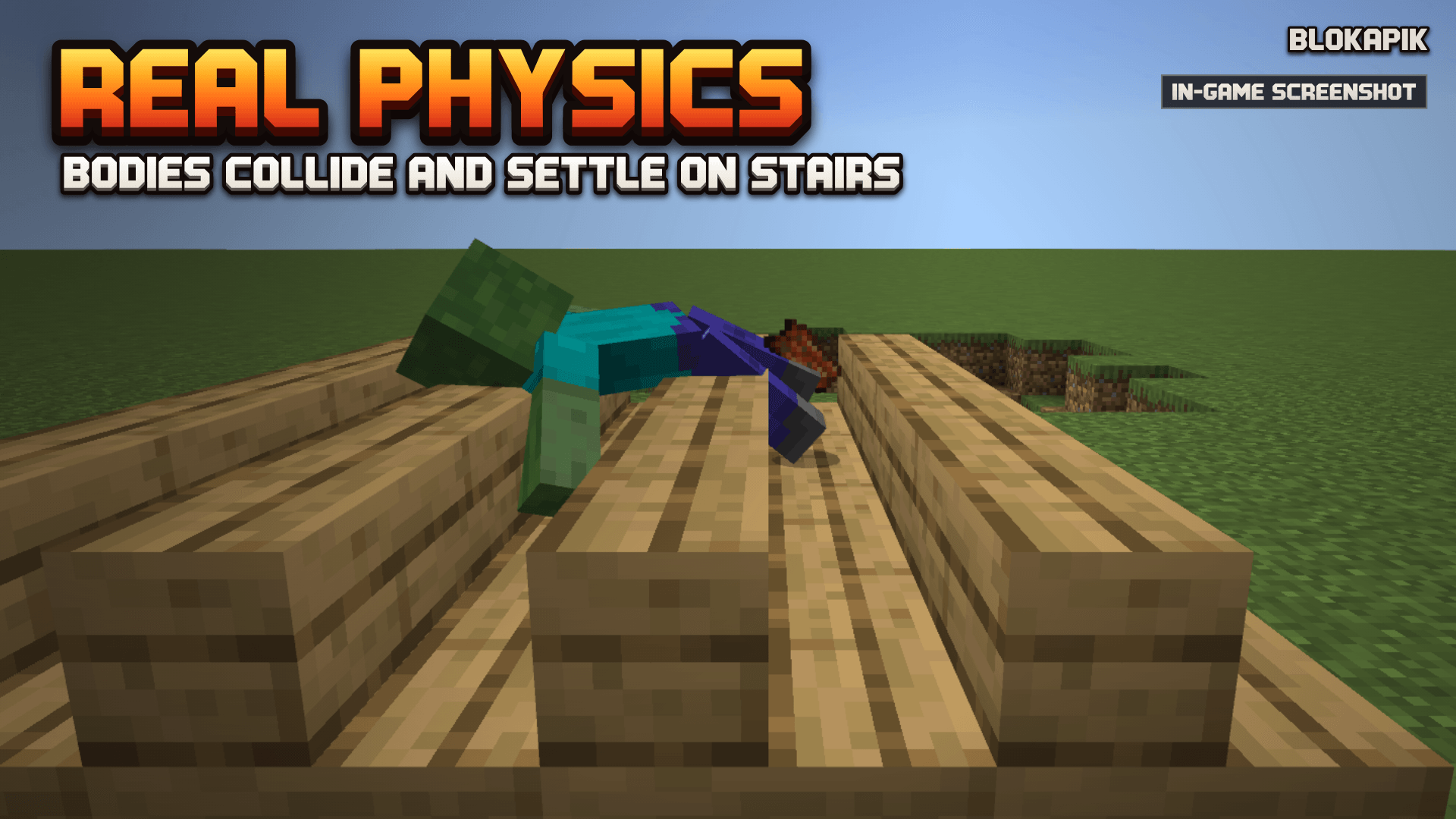
- Our own physics engine, written from scratch: points and joint limits, collisions with blocks; bodies settle on stairs.
- Hits without knockback (1.1): no push, no jump, no red flash on monsters; their body takes the hit (head, chest or legs), staggers, or
is knocked down and gets back up. Same health, loot and XP as vanilla.
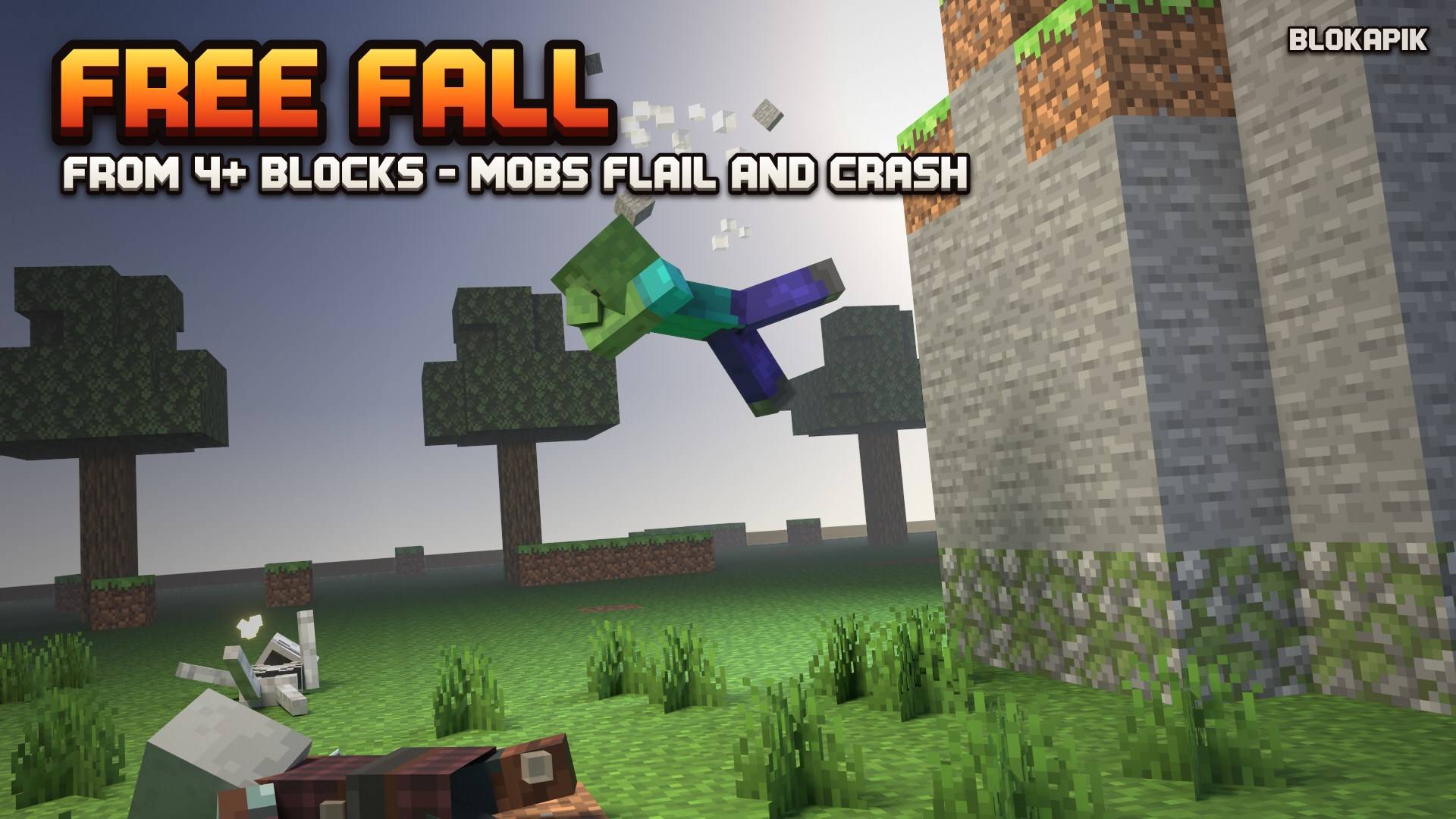
Monsters only/All mobs/Offin the settings. - Free fall (1.1): a mob that falls from 4 blocks or more tips flat, flails its arms, crashes face down or on its back, lies stunned and gets back up; if the fall kills it, its body is born lying down.
- Blood and dismemberment (1.1): blocky blood on hits, pools under the bodies, limbs torn off by heavy axe blows; skeletons break into bone chips. Recommended setting: limbs on monsters only, blood only on people and animals; or blood only, or off.
- Explosions burst bodies (1.1): a mob killed by TNT, a creeper, an end crystal, a bed or an exploding vehicle leaves no whole body: head, limbs, torso and chunks fly away from the blast, bounce, roll and settle, a blood jet follows each flying limb, blood splatters and stains the ground, pools form under the pieces, and everything fades away. Burst and blood can be turned off separately; pieces per explosion are capped.
- 24 vanilla mobs: zombie, husk, drowned, zombie villager, skeleton, stray, bogged, wither skeleton, zombified piglin, villager, wandering trader, witch, pillager, vindicator, evoker, piglin, piglin brute, creeper, cow, pig, sheep, spider, cave spider, and the enderman (experimental, off by default: one switch in the settings form).
- The fall matches the hit: melee knock-back, arrow impact point, explosion blast, fall, lightning.
- Same look as the living mob: bodies use the game's own models and textures (your texture packs apply to the bodies too) and keep villager professions, wool colors, saddles and cold variants.
- No experimental toggles: stable Script API only.
- Server friendly: a time budget per tick, measured all the time (body creation included); the number of bodies simulated at once
follows the measured cost. Above it, bodies play pre-computed falls that cost nothing. Resting bodies cost nothing. A farm guard keeps busy
mob farms vanilla.
/blokapik:ragdoll_statsshows the real cost on your world. - Loot stays vanilla: drops are untouched and XP orbs still drop.
- Settings for operators:
/blokapik:ragdoll_config(on/off, bodies at once, budget, lifetime, sink, distance, quality, families of mobs, enderman). With cheats on, one mob on or off:/scriptevent blokapik:ragdoll set mob.<name> off. - API for other add-ons (beta): weapons, vehicles and explosives can push bodies and tell how a mob falls, with one script event. Full documentation in the API for add-on makers section at the end of this page.
- English, French, Spanish.
The next image shows stylized, blocky blood. Gore can be turned off in /blokapik:ragdoll_config.
How to use
- Import the
.mcaddon, activate both packs on your world. No experiments needed. - Fight! Bodies stay 30 seconds, then sink into the ground.
- Operators:
/blokapik:ragdoll_config,/blokapik:ragdoll_stats,/blokapik:ragdoll_clear. - Keep a mob vanilla:
/tag <mob> add blokapik_no_ragdoll(cheats on).
Good to know
- Players keep the vanilla death.
- Baby mobs keep the vanilla death.
- Add-ons that listen to
entityHurt: non-lethal player hits on monsters are cancelled by default; see the API section below (pass,blokapik:ragdoll_hurt). - Armor and held items are not drawn on the body; they drop with their normal vanilla chance.
- Add-ons that replace a vanilla mob model may not match its body: turn that mob off.
/scripteventneeds cheats: in a world without cheats, use/blokapik:ragdoll_config(the enderman switch is at the bottom of the form).
Compatibility
Minecraft Bedrock 1.26.60 or newer. No vanilla file is replaced. Add-on makers: the dying mob stays valid during entityDie and is removed
one tick later (details in the API section below).
More from Blokapik
- Wasteland Motors: 37 drivable apocalypse vehicles.
- Gravestones: safe graves keep your items when you die.
- Toxic Fog: a deadly fog event, gas masks and safe domes.
- Block Cards: a real card table for your world, with cute Cardling bots.
- Scout Minimap: a lightweight minimap in 3 hand-made styles.
Changelog
1.1.0 — hits without knockback and body reactions, free fall and get-up, blood and dismemberment (with settings), bodies that burst in explosions (blood jets, splatter, pools, caps), spiders and cave spiders, fixed sheep bodies, stronger pushes on bodies, no more bodies sliding back or limbs snapping back to the body when they come to rest, vehicles of Wasteland Motors push bodies, cost per stage in the stats, API: pass, react, sever, gore, blokapik:ragdoll_hurt.
1.0.0 — first release: 22 mobs (enderman off by default), settings, stats, API v1 (beta), EN/FR/ES.
API for add-on makers (beta)
Immersive Ragdolls (by Blokapik) turns vanilla mob deaths into physics ragdolls. Any add-on (weapons, vehicles, explosives, maps) can push those bodies or choose how a mob falls, through one script event. Nothing in the world is changed by the API: bodies are visual only, so the API cannot be abused beyond pushing bodies around.
- Channel:
/scriptevent blokapik:ragdoll <JSON>(commands, command blocks, functions), or from a script:system.sendScriptEvent("blokapik:ragdoll", JSON.stringify(message))(@minecraft/serverstable). - Every message is a JSON object with
"v": 1. Unknown fields are ignored, numbers are clamped, at most 64 messages per tick are read. - Coordinates are world blocks;
forceis a speed in blocks per second (0 to 20, default 4). - If Immersive Ragdolls is not installed, your event is simply not received: always keep your own vanilla behaviour.
1. Impulse on an entity (entity)
{"v":1,"entity":"-4294967285","dir":[0,0.1,1],"force":6,"bone":"head","point":[10.2,65.6,-3.1]}| Field | Meaning |
|---|---|
entity |
Entity.id of a living mob, of a mob that just died, or of a body (blokapik:ragdoll_*) |
dir |
direction (normalised for you) |
force |
blocks/s, 0 to 20 |
bone (optional) |
head, torso, arm_r, arm_l, leg_r, leg_l; quadrupeds and creeper: leg_fr, leg_fl, leg_br, leg_bl |
point (optional) |
world point of the hit; wins over bone |
- Living mob: the impulse is remembered for 3 ticks and used if the mob dies in that time. Send it just before your killing
applyDamageso the body falls the way your weapon hit (a head shot throws the head back). - Mob that already died, or a body: the body is pushed now (and woken up if the server budget allows it).
- Not yet verified in game: the order in which the game delivers your script event and the death of the mob within one tick (test grid, line E5). Either way the body gets your hit: received before the death, the impulse shapes the fall; received after it, the new body is pushed with it (if it is simulated, see § 2). Treat it as a best effort until E5 is ticked.
2. Bullet / ray (ray)
{"v":1,"ray":{"o":[0.5,66.1,0.5],"d":[0,-0.2,1],"max":64},"dim":"minecraft:overworld","force":4,"id":"shot42"}The first body cut by the ray (origin o, direction d, length max 0 to 128) is pushed at the hit point. Use it for shots that did not hit
a living entity: bodies are 0.1 block entities and vanilla raycasts do not see them. dim defaults to the dimension of the command source, else
the Overworld. id is yours and comes back in the reply.
Reply (only when a body is hit): script event blokapik:ragdoll_hit
{"v":1,"id":"shot42","body":"-4294967001","point":[10.234,64.312,-2.988],"bone":"torso","moved":true}moved is false when the body was hit but did not move: a resting body is only woken up while the server budget has room
(max_simulated). The hit point is still right: put your impact effect there.
Which bodies can be hit. When the server budget is full, a new body plays a pre-computed fall (about 1 to 3 seconds) instead of the physics. During that fall it cannot be hit by rays, blasts or impulses (they go through it); at the end of the fall it turns into a normal resting body and can be hit again.
import { system } from "@minecraft/server";
system.afterEvents.scriptEventReceive.subscribe((ev) => {
  if (ev.id !== "blokapik:ragdoll_hit") return;
  const hit = JSON.parse(ev.message);   // place your impact effect at hit.point
}, { namespaces: ["blokapik"] });
Whether a script event sent by one pack reaches the scripts of another pack is expected but not yet verified in game for this add-on;
fallback: dimension.runCommand("scriptevent blokapik:ragdoll …").
3. Blast (pos + radius)
{"v":1,"pos":[12.5,64,-3.5],"dim":"minecraft:the_end","radius":5,"force":8}Radial push of every body within radius (0 to 16 blocks), stronger near the centre (grenades, rockets, mines). Vanilla explosions (TNT,
creepers) already push bodies: no message needed for them. Exploding vehicles of Wasteland Motors are detected too (their wreck appears
where the vehicle was). Bodies in a pre-computed fall are not pushed (§ 2). The reply to the command is the number of bodies pushed.
Mobs killed by your blast (1.1). A blast of force 8 or more counts as an explosion for every mob that dies inside its radius
within 3 ticks, whatever damage cause your add-on used (entityExplosion, override, entityAttack…): its body bursts into pieces (§ 12).
Send the blast message just before you apply your damage.
4. Excluding a mob
Give it the tag blokapik_no_ragdoll (/tag @e[type=zombie,name=Boss] add blokapik_no_ragdoll, or entity.addTag(...)): it keeps the
vanilla death (map bosses, NPCs, mobs whose death your add-on animates itself). Babies, deaths in the void or below the world, and mobs with no
player within the distance setting also keep the vanilla death.
Farm guard (farm_guard, on by default): 8 "farm" deaths within 10 seconds in the same 16-block cube turn later farm deaths in that cube
vanilla for 30 seconds. A farm death is an environmental cause (fall, drowning, lava, magma, suffocation, contact, fire, freezing, piston,
falling block, stalactite) with no player hit in the last 5 seconds. Combat deaths (players, explosions, arrows, vehicles, other
add-ons) are never blocked.
5. Text commands (operators, tests)
/scriptevent needs cheats on. Without cheats, operators use the custom commands /blokapik:ragdoll_config, _stats and _clear; the
enderman has its own switch in the settings form.
| Command | Effect |
|---|---|
/scriptevent blokapik:ragdoll debug [on|off] |
support tool: lists the bodies present (type, state, position) and, with on, writes one line per death and per body (created, refused, asleep, lost, removed) to the content log at the "inform" level; off by default, never saved |
/scriptevent blokapik:ragdoll stats (or /blokapik:ragdoll_stats) |
bodies, simulated / resting / scripted falls, the worst ms per tick since the last stats (peak, budget, ms per simulated body), property writes per second, API messages per second and refused messages. Read it within 2 seconds after a wave of deaths to see the cost of the falls |
/scriptevent blokapik:ragdoll test <mob> [force] |
a test body 2.5 blocks in front of you (zombie, cow, villager, spider, … the 24 mob names) |
/scriptevent blokapik:ragdoll clear (or /blokapik:ragdoll_clear) |
removes every body |
/scriptevent blokapik:ragdoll set <setting> <value> |
enabled, max_simulated, budget_ms, max_bodies, lifetime, sink, distance, quality (low, normal, high), farm_guard, kick, xp_fallback, (1.1) gore (auto, off, blood, full), blood_time (5 to 60 s), hit_reactions (off, hostile, all), falls, fall_height (3 to 20 blocks), getup, (1.1, explosions) blast_burst, blast_blood, blast_pieces (4 to 64), blast_particles (8 to 96), max_pieces (8 to 96), families undead, village, nether, special, animal, arthropod, and mob.<name> on|off|default (the enderman is off by default) |
/scriptevent blokapik:ragdoll reset |
default settings |
/scriptevent blokapik:ragdoll config (or /blokapik:ragdoll_config) |
settings form |
6. Examples
Weapons add-on, killing shot (before applyDamage):
system.sendScriptEvent("blokapik:ragdoll", JSON.stringify({ v: 1, entity: target.id, dir: [d.x, d.y, d.z], force: 6, point: hitPoint }));
target.applyDamage(damage, { cause: EntityDamageCause.entityAttack, damagingEntity: shooter });
Missed shot (no living entity hit): {"v":1,"ray":{"o":[…],"d":[…],"max":64},"force":4,"id":"<your id>"}.
Vehicle (Wasteland Motors, a later version): impulse on the hit mob along the vehicle velocity, before the collision damage; for a turret
shot, the entity impulse along the bullet. Until then, Immersive Ragdolls treats a death caused by a player riding a bdv:* vehicle as
a run-over only if the vehicle moves (1 block/s or more) and the mob is within 5 blocks of it; otherwise (turret, passenger) the body
falls away from the shooter.
7. Compatibility notes
entityDiecontract (24 mobs). When Immersive Ragdolls gives a mob a body, the dying mob stays a valid entity during the wholeworld.afterEvents.entityDiedispatch, for every pack, whatever the pack order:deadEntity.location,.dimension,getComponent(),nameTagall work there. It is removed one tick later (system.run), without its vanilla death animation (loot dropped by the game at death is untouched). So read what you need inside yourentityDiehandler and do not keep the entity for later ticks; after that tick onlyidandtypeIdstay readable (Entity.isValidisfalse). If the body cannot be created (outside the world, spawn refused), the mob is not removed at all: normal vanilla death.- Bodies are entities
blokapik:ragdoll_<mob>of familyblokapik_ragdollandinanimate: exclude that family from your own scans. - Bodies are never saved: a body reloaded from a save is removed at once. A body spawned by anything else than Immersive Ragdolls (
/summon,spawnEntityfrom another add-on) is removed on the next tick: usetest <mob>(§ 5) to make one. - Version: this document describes message version
"v": 1(Immersive Ragdolls 1.1.0,@minecraft/server2.11.0 stable, no experiments). Every 1.0 message still works unchanged.
8. Hits without knockback (1.1): what changes for your add-on
By default (hit_reactions = hostile), a non-lethal hit from a player (melee, arrow, mace) on a hostile mob is cancelled in
world.beforeEvents.entityHurt and the health is set by Immersive Ragdolls: no knockback, no jump, no red flash, and the mob plays a body
reaction instead. Armor, enchantments and effects are already in the vanilla damage (we keep the exact vanilla health), the weapon still loses
durability, neutral mobs still get angry and passive mobs still flee. Lethal hits are never cancelled: loot, XP, killer credit and
entityDie stay 100 % vanilla.
Consequence: world.afterEvents.entityHurt does not fire for those cancelled hits. Two ways to keep your logic:
- listen to the event
blokapik:ragdoll_hurt, sent after each cancelled hit:{"v":1,"entity":"<id>","type":"minecraft:zombie","damage":6.89,"attacker":"<id or null>"}
  system.afterEvents.scriptEventReceive.subscribe((ev) => {
    if (ev.id !== "blokapik:ragdoll_hurt") return;
    const hit = JSON.parse(ev.message);   // count it, show a hit marker, give points…
}, { namespaces: ["blokapik"] });- or let one hit through untouched: send
{"v":1,"entity":"<id>","pass":true}in the same tick, before yourapplyDamage; that next hit on that entity is left to vanilla (knockback and flash included).
If you also cancel entityHurt in your own add-on, keep one owner per hit: Immersive Ragdolls only handles hits whose
damagingEntity is a player (and fall damage of a mob it is animating); your own applyDamage calls with another source are untouched.
9. Body reaction only (1.1)
{"v":1,"entity":"-4294967285","react":{"bone":"head","force":0.4,"dir":[0,0,1]}}Plays a hit reaction on a living mob, with no damage (for a weapons add-on that deals damage its own way). bone: head, torso,
legs, arm_r, arm_l, leg_r, leg_l; force 0 to 1 (share of the max health: under 0.15 light, under 0.35 medium, under 0.6 stagger,
above: knockdown, the mob falls and gets back up); dir: direction of the hit (from the attacker to the mob).
10. Dismemberment from your add-on (1.1)
Add to an impulse (§ 1) or a ray (§ 2): "sever": ["head", "arm_r"] (forced) or "gore": 0.5 (probability for the bone that was hit). Group
names: bipeds head, arm_r, arm_l, leg_r, leg_l; quadrupeds and creeper head, leg_fr, leg_fl, leg_br, leg_bl; spiders
head, legs_rf, legs_lf, legs_rb, legs_lb. On a living mob, send it just before the killing hit (3 ticks); on a body it applies now.
A ray of force 12 or more cuts the hit limb with probability 0.5; a blast (§ 3) of force 8 or more cuts one limb of the bodies within 1.5
blocks (probability 0.5, 3 limbs per body at most). Nothing is cut when the world setting gore is not full for that mob.
11. Live mobs (1.1): what other add-ons may see
- Animations are played on the vanilla mob with
Entity.playAnimation(controller nameblokapik_ragdoll_live); no vanilla file is replaced. A pack that replaces the bones of a mob makes them silent (the mob still lies still for the stun time). - While it lies on the ground or gets up, the mob's
minecraft:movementvalue is set to 0 (or 30 % during a medium hit reaction) and its yaw is held; the original value is stored in the dynamic propertyblokapik:ragdoll_downand restored at the end, atentityLoadand after a script reload. Its own attacks (melee, arrows) are cancelled while it is down. - Bodies and detached limbs are both entities
blokapik:ragdoll_<mob>; a limb hasblokapik:ragdoll_cut≥ 64.
12. Explosions: bodies burst into pieces (1.1)
A mob killed by an explosion (TNT, creeper, end crystal, bed or respawn anchor, an exploding Wasteland Motors vehicle, or a blast of § 3) leaves
no whole body: its torso, head, arms, legs and a few chunks of flesh fly away from the explosion centre (faster when it is close), bounce,
roll and settle; a blood jet follows each flying limb and the torso, blood splatters around and leaves stains where the drops land, and a
pool forms under each piece once it rests. Everything fades after blood_time.
- Pieces are entities: limbs and torsos are
blokapik:ragdoll_<mob>(a limb hasblokapik:ragdoll_cut= 64 + group index; a torso has the mask of all its groups), chunks areblokapik:ragdoll_chunk. All belong to the familyblokapik_ragdoll, are invulnerable, have no gravity or collision, and are removed byclear, at the end of their lifetime and when the world loads. - World settings (operators,
/blokapik:ragdoll_configorset):blast_burst(on/off),blast_blood(on/off) — dismemberment and blood can be turned off separately;blast_pieces(pieces made by one explosion, shared by all its deaths: torsos first, then heads and limbs, then chunks; a limb without room is shredded into gibs; a death without room for a torso keeps a whole body),blast_particles(script particle launches for one explosion),max_pieces(pieces present at once; the oldest goes first).gore offturns everything off (whole bodies). - No dismemberment on hits is implied:
gore autostill only cuts limbs of monsters on hits; explosions burst every mob. - Cost: shown on the 3rd line of
/blokapik:ragdoll_stats(µs per moving piece per tick, worst tick, pieces made).
By Blokapik. Please don't re-upload. Links, videos and showcases are welcome.
Immersive Ragdolls Team