Description
Hotbar Shuffle
Minecraft Bedrock's Inventory — Solved
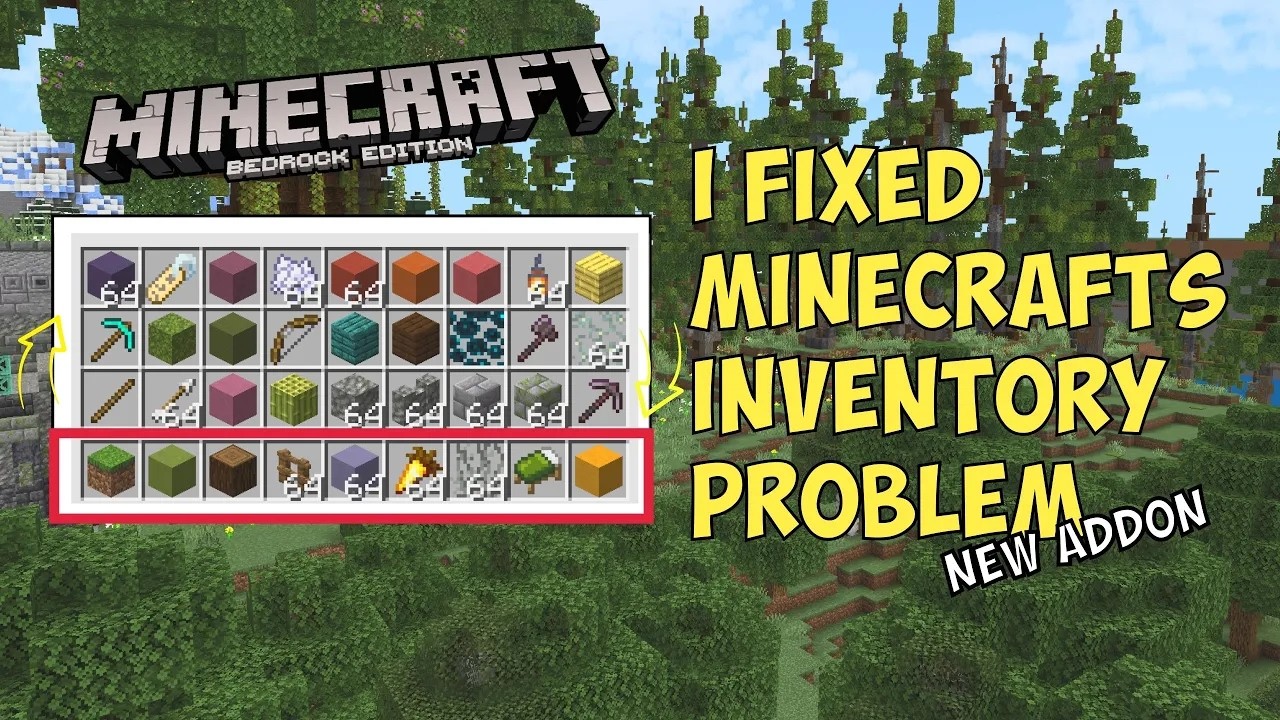
Bedrock Hotbar Shuffle is a behavior pack for Minecraft Bedrock that rotates all four rows of your inventory with a single keypress, turning your hotbar from nine fixed slots into a window onto all thirty-six.
Minecraft gives you nine hotbar slots and twenty-seven more that can only be reached by opening the inventory screen. This addon lets you organize those rows by purpose — tools on one, building blocks on the next, food and potions below that — and then bring whichever row you need under your hand with one keybind, without opening a screen or dragging a single item.
How it works
Your inventory has four rows: the hotbar and the three rows above it in the inventory screen. One keypress cycles all four at once.
        /shuffle:down                    /shuffle:up

  Hotbar  <-  Row 3               Hotbar  <-  Row 1
  Row 1   <-  Hotbar              Row 1   <-  Row 2
  Row 2   <-  Row 1               Row 2   <-  Row 3
  Row 3   <-  Row 2               Row 3   <-  Hotbar
The two directions are exact opposites, and four presses in either direction returns every item to where it started. Your selected slot index never changes, so the rows move underneath your cursor rather than your cursor moving between them.
Setting it up
1. Install the pack.
Download the .mcaddon and open it. Minecraft imports it automatically.
2. Turn it on for your world. In your world's settings, under Behavior Packs, activate Bedrock Hotbar Shuffle.
3. Bind two keys.
Open Settings, then Keyboard & Mouse, and scroll past the normal keybinds to the
command macro slots. Put /shuffle:down in one and /shuffle:up in another.
4. Trigger it in game. Press Alt together with the key you bound.
Requirements
- Minecraft Bedrock 1.26.30 or newer
- Keyboard and mouse. Command macros are a keyboard-and-mouse feature, so the
single-keypress workflow requires a PC. On touch or controller you can still run
/shuffle:downand/shuffle:upfrom chat, which works but is considerably slower than a keybind.
No experimental toggles. This uses only stable scripting APIs, so it installs and runs with everything switched off — including on Realms, where experiments are usually a problem.
No operator permission and no cheats. Any player can use it in a normal survival world with cheats turned off.
Multiplayer, Realms, and servers
Only the host needs the pack. Install it on your server or Realm and everyone who joins can use it immediately, binding their own macro keys locally. No one else needs to download anything.
Because a behavior pack belongs to the world rather than to your game installation, it cannot be carried onto a server that has not installed it.
Open source
Source, issues, and full documentation: https://github.com/Alaydriem/bedrock-hotbar-shuffle
If it's useful to you, you can support development on YouTube, Twitch, or Patreon.
Hotbar Shuffle Team

Owner