Hn Midi Disc
- By
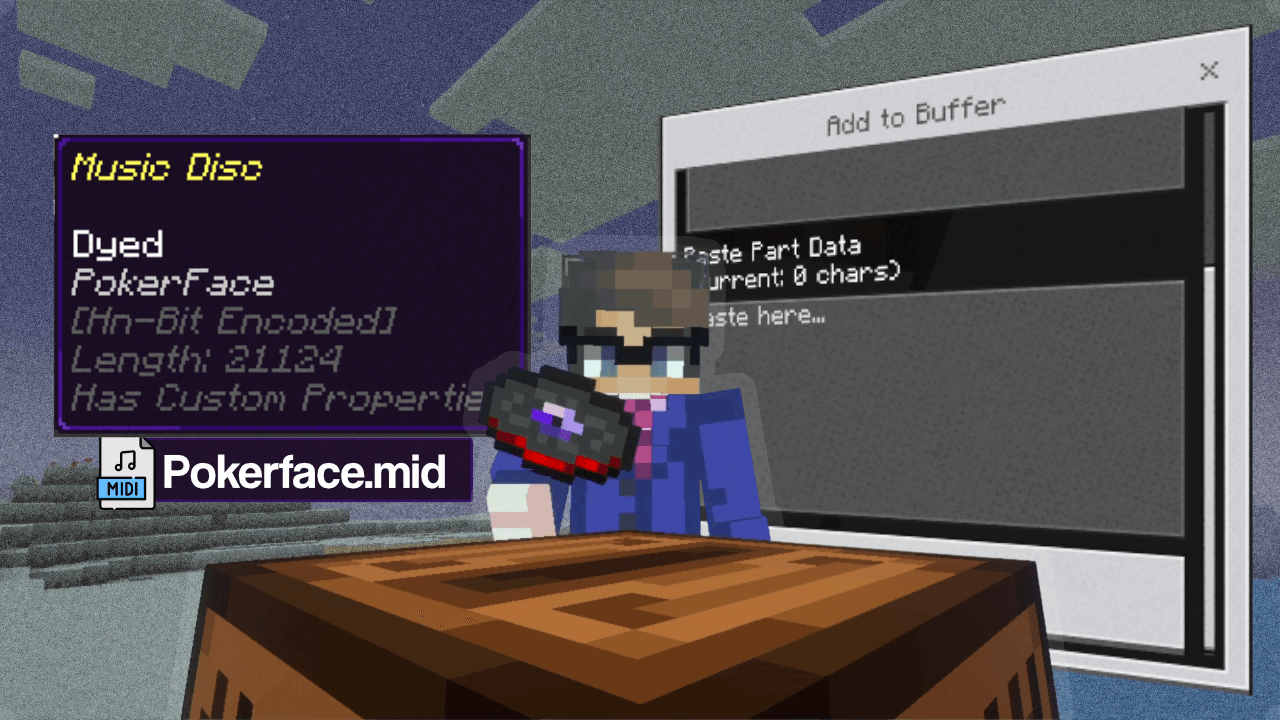
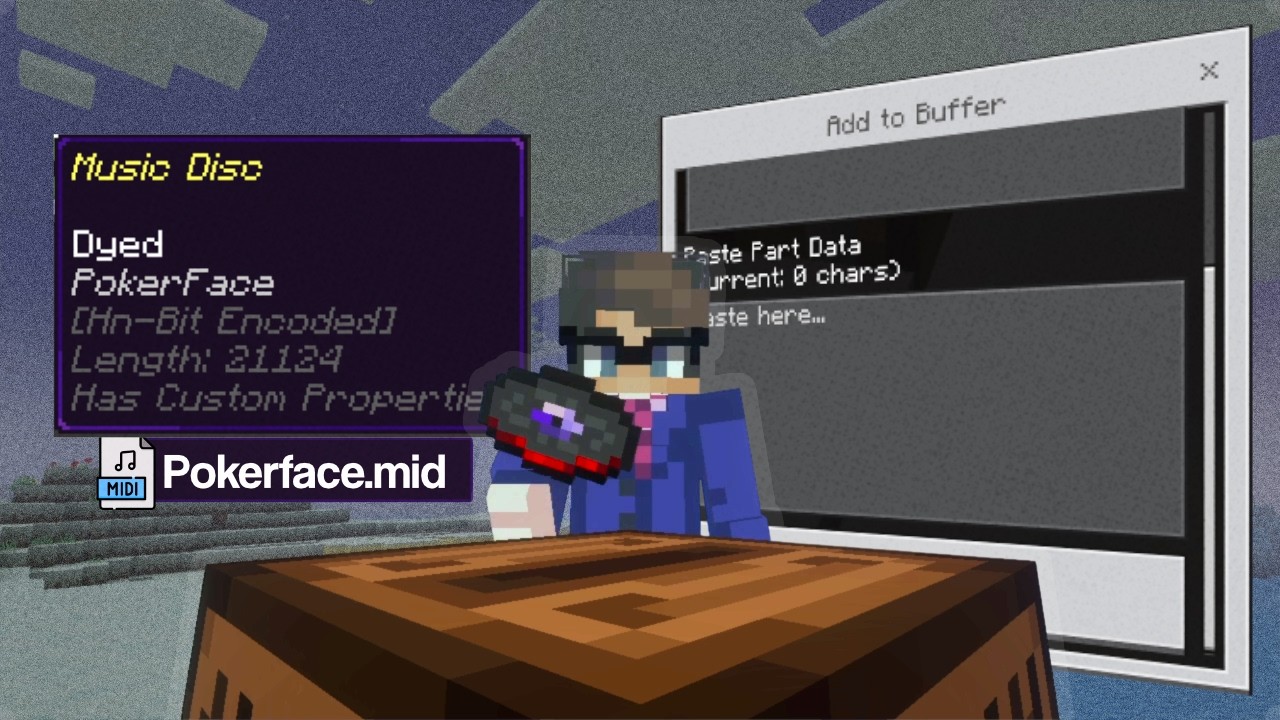
Play any song in Minecraft! Convert MIDI to "Hn-Bit" data and burn it onto custom discs. Just paste, burn, and play!
thumbnaillyt.png
Description
Play Any Song with HnMidiDisc!
Stop being limited by vanilla music. HnMidiDisc lets you bring any melody into your world. This addon reads MIDI data and plays it through a custom music engine directly from a jukebox.
How to Use:
- Get the Blank Disc: You can get a Blank Disc in survival by crafting it. Use Amethyst shard, 2 coal, and 2 redstone.
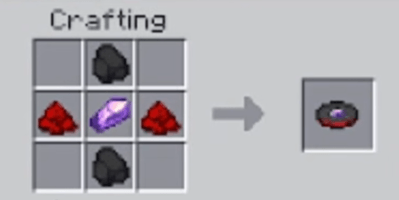
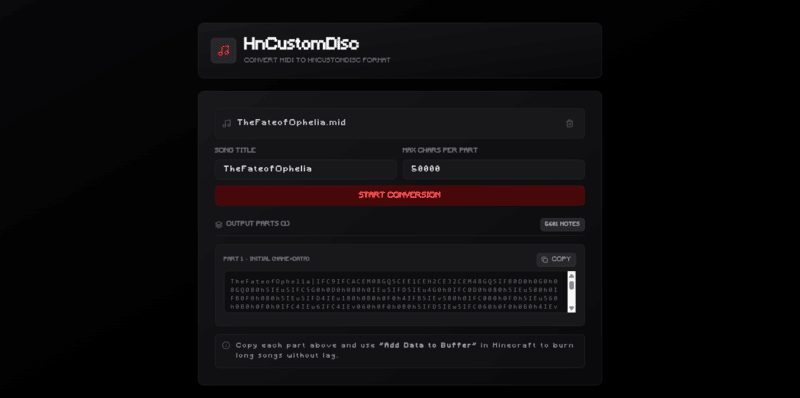
- Convert Your MIDI: Visit the converter at bit.ly/hncustomdisc Upload your MIDI file and copy the generated data string.
- Access the Encoder: Hold a Custom Music Disc and Sneak + Right Click (Interact). This opens the Disc Encoder menu.
- Buffer & Burn:
- Select "Add Data to Buffer" and paste your code.
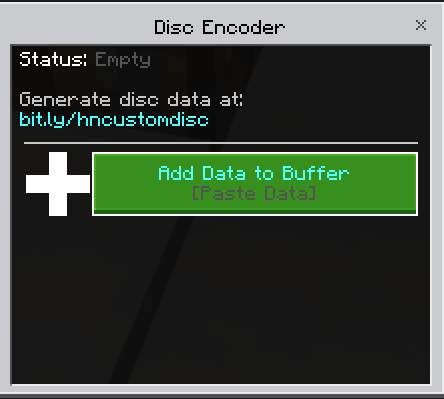
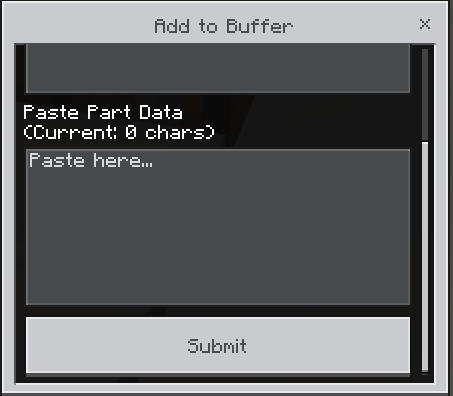
- If there are several parts, add more data until all parts have been added.
- Once the data is in, click "Burn Buffer to Disc".
- Select "Add Data to Buffer" and paste your code.
- Play Music: Simply put the burned disc into a Jukebox. The music starts automatically!
- World Song Library: Save your favorite burned discs to the World Library. Once saved, any player on the world/server can open the library through their Disc Encoder, browse saved tracks, and burn them onto blank discs.
Main Features:
- MIDI Based: Converts MIDI notes into in-game sounds instantly through a custom engine.
- Dynamic Colors: The disc color changes based on the music data you burn into it!
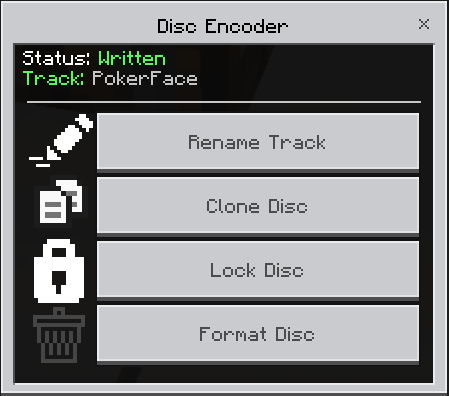
- Locking System: You can Lock your disc to prevent others from formatting or renaming it. Your name will be shown as the Owner.
- World Song Library: A centralized in-world database to save and share tracks with other players.
- Multi-Dimension Support: Jukeboxes now work flawlessly in the Overworld, Nether, and The End.
- Item Loss Protection (Anti-Desync Guard): Safety check that prevents item replacement or loss if you rearrange items while the menu is open.
- Disc Management: Rename your tracks, clone them to blank discs, or format them back to empty.
- Smart Cleanup: Music stops immediately if the Jukebox is broken or the disc is ejected.
- Achievement Friendly: No experimental toggles needed!
Notes:
- Buffer System: Large songs can be added in multiple parts using the "Add to Buffer" feature before burning.
- No Experiments: Fully functional without needing to toggle experimental gameplay.
We really appreciate your suggestions and feedback in the comments column, and please report if you find any bugs in this addon!
Disclaimer
If you want to review this addon on YouTube etc, please include the download link to this site.
Support the creator by subscribing to the channel:
Hn Midi Disc Team