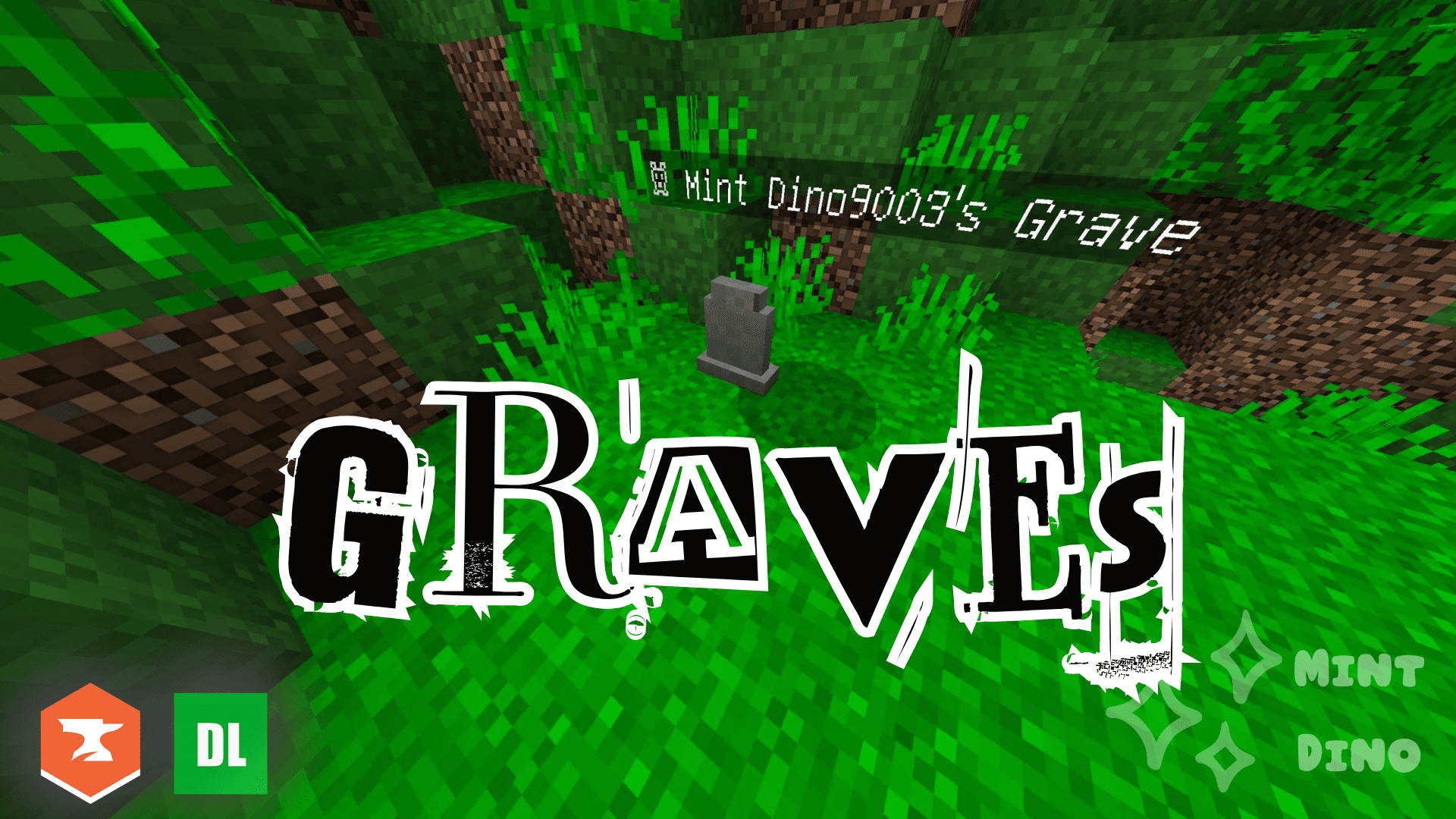
☠ Graves
A professional, vanilla-friendly death system for Minecraft Bedrock Edition.
Created by Mint Dino • Version 1.0.0
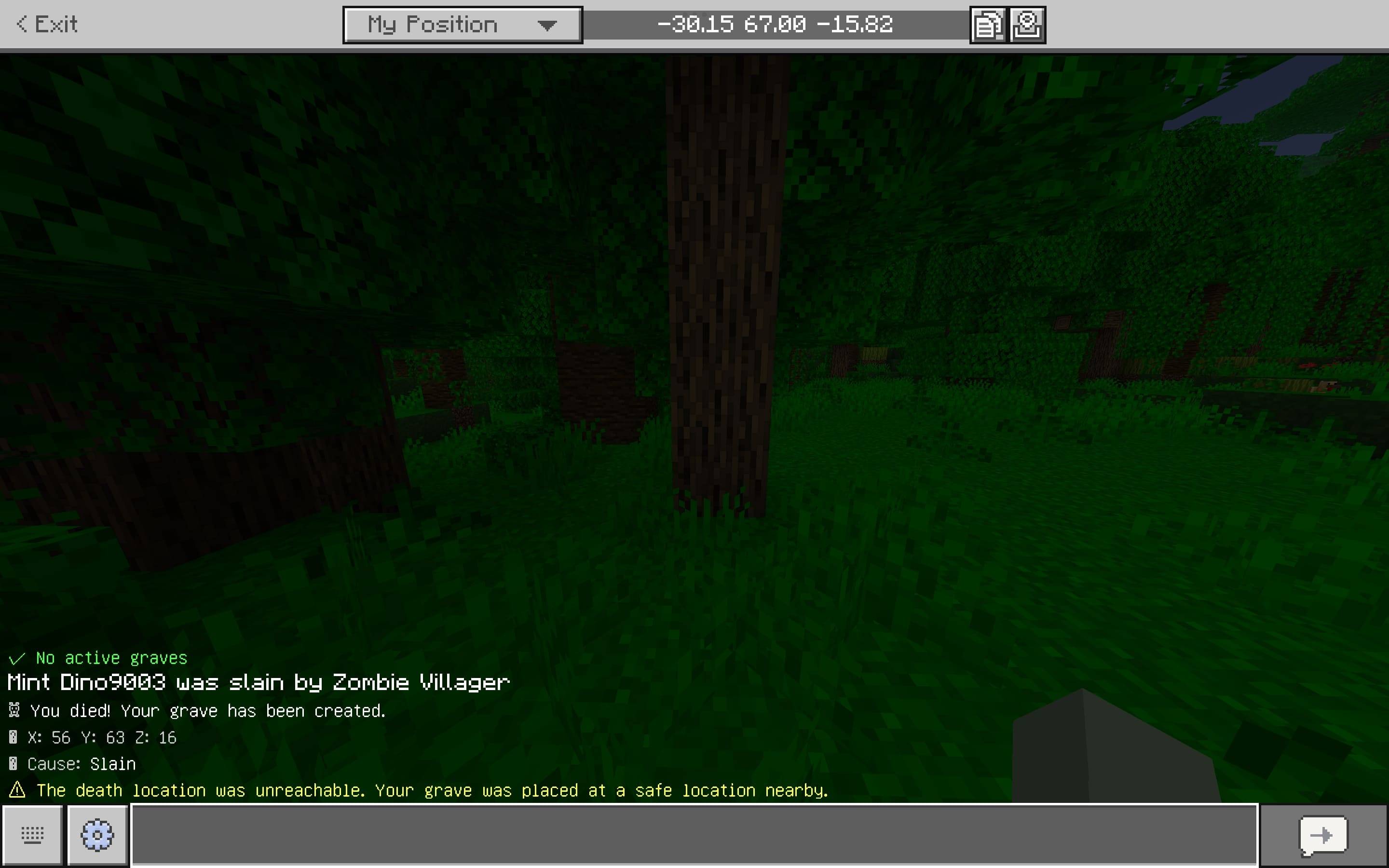
☠ You died! Your grave has been created.
Graves keeps your inventory, armor, offhand, and XP safely stored at your death location instead of scattering your items across the ground. Simply return to your grave, open it like a chest, recover your belongings, and get back to playing.
Fully offline. Works in singleplayer, LAN, and multiplayer. No internet or external services required.
✨ Features
☠ Automatic Graves
When you die, Graves automatically creates a grave and stores your:
- 📦 Main inventory
- 🛡️ Armor
- 🖐️ Offhand
- ✨ XP — configurable
Your items are kept safe until you recover them.
📦 Full Item Preservation
Items retain their important data, including:
- Enchantments
- Durability
- Custom names
- Lore
- Item data supported by Bedrock
Items are transferred directly between real game containers rather than reconstructed from scratch.
📍 Smart Grave Placement
Graves intelligently search for a safe location if your exact death position isn't suitable.
This handles deaths involving:
- 🌋 Lava
- 🌊 Water
- 🪨 Solid blocks
- 🕳️ The void
- Tight spaces
- Other unsafe locations
Your items should never be lost simply because there wasn't a suitable block at your death position.
🔒 Grave Ownership
By default, only the player who died can recover their grave.
Other players attempting to access it will be denied.
You can optionally allow other players to loot graves through configuration.
⚰️ Multiple Graves
You can have multiple active graves at the same time.
Previous graves are never automatically overwritten by newer deaths.
A configurable maximum number of graves per player is available.
⏳ Grave Expiration
Configure how long graves remain in the world.
Set:
graveLifetime = 0
to make graves never expire.
When an occupied grave expires, its items are dropped into the world rather than silently deleted.
💥 Explosion Protection
Graves can be protected from explosions.
With:
explosionProof = true
your grave can survive things such as TNT explosions.
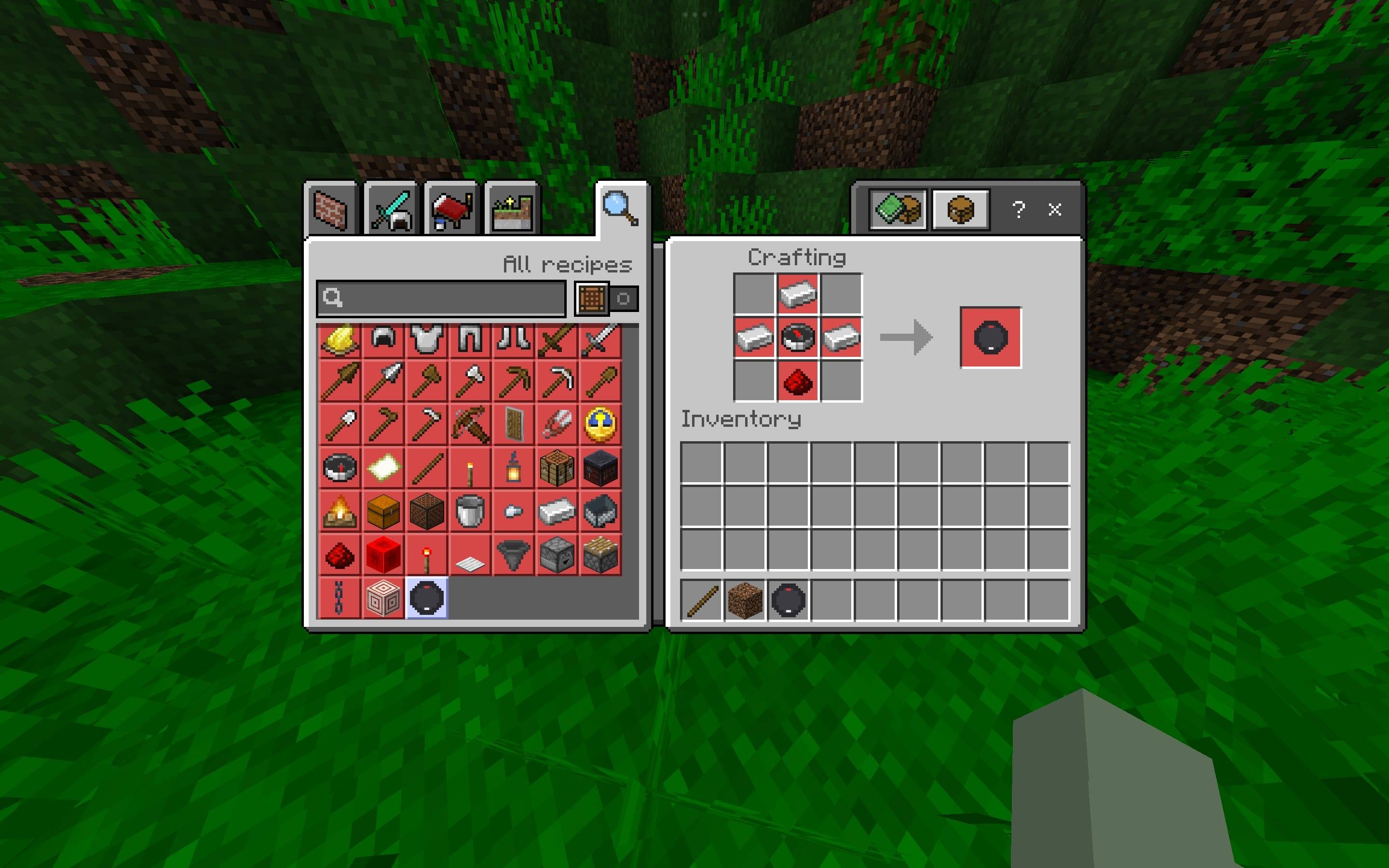
🧭 Grave Compass
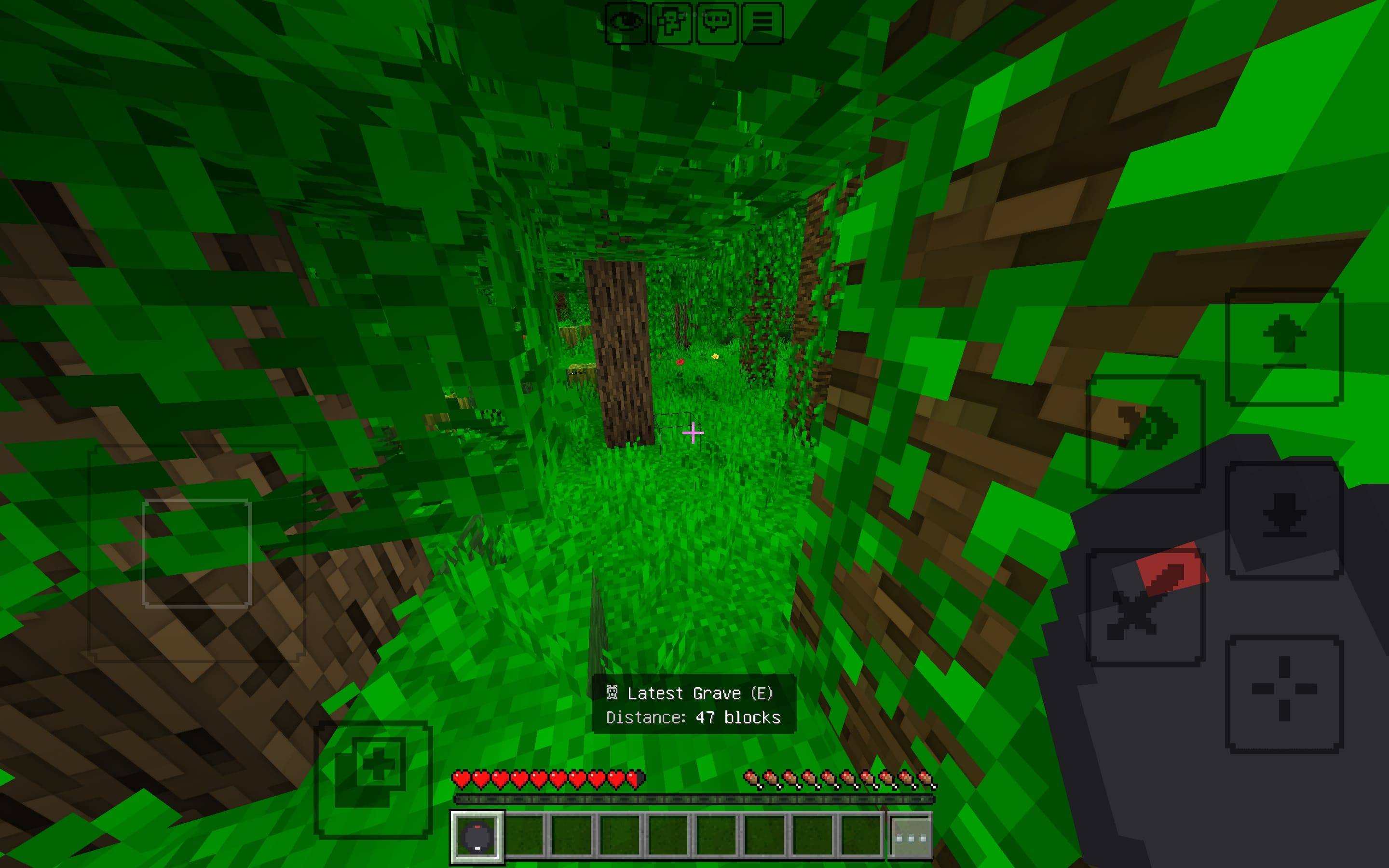
Craft a Grave Compass that tracks your latest active grave.
While holding it, you'll receive a live action-bar readout showing:
- 📏 Distance
- 🧭 Direction
- 🌎 Dimension when the grave is in another dimension
The compass uses a text-based readout because the stable Bedrock Script API cannot dynamically point a custom compass needle toward arbitrary coordinates.
⚡ Lightweight
Graves is designed around event-driven systems rather than constantly scanning the world every tick.
This keeps the addon lightweight and suitable for normal survival worlds and multiplayer.
🎮 How To Use
Create a Grave
Simply die.
You'll receive a message:
☠ You died! Your grave has been created.
Your grave will appear at your death location or at the nearest safe fallback location.
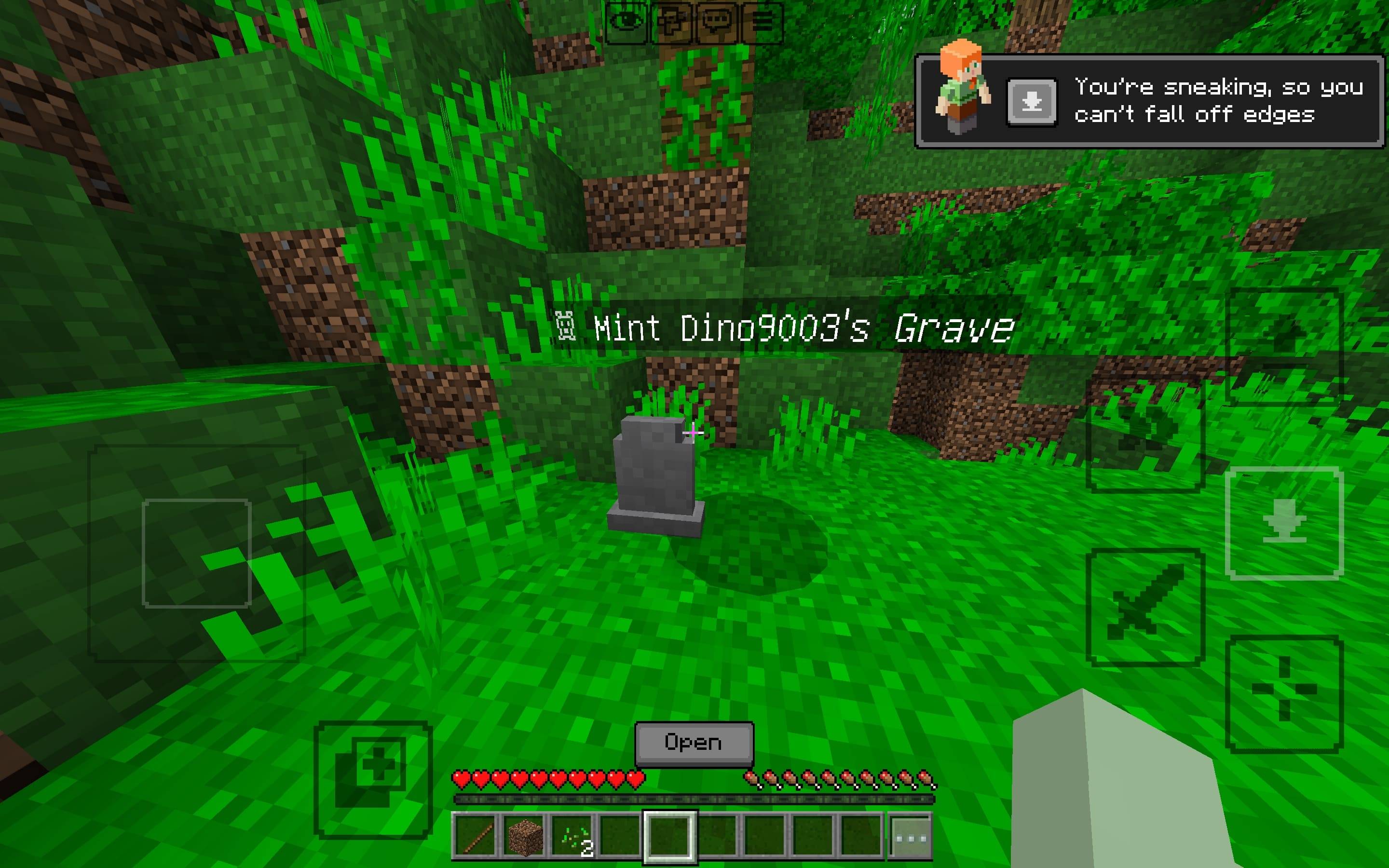
Open Your Grave
Normal interact:
Open the grave like a chest and manually retrieve your items.
Sneak + interact:
Use Quick Collect to automatically pull as many items as possible into your inventory.
Items that don't fit remain safely inside the grave.
✨ XP Recovery
XP is automatically recovered the first time the grave is opened.
XP can only be claimed once.
🧭 Grave Compass
Recipe
Craft the Grave Compass on a crafting table:
  I
 I G I
  R
Where:
I = Iron IngotG = CompassR = Redstone
The resulting Grave Compass points you toward your latest active grave through an action-bar distance/direction readout.
📜 Commands
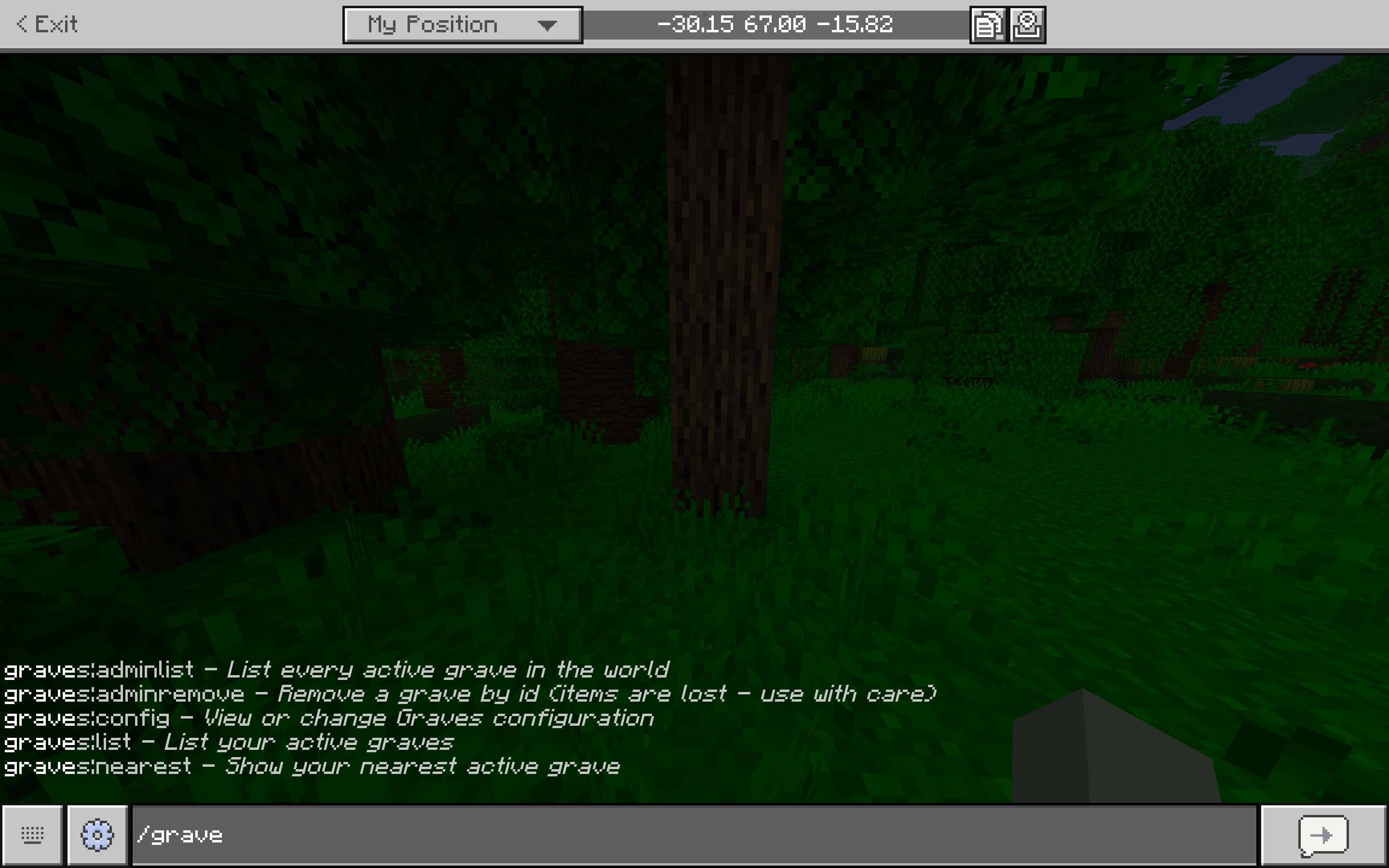
/graves:list
Available to: Everyone
Cheats required: No
Lists your active graves and their distances.
Example:
☠ Your Graves:

#1 — 124 blocks away
#2 — 843 blocks away
#3 — Nether
/graves:nearest
Available to: Everyone
Cheats required: No
Shows information about your nearest/latest active grave.
Useful when you've lost track of where you died.
/graves:adminlist
Available to: Operators
Lists every active grave in the world.
Useful for server administration and cleanup.
/graves:adminremove <graveId>
Available to: Operators
Force-removes a grave.
⚠️ WARNING: Removing a grave this way causes its stored items to be lost.
Use this command for administrative cleanup only.
/graves:config
Available to: Operators
Displays the current configuration.
/graves:config <key>
Displays the value of a specific configuration option.
Example:
/graves:config graveLifetime
/graves:config <key> <value>
Changes a configuration value.
Example:
/graves:config graveLifetime 7200
All Graves commands are registered without requiring cheats. Regular grave commands are available to everyone, while administrative commands are restricted by operator permission.
⚙️ Configuration
Graves stores its configuration in the world's persistent dynamic properties.
Default configuration:
{
  "enabled": true,
  "storeXP": true,
  "xpPercentage": 100,
  "graveLifetime": 3600,
  "allowOthersToLoot": false,
  "explosionProof": true,
  "showCoordinates": true,
  "showDeathCause": true,
  "deathCompass": true,
  "particles": true,
  "sounds": true,
  "maxGravesPerPlayer": 10
}
Configuration options
| Option |
Default |
Description |
enabled |
true |
Enables/disables the grave system |
storeXP |
true |
Stores XP when you die |
xpPercentage |
100 |
Percentage of XP stored |
graveLifetime |
3600 |
Lifetime in seconds; 0 = never expires |
allowOthersToLoot |
false |
Allows other players to loot graves |
explosionProof |
true |
Protects graves from explosions |
showCoordinates |
true |
Shows death coordinates |
showDeathCause |
true |
Shows death cause when available |
deathCompass |
true |
Enables the Grave Compass |
particles |
true |
Enables grave particles |
sounds |
true |
Enables grave sounds |
maxGravesPerPlayer |
10 |
Maximum active graves per player |
📴 Offline & Multiplayer
Graves is designed to work without an internet connection.
Supported environments
✅ Singleplayer
✅ Offline worlds
✅ LAN worlds
✅ Multiplayer
✅ Bedrock servers where supported
No external requirements
❌ No internet
❌ No cloud database
❌ No external server
❌ No external API
❌ No online account/service
Your grave data is stored with the world.
🛡️ Item Safety
Graves is designed around one major rule:
Your items should never disappear just because you died.
The addon uses the game's real item containers to preserve item data rather than manually rebuilding items.
It also uses a safe recovery process to prevent common duplication and item-loss situations.
⚠️ Known Limitations
Custom Compass Needle
The stable Bedrock Script API does not provide a way to dynamically point a custom compass needle toward arbitrary coordinates.
Therefore, the Grave Compass uses an action-bar distance/direction readout instead.
keepInventory
Graves automatically manages the keepInventory gamerule to prevent conflicts between vanilla death drops and grave creation.
If you manually rely on keepInventory, be aware that Graves manages this gamerule itself.
XP Percentage
The stable API does not expose one canonical total-XP value that can be precisely scaled.
Values below 100% are therefore an approximation.
Grave Entity
A grave consists of a visual headstone and an invisible companion entity that holds the actual inventory data.
If another addon or command independently removes the companion entity, the decorative headstone may remain behind.
Grave Cleanup
Completely emptied graves are cleaned up automatically, but the API does not provide a perfectly reliable instant "container closed" event for arbitrary entities. Empty graves may therefore take a short time to disappear.
Interaction Hitbox
Depending on the Bedrock version/build, you may occasionally need to aim slightly toward the upper part of the headstone to interact with the grave.
Custom Commands
Some Bedrock versions may require the Beta APIs experiment for custom commands to appear.
📦 Installation
- Install the Behavior Pack.
- Install the Resource Pack.
- Activate both packs in your world's settings.
- If custom commands don't appear, enable Beta APIs under Experiments.
- Create or reopen the world.
- Die and test your first grave.
🧪 Compatibility
Graves was developed against the documented stable:
@minecraft/server 2.8.0@minecraft/server-ui 2.1.0
Always test the addon with your specific Bedrock version before using it on an important survival world.
👤 Credits
Graves
Created by Mint Dino
© Mint Dino
This addon is provided for personal and server use. Redistribution of the addon files, modified or unmodified, outside of CurseForge/MCPEDL listings controlled by Mint Dino, or resale of the addon, is not permitted without permission.
Contact Mint Dino before including the addon in a modpack or paid bundle.
☠ Never lose your stuff again.