Grand Planes Simple Edition (Realistic Physics)
- By
1000308321.png
1000314747.png
1000314733.png
1000357720.png
Description
GRAND PLANES - Simple Edition
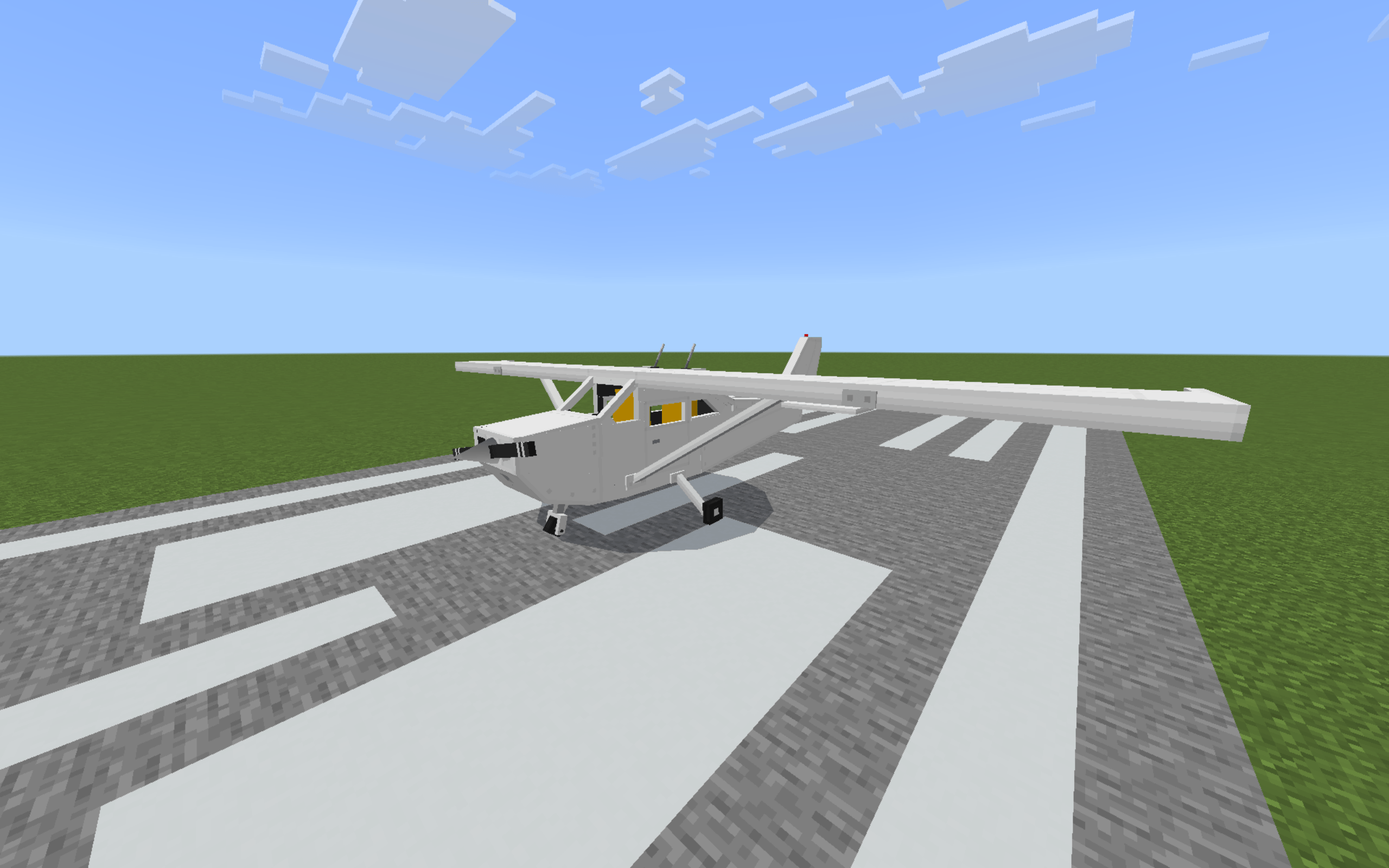
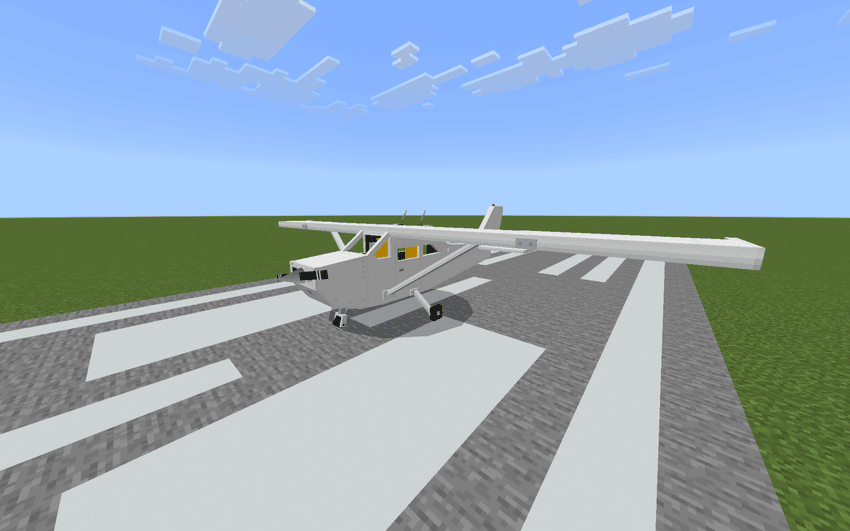
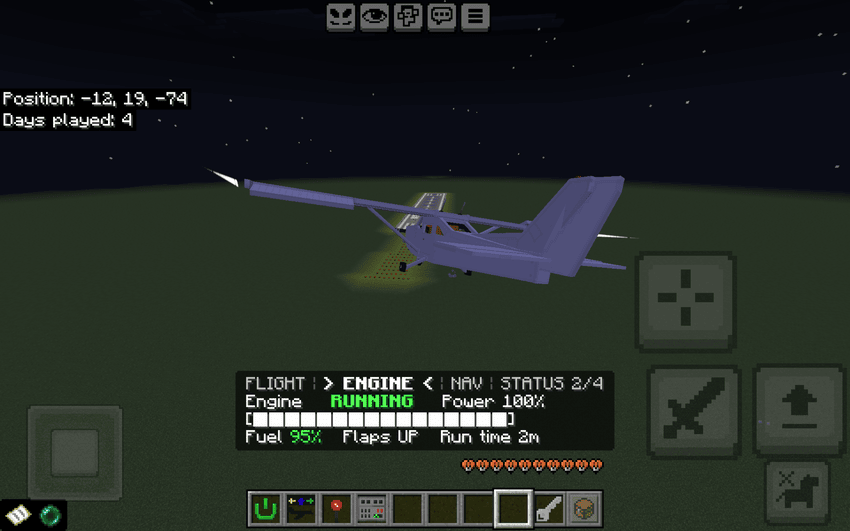
The most realistic airplane addon on Bedrock. One handcrafted Cessna 172 with actual flight physics. No reskinned mobs, Real stalls, real dives and real butter landings. Now in 13 languages.
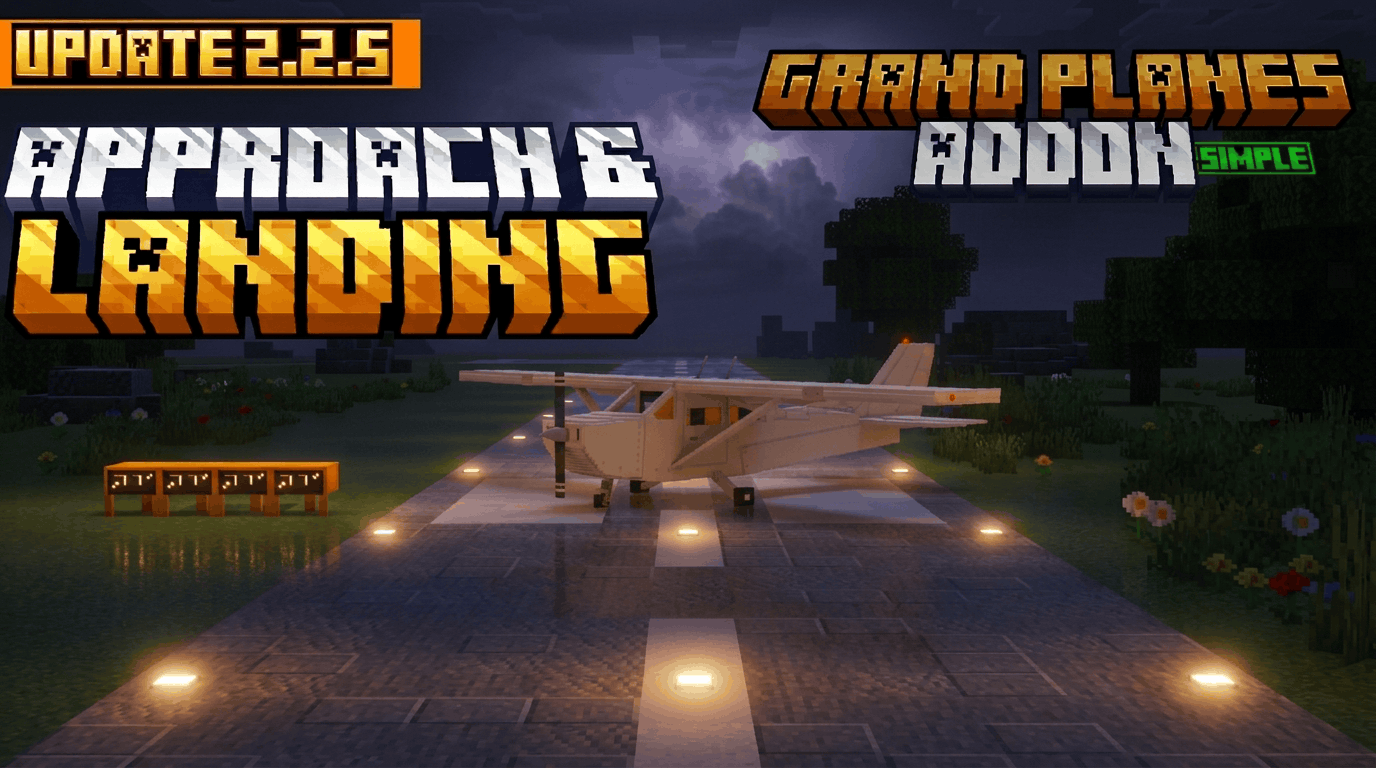
VERSION 2.2.5 - THE APPROACH & LANDING UPDATE
Build a runway. Choose its surface. Put the Cessna to work. The Approach & Landing Update adds PAPI approach lighting and pilot HUD guidance, staged flap settings, and Flare Assist—while keeping the runway-building, cockpit, camera, and flight systems already in Grand Planes.
| What changed in 2.2.5 | Description |
|---|---|
| PAPI APPROACH LIGHTS | Craft a four-light PAPI fixture row and register it for approach guidance. |
| PILOT HUD GUIDANCE | Get a PAPI cue while airborne and approaching the registered row, with HUD guidance up to 1,024 blocks away. |
| SHARED LIGHT PATTERN | Nearby players can see the physical PAPI indication; grounded aircraft do not drive it, and the fixtures reset after the approach ends. |
| TAKEOFF, APPROACH & LAND FLAPS | Choose a flap stage to manage lift and drag through each phase of flight. |
| FLARE ASSIST | Get help with the landing flare using the new flare control. |
| OPTIONAL BEACON STARTUP | The beacon no longer has to be switched on before engine start. |
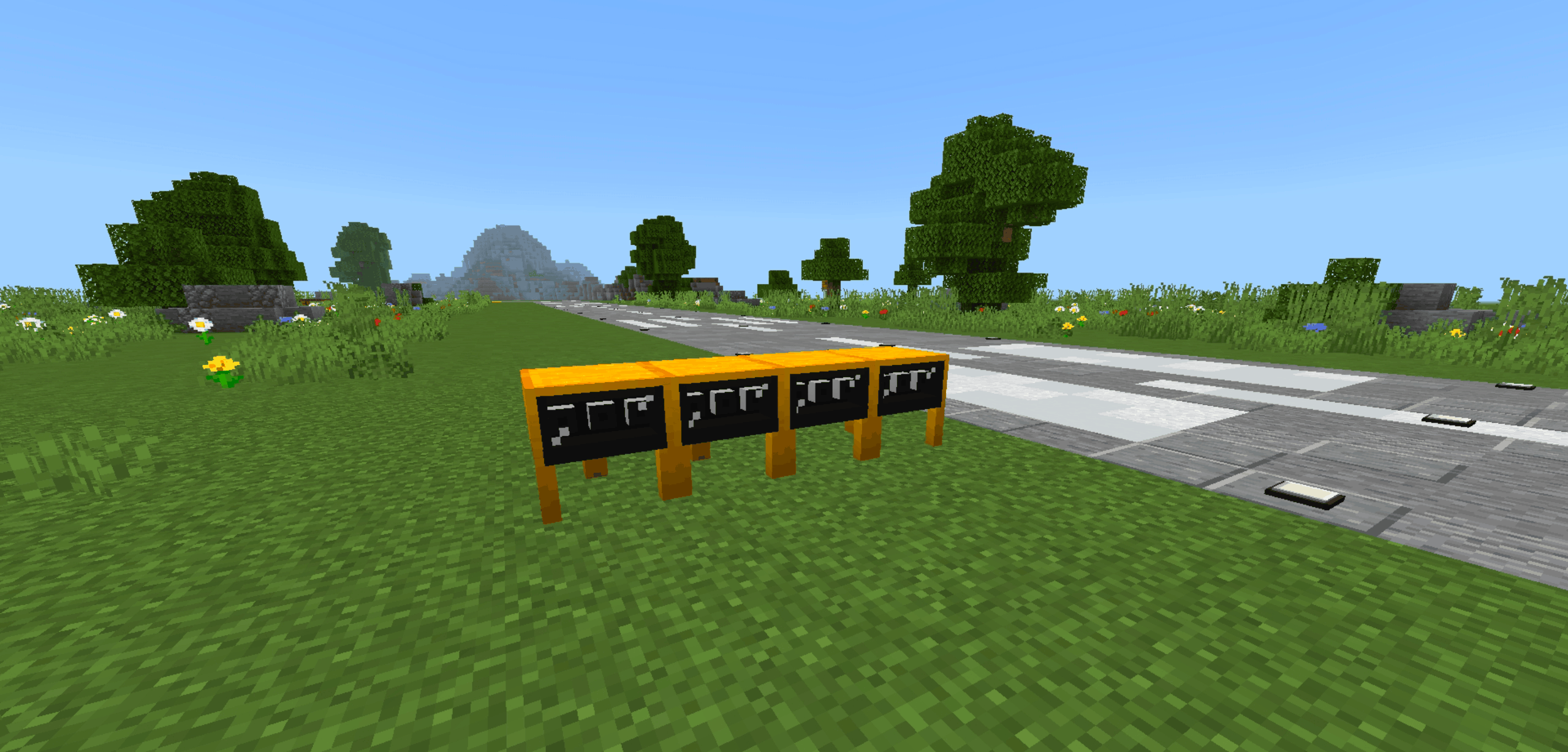
PAPI recipe: 2 Iron Blocks, 2 Iron Ingots, 2 Redstone Dust, 2 Glass Panes, and 1 Yellow Dye craft four fixtures. Place the four-light row beside the runway near the touchdown area, usually on the left when viewed on final. Arrange it across the runway and aim its optics toward arriving aircraft. Physical block visibility depends on Minecraft render distance and world/server view limits.
Screenshot context — PAPI placement: Shows the four fixtures installed beside the touchdown zone, viewed from the arriving-aircraft direction.
Screenshot context — HUD guidance: Shows the pilot HUD cue during an airborne approach, with the PAPI row visible.

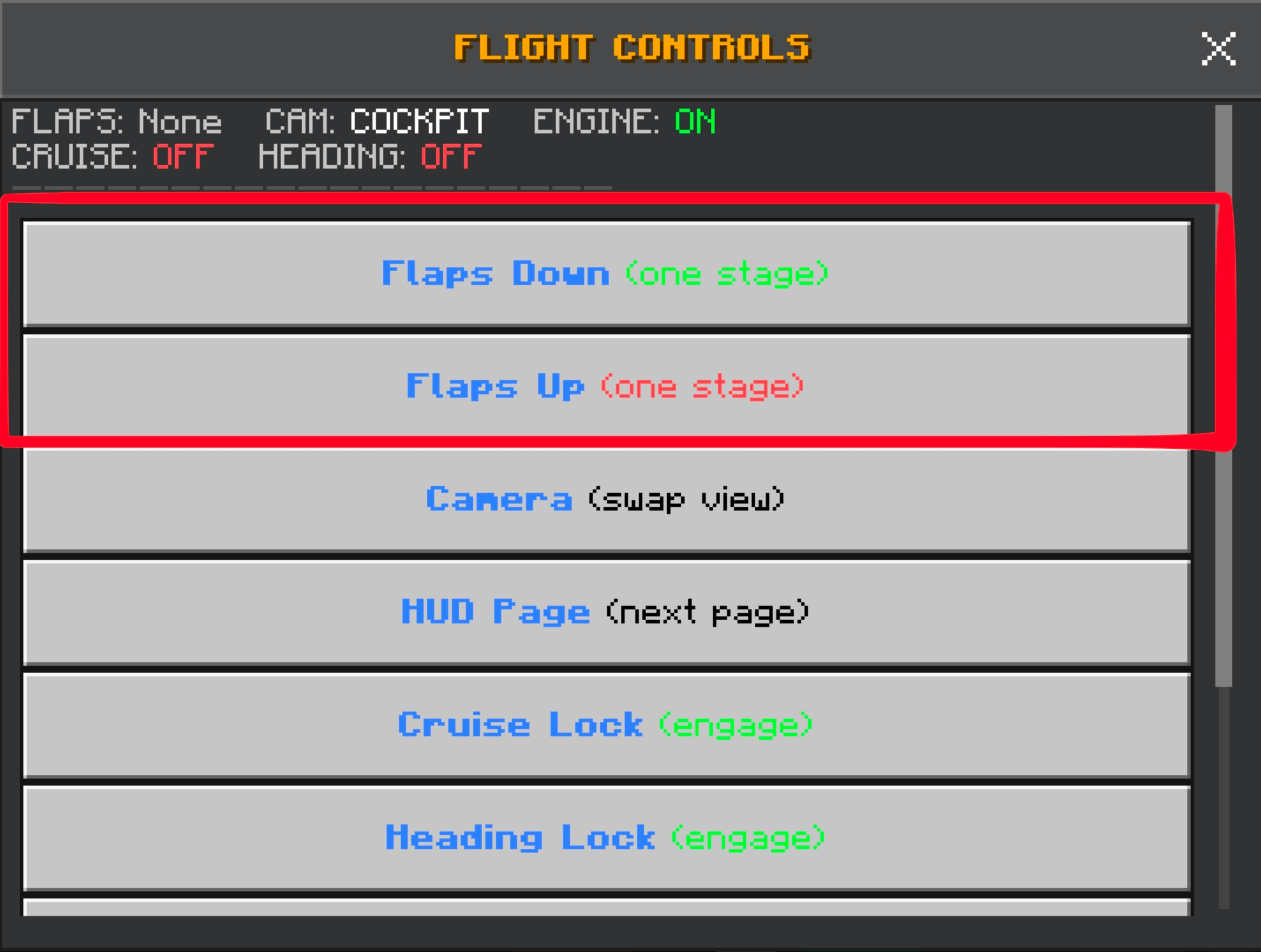
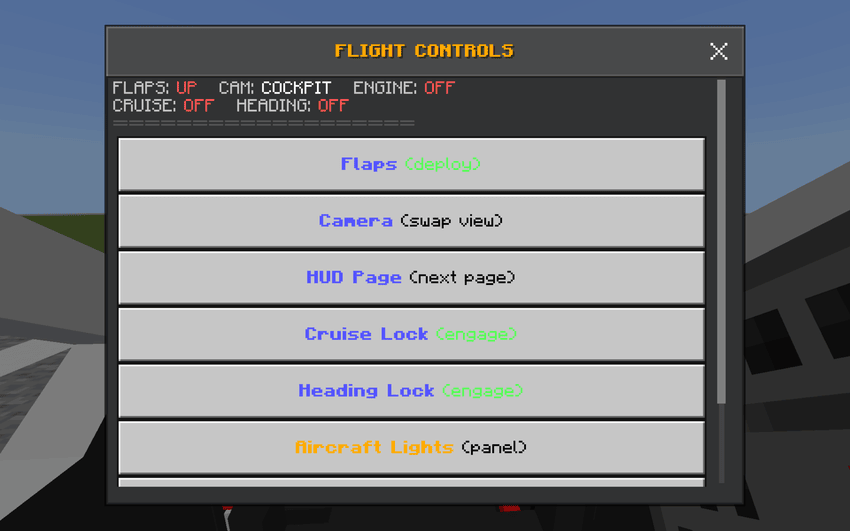
Screenshot context — flap controls: Shows the flap stages inside flight controls menu.
Why This One and Not the Others
- Actual flight physics. The plane stalls, glides, banks, overspeeds. Skill matters here.
- Survival-ready. Craft it, fuel it, fly it. No commands, no creative mode needed.
- Two seats. Bring your duo. They get a camera, you keep the yoke.
- A career that saves. Landing scores 0-100, Pilot Logbook with stamps and ranks.
- 16 liveries. Any vanilla dye, any time. Match your fit.
- A real in-game manual. 12 parts of pilot school built into the addon. Read it or wing it, your call.
- 13 languages. Full manual included. Pick yours in Settings > Language. Custom add-on item names still display in English.
Runway Building
Choose Your Strip
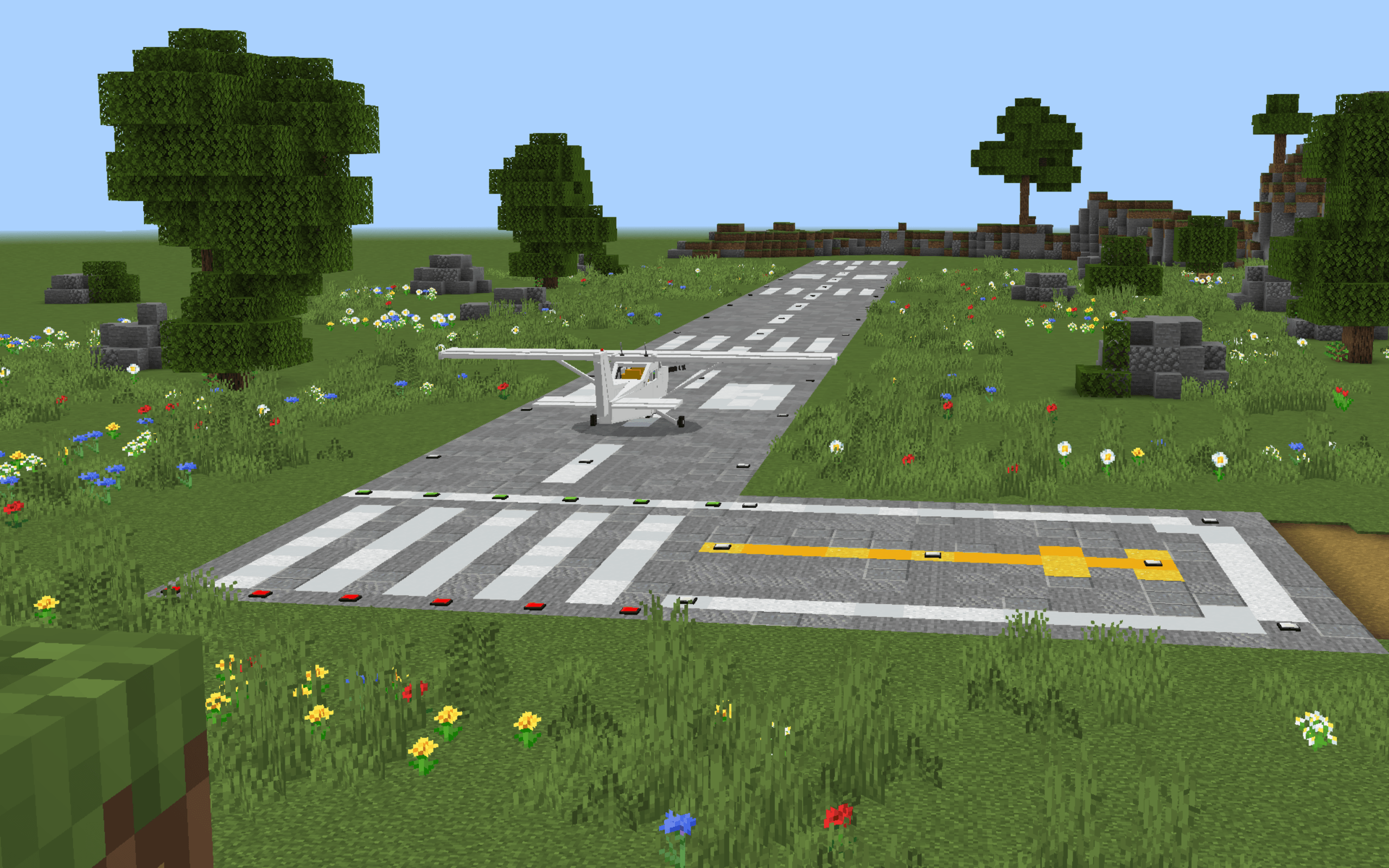
Build Short or Medium runways with the Runway Kit. Choose Dirt, Stone, or Asphalt. The surface grade changes the takeoff run you need and the damage from a landing, so the runway you choose matters.
Preview Before You Build
The live preview lets you move, rotate, raise, and lower the planned runway before you confirm or cancel. Take a look at the placement first; no guesswork from a menu description.
Survival or Creative
Survival runway builds use Runway Bundles and Marking Paint. Creative builds are free. Craft the Runway Kit, runway bundles, and Marking Paint; each bundle and Marking Paint recipe gives four items. The new items have 3D models.
The Flight Model
Speed
Cruise up to 28 B/S. Go above Y200 and it opens up to 34 B/S. Climbing costs speed. Diving gives it back. That's the whole game.
Takeoff
Plan roughly 70 blocks of takeoff run on a recommended surface. Rougher surfaces need more distance. Runway surface grade also changes landing damage.
Limits
Slow + nose high = stall. Hold the stall = spin. Dive past 37 B/S = hull eating damage. Fly smart.
Controls
Ailerons, elevators, rudder, flaps - all live, all on your screen moving with your inputs.
Landing Grades
Every touchdown gets scored: BUTTER, NICE, DECENT, BAD, TERRIBLE. Descent rate, speed, pitch, roll, surface. Land like trash and the game says it. Land clean.
The Systems Grind
Fuel
Full tank = five Fuel Canisters at +20% each. One craft gives two cans now (I buffed it). In a pinch, coal works - +5% per piece, caps at half a tank.
Hull
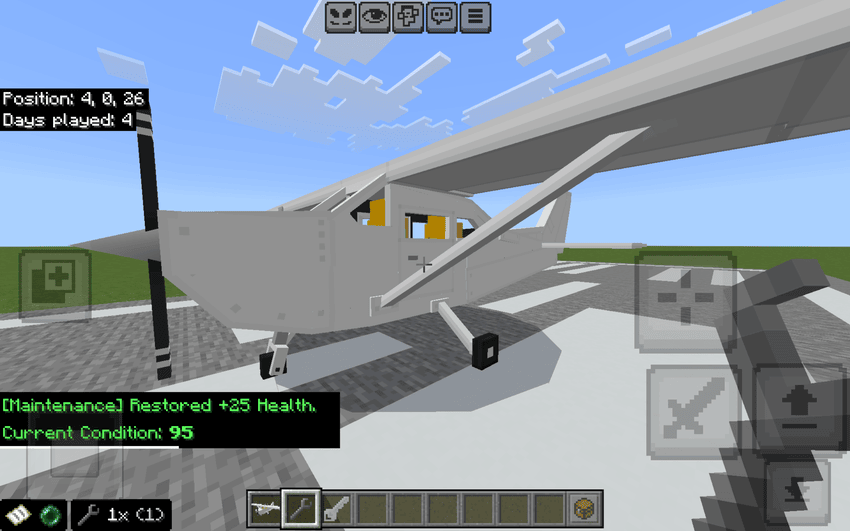
Hard landings, rough strips, wall hits - it all costs hull. The Repair Wrench is craftable now, 4 iron ingots, and it fixes +25% a use for 50 repairs a wrench, then it breaks. Hit 0% and the engine dies mid-flight. Don't hit 0%.
Retrieval
Crouch-hit the plane 3 times - packs into an item with fuel, hull, paint saved. Costs 15% hull each time, so land it first like a normal person.
How You Fly It
Pick Your Layout
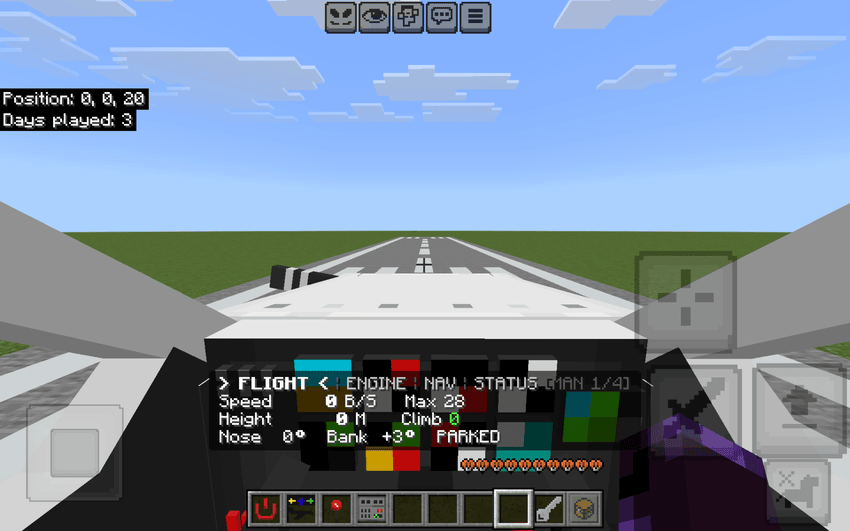
New in 2.1.0, and both layouts have history. Simplified is the bar you know from 2.0.0: the essentials on the hotbar, the new HUD pager, and the slow stuff (flaps, camera, HUD pages, both locks, lights) inside the Flight Controls panel. Original is the 1.0.0 classic: every physical button in your hand, no panel at all. You choose on your first flight and you can switch in Settings > Other any time you like.
Mode 1 - Click Controls
Full hotbar setup. Ignition with a live icon, throttle in 10% steps, taxi/takeoff/pushback modes, parking brake with a run-up boost trick.
Mode 2 - W / S Controls
Console and PC players, this is your mode. Throttle lives on W and S while you fly. Cleanest way to play, bar none.
Advanced Joystick
Choose Advanced Joystick controls when you want direct pitch and bank input: W/S controls pitch, A/D controls bank, and you can invert pitch. This is separate from the W/S throttle layout described above.
Plane Settings
Under Settings > Plane Settings, set taxi speed (1.0 to 5.0 B/S) and pushback speed (0.2 to 2.0 B/S), one tap each, no sliders. Each pilot's taxi and pushback preferences save separately. The HUD taxi bar shows the number you picked.
Camera and HUD
Dynamic Third Person lets you free-look around the plane; Chase Follow Mode is a separate follow camera. 4 HUD styles (Flight Deck Tabs, Bold Minimal, Annunciator, Classic) plus per-line toggles for speed, altitude, fuel, pitch and the rest. The settings menu got another glow-up for 2.1.0: five numbered rows, HUD, Lights, Plane, Other, Language.
Crafting the Cessna
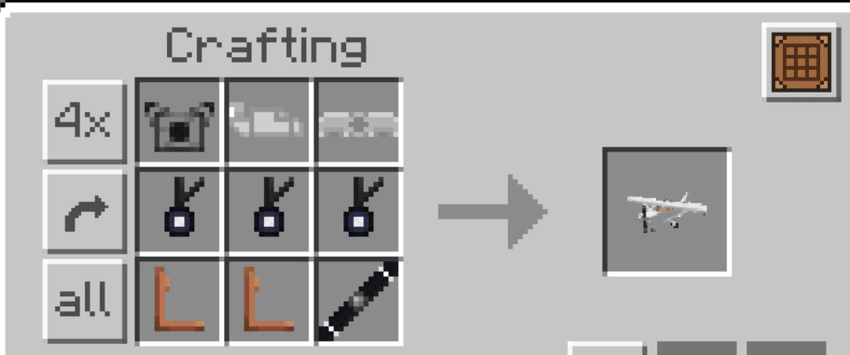
The Six Parts
- Engine, Body Frame, Wings
- Landing Gear - one craft drops all three wheels
- Two Seats - recipe crafts one seat, so make it twice
- Propeller
Assembly
Throw all of it together and out pops the Cessna Spawner. Full diagrams, colored and highlighted, inside the in-game manual.
Tools You Craft
- Plane Wrench - 4 iron ingots, 50 repairs a wrench. New recipe since 2.0.0
- Fuel Canister - 4 iron ingots around a coal block, one craft gives two cans
- Pilot Logbook - feather, book, iron nugget
- Manual - book and redstone
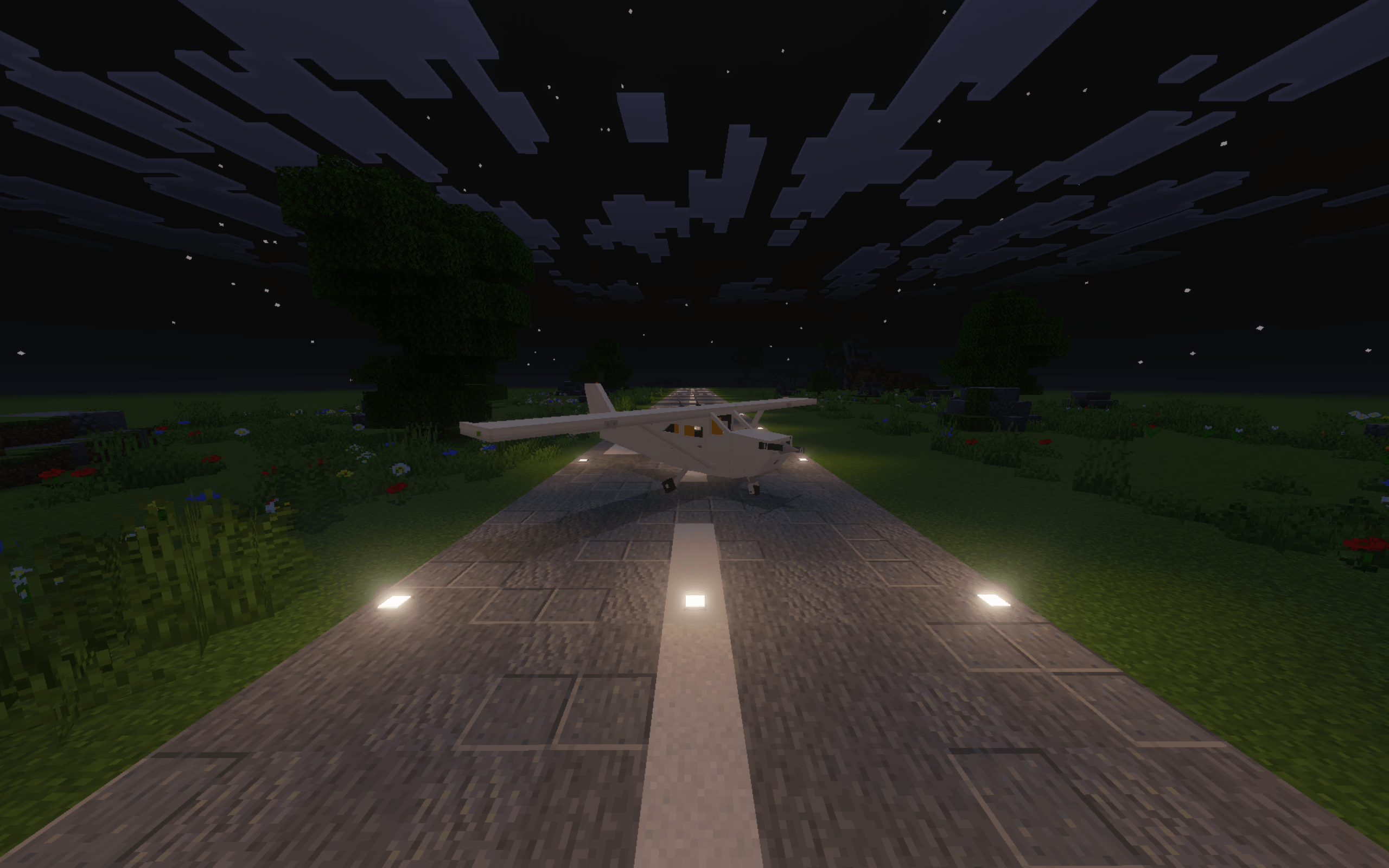
- Runway Light - iron block, redstone, glass. One craft drops 16
Night Flights
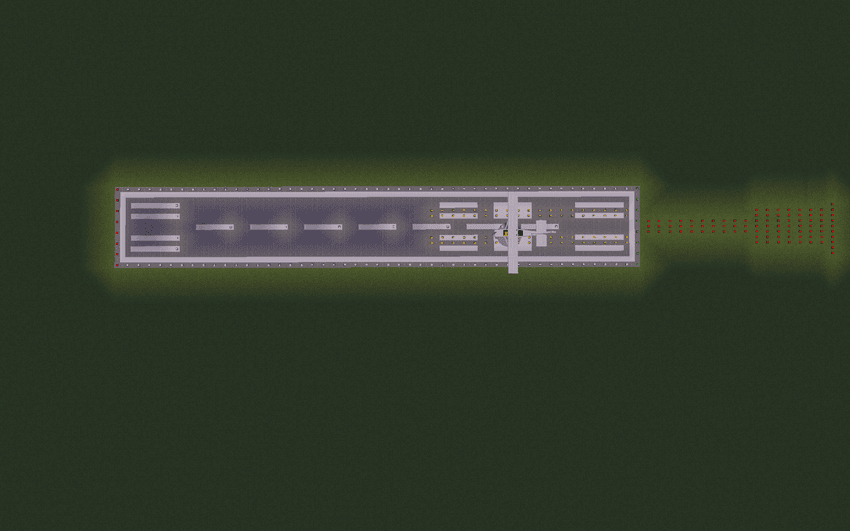
Craftable runway lights, 16 colors. Green threshold, white edges, yellow caution, red wall. Your survival base deserves a lit strip and you know it. New in 2.1.0: the wing landing lamps come on by themselves at night when you drop below takeoff height, and a lamp you light by hand stays yours.
Runs Everywhere
| Platform | Status |
|---|---|
| Minecraft Bedrock | 1.21.50 or newer |
| Mobile, console, PC | All good |
| Experimental toggles | Not needed |
| Realms / cross-play | Works |
| Languages | 13, manual included |
Drop it in your world and fly!
Updating From An Older Version
Add the new pack first, then remove the old one. Never load a world with no Grand Planes pack enabled at all, because the game drops what it cannot define when the chunk loads.
Your progress lives in the world save, not in the pack. The Pilot Logbook, your settings and every plane you own, fuel and hull and paint and registration included, all survive a swap. If your world list shows two Grand Planes entries, delete the older one once.
Credits
- Creator: GeneralX5247
- Discord: mr.bacon5247x_x - bugs and ideas, drop them there
- Special thanks: Goth_Protogen - First Tester; Ezinkkk - Active Tester. Real ones :).
Thanks for flying Grand Planes. If this hits, more is coming. Now go touch grass.
Grand Planes Simple Edition (Realistic Physics) Team