Logo created by: KabotyaMilk. Thanks!
Are you missing something in the vanilla element?
This resource pack adds some tools to vanilla Minecraft!
We have not made any major UI changes, so you should get used to it quickly!
《How to Use?》
After importing the Resource Pack into Minecraft, apply it in 'Settings -> Global Resources'.
You needn't put the Resource Pack on the top, but if you see any problems doing that, put it on at the top.
《Features》
Better HUD Screen
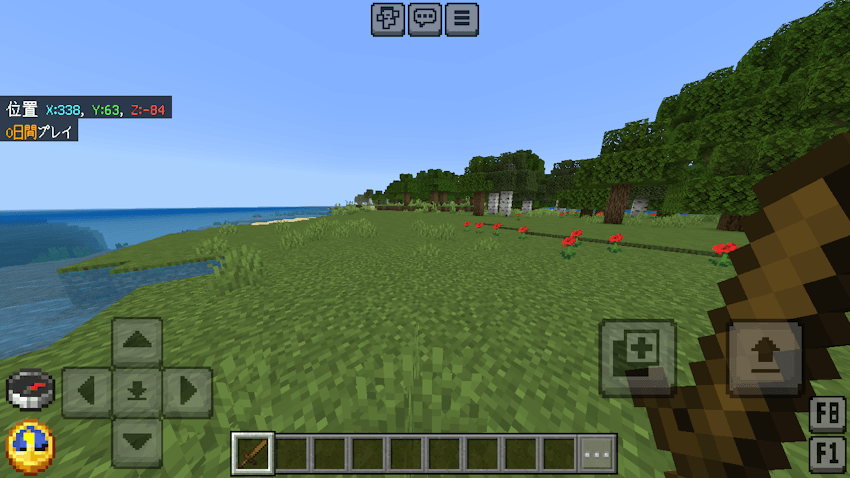
A clock and a compass always.
Colour-coded coordinates.
Disable the vignette.
Disable pumpkin blur.
Pressing the Tab key on the keyboard displays a list of players like in Java Edition; you can scroll by holding down the Tab key and turning the mouse wheel.
Better Chat Screen
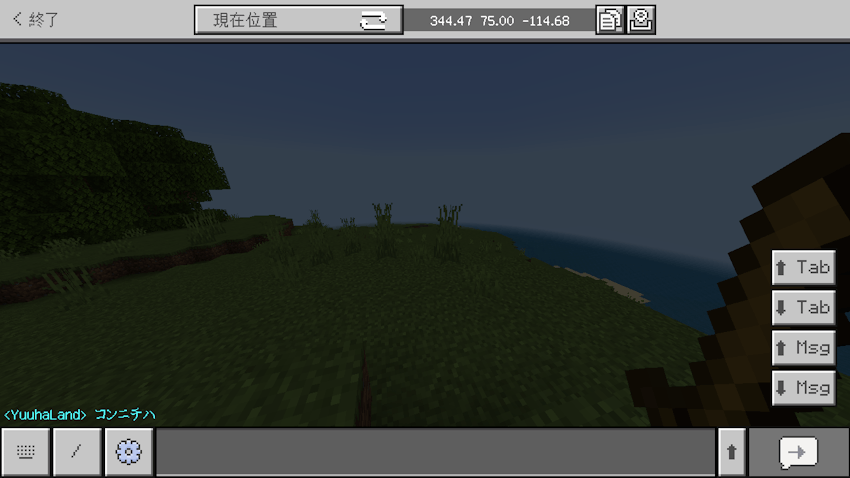
Tab keys can be used on mobile devices.
Press the arrow button to the right of the text box to make the text box larger.
You can click or tap to complete the candidates when you enter a command.
Better Settings Screen
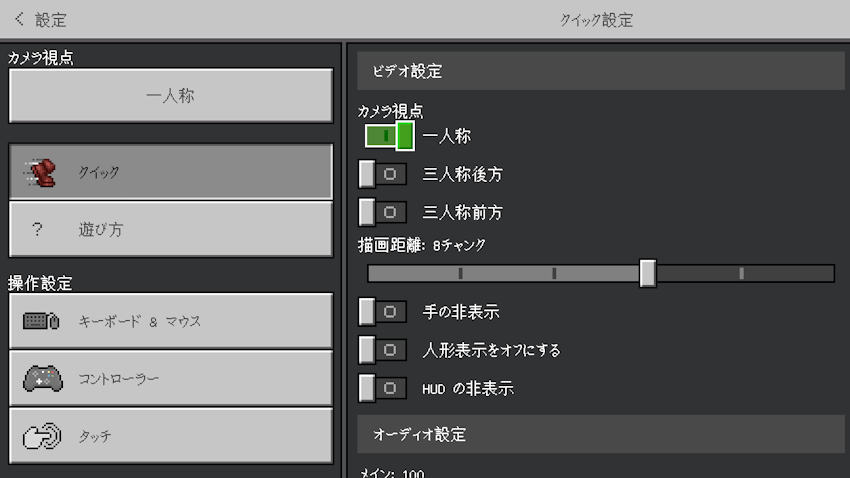
The "Quick Settings" you can change configuration quickly.
Enable the touch control for Nintendo Switch players.
Button-type Perspective change toggle for quick Perspective changes.
You can export your world as a template
You can change height and width of your screen ratio in the "Change Screen Safe Area".
Mobile users can export their world.
You can change the display language while playing the game.
On the World Settings screen, you can see the Minecraft version when the world was last saved and the path to the world's folder.
Other Features
Pause Screen:
The pause menu displays the world name while showing scoreboards though.
The pause menu lets the "Player Permissions" button is hidden while playing adventure mode although showing scoreboards.
You can leave a temporary note in "Temporary Note". (It will be destroyed when you leave the world.)
Inventory Screen
Always display HP bar, etc.
Your own skin is displayed on the chest and furnace screens, for example.
Anvil Screen
You can name items in the new lines using anvils.
《Pack Settings》
You can customize Gote-Supporter with the Config function!
More configuration items are planned to be added.
To use the Config feature, you need a Config pack!
You can create Config packs at the following site!
https://gotemba912.github.io/minecraft_addons/gote-supporter-config/
*Sorry, but currently only Japanese is supported.
《Warning》
Do not claim this add-on as your own.
The creator of this add-on is Japanese and does not speak English, so DeepL and Google Translate are used. We appreciate your understanding.
《bug report》
Please submit bug reports and feedback using the feedback form!