
Ghost Vision X-ray
- By
The GhostVision X-Ray mod is a specialized resource pack designed to make most solid blocks (like stone, dirt, and gravel) transparent. This allows players to see through walls and terrain to easily locate ores. This Pack Is Made By [Neq_Gamerz].
Mcpedl
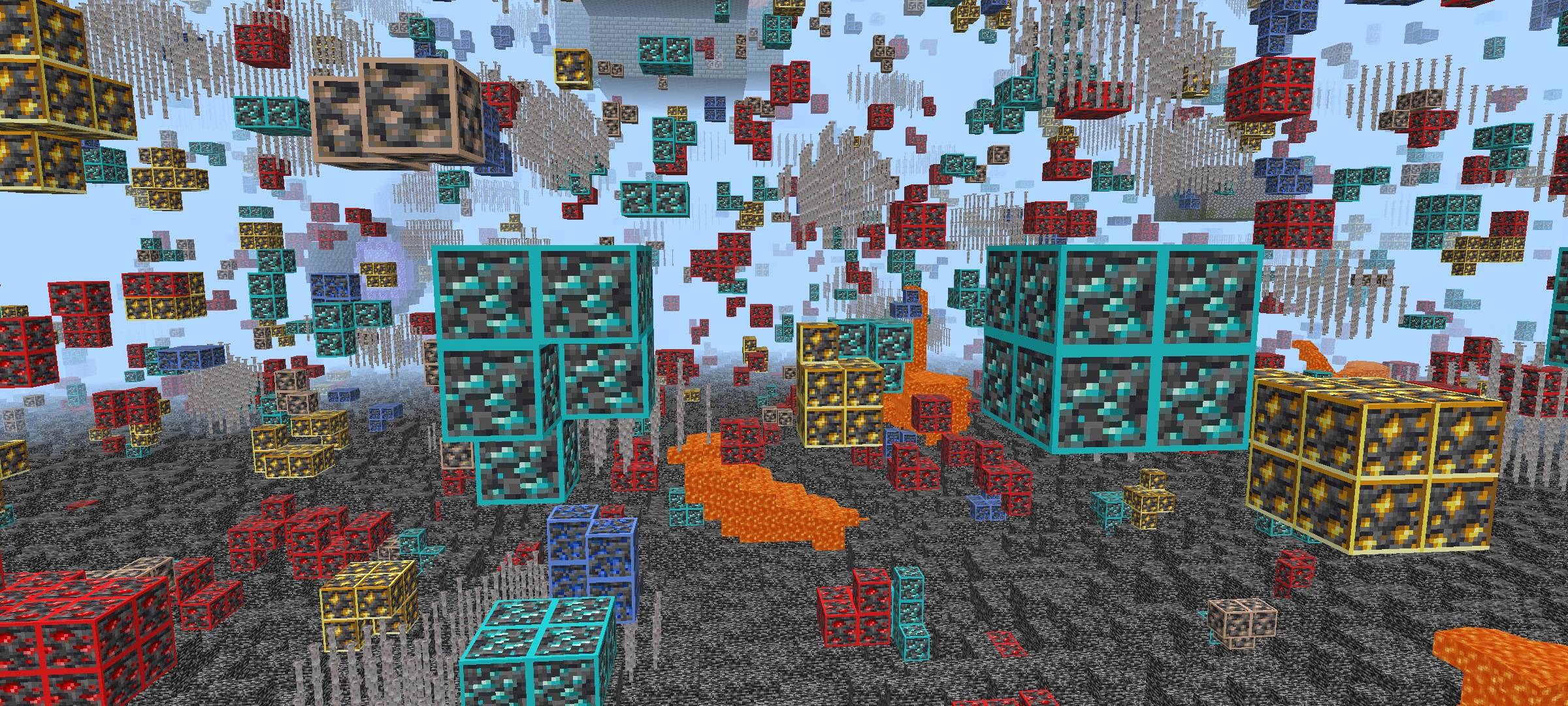
Gameplay Screenshot
Description
Ghost Vision X-ray — Resource Pack
Creator: @NeqGamerz
Edition: Minecraft Bedrock Edition
Distribution: ❌ Redistribution is strictly prohibited
👁️ Overview
Ghost Vision X-ray is a high-visibility resource pack designed to enhance underground exploration and resource detection while preserving Minecraft’s original aesthetic. By subtly ghosting non-essential blocks and highlighting valuable resources, this pack provides a clean, immersive X-ray-style experience without overwhelming the player with harsh visuals.
Whether you're mining, exploring caves, planning builds, or creating content, Ghost Vision X-ray helps you see what matters most.
✨ Features
Selective X-ray Highlighting
Important blocks such as ores, spawners, and rare materials are clearly visible with enhanced contrast and glow.Ghosted Block Effect
Non-essential blocks appear transparent, allowing valuable resources to stand out while maintaining world readability.Vanilla-Friendly Visuals
Carefully balanced colors and transparency preserve Minecraft’s original look and feel.Optimized for Performance
Lightweight textures ensure smooth performance on mobile devices and low-end systems.Clean UI Compatibility
No changes to HUD, menus, or fonts — fully compatible with other UI packs and overlays.
🎮 Best Use Cases
- Resource gathering and mining efficiency
- Base planning and underground building
- Tutorial recording and content creation
⚙️ Installation Guide (Bedrock Edition)
- Download the
.mcpackfile from the official source. - Open the file to import it into Minecraft.
- Go to Settings → Global Resources.
- Activate Ghost Vision X-ray.
- Ensure it is placed above other packs that modify ores.
🔧 Recommended Settings
- Graphics: Fancy (if supported)
- Render Distance: 8–12 chunks
- Brightness: Adjust to preference
⚠️ Compatibility Notes
- Designed for modern Bedrock versions.
- May conflict with packs that replace ore textures.
- Glow effects may vary depending on device and game version.
🚫 Permissions
- Do NOT redistribute, reupload, or share modified versions.
- Share only the official download link provided by the creator.
📝 Changelog
v1.0.0
- Initial release
- Selective ore highlighting
- Ghost block transparency
- Performance optimization
❤️ Credits
Resource Pack created by @NeqGamerz
Ghost Vision X-ray Team

Owner

![X-Ray with Night Vision [Achievements Friendly] project image](https://media.forgecdn.net/avatars/thumbnails/1764/196/256/256/639121768291407356.jpg)
![Invisibility Cloak [Achievement Friendly] By Neq project image](https://media.forgecdn.net/avatars/thumbnails/1737/754/256/256/639106207171702184.jpg)