Floating Containers
- By
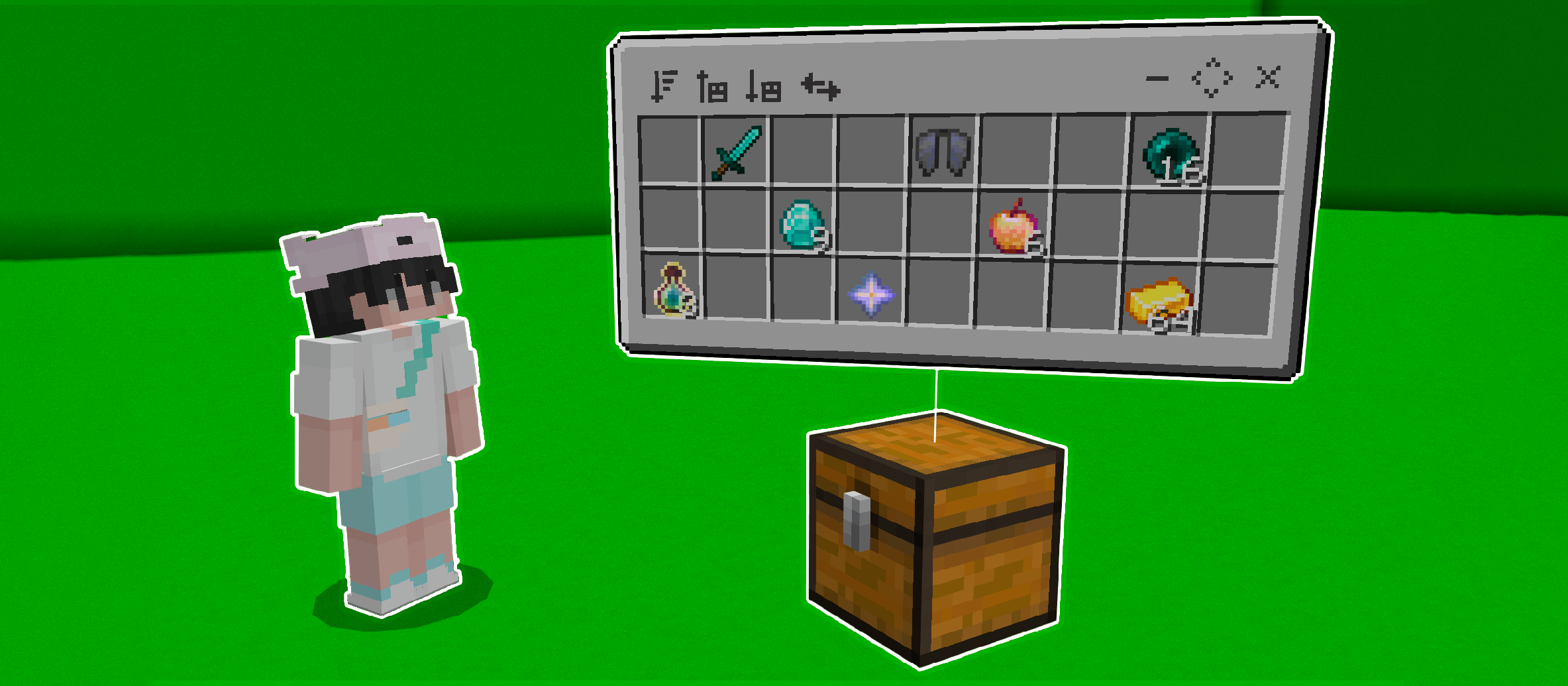
This addon allows you to view your chests in real time without opening them, allowing you to fully manipulate their items, sort them, transfer them, and more.
MCPEDL
Description
With this add-on, you can place a floating container over your chests, shulkers, and barrels to view and manipulate their contents. You can sort the items normally or alphabetically, store or remove all items from the chest (including filtering which items you want to store or remove), transfer all items to another chest, minimize the floating container, and more.
# How to use:
To place a floating container on top of a chest, you must crouch down and then interact with the container; this will allow you to see a floating inventory with all the items in your container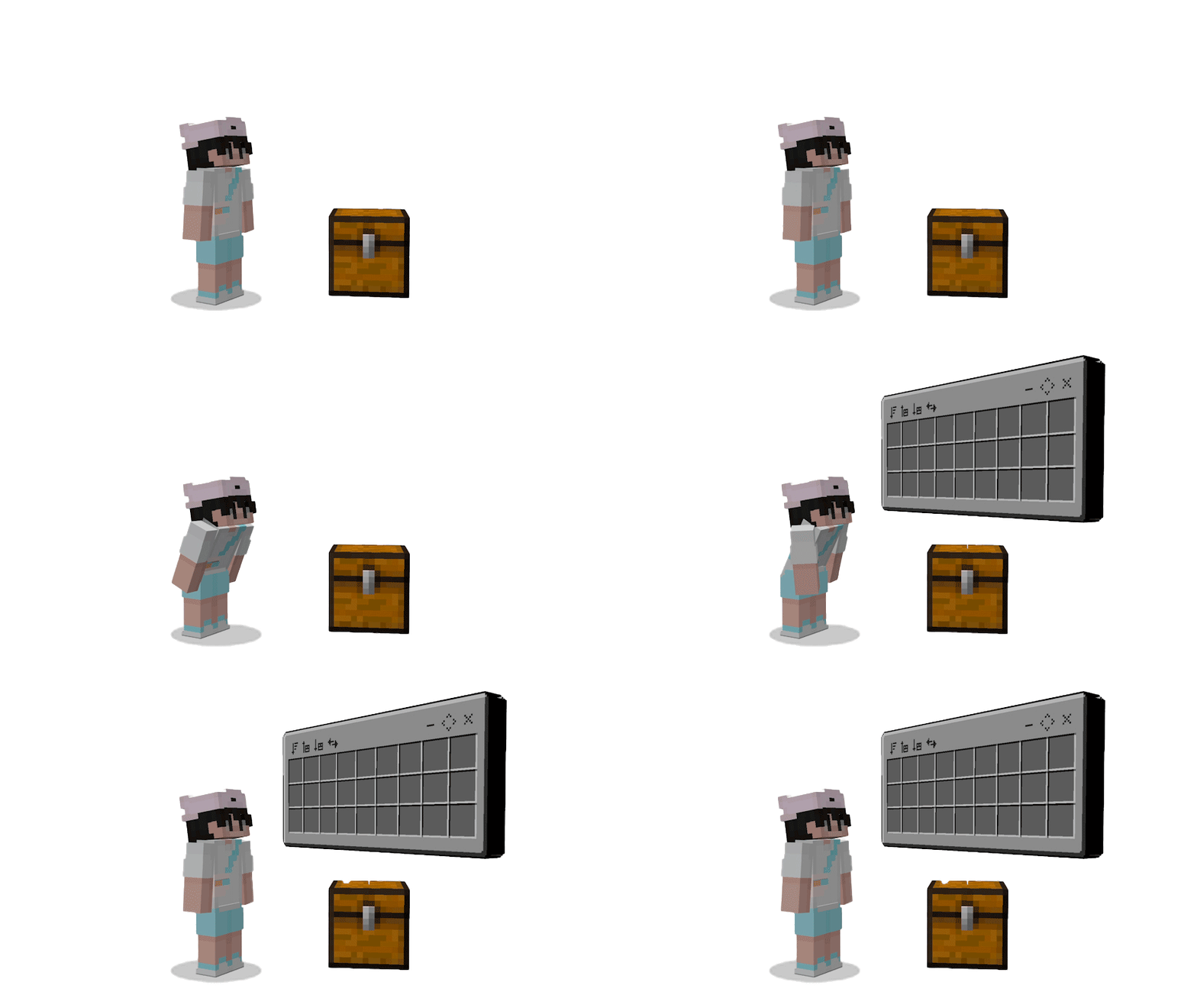
The floating container has several functions such as sorting, removing or storing all items, transferring, minimizing, moving, and closing the container: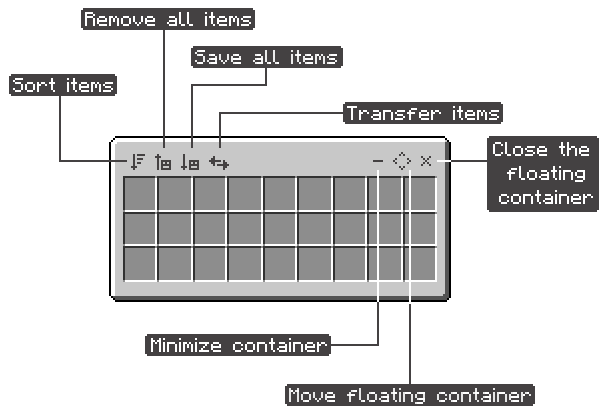
• Sort items: When using this option, items of the same type will be stacked and placed in the first slots of the container.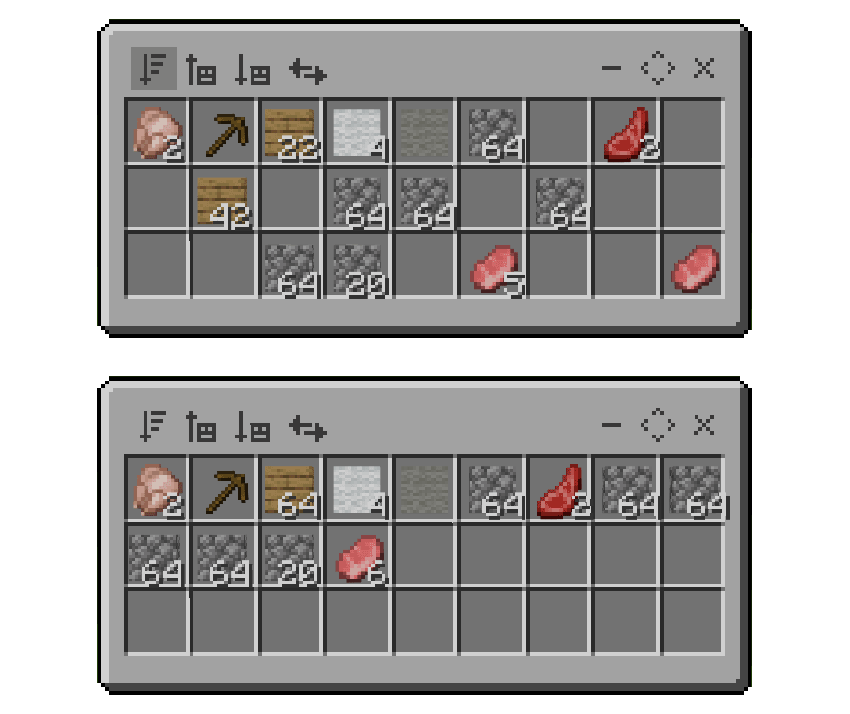
If the player is crouching when interacting with this option, the items will be sorted alphabetically.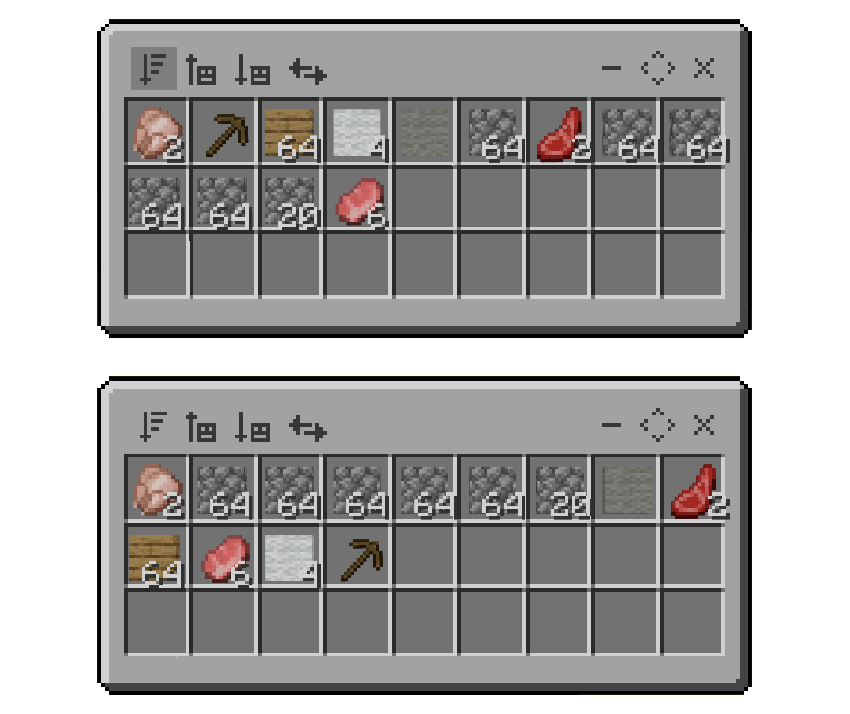
• Remove all items: This option will move all items from the chest to your inventory.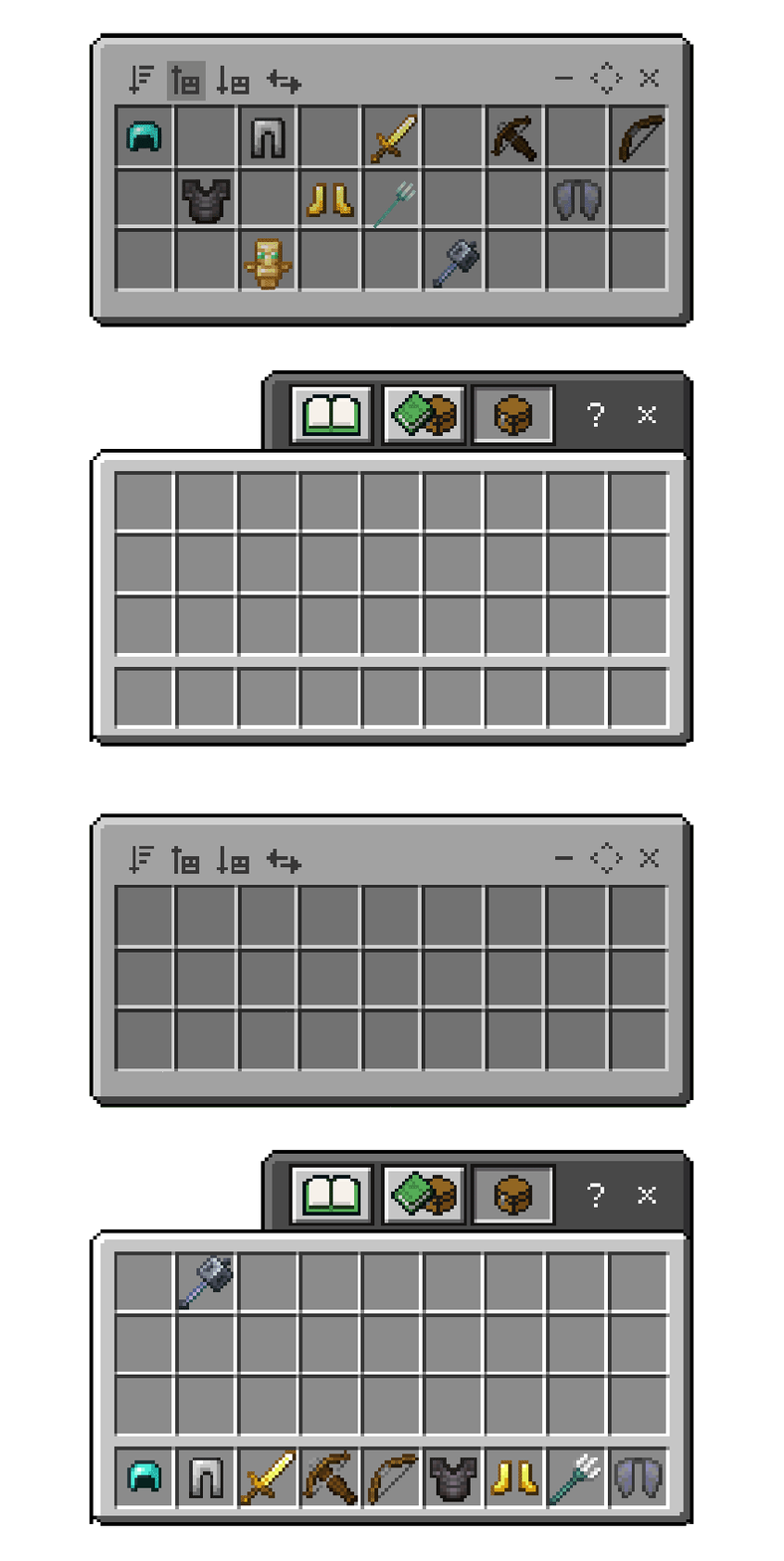
Item filter: If the player is crouching when interacting with this option, you will only take out items of the same type that you have in your inventory.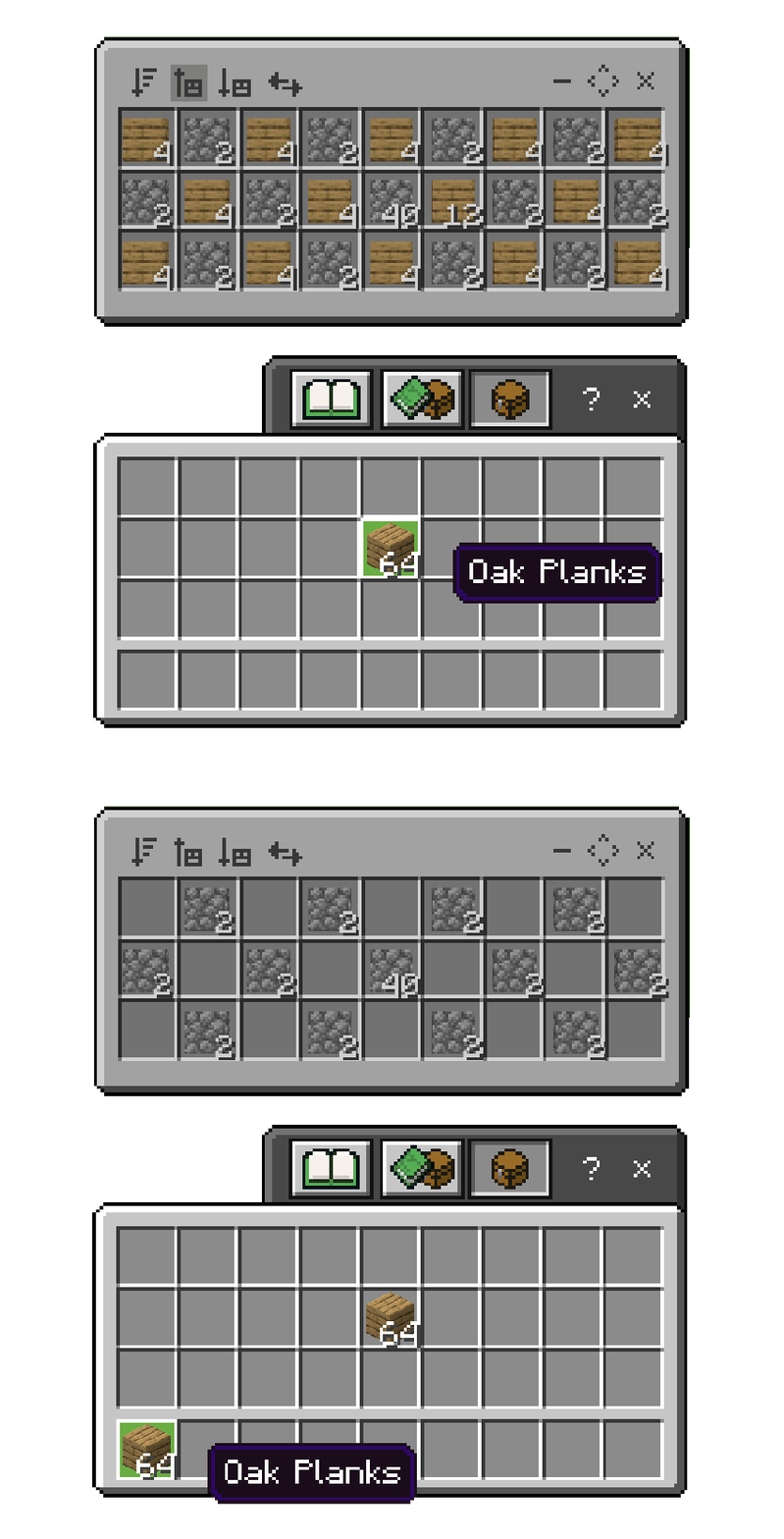
• Save all items: All items in your inventory will be moved to the container.
Item filter: If you are crouching when interacting with this option, only items from your inventory that are of the same type as those in the container will be moved to the chest.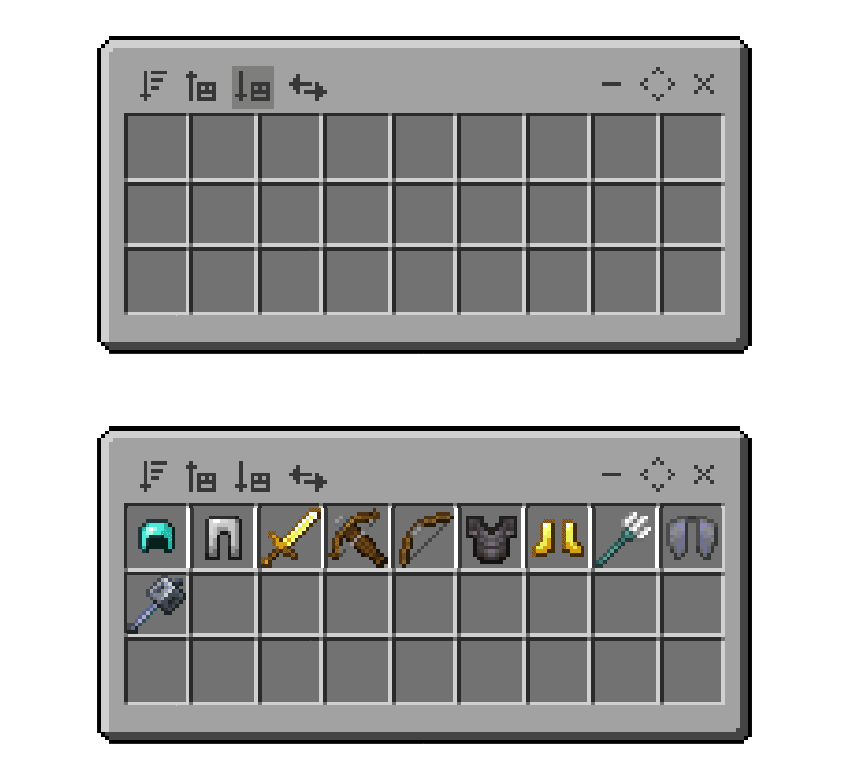
• Transfer items: This will allow you to easily move all items from one container to another.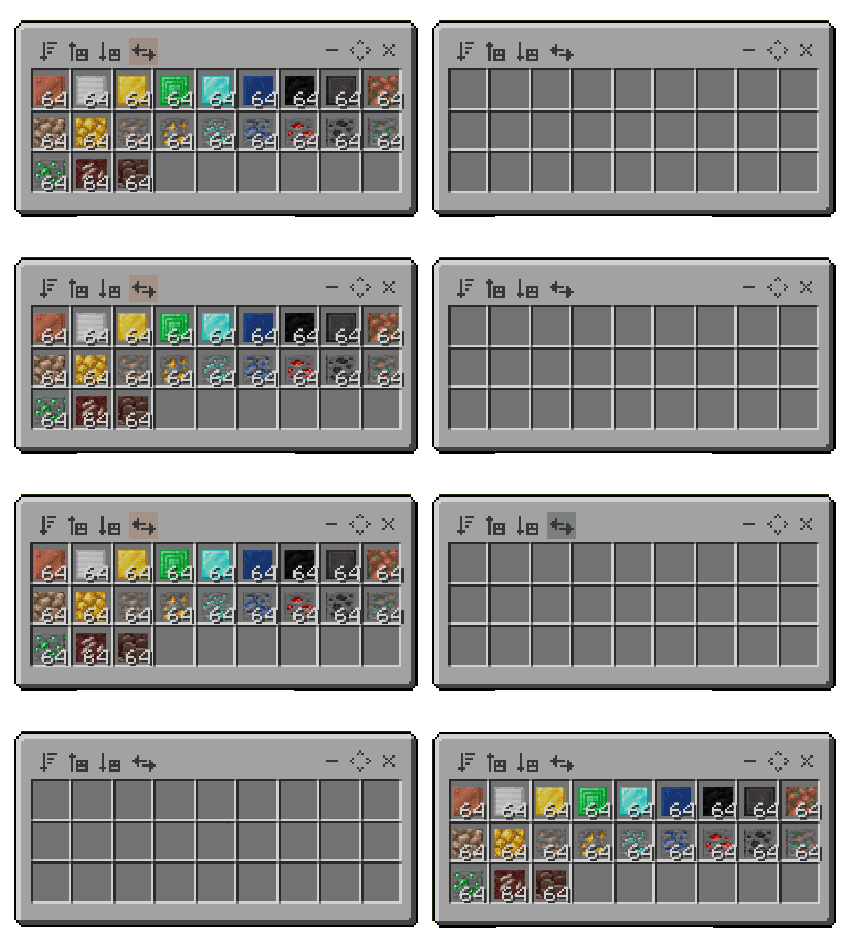
• Minimize container:
This option will hide the container's inventory, but you'll still be able to use its main functions; this is useful for optimizing the add-on.
(This will also activate automatically when you move too far away from the floating container)
• Move floating container: This option allows you to move the floating container to any position and rotation up to a maximum of 32 blocks away from the chest. (Tap the center of the arrows to confirm the position)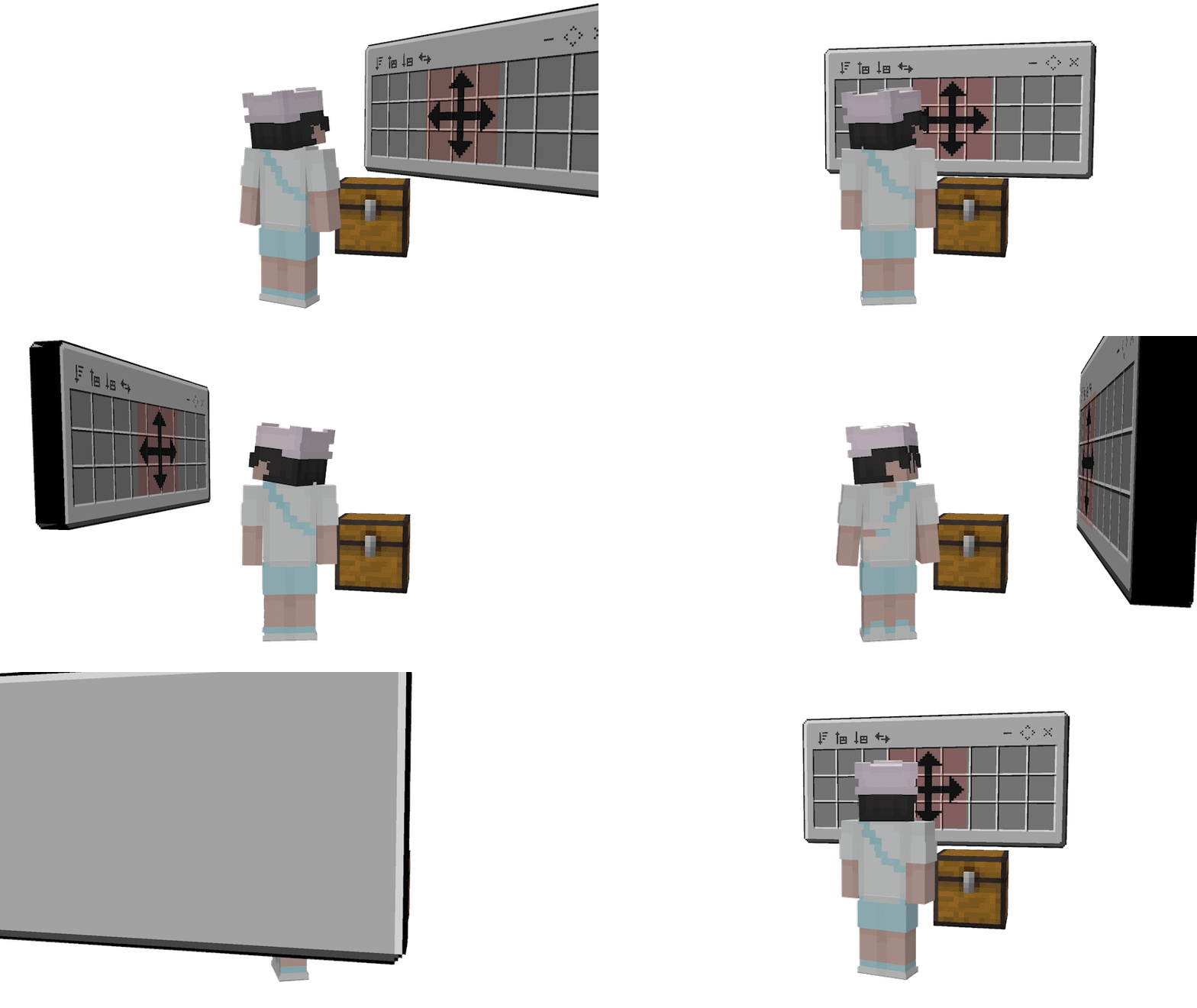
Controls: Mobile PC
- Touch (Touch screen) (Left Click)
- Interact (Press screen) (Right Click)
All slots in the floating container are interactive; you can place or remove items, divide their quantity in half or separate a single item, place a single item in the slots, move items between floating containers, and more; some of these functions depend on whether the player is crouching or not.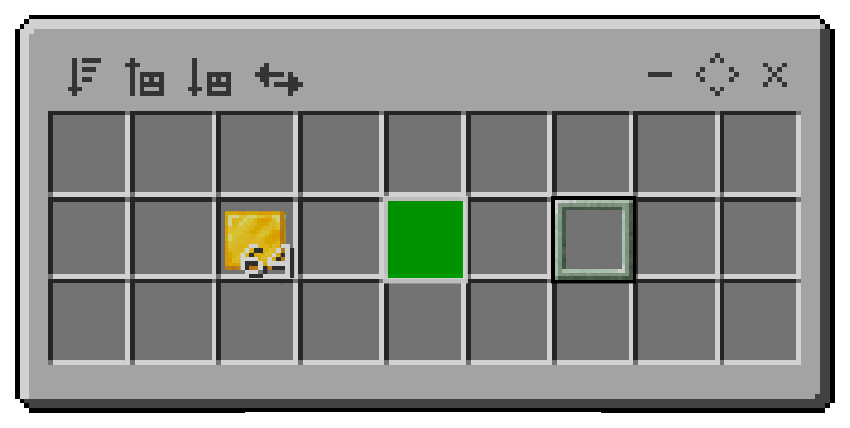
Controls when not crouching:
(Empty main hand):
- When you touch or interact with a slot, will select the slot regardless of whether it contains an item or not.
- Touching a slot with an object will select the slot.
- If a slot is selected, and you touch a different slot, they will swap positions.
- If there is a selected slot with items, and you interact with another different slot that is empty, the amount will be divided.
(Main hand with items):
- When you touch or interact with a slot, all the items you have in your main hand will be placed in the slot.
- Touching a slot with an object will select the slot.
- When you interact with a slot containing an item of the same type as your main hand, these items will be stacked in that slot, if they fit.
- If a slot is selected, and you touch a different slot, they will swap positions.
Controls while crouching:
(Empty main hand):
- By touching or interacting with a slot, you will take the item from that slot.
- If there is a selected slot with items, and you interact with a different slot, it will take a single item from the quantity and place it in the other slot.
(Main hand with items):
- If you touch an empty slot, the item from your main hand will be placed there.
- If you touch a slot with objects, the object you have in your main hand will be placed there if it is of the same type.
- If you interact with an empty slot, only one item will be placed in that slot at a time; if the slot has items, they will be stacked if they are of the same type.
Simplified explanation:
- If you are not crouching and you interact with or touch an empty slot, the object you are holding will be placed in that slot.
- If you are crouching and interact with or touch a slot containing items, you will take the items from that slot.
- If you are not crouching and you interact with or touch a slot containing items, that slot will be selected.
Quick explanation:
- Touch and interact with everything until you know how it works.
# More information:
- The add-on works correctly in multiplayer
- Achievement-friendly
- This add-on is only compatible with Minecraft version 1.21.100 and higher.
- Floating containers may not correctly display some items from other add-ons.
- Opening too many floating containers can cause lag.
- Mobile phones may experience lag; it is recommended to open fewer than three floating containers or keep them minimized.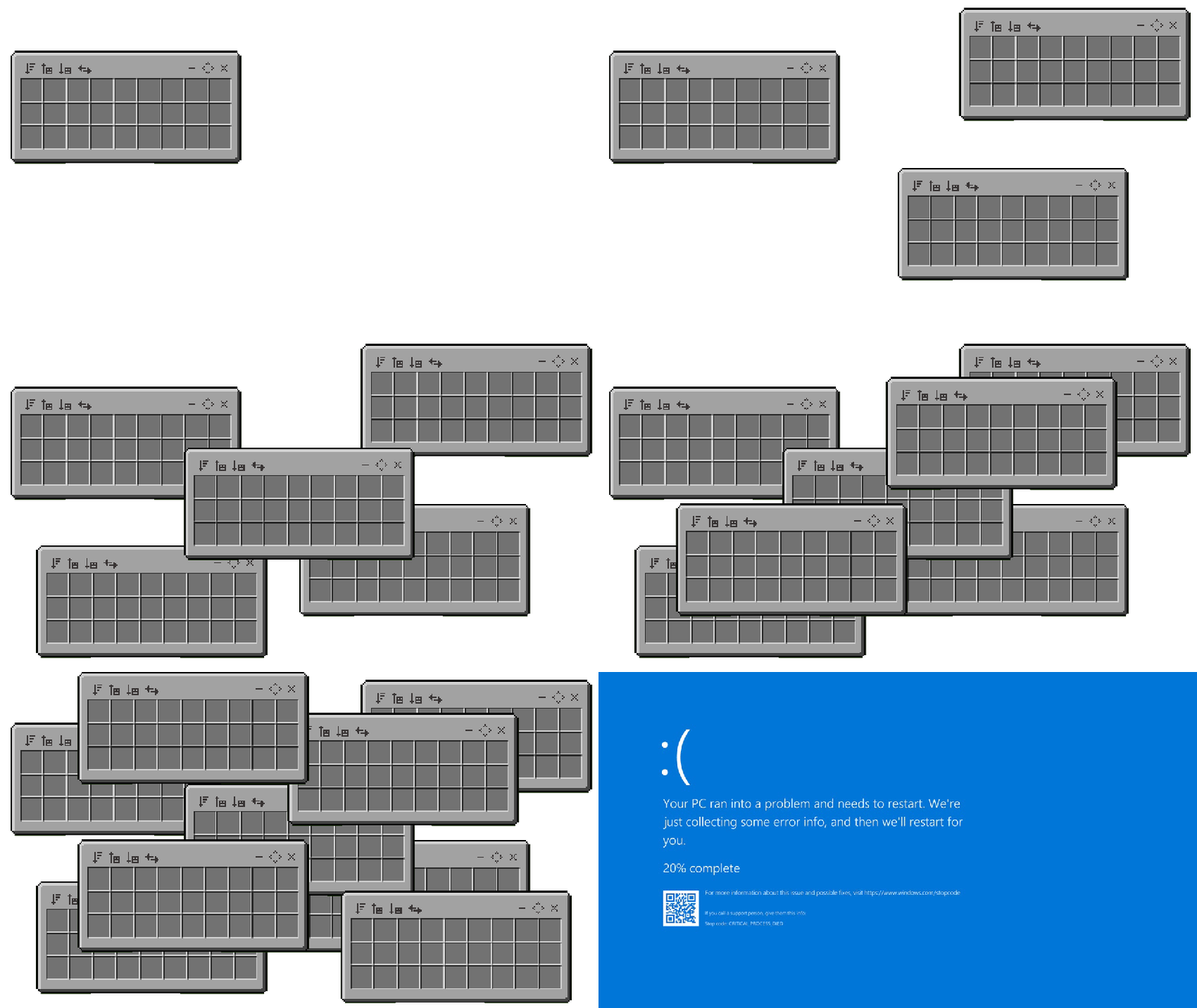
Report any bugs on my Discord server.
I welcome any suggestions for improving the addon; please send them to me via Discord.
By Effect99
The Floating Containers Team


Owner