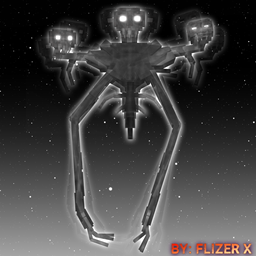
FLIZER'S WITHER STORM
This addon brings the Wither Storm boss to your game—a powerful enemy that grows over time. Its strength escalates as it evolves, making it a formidable challenge even alongside other bosses.
This addon brings the Wither Storm boss to your game—a powerful enemy that grows over time. Its strength escalates as it evolves, making it a formidable challenge even alongside other bosses.
The trailer:
Gameplay:
The Wither Storm has been programmed with enhanced capabilities, advanced attack skills, and smart AI behavior so that it not only grows in power but also interacts dynamically with both players and entities. With its interactive system, players can react to the Wither Storm’s attacks by attempting to counter, escape, or risk death if they fail to respond in time. Additionally, the Wither Storm adapts its behavior based on nearby events, and one of its special abilities allows it to grow to Stage 4. In this stage, it becomes extremely powerful—capable of grappling players, devouring them, and even absorbing entities or players via a tractor beam. To further raise the stakes, the Wither Storm can summon other bosses to defend itself.
Commanded Wither
The Commanded Wither is a boss that can be summoned either from the Wither Storm Citadel structure — which spawns randomly in the world, though it can be somewhat rare, so exploration is encouraged — or by crafting a spawn egg. It begins at an early stage, evolves over time, and attacks other entities and players while summoning minions to intensify the challenge.
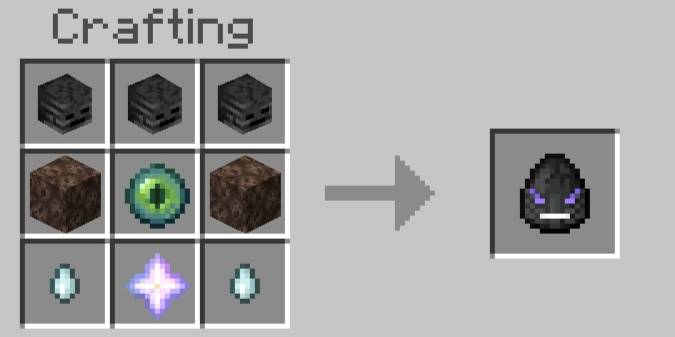
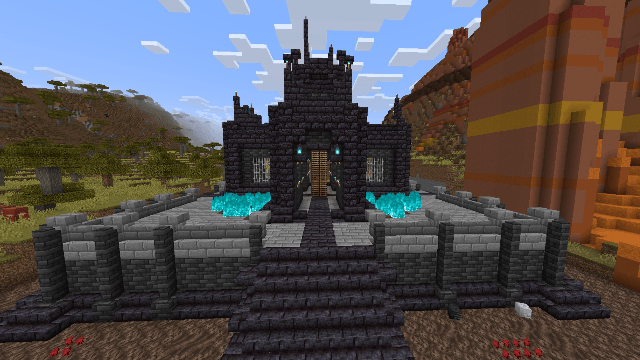
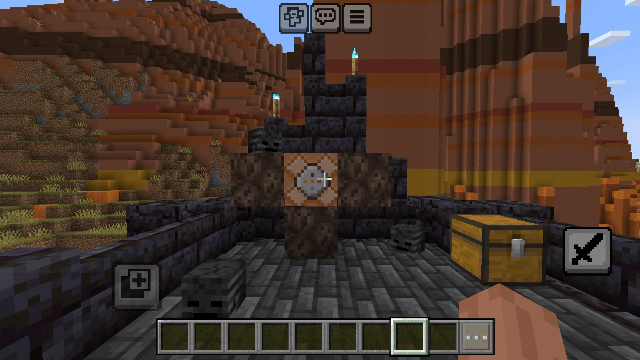
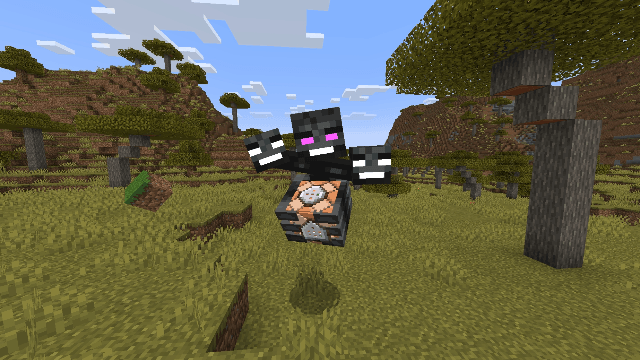

The Wither Storm Boss
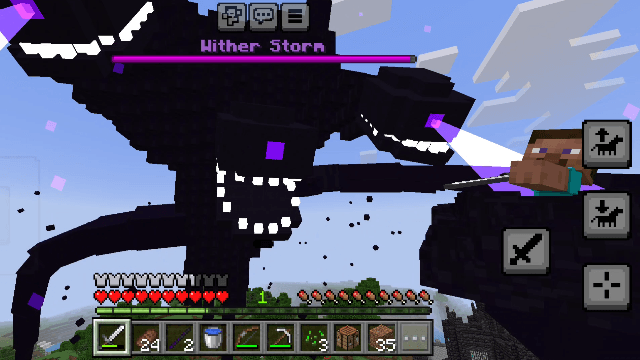
Mechanics:
1. Tentacle Attacks and Tractor Beam
The Wither Storm possesses tentacle-based attack mechanics that allow it to grab and consume players, or pose a significant threat to them. It also features a tractor beam that pulls entities and players toward it.
2. Player–Wither Storm Interactive System
This system was programmed to let players interact with the Wither Storm’s attacks. By pressing a specific button, a player can force the Wither Storm to release them or stop consuming them. If the player doesn’t react in time, they might be eaten or dropped from a height, which could lead to fall damage or death—so it's essential to protect yourself. But it's not just about escaping; the Wither Storm can also unleash deadly, unavoidable attacks if a low-health player tries to resist.
3. Wither Storm AI Behavior
The Wither Storm has self-interactive AI behavior. For example, its heads can react to each other based on events. If a player damages and destroys the eye of one head, it might trigger a reaction between the heads—possibly enraging one and causing it to initiate an attack. And that’s just the beginning; many more dynamic reactions can be discovered through different in-game events!
Interactive Escape:
Follow the on-screen instructions and press the indicated button at the right moment to avoid or escape.
Recommended Weapons:
Must be equipped in the player's hand and activated by pressing the action button
- Iron Sword
- Diamond Sword
- Netherite Sword
- Wither Sword
Aftermath:
The boss may throw or release the player—watch out for fall damage.
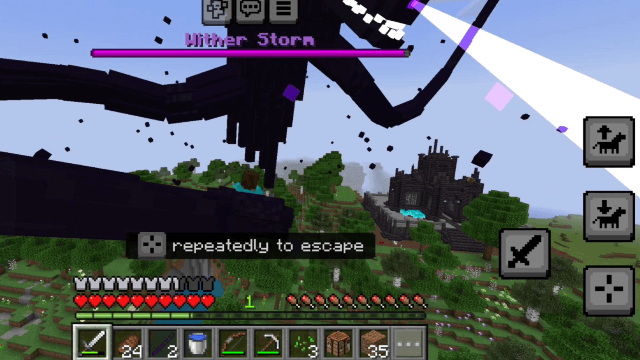
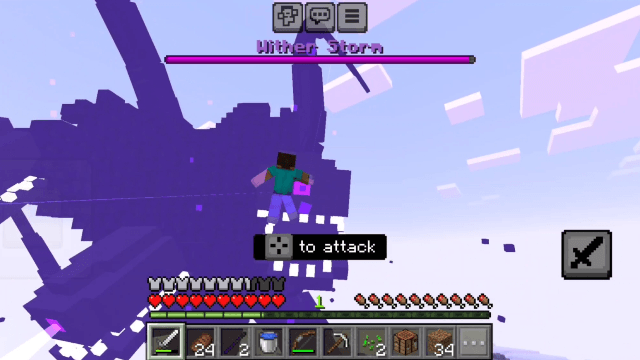
The Final Stage:
Preparation:
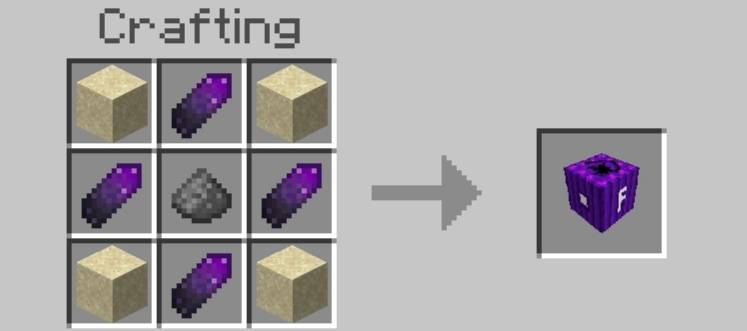
Craft a Formidi Bomb and hold it in your hand.
Craft it using gunpowder, sand, and a Wither Shard—dropped by Wither Skeletons.
Trigger Event:
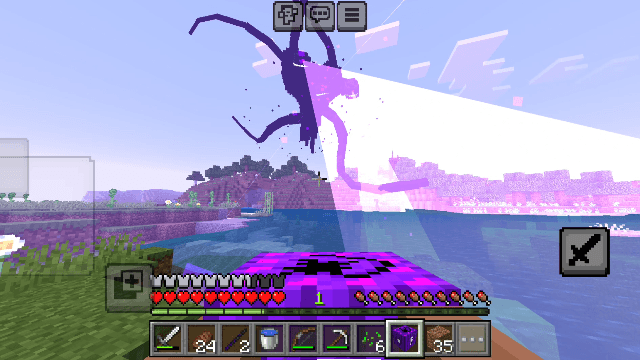
Approach the Wither Storm’s tractor beam. The Wither Storm will pull you in, initiating the cinematic event.
Interaction:
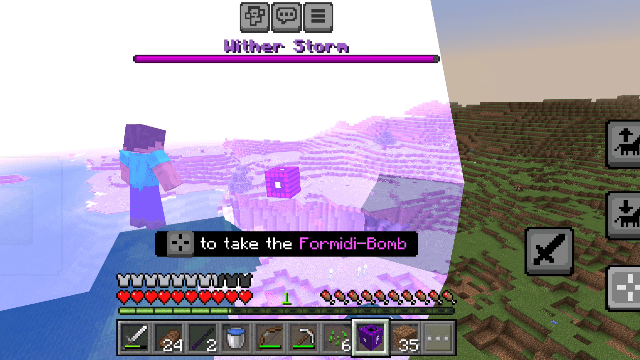
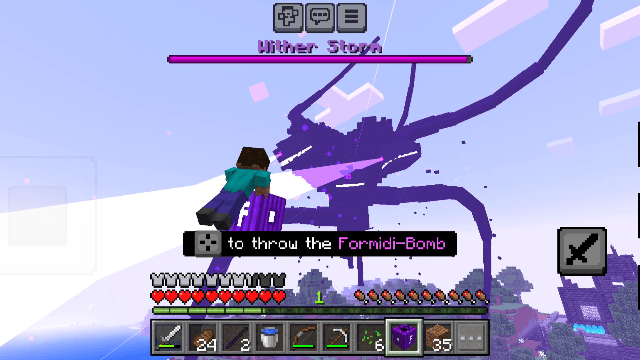
During the sequence, follow the on-screen instructions and press the specified button at the right moment to ensure the event continues.
1. Reveal Heart:
After the event, part of the Wither Storm is destroyed, revealing its heart (a command block).
2. Projectile Attacks:
Attack the revealed heart using projectiles (e.g., a bow or a trident).
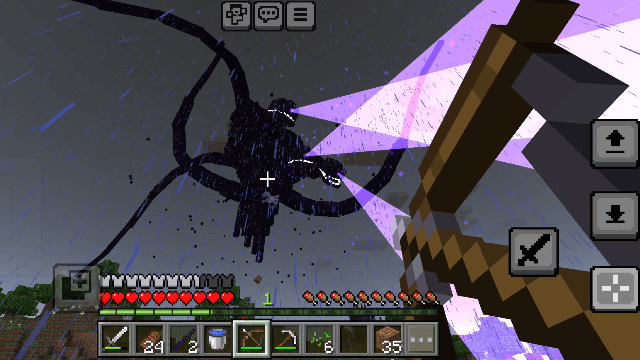
3. Enrage Response:
Each hit enrages the Wither Storm, triggering random counterattacks that must be dodged.
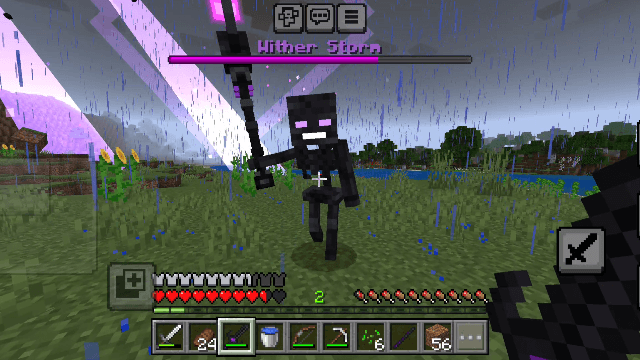
4. Wither Skeleton Mage Summon:
Repeated damage summons a Wither Skeleton Mage to guard the heart.
5. Wither skeleton Mage Battle:
Defeat the mage with the Wither Sword, chasing it as it teleports.
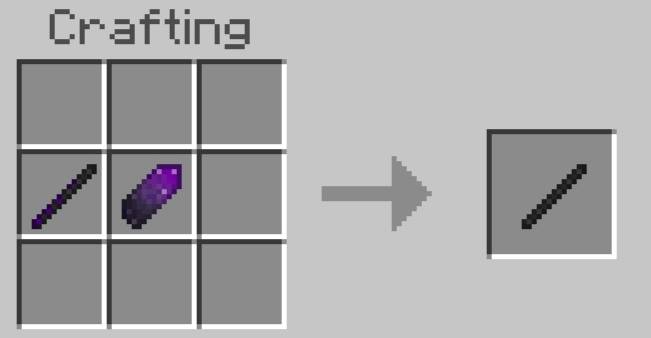
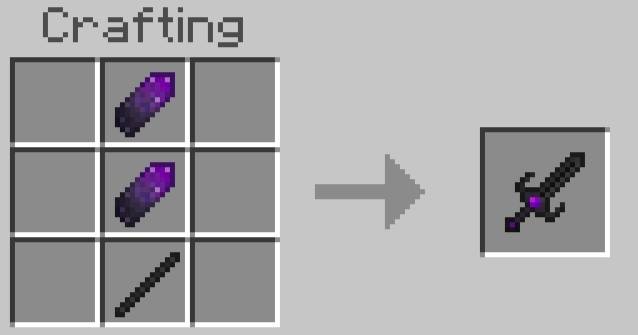
The Wither Sword is crafted by first combining a Wither Stick with a Wither Shard to create a Wither Rod, then merging the Wither Rod with another Wither Shard.
The Wither Shard and Wither Stick drop after defeating a Wither Skeleton.
6. Withered Warden Battle:
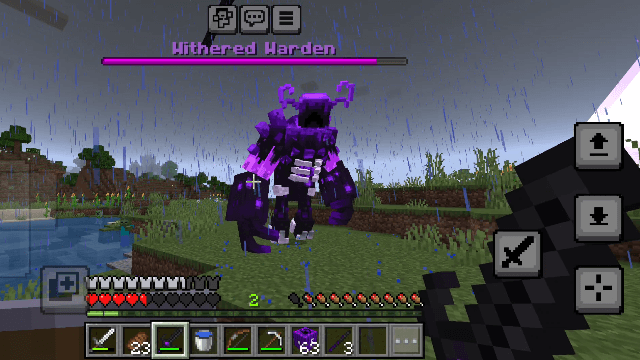
The Withered Warden only spawns when the heart of the Wither Storm has been heavily damaged. It is extremely powerful and uses heavy attacks. To defeat it, the player must target only its heart with the Wither Sword.
7. Final Blow:
After the mage falls and the heart is weakened, deliver the finishing projectile shots to destroy the command block and end the Wither Storm.
Additional Features:
The Lost Vault Structure
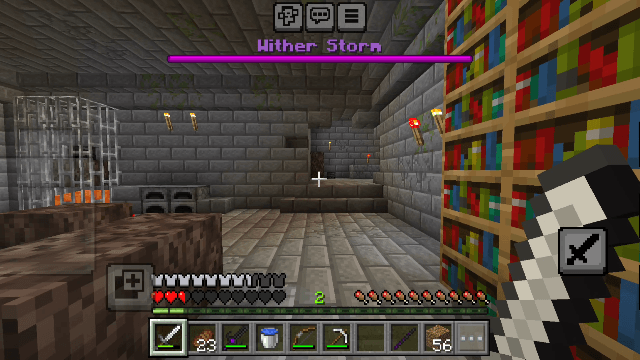
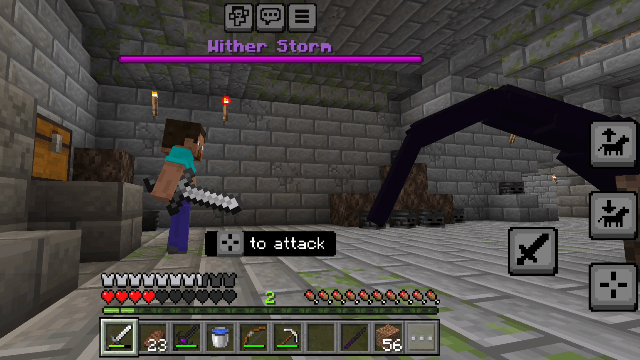
This structure spawns randomly underground and contains valuable loot. A simple cinematic event is triggered when a player enters the area while the Wither Storm is nearby. Note that this event only works in solo play; if there are two or more players in the world, the event will not activate.
Important Notes:
-1 World Settings
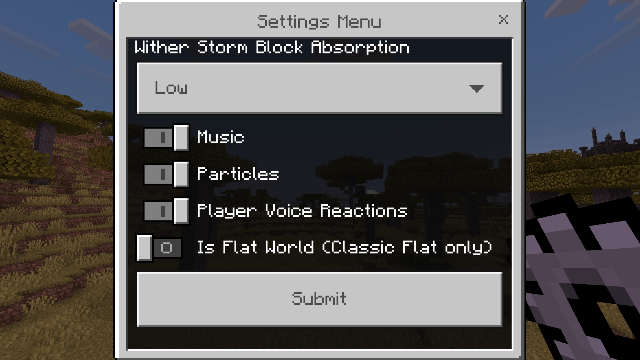
Upon entering your world, you will receive a settings item that lets you enable various options. One key option, “Is Flat World (Classic Flat only)”, should only be enabled if you are playing this addon in a classic flat world. It does not support custom flat worlds. For a normal world, you do not need to enable this option.
-2 Player Skin Limitations
Although the Wither Storm uses tentacle attacks and can grab players, there is a limitation regarding skins. When the Wither Storm grabs a player, the player will default to the classic “Steve” skin. If playing solo, you can copy your custom skin into the addon folder via the path:
"textures/entity/steve"
and then rename your skin file to “steve”. If you are playing with friends, it is recommended to keep the default skin.
-3 Possible Issues When Rejoining the World
Exiting the world and re-entering it may cause some issues with the Wither Storm, and you might need to respawn the Wither Storm again.
-4 Wither Storm Replacement for Ender Dragon
The Ender Dragon has been removed or replaced with the Wither Storm so that the Wither Storm can be seen from anywhere in your world.
However, the Ender Dragon no longer exists,
and you should avoid entering the End dimension to prevent potential issues with the Wither Storm.
-5 Black Screen in First-Person View Fix
If the first-person view shows a black screen (this may happen for most people), try changing your skin to the default one, like Steve.
-6 Version Information
This addon is currently at version v0.5. This means it is not a final release and some features are still incomplete.
copyright info:
Creator: FLIZER X
Assistants: Yasser Null and qzcs3
Music used in this addon by: AntimoWelles
Some of the sounds and music used in this addon are not owned by me. All rights go to their original creators.
If you're a content creator on YouTube or any other platform and you make a video about this addon,
please try your best to include a link to this page in your video description so more people can enjoy and play this addon. Thank you for your support!
1. Do not edit, copy, or steal content
Do not modify, extract, or reuse any files, models, animations, commands, or code from this addon.
You are also not allowed to copy or recreate any systems, mechanics, or custom code made specifically for this addon, even with changes.
2. No reuploads or altered versions
You are not allowed to upload this addon to other websites or platforms in any form, especially if it’s modified or a different version.
If you want to share it, please share the official CurseForge page instead.
FLIZER'S WITHER STORM Team