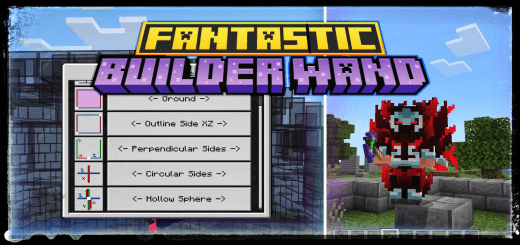
Fantastic Builder Wand
- By
The addon works in a very simple way and perfectly adapted to the survival mode, while the construction is being done, your inventory is analyzed in real time. You don't need to activate any experiments before creating a world with this addon
MCPEDL
fbw3.png
fbw2.png
fbw1.png
fbw0.png
fb7.png
MCPEDL.png
Description
Builder Wand (Mode Selection)
This add-on introduces a Builder Wand that allows players to build more efficiently by selecting two coordinates and confirming the structure.
🛠 How It Works
-
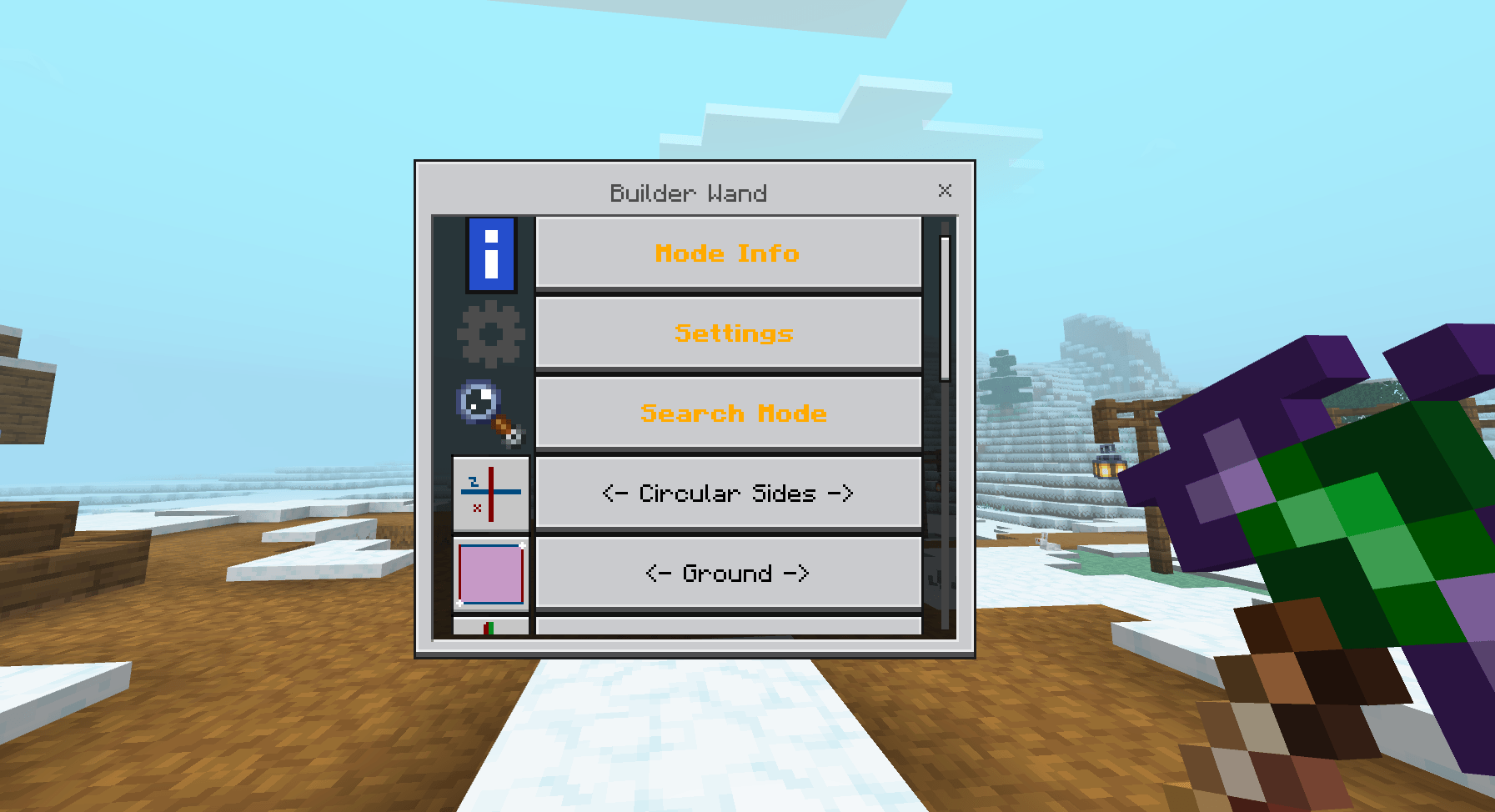
Mode Selection
- Sneak + Use the wand to select a mode.
- If no mode is selected, the Builder Wand will not work.
-
Saving Coordinates
- Use the wand on a block to save the first coordinate (block to be built).
- Use the wand again to save the second coordinate, which will open the confirmation UI.
📱 Low Device Support
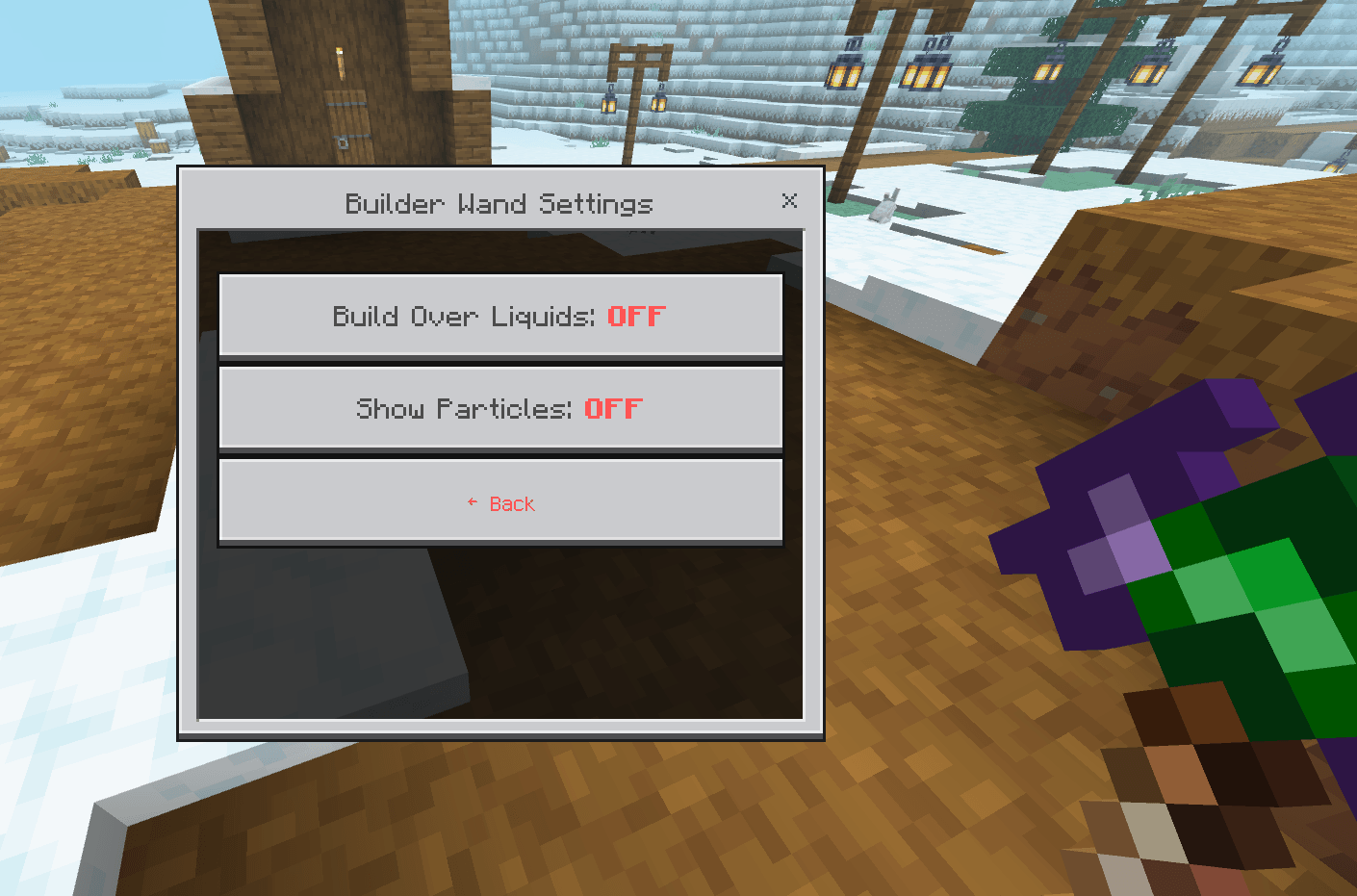
- For players with lower-end devices, Settings option can be enabled to ENABLE/DISABLE construction particles, improving performance.
🏗️ Complete Manual - Builder Wand
A comprehensive guide to mastering all construction modes of the Builder Wand!
📋 GETTING STARTED
🔧 Basic Setup
- Equip the Builder Wand in your main hand
- Sneak (Shift) + Right Click to open the mode menu
- Use ⚙️ Settings to configure "Build Over Liquids"
🎯 Selection System
- First Click: Selects the origin point (reference block)
- Second Click: Selects the destination point and shows preview
- Confirm in the menu to build
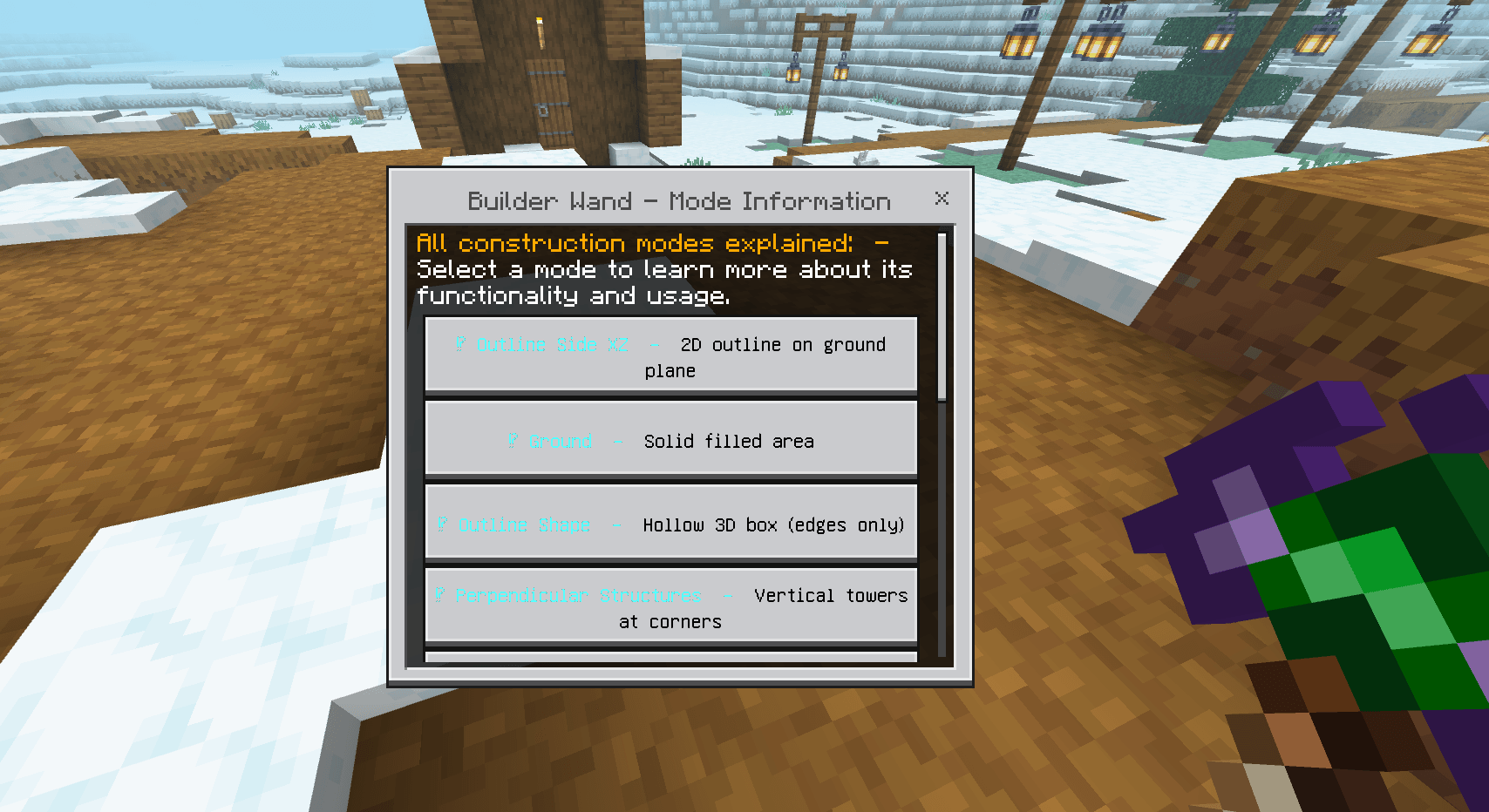
🎯 CONSTRUCTION MODES
🔷 OUTLINE SIDE XZ
📐 What it does: Creates a 2D outline on the XZ plane (ground level) 🎯 How to use:
- First click: bottom-left corner
- Second click: top-right corner
- Result: Only the edges of the rectangle are filled
💡 Perfect for: Fences, area boundaries, ground frames
🟦 GROUND
📐 What it does: Fills the entire area on the XZ plane 🎯 How to use:
- First click: one corner of the area
- Second click: opposite corner
- Result: Solid filled area
💡 Perfect for: Floors, foundations, flat platforms
🔲 OUTLINE SHAPE
📐 What it does: Creates a hollow 3D box (only the edges) 🎯 How to use:
- First click: bottom corner on one side
- Second click: top opposite corner
- Result: Hollow structure with all edges
💡 Perfect for: Hollow structures, 3D frames, warehouses
⏹️ PERPENDICULAR STRUCTURES
📐 What it does: Creates vertical towers at the corners of a square 🎯 How to use:
- First click: center of the area
- Second click: defines the radius (distance from center)
- Result: 4 columns at cardinal points
💡 Perfect for: Guard towers, bridge pillars, symmetrical structures
⭕ CIRCULAR SIDES
📐 What it does: Creates a perfect circle on the XZ plane 🎯 How to use:
- First click: center of the circle
- Second click: defines the radius
- Result: Complete circle on the ground
💡 Perfect for: Circular arenas, round bases, gardens
🔴 HOLLOW SPHERE
📐 What it does: Creates a hollow 3D sphere 🎯 How to use:
- First click: center of the sphere
- Second click: defines the radius
- Result: Perfect hollow sphere
💡 Perfect for: Planets, domes, spherical structures
🔺 PYRAMID
📐 What it does: Creates a hollow pyramid (edges only) 🎯 How to use:
- First click: center of the base
- Second click: defines the base size
- Result: Pyramid with only edges
💡 Perfect for: Temples, Egyptian structures, pointed roofs
🧱 SOLID SHAPE
📐 What it does: Creates a solid 3D cube completely filled 🎯 How to use:
- First click: bottom corner
- Second click: opposite top corner
- Result: Solid filled cube
💡 Perfect for: Solid foundations, artificial mountains, quick filling
🌀 SPIRAL STAIRCASE
📐 What it does: Creates an ascending spiral staircase 🎯 How to use:
- First click: base of the staircase
- Second click: defines radius and height
- Result: Circular staircase that ascends
💡 Perfect for: Towers, castles, elegant vertical access
🧱 WALL
📐 What it does: Creates a vertical wall between two points 🎯 How to use:
- First click: base on one side
- Second click: top on the other side
- Result: Flat vertical wall
💡 Perfect for: Walls, fortress walls, partitions
🎲 RANDOM GROUND
📐 What it does: Fills an area on the XZ plane with 50% chance at each position, creating a random and chaotic pattern
🎯 How to use:
- First click: one corner of the area
- Second click: opposite corner
- Result: Area with random block pattern (approximately 50% filled)
💡 Perfect for:
- Creating natural and organic terrain
- Making chaotic patterns for adventure maps
- Generating procedural noise for constructions
- Combining with normal Ground mode to fill empty spaces
✨ Usage Strategy:
- Use Random Ground first to create variation
- Then use normal Ground mode to fill the gaps
- Result: Terrain with natural variation but completely solid
🎲 Pro Tip: Perfect for creating "Swiss cheese" terrain effects or randomized floor patterns that look more organic and less artificial!
⚡ ADVANCED FEATURES
🔍 SEARCH SYSTEM
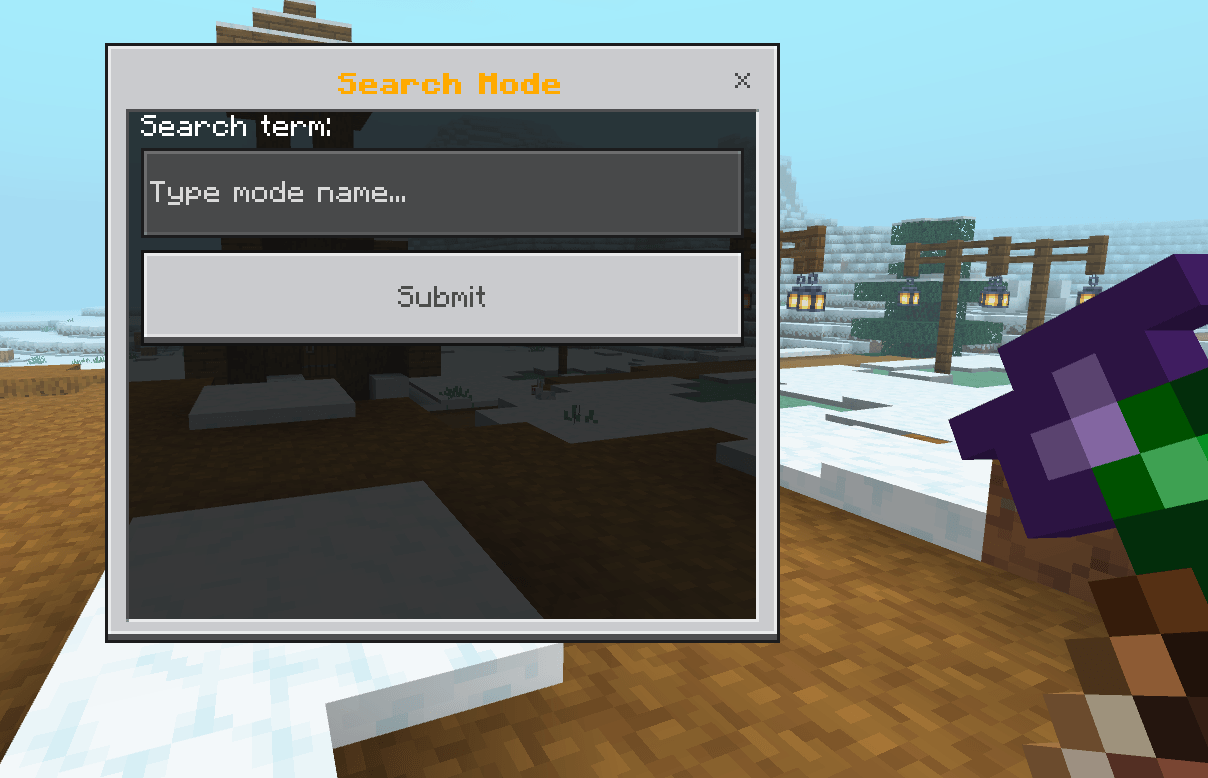
- Use "Search Mode" to quickly find modes
- Type part of the name: "circ" finds "Circular Sides"
- Works with all 10 modes!
💧 BUILD OVER LIQUIDS
- Toggle in ⚙️ Settings
- ON: Builds over water/lava
- OFF: Only builds on solid blocks/air
🎨 REFERENCE BLOCK SYSTEM
- The wand copies the block from the first click
- Use different blocks for colorful designs
- The block is saved in the wand's lore
⏱️ CONSTRUCTION TIMING
- Large constructions have progressive delay
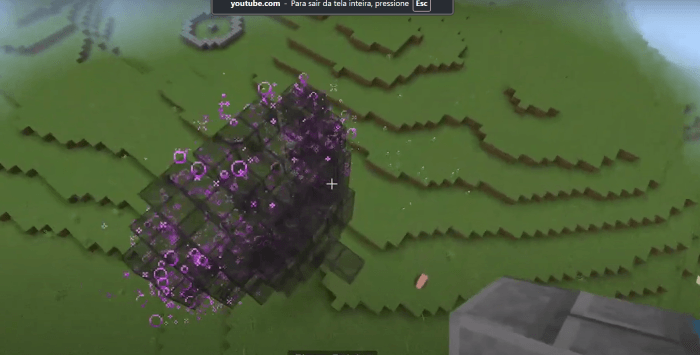
- Particles show progress
- Don't interrupt the process
🚀 PRACTICAL EXAMPLES
🏰 Building a Castle:
- GROUND for the courtyard
- WALL for the walls
- OUTLINE SHAPE for hollow towers
- SPIRAL STAIRCASE to climb towers
- PYRAMID for pointed roofs
🌳 Creating a Garden:
- CIRCULAR SIDES for round flower beds
- OUTLINE SIDE XZ for paths
- HOLLOW SPHERE for gazebos
🏗️ Modern Structure:
- SOLID SHAPE for solid foundation
- PERPENDICULAR STRUCTURES for pillars
- OUTLINE SHAPE for floors
⚠️ TROUBLESHOOTING
❌ "No modes found with that name!"
- Check mode spelling
- Use partial terms: "hollow" for "Hollow Sphere"
❌ Preview doesn't appear
- Make sure you selected two different points
- Confirm you have the required block in inventory
❌ Construction stops midway
- Don't interrupt the process
- Check if you have enough blocks
❌ Won't build over water
- Enable "Build Over Liquids" in settings
🎯 MODE SUMMARY TABLE
| Mode | Type | Primary Use |
|---|---|---|
| Outline Side XZ | 2D | Ground outlines |
| Ground | 2D | Solid flat areas |
| Outline Shape | 3D | Hollow structures |
| Perpendicular Structures | 3D | Symmetrical towers |
| Circular Sides | 2D | Perfect circles |
| Hollow Sphere | 3D | Hollow spheres |
| Pyramid | 3D | Pyramids |
| Solid Shape | 3D | Solid cubes |
| Spiral Staircase | 3D | Circular staircases |
| Wall | 3D | Vertical walls |
| Random Ground | 2D | Randomized Solid Flat areas |
🔧 TECHNICAL NOTES
- Works with: All solid blocks
- Range: Limited by render distance
- Performance: Large builds may cause temporary lag
- Compatibility: Works in all dimensions
✨ Pro Tip: Combine modes for complex constructions! Use SOLID SHAPE for bases and OUTLINE SHAPE for lightweight structures. Experiment with different combinations for unique designs!
Happy Building! 🏗️✨
Showcase Videos:
Fantastic Builder Wand Team