
Elytra Durability HUD (ElytraHUD)
- By
MCPEDL.png
Description
Elytra Durability HUD (ElytraHUD) Bedrock
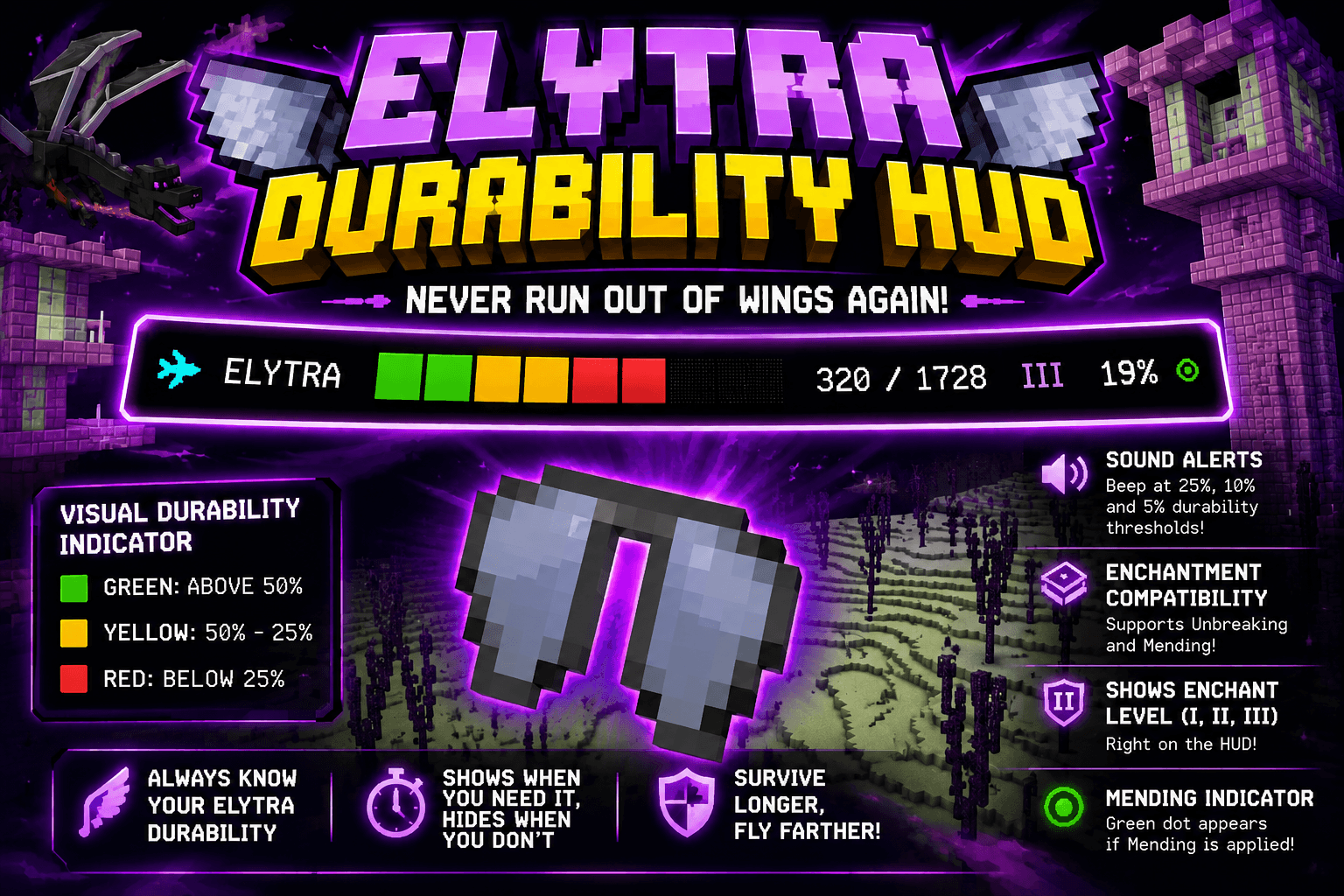
Tired of your elytra breaking without warning mid-flight? With this addon, you'll never run out of wings halfway through a trip again.
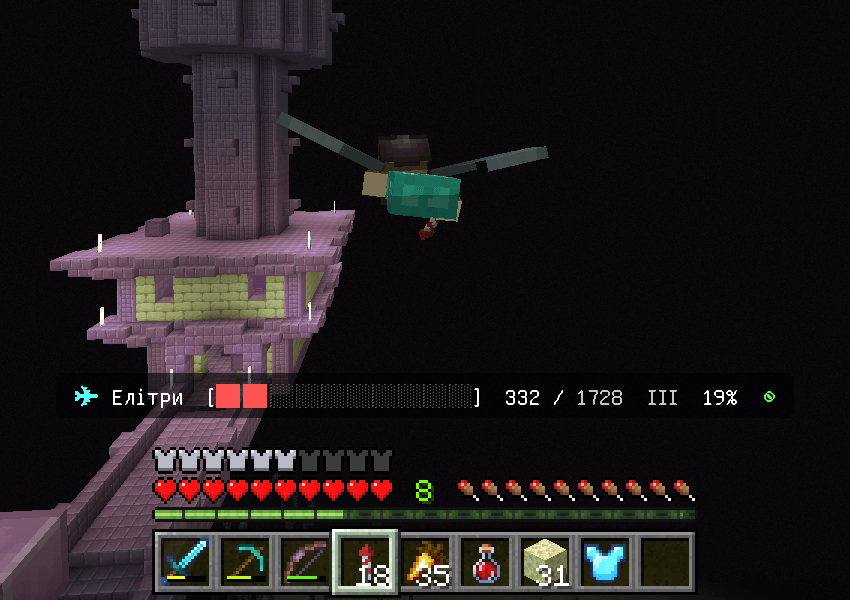
ElytraHUD adds a visual and audio indicator that shows the durability of your elytra at all times, right above your hotbar, without needing to open your inventory.
⚠️ Important notice about achievements
Enabling this pack will disable achievements in that world. This happens because the addon uses scripting (@minecraft/server), and Minecraft Bedrock disables achievements in any world that uses behavior packs with scripting, the same way it does with commands or worlds that have cheats enabled.
If you already play with cheats enabled (or any other setting that already disables achievements in your world), you can use this pack with no additional issue, since in your case achievements were already unavailable anyway.
If keeping your achievements matters to you, I'd recommend trying the addon in a separate world or a copy of your main world.
What exactly does it do?
Durability indicator
Whenever you're wearing elytra, a color-coded progress bar appears that changes depending on their condition:
- 🟩 Green: durability above 50%.
- 🟨 Yellow: between 50% and 25%.
- 🟥 Red: below 25%, time to be careful.
Next to the bar you'll see the exact current and maximum durability numbers, plus the remaining percentage.
The HUD shows up when you need it
- While flying, the indicator stays visible the whole time.
- On the ground, if you simply equip the elytra, the HUD shows up for a couple of seconds so you can check their condition, then hides itself so it doesn't clutter your screen.
Sound alerts
On top of the visual display, the addon plays warning beeps whenever durability crosses the 25%, 10%, and 5% thresholds. Each alert plays only once when the threshold is crossed (it doesn't loop), so you'll know exactly when your gear starts getting risky, even if you're not looking at the screen at that moment.
Enchantment compatibility
The HUD doesn't just read the item's "raw" durability, it also takes enchantments into account:
- Unbreaking: the addon calculates the effective durability (the amount you can actually expect to use on average), not just the item's base number. You'll see the enchantment level (I, II, or III) next to the indicator.
- Mending: if your elytra has this enchantment, a small green dot (◉) will appear on the HUD as a reminder that it will repair itself with experience.
This way, whether you're using plain elytra or a pair enchanted with Unbreaking III + Mending, you'll always know exactly how much "flight" you actually have left.
📲 Installation on Mobile (Bedrock)
- Download the
.mcaddonfile from this post. - Tap the downloaded file and select "Export" (or simply open it from your file manager); Minecraft will import it automatically.

- Open Minecraft and go to Settings → Global Resources → My Packs, where you should now see both packs (behavior and resource) installed.
- Go to Play → Edit World (or create a new world).
- Inside world editing, go to the Resource Packs tab and enable it.
- Then go to the Behavior Packs tab, find ElytraHUD in the list of available packs, and enable it too.
- Save your changes and enter the world. That's it, the HUD is now working!
💻 Installation on PC (launcher)
The process is basically the same as on mobile:
- Download the
.mcaddonfile and double-click it; the Minecraft launcher will import it automatically. - Go to Settings → Global Resources → My Packs to confirm both packs were installed.
- Go to Edit World, enable the Resource Pack, then enable the Behavior Pack by finding "ElytraHUD" in the list.
Manual installation via folders (optional)
If you'd rather install it manually without using the .mcaddon directly:
- Unzip the
.mcaddonfile (it's just a ZIP archive) to get the two.mcpackfiles. - Unzip each
.mcpackfile as well. - Copy the resource pack folder into your Minecraft installation's
resource_packsfolder. - Copy the behavior pack folder into the
behavior_packsfolder. - Open Minecraft and follow the same activation steps mentioned above: Edit World → enable Resource Pack → enable Behavior Pack (finding the pack's name in the list).
🔧 Still in development
This addon is under active development. The goal going forward is to find a way to offer this same functionality without affecting achievements, so you can enjoy the HUD without sacrificing your progress.
If you have scripting knowledge for Bedrock, experience with the @minecraft/server API, or simply ideas to improve the addon (new alerts, support for other items, configuration options, etc.), your input is very welcome.
The Elytra Durability HUD (ElytraHUD) Team
