
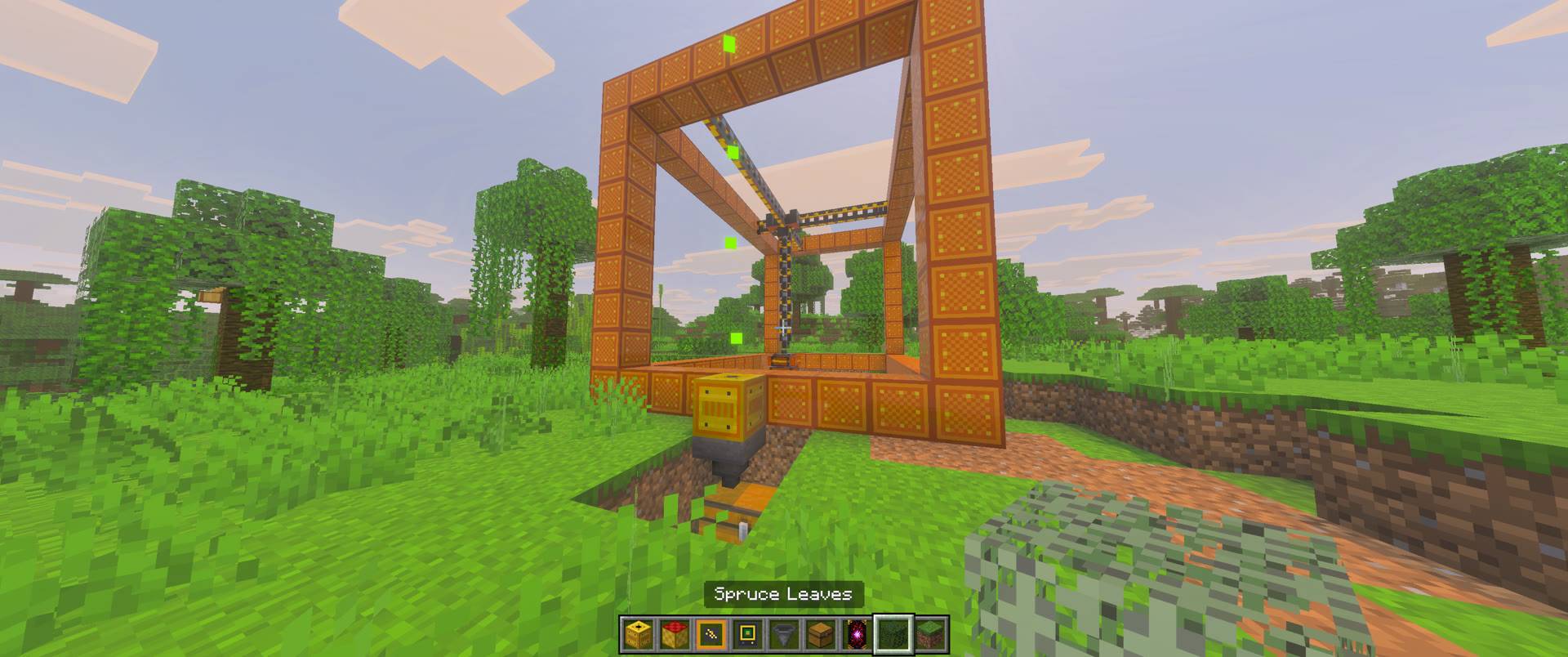
EasyQuarry in action
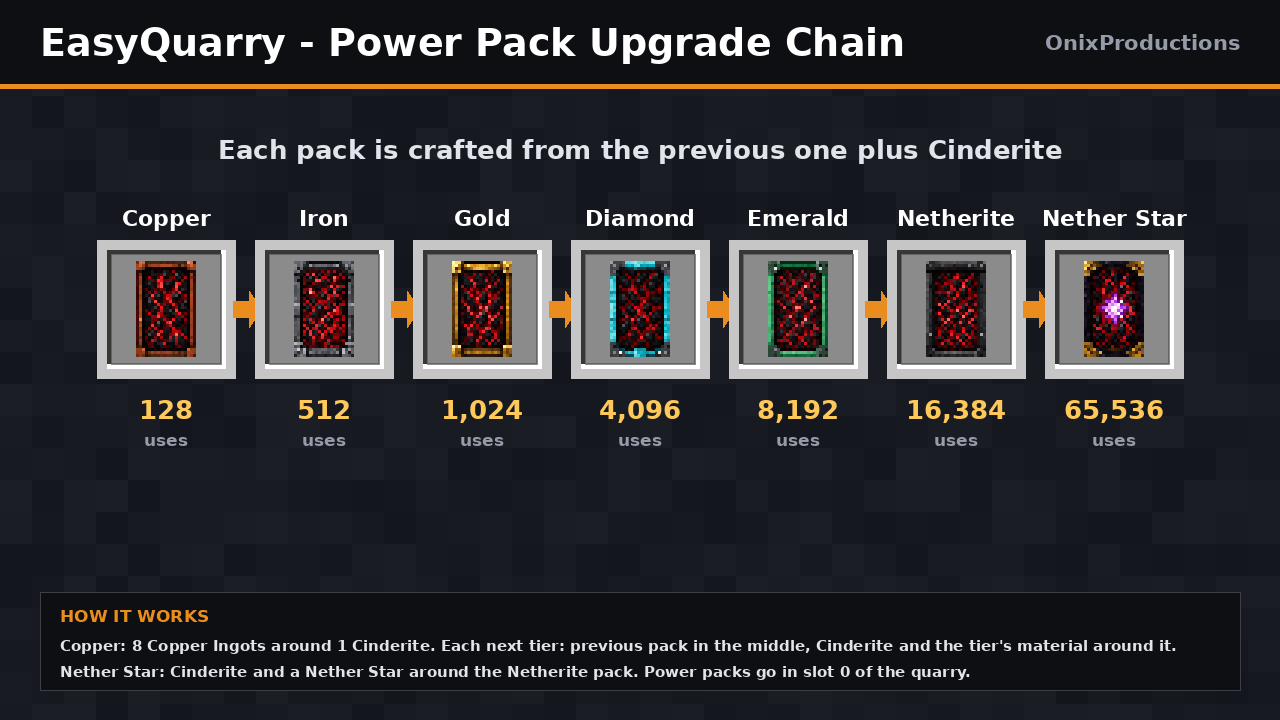
Power pack upgrade chain
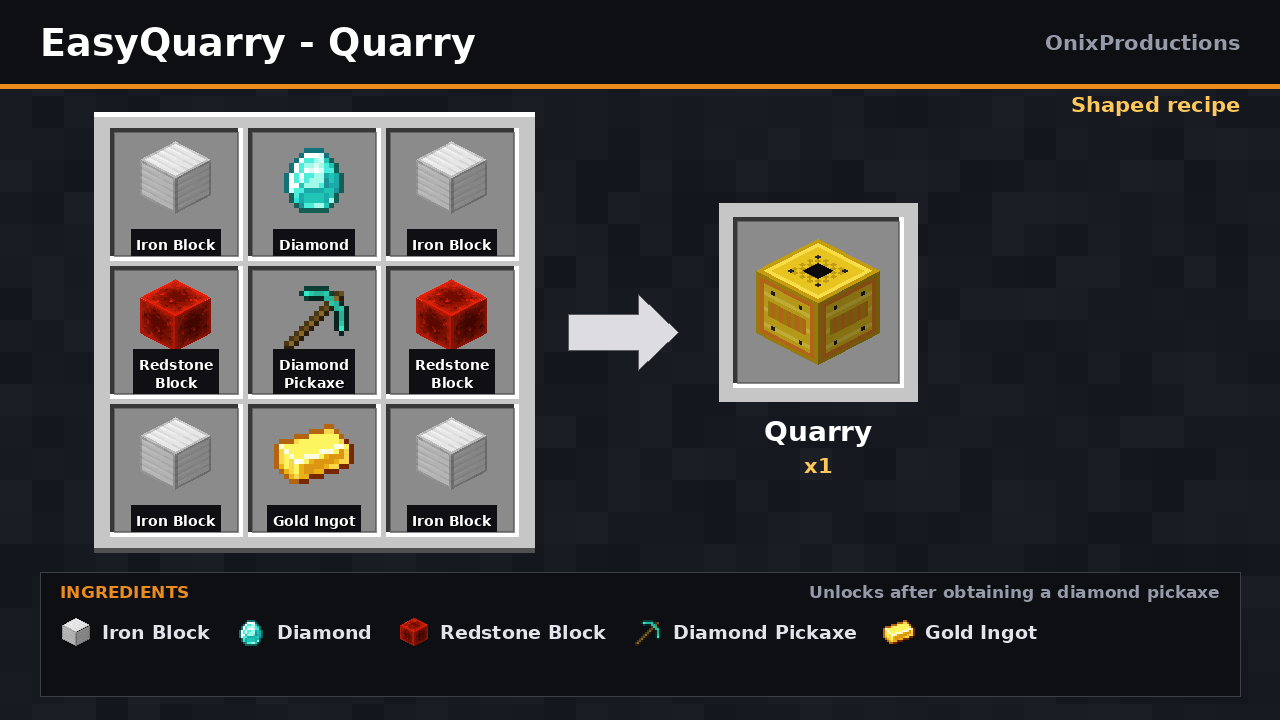
Recipe: Quarry
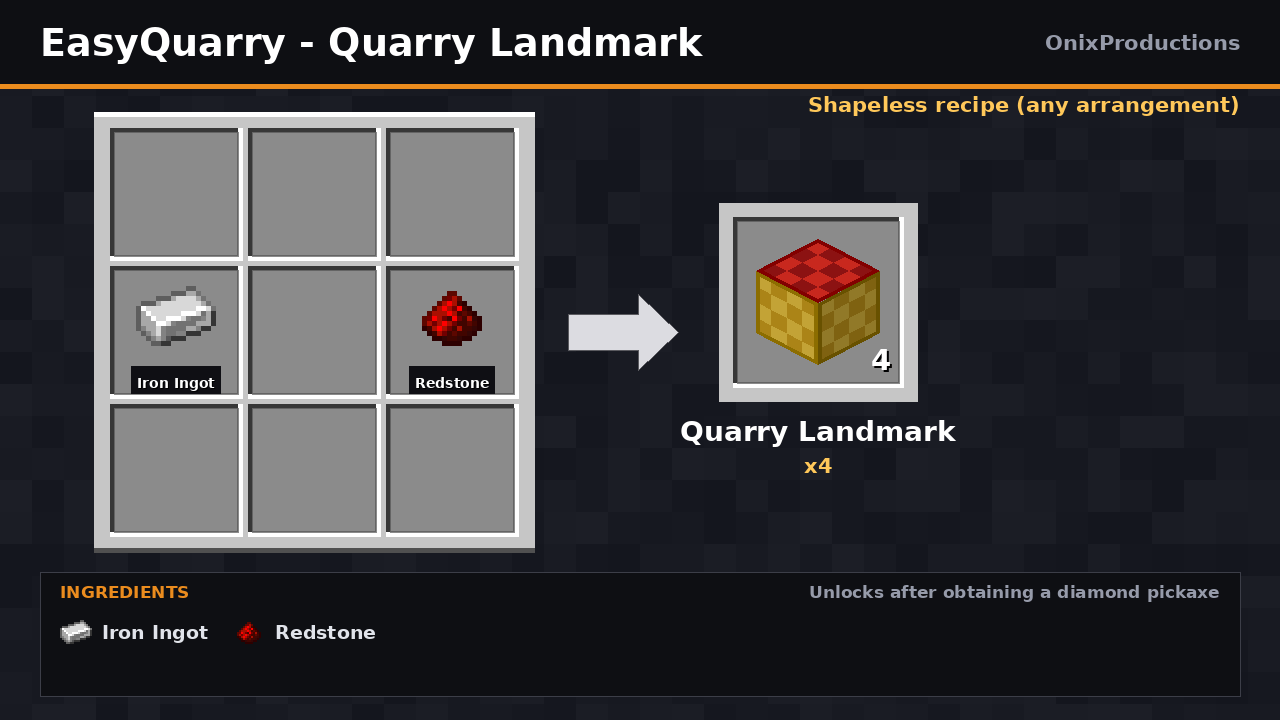
Recipe: Quarry Landmark
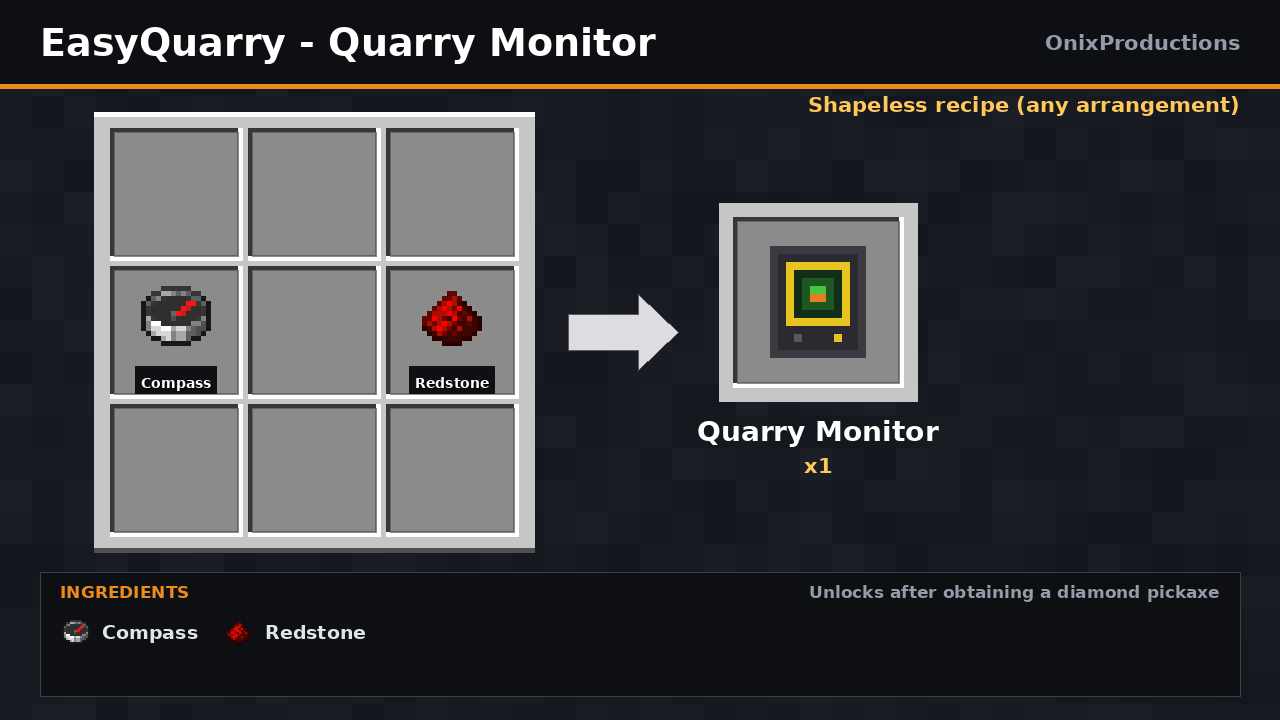
Recipe: Quarry Monitor
Description
Place a quarry, frame a rectangle, and mine it down toward bedrock.
EasyQuarry is a Bedrock addon that adds a machine which builds an orange frame around a rectangular hole and mines it one block at a time down toward bedrock. Power comes from craftable Cinderite power packs in slot 0 (not coal). Optional landmarks set custom sizes up to 128x128. Speed, Fortune, and Silk Touch upgrades install from the quarry panel. A filter can blacklist or whitelist drops. Hoppers under the quarry pull mined items.
How it works
- Discover a diamond pickaxe to unlock all recipes.
- Place the quarry facing the hole. The default orange frame is 9 wide x 13 long, starting on the block in front of the quarry. The quarry block stays outside the hole.
- A drill hangs from a carriage on the top gantry by a chain. Frame height is 8 blocks to catch uneven terrain.
- Green beam = working. Red beam = no power, or output/storage full.
- Mines 1 block at a time. Speed upgrades and larger holes increase how often it mines, not how many blocks per swing. Cap is 1 block per tick.
- Each mined block costs 1 power. Water and lava are skipped and cost nothing.
- It will not break bedrock, reinforced deepslate, the quarry, landmarks, or its own frame.
- Storage: 27 slots. Slot 0 is power only.
- A hopper (or copper hopper) under the quarry pulls mined items. A hopper on top or pointing in can feed items. Hopper minecarts under it also pull.
- Sneak-click the quarry to take all items except the power pack.
- Break the quarry and the drill, carriage, and chain despawn. The orange frame stays.
- Named quarries: rename from the panel. Alerts include the name and coordinates.
- Quarry Monitor: right-click a quarry to link, then use the monitor again to read status (power %, estimated blocks left, upgrades).
- Quarry Guide: an in-game book. Crafted copies convert in hand.
Landmarks (custom size)
- Place one landmark, then interact with the opposite corner within 60 seconds.
- Sides 3 to 128. Corners must be within 192 blocks.
- Place the quarry on or beside a landmark. Both landmarks break and that size is kept.
Blocks
- Quarry (quarry:quarry): the quarry machine. Opens its panel on use.
- Orange Frame (quarry:frame): placed by the machine, not craftable.
- Quarry Landmark (quarry:landmark): craftable, glows slightly.
Items
- Quarry Guide, Quarry Monitor
- Speed Upgrade (max 5 installed)
- Fortune Upgrade (max 5 installed)
- Silk Touch Upgrade (one; exclusive with Fortune)
- Cinderite (crafting ingredient, not fuel)
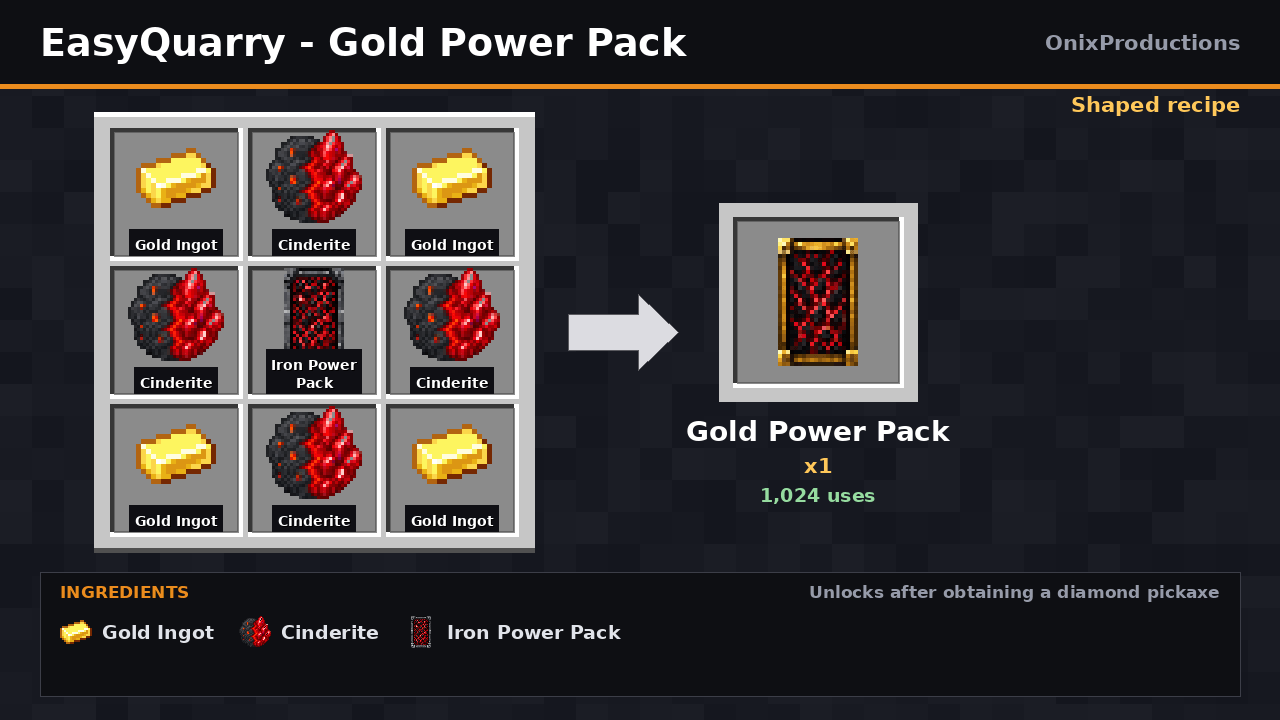
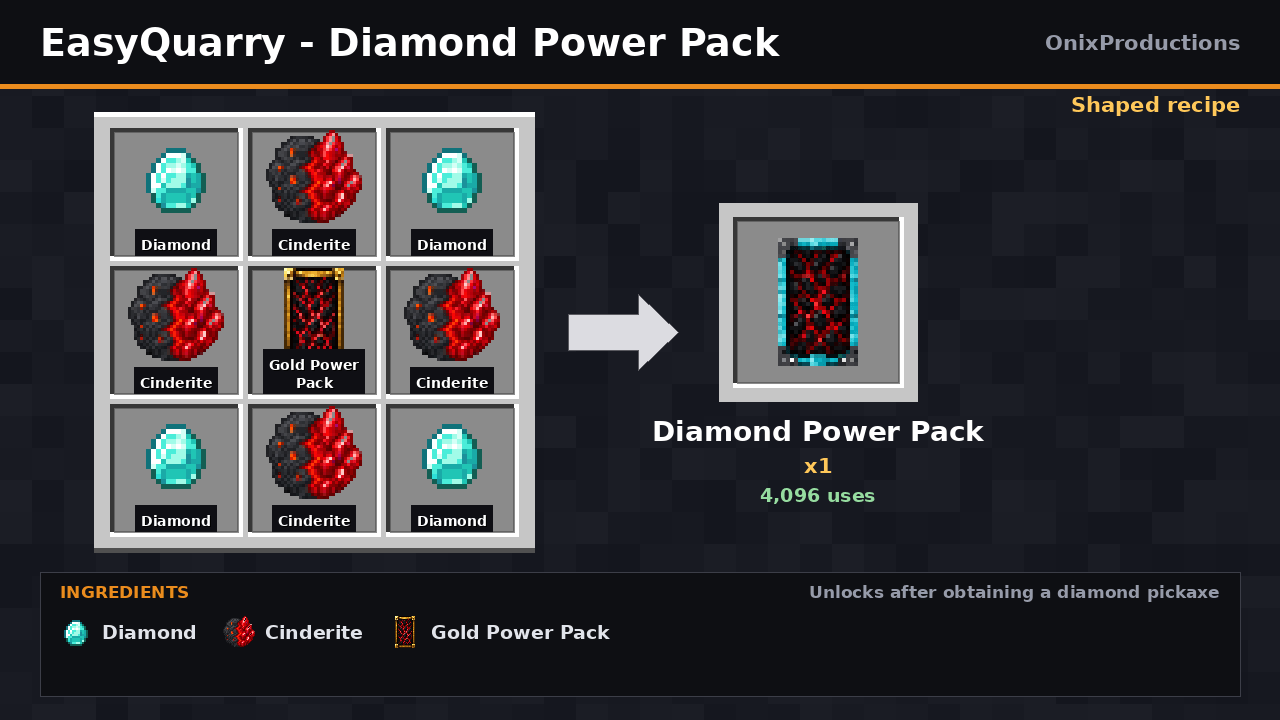
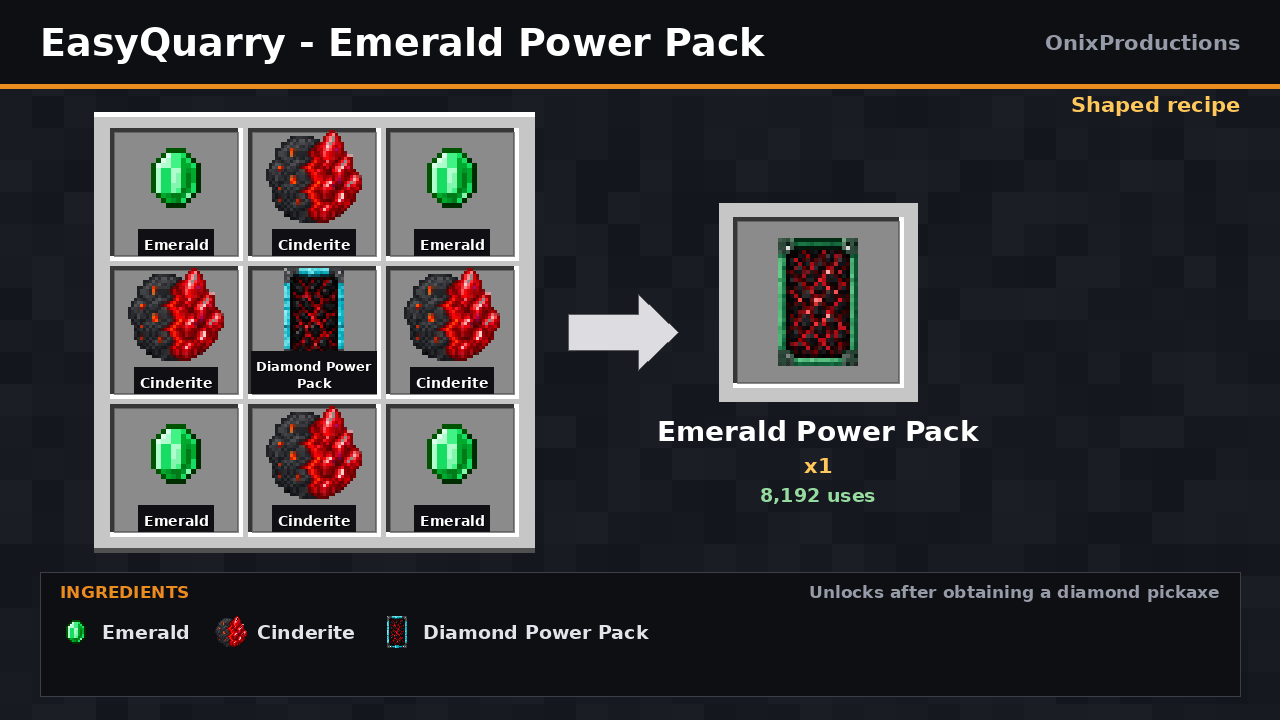
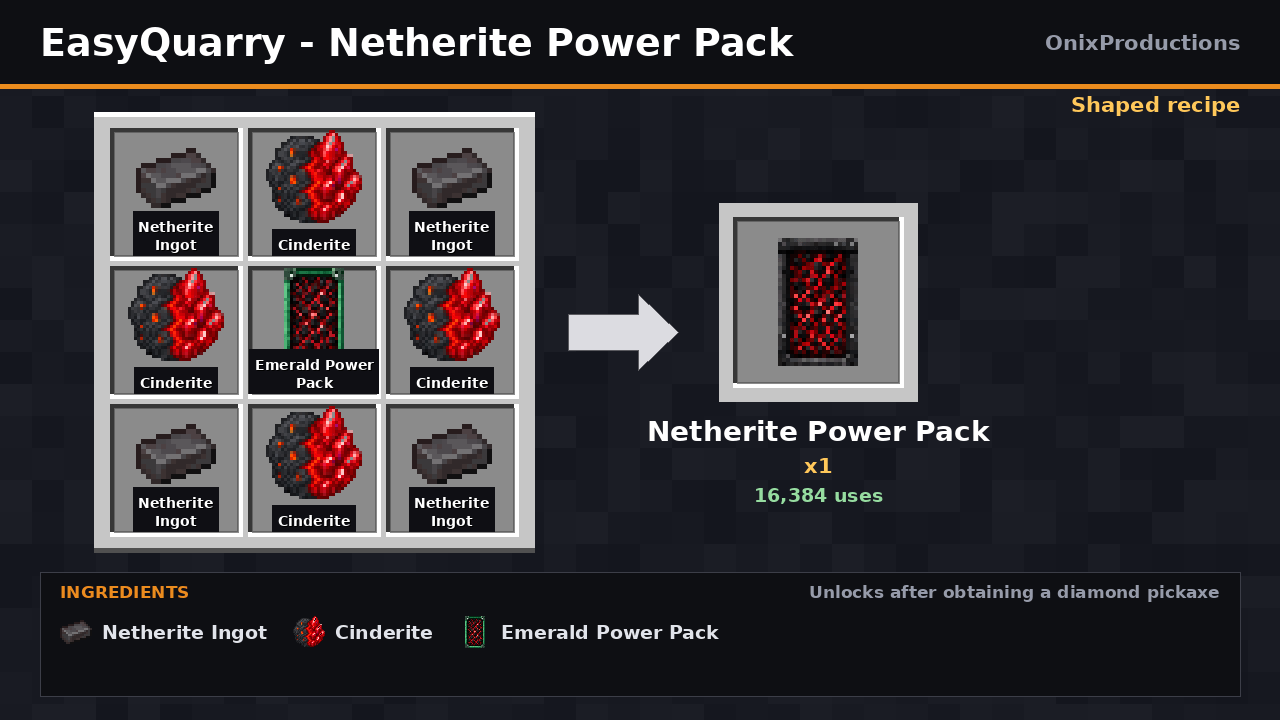
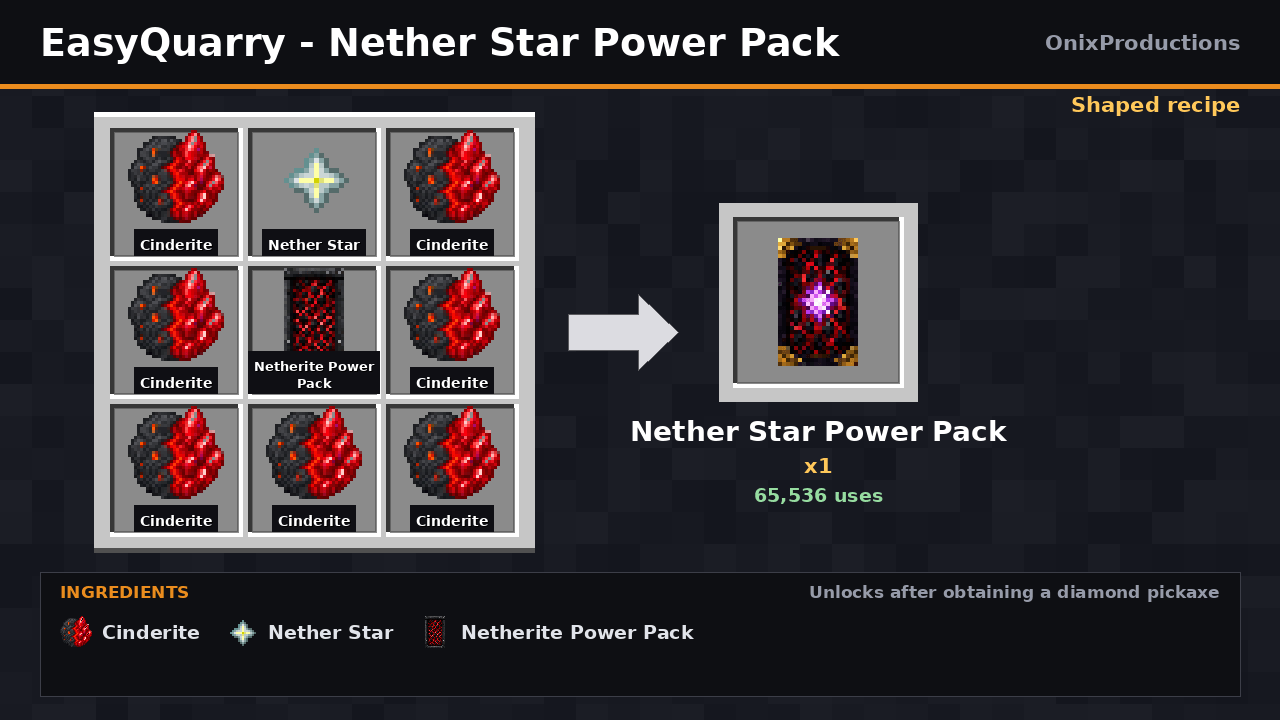
- Power Packs: Copper 128, Iron 512, Gold 1,024, Diamond 4,096, Emerald 8,192, Netherite 16,384, Nether Star 65,536 uses. Stack size 1, slot 0 only. The GUI shows power % and estimated blocks left. (Nether Star durability bar caps at 32,767; the remaining charge is stored on the item.)
Entities (visual gantry, not mobs)
Drill head, Carriage, and Vertical chain. Not spawnable, no spawn eggs, silent, and they persist with the quarry.
Recipes (crafting table, all unlock after obtaining a diamond pickaxe)
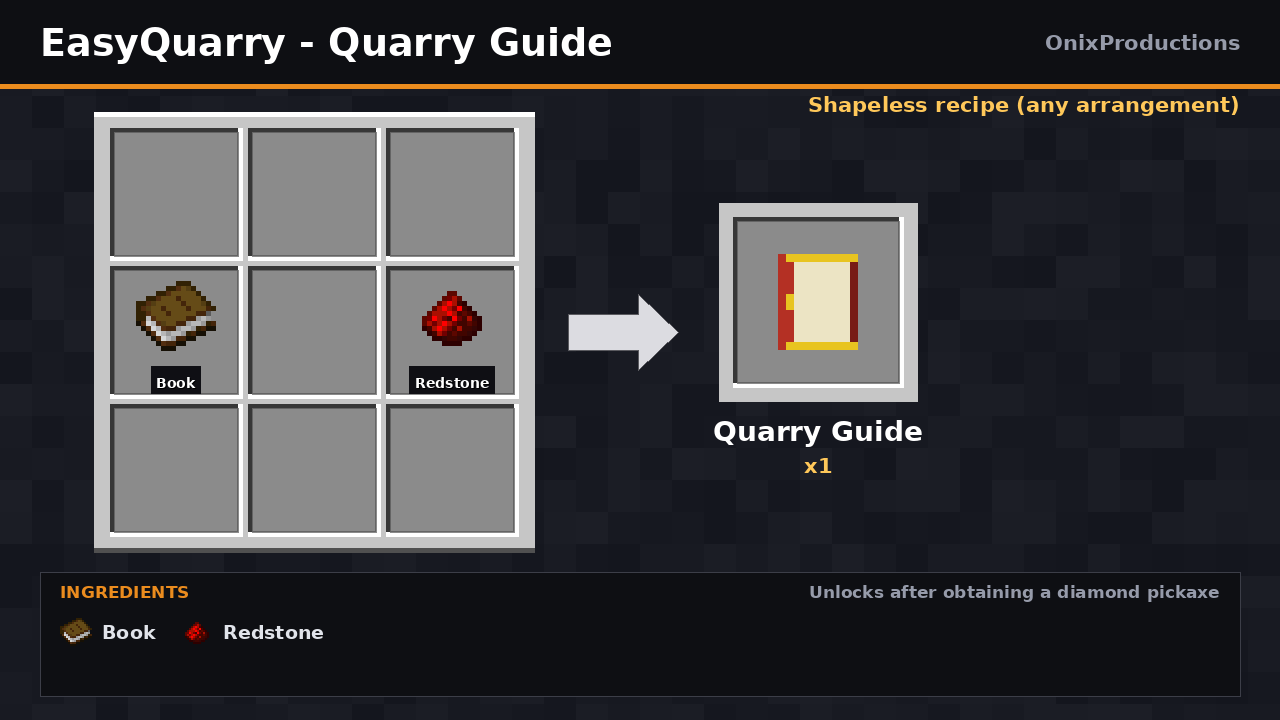
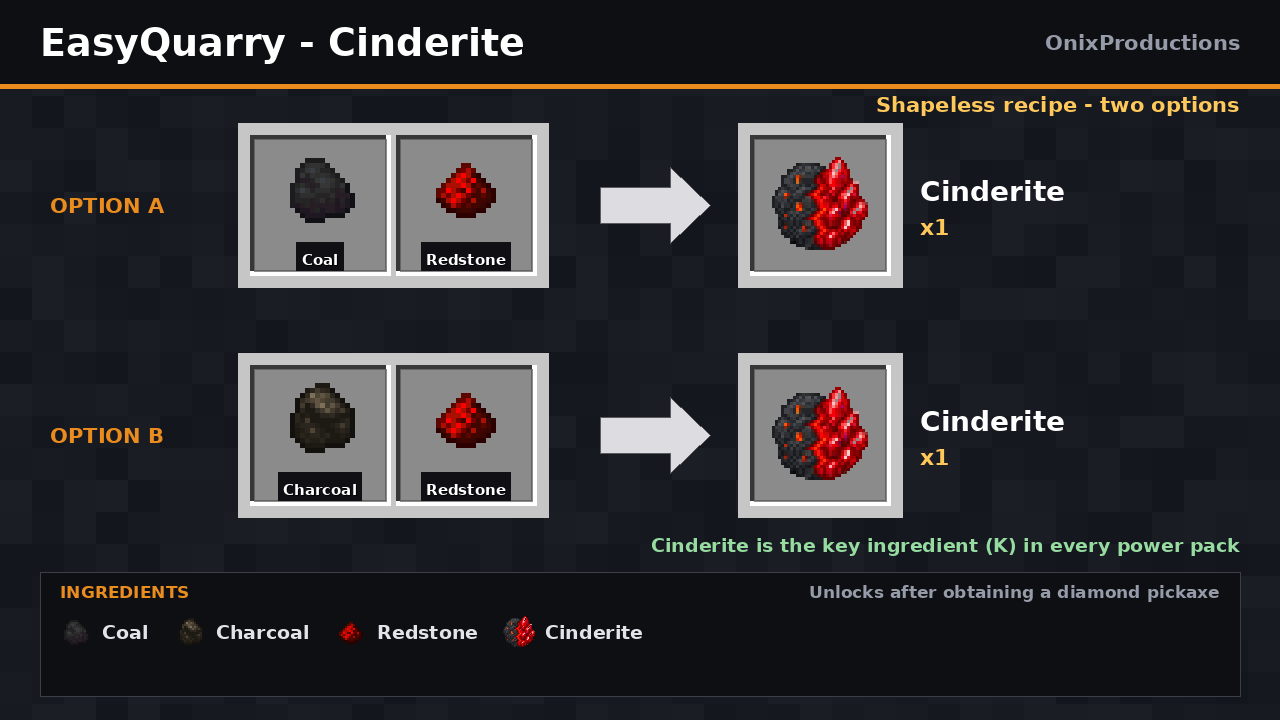
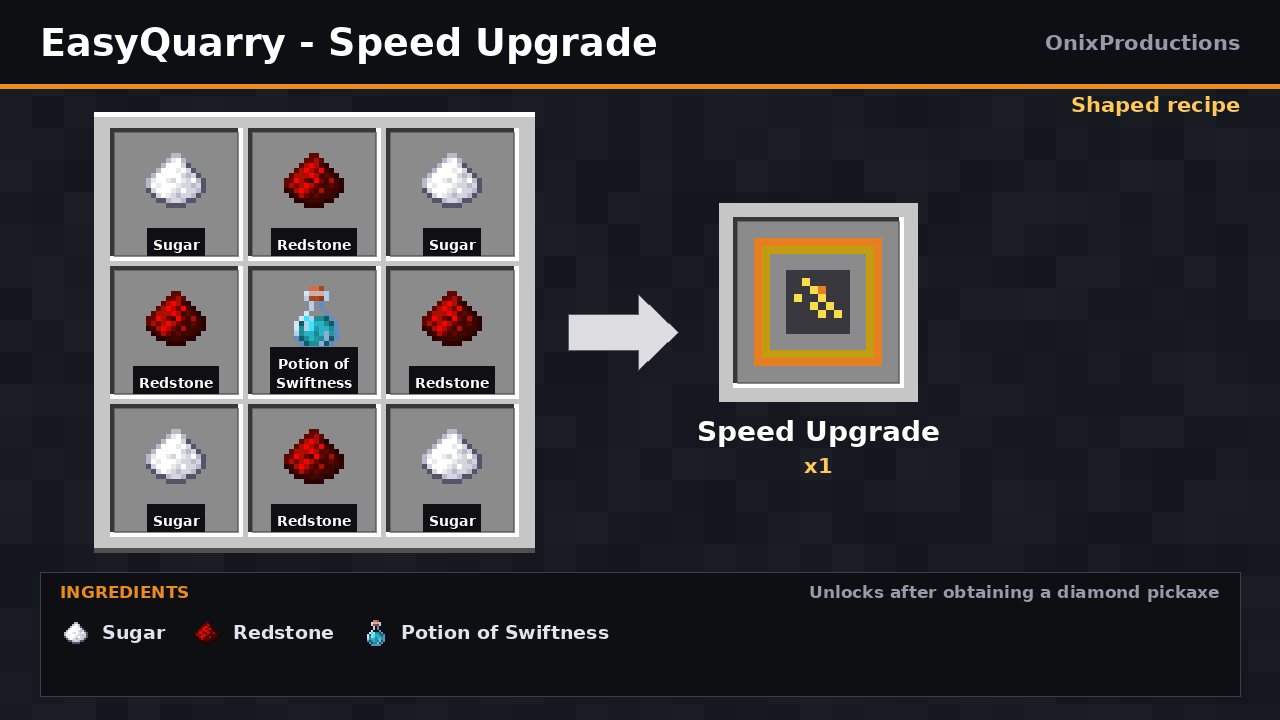
- Quarry (shaped): rows I D I / R P R / I G I. I = iron block, D = diamond, R = redstone block, P = diamond pickaxe, G = gold ingot.
- Landmark (shapeless): iron ingot + redstone, makes 4.
- Monitor (shapeless): compass + redstone.
- Guide (shapeless): book + redstone.
- Cinderite (shapeless): coal + redstone, or charcoal + redstone.
- Speed Upgrade (shaped): rows S R S / R P R / S R S. S = sugar, R = redstone, P = any potion.
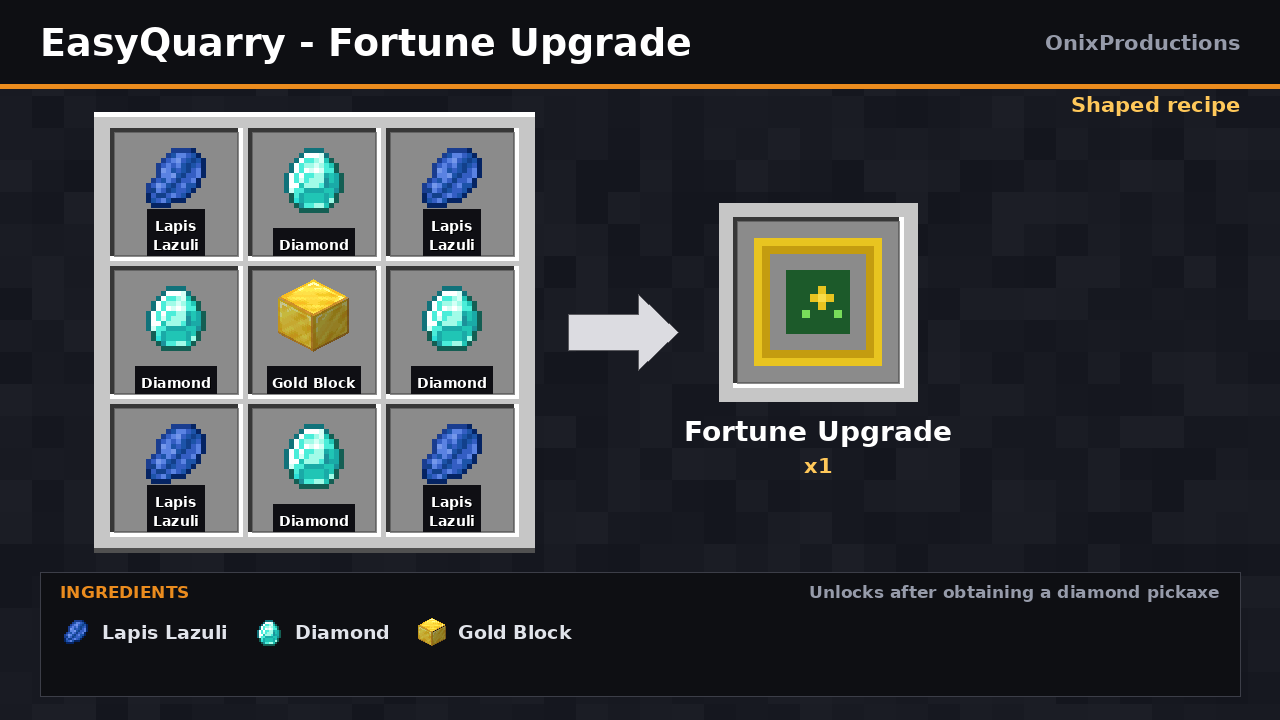
- Fortune Upgrade (shaped): rows L D L / D G D / L D L. L = lapis lazuli, D = diamond, G = gold block.
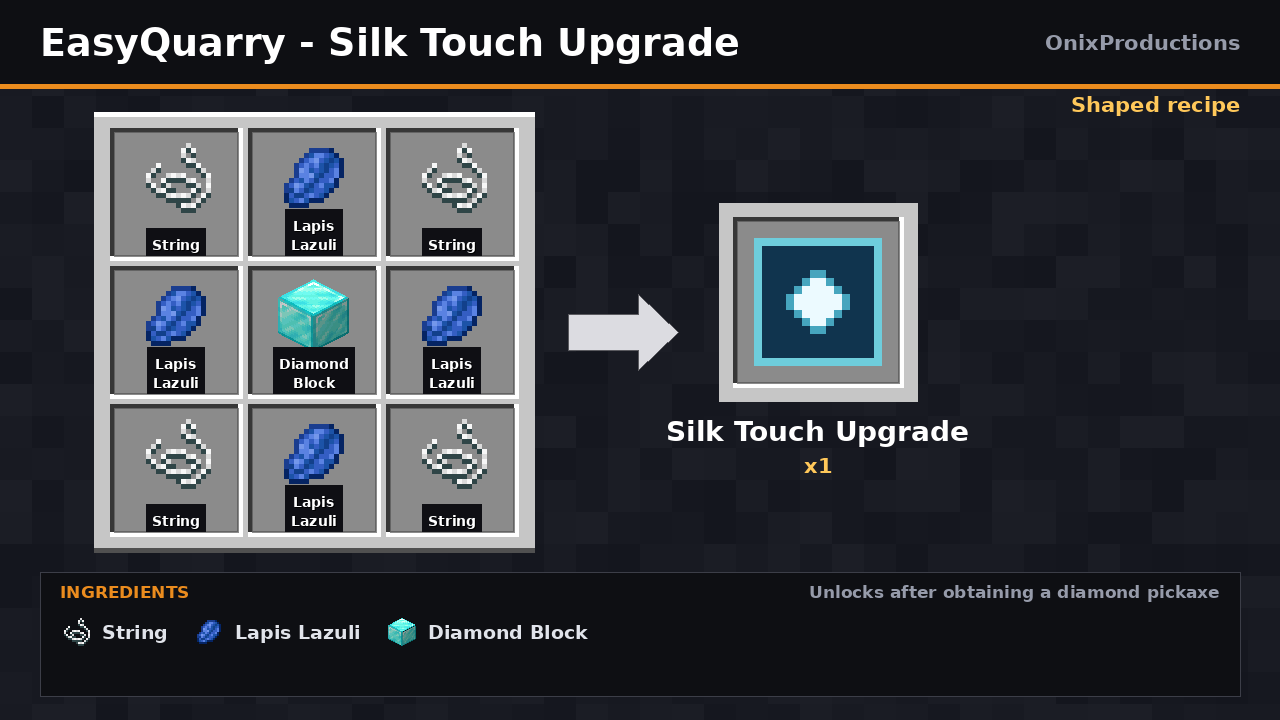
- Silk Touch Upgrade (shaped): rows S L S / L D L / S L S. S = string, L = lapis lazuli, D = diamond block.
Power packs (shaped, upgrade chain, K = Cinderite):
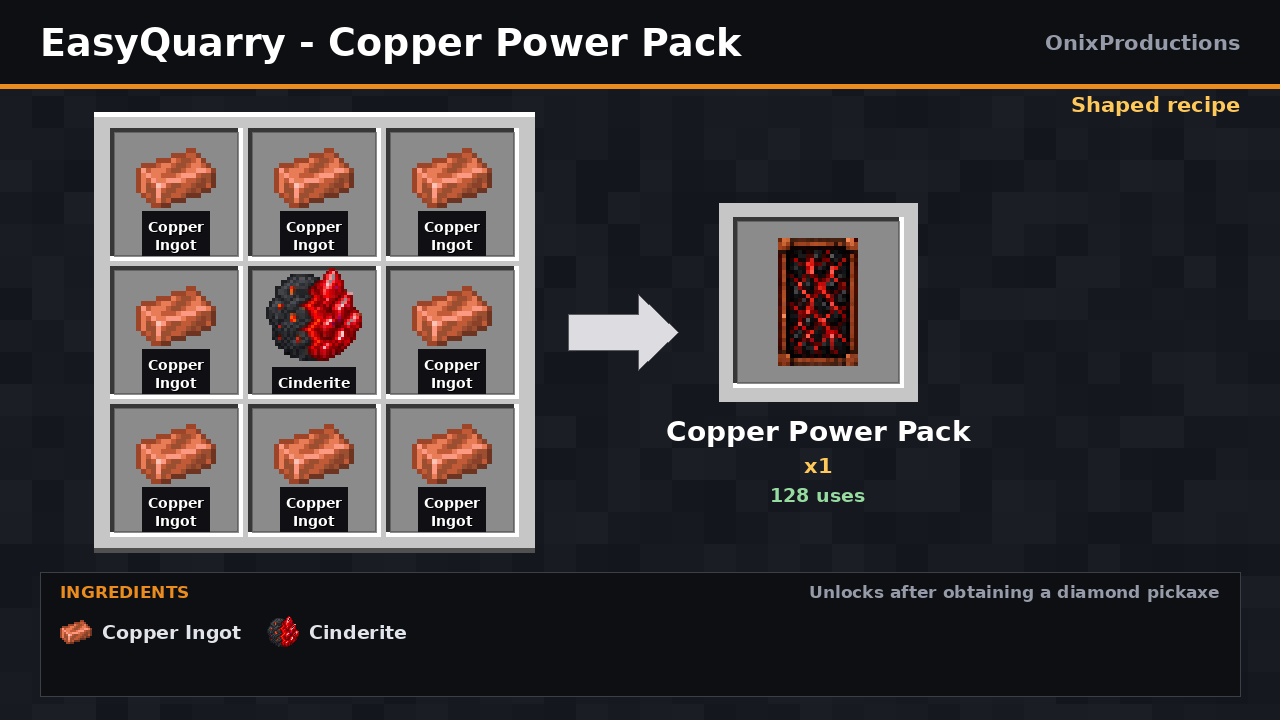
- Copper (128): 8 copper ingots around K.
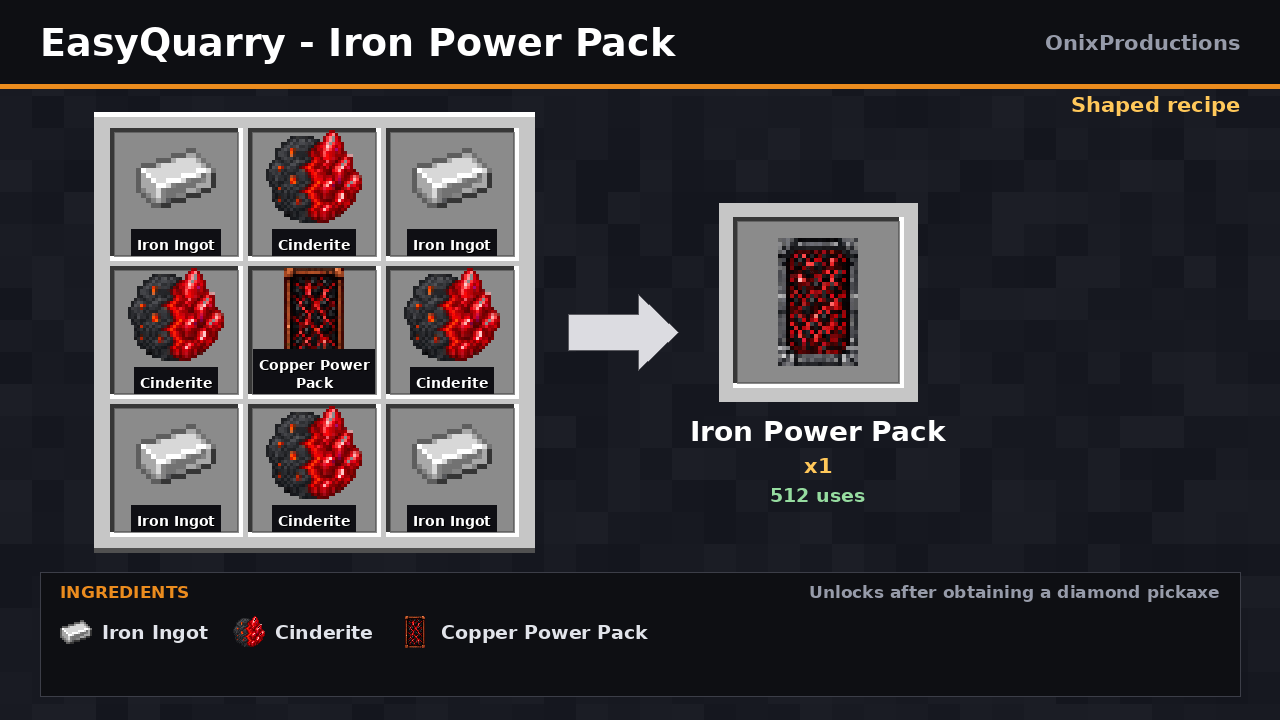
- Iron (512): rows I K I / K P K / I K I. I = iron ingot, P = copper pack.
- Gold (1,024): G = gold ingot, P = iron pack, same pattern.
- Diamond (4,096): D = diamond, P = gold pack, same pattern.
- Emerald (8,192): E = emerald, P = diamond pack, same pattern.
- Netherite (16,384): N = netherite ingot, P = emerald pack, same pattern.
- Nether Star (65,536): rows K S K / K P K / K K K. S = nether star, P = netherite pack.
Panel and filter
- Main panel: status, power %, estimated blocks, speed/fortune/silk, filter, storage count.
- Buttons: Rename, Upgrades, Filter, Storage, Take all items, Take power pack, Guide, Close.
- Upgrades: hold the upgrade, open Upgrades, install. Speed 0-5, Fortune 0-5, Silk Touch on/off. Silk Touch and Fortune cannot both be installed. Upgrades are removable and drop back as items.
- Filter (max 16 listed item ids): Off keeps every drop, Blacklist destroys listed items, Whitelist keeps only listed items. Hold an item and add it. An empty whitelist destroys everything. The filter does not refund power; the block is still mined.
What this pack does not have
- No fuel tanks, fuel pipes, or coal-as-fuel.
- No spawn eggs.
- No Java, Forge or Fabric version. Bedrock Edition only.
- The frame is not player-crafted.
Requirements and install
- Minecraft Bedrock Edition 1.26.50 or newer. Windows, Realms, and consoles that allow addons.
- Behavior pack and resource pack (both required). The resource pack supports Vibrant Visuals.
- Script API: @minecraft/server 2.5.0 and @minecraft/server-ui 2.2.0. Requires Beta APIs as used by modern Bedrock addons (enable the experiment if the world asks).
- Import EasyQuarry-1.2.75.mcaddon and enable both the behavior pack and resource pack on the world.
- Realms: import the .mcaddon, then enable EasyQuarry on the realm world's resource and behavior pack lists. Development folders do not upload to Realms.
Known platform note
Bedrock 26.50 can show a generic "packs failed to load" toast even when the content log has no errors, including on vanilla worlds (MCPE-241656).
Status
Version 1.2.75. Work in progress. Feedback and bug reports welcome.
EasyQuarry Team
