3257.jpg
3252.jpg
3249.jpg
3250.jpg
3251.jpg
Description
🛡️ DPGCore Land Claim Add-On
Protect your land. Build your world. Trust your friends.
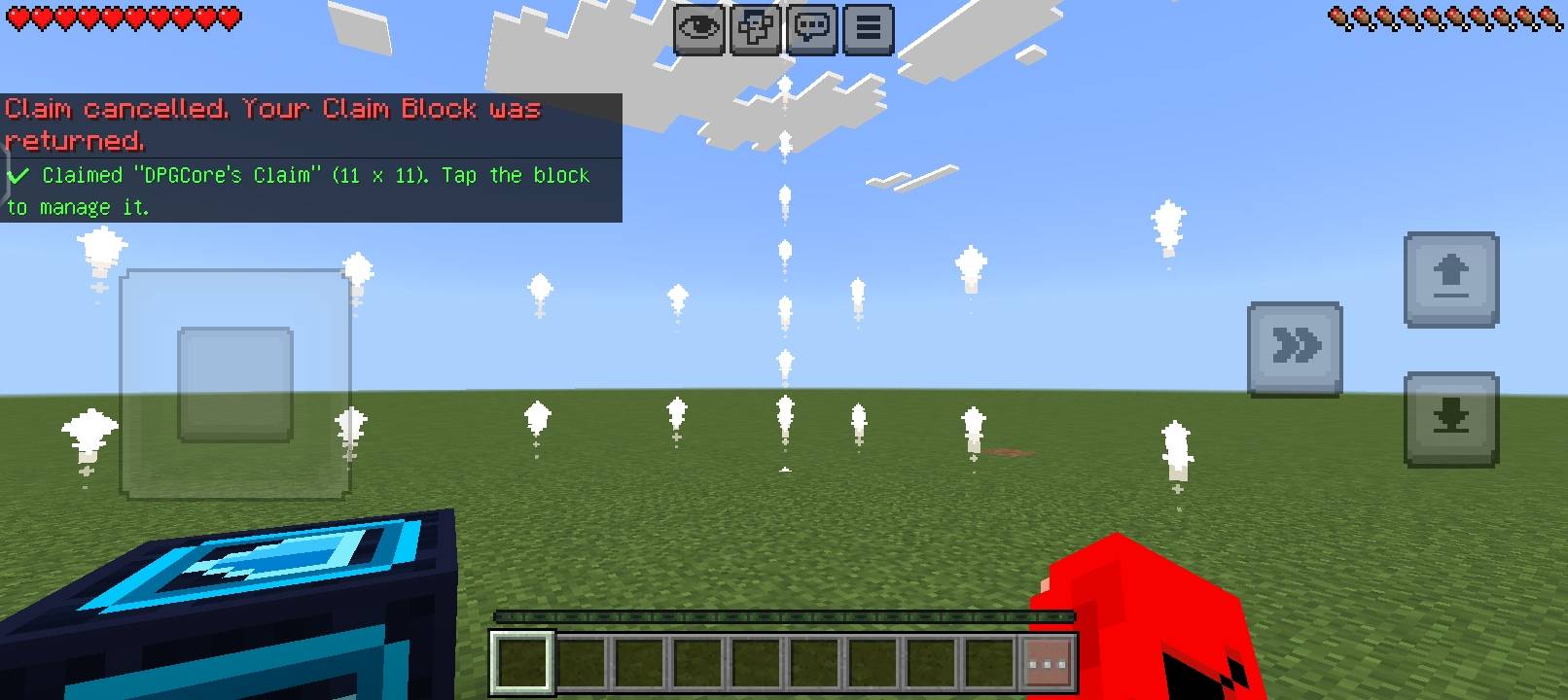
The DPGCore Land Claim Add-On is designed for Minecraft Bedrock Edition players who want to protect their builds, houses, bases, farms, and valuable items from unwanted modifications. It introduces a dedicated Land Claim Block that allows players to claim and protect their own areas through a simple, beginner-friendly menu.
Whether you're playing survival with friends or managing a multiplayer SMP server, this add-on aims to make land protection easy, organized, and accessible.
✨ Main Features
🧱 1. Land Claim Block
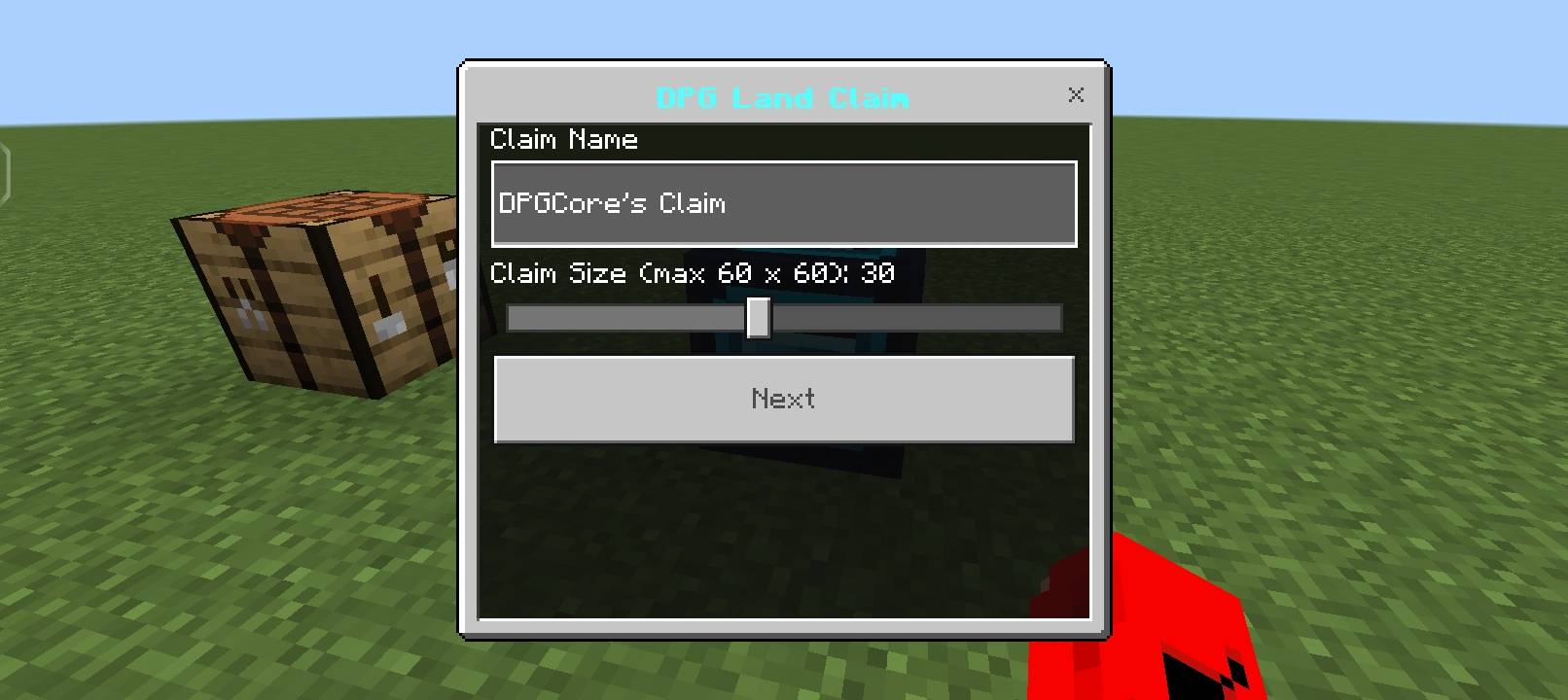
Place the special Land Claim Block to begin creating your protected area. When the block is placed or activated, a simple claim menu opens, allowing you to configure your land without complicated commands.
📏 2. Custom Claim Size
Choose the dimensions of your protected area using a text input.
- Minimum size: configurable by the add-on.
- Maximum size: 60 × 60 blocks.
- Values above 60 are rejected.
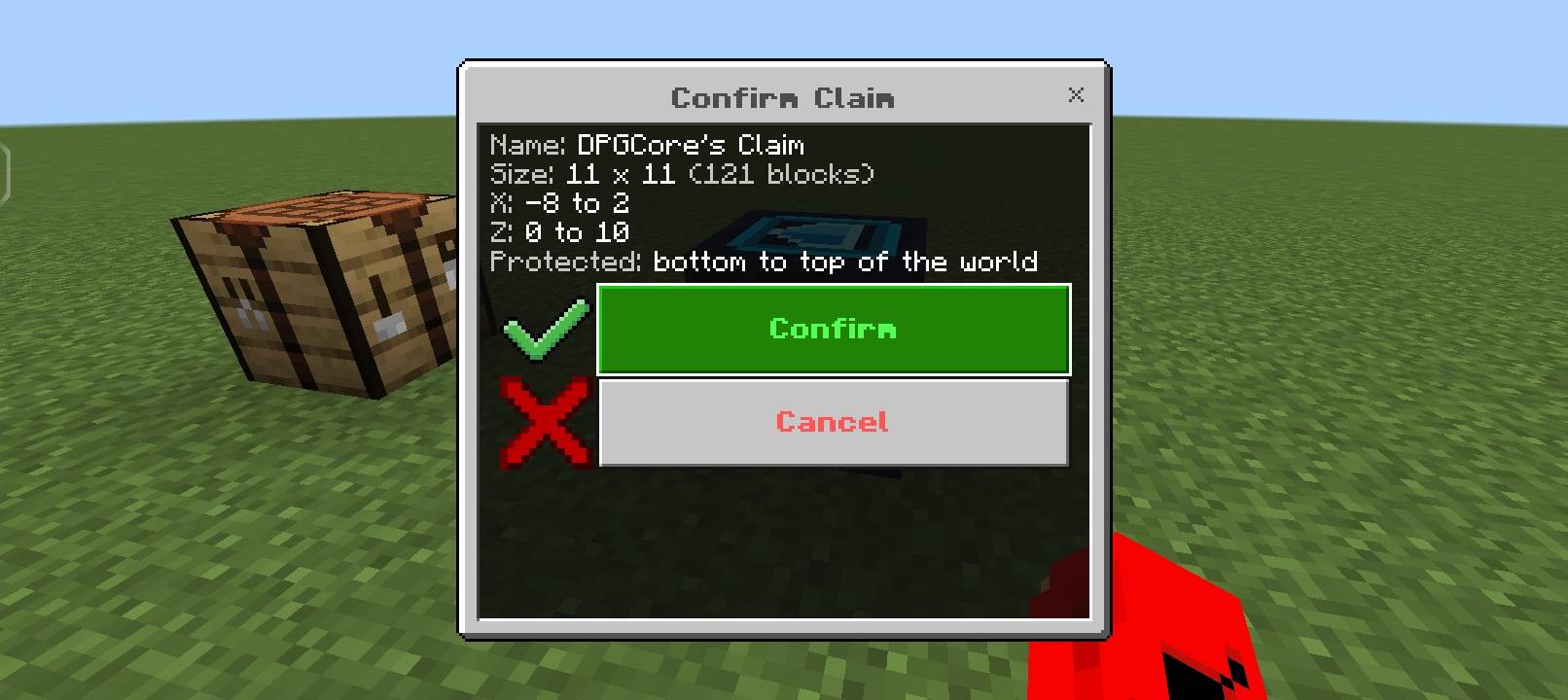
- Confirm or cancel your claim before creating it.
The selected size determines the horizontal area protected around the claim point.
🛡️ 3. Full-Height Protection
Protect the claimed area from the top to the bottom of the world. Unauthorized players should not be able to break or place blocks, damage protected builds, or interact with protected objects within the claim.
🤝 4. Trust Players
Allow friends to help build inside your claimed land. Use the claim menu to add trusted players, manage access, and remove trust when needed.
🏷️ 5. Name Your Claim
Give your land a custom name, such as:
- My Survival Base
- My Farm
- My Shop
- My SMP House
Claim information should display the claim name, owner, size, and trusted players.
🗑️ 6. Remove Claim
Use the claim menu to remove your protection when you no longer need it. Include a confirmation step to prevent accidental removal.
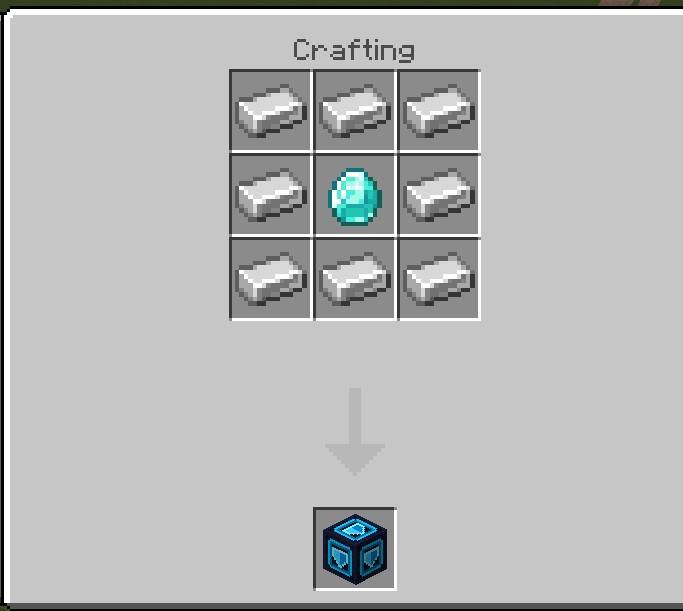
📖 7. Simple Recipe Book
Keep crafting straightforward with a clear recipe for obtaining the Land Claim Block. Make the recipe easy for survival players to understand and use.
👋 8. Join Help Message
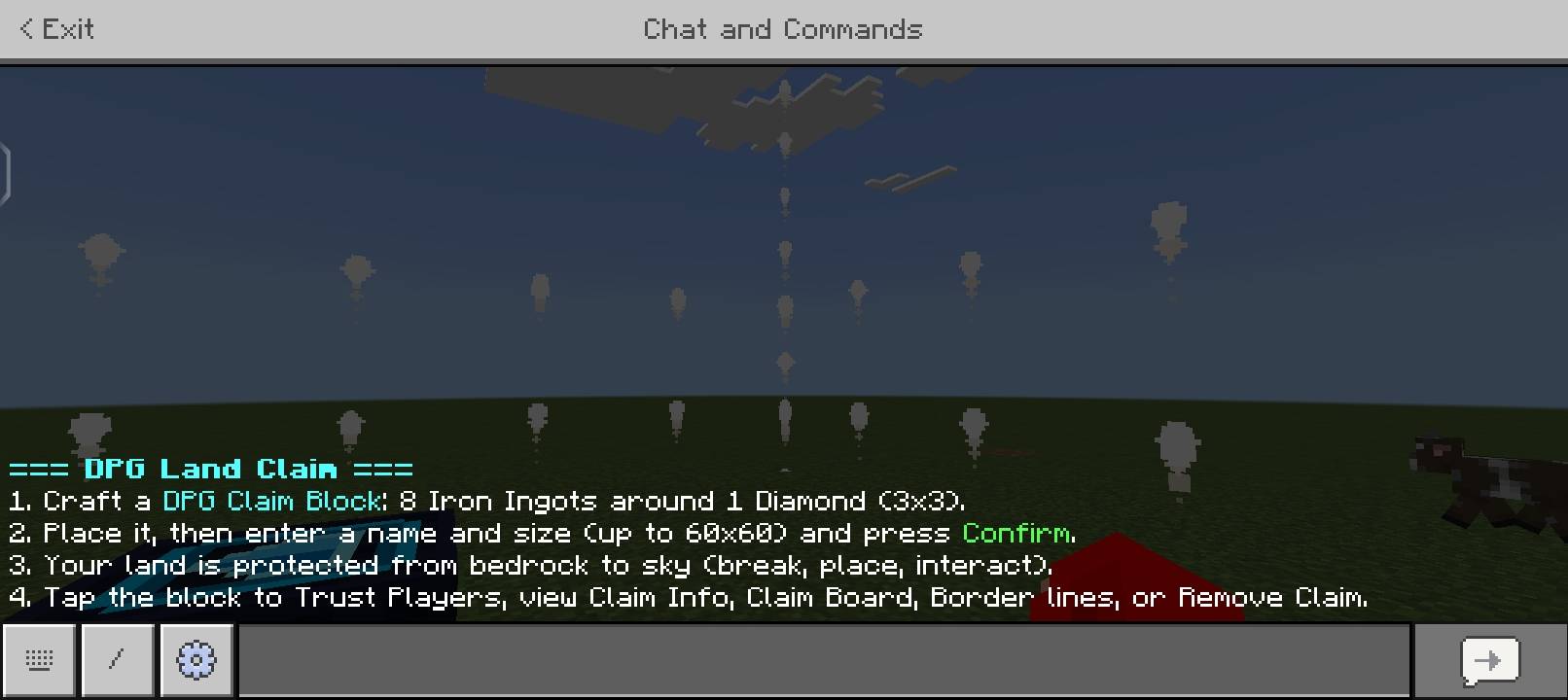
When players join the world, show a short help message explaining how to use the land-claim system and where to find its instructions.
👑 9. Owner-Only Administrator Panel
Include an administrator panel restricted to the authorized world owner. The panel can provide claim-management tools, such as viewing claims, resolving protection issues, and removing invalid claims.
Ordinary players must not be able to access owner-only controls.
🎮 Designed For
- Minecraft Bedrock Edition
- Survival multiplayer worlds
- Private SMP servers
- Friends playing together
- Builders who want protected bases
- Server owners who need basic claim management
⚙️ Basic Usage
- Obtain the Land Claim Block.
- Place it where you want to establish your claim.
- Enter a claim name and choose a size up to 60 × 60 blocks.
- Review the details and press Confirm or Cancel.
- Open the claim menu to manage trusted players, view information, or remove the claim.
- Use the administrator panel if you are the authorized world owner.
👨💻 Creator
DPGCore
Built around a simple goal: make land protection easier for Minecraft Bedrock players, without forcing beginners to learn complicated commands.
Note: These are the intended features and design specifications. Actual protection, menus, recipes, permissions, and administrator controls must be implemented and tested in the add-on before they can be advertised as working features.
DPG Land Claim Team