Intelligent Spawners
- By
Bring Donutsmp spawners in bedrock and make your server looks much more cooler
spawner_soft_thumbnail.png
Screenshot_20261030_104511_com.mojang.minecraftpe.jpg
Screenshot_20261030_104425_com.mojang.minecraftpe.jpg
Screenshot_20261030_104459_com.mojang.minecraftpe.jpg
Screenshot_20261030_104451_com.mojang.minecraftpe.jpg
Description
2by2 Spawner
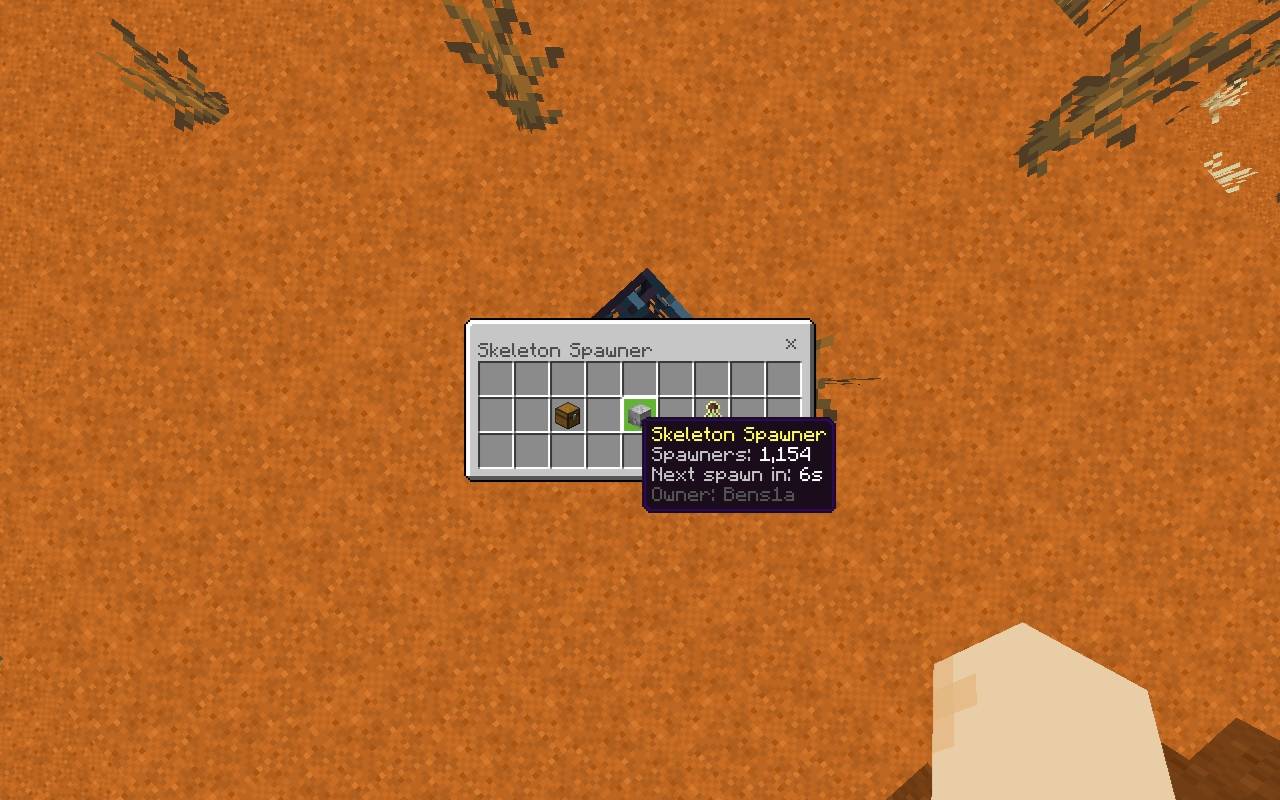
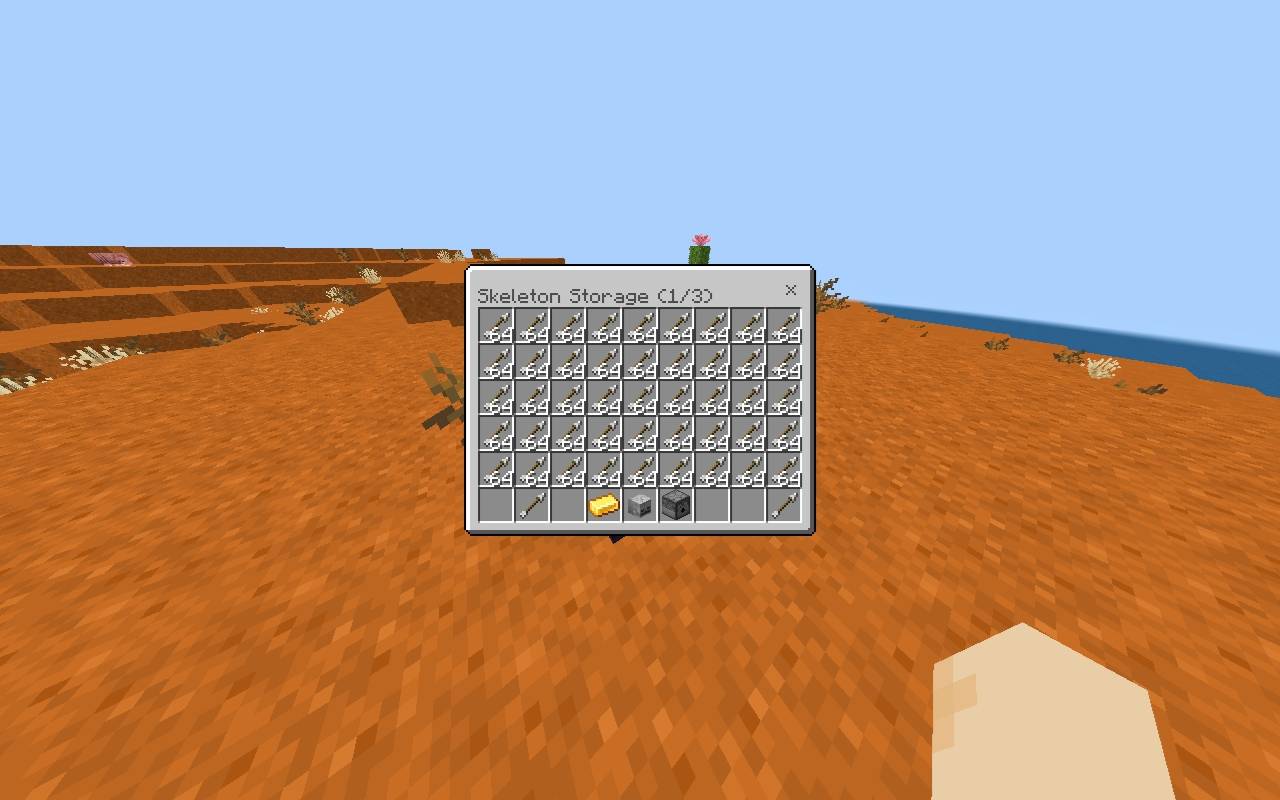
Stackable spawners with a chest menu, like on DonutSMP. Put as many spawners in one block as you want and manage them all from a single menu.
How it works
- Place a normal spawner (from the creative menu) and use a spawn egg on it. The menu turns on.
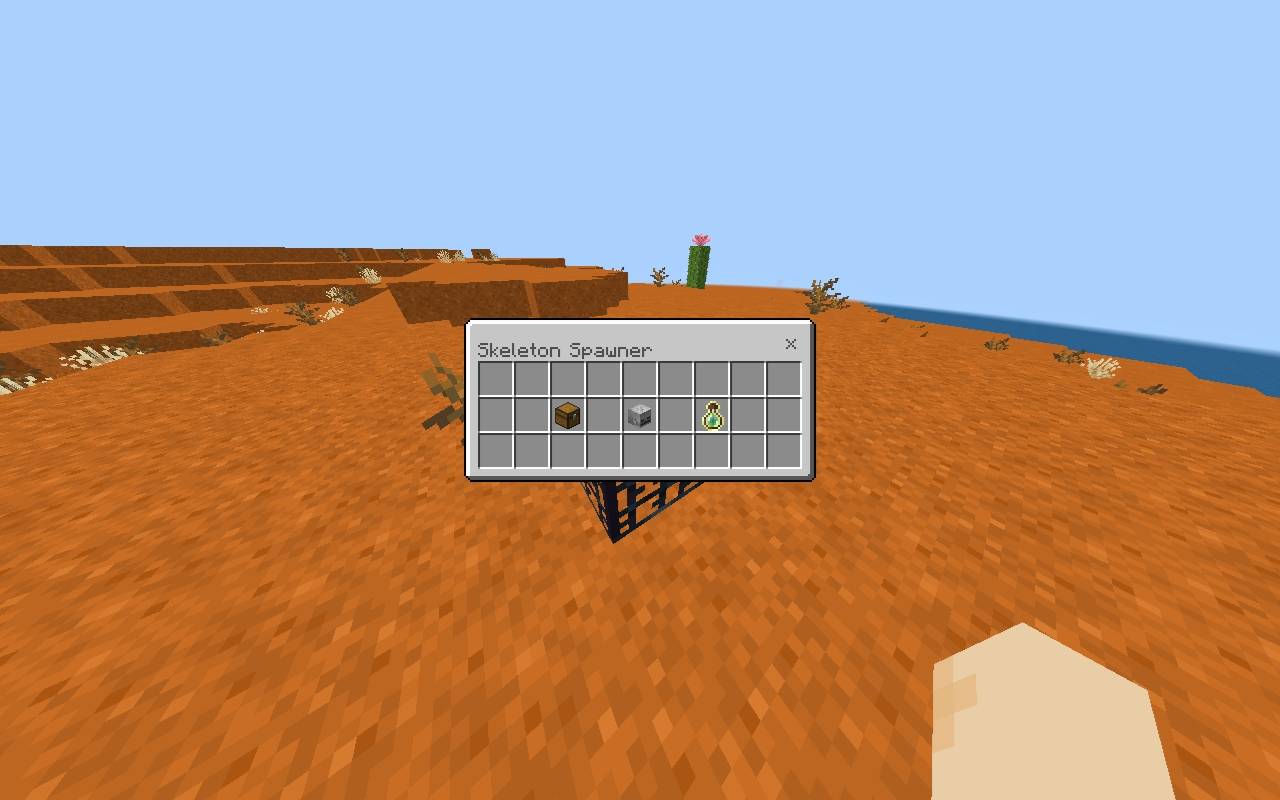
- Right-click the spawner to open the menu. Dungeon spawners work too, just right-click them.
- Hold spawners and right-click a spawner to stack them. Crouch to put in the whole stack at once.
- Break a stacked spawner to take spawners back out. You need Silk Touch by default, and you can turn that off in the settings.
The menu
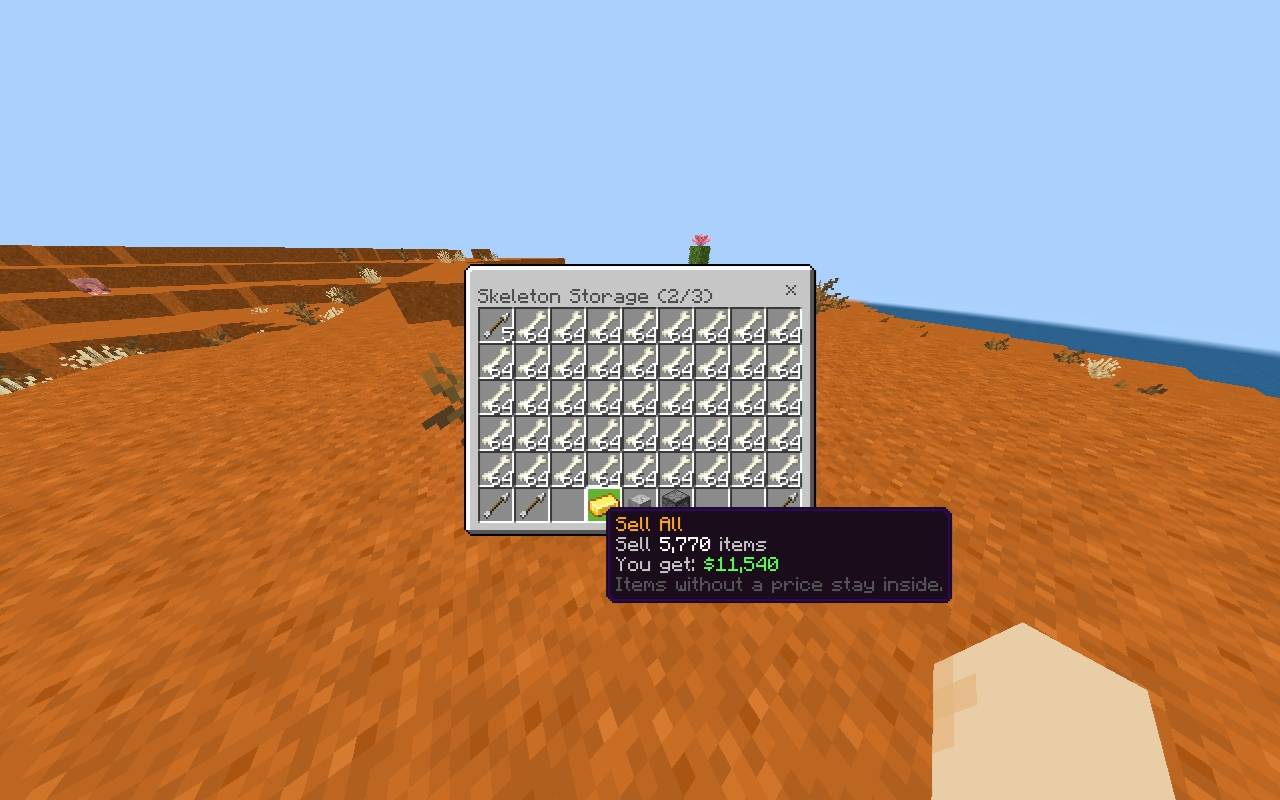
- Storage: everything the spawner makes is saved here. Take a stack, sell it, or drop it all.
- Sell All: sells what's inside and pays into a scoreboard (money by default).
- XP: the spawner saves XP, and you collect it from the menu.
Spawner effect
A running spawner shows sparkles and flames on top. When no player is close enough, it turns off and the effect disappears. It turns back on when a player comes back.
Commands
/spawnergive <mob> [amount] [player]gives spawners/spawnerconfigopens the settings menu
Both are for ops, or anyone with the tag spawner_admin. You can also type them as /2by2:spawnergive and /2by2:spawnerconfig.
Settings
Everything is in /spawnerconfig:
- Spawn time and mobs per cycle
- Storage per spawner
- Max spawners per block (0 = no limit, which is the default)
- Activation range (0 = always on)
- Sell prices, sell percent, currency scoreboard and symbol
- Silk Touch needed to pick up
- Owner only
- Remove vanilla mobs
Mobs
Pig, Cow, Chicken, Spider, Cave Spider, Zombie, Skeleton, Zombified Piglin, Blaze, Creeper, Iron Golem
Install
- Download the .mcaddon and open it.
- Turn on both packs (BP and RP) in your world.
- Turn on the Beta APIs experiment.
You need both packs for the menu to show up.
Notes
- A placed spawner may keep showing the wrong mob in its cage. It still works as the right mob.
- Spawners you place from the creative menu need a spawn egg used on them once.
- Spawners in the world that aren't set up yet keep working like normal Minecraft spawners.
- Found a bug? Tell me in the comments.
Join our discord https://discord.gg/ReDxQGmR28
Made by 2by2
Intelligent Spawners Team