Tree Capitator
- By
Cutting trees has never been so easy in Minecraft, add this great functionality, cut down only a part of the tree trunk and watch all the tree trunks fall efficiently!


SHOWCASE 🎥
FUNCTIONABILITY ⚙️
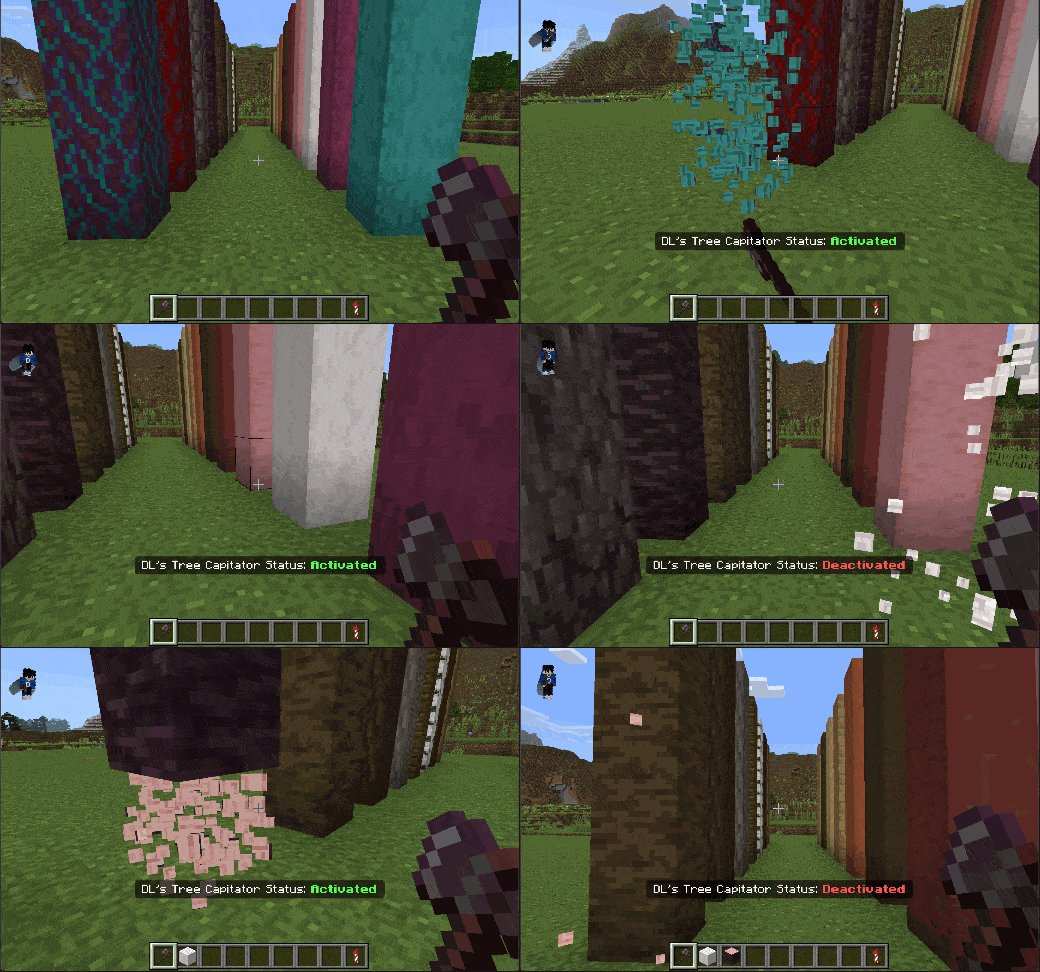
When you have an axe in your hand just crouch down "SHIFT" and chop down the tree as you normally would, you will have a small notice on the screen that will tell you when the Tree Capitator is "Activated" or "Deactivated".
HOW TO GET THE ITEMS 🎁
The main feature works automatically without items! However, to change settings, you need the Configs Menu:
Configs Menu Recipe: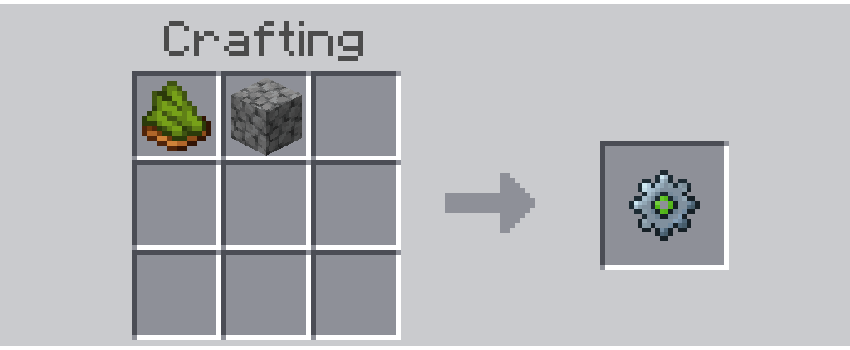
Materials needed:
1x Cobblestone
1x Green Dye
Or use commands:
/give @s dl_tc:configs_menu
You can also create them from the inventory in creative mode! (Found in the "Equipment" category)
PERMISSIONS SYSTEM 🔐
The first player to join the world automatically becomes the Original Operator.
- Operators can access all settings and configure the addon.
- Original Operator can grant/revoke operator permissions to other players.
- Server Mode can be enabled/disabled to require operator permissions.
Recognized operator tags: operator, op, admin, administrator, moderator
COMPATIBILITY ✅
This addon is completely compatible with other addons and does NOT use experimental features!
- ✅ Compatible with achievements.
- ✅ No experimental features required.
- ✅ Works in survival and creative modes.
- ✅ Multiplayer compatible (server mode included).
- ✳️ It may be compatible with addons that add custom axes and custom trees.
ALL MY LINKS 💙
Join my Discord community, subscribe to my YouTube channel, and Buy me a coffee to continue supporting my projects! 🫶🏼



You won't regret it!!!
INSTALLATION PROCESS & SUPPORT 💡🆘
Correct installation process:
- Download both files, the behavior pack [BP] and the resource pack [RP] (If you only download one of the two .mcpack files, the add-on may not work properly).
- Import both files into Minecraft Bedrock. One at a time.
- Activate the add-on in an old or new world. When you activate one of the two, the other will automatically activate. For example: if you activate [RP] -> [BP] will automatically activate.
- Enjoy :)
If you encounter any issues or have questions:
- Join the Discord server for quick support.
- Report bugs in the section intended with detailed information.
- Share your suggestions for future updates.
Tree Capitator Team

Owner