Diamond's Warps
- By
Adds the ability to add custom warps and have it organised with custom categories!
MCPEDL

Shows all the available commands that can be used
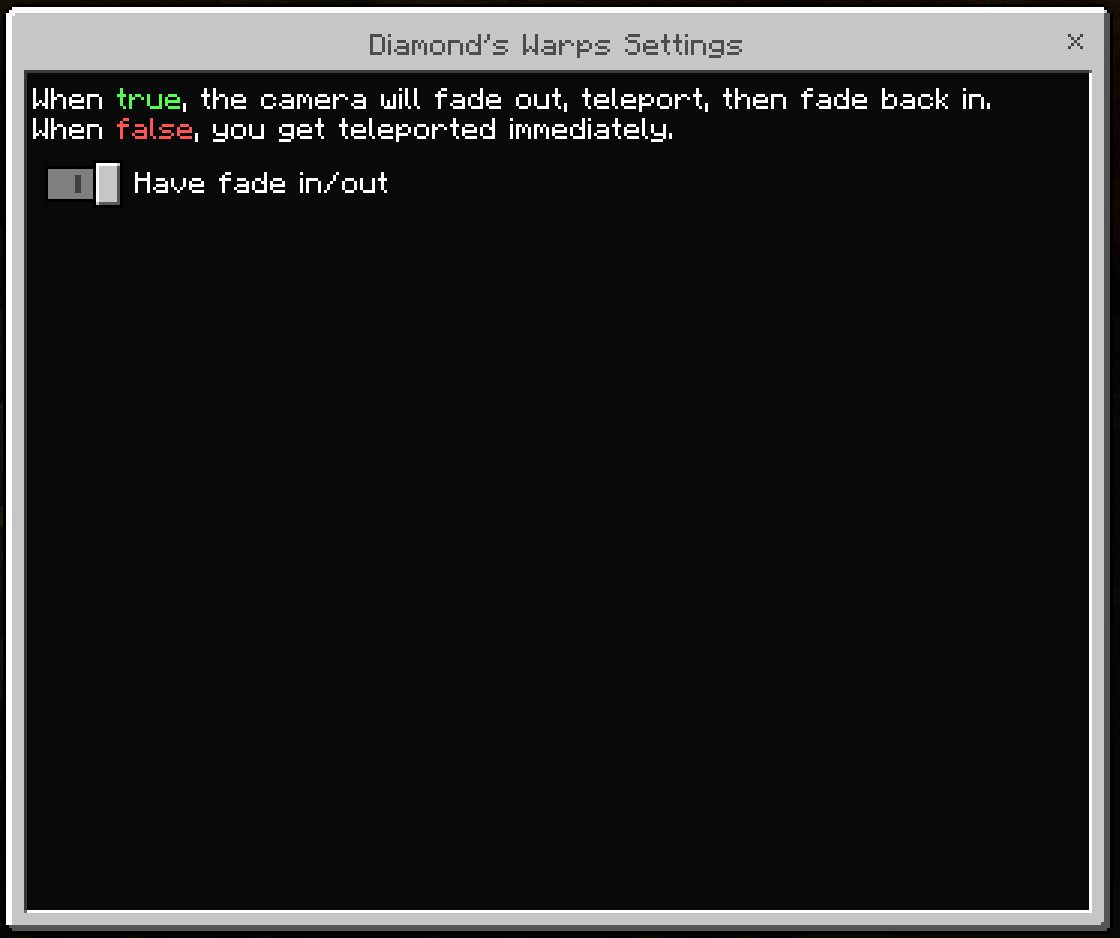
The settings for the addon
Description
Diamond's Warps V1.1.0 - Adventure Update
What is it?
Diamond's Warps is an addon that give you the ability to create Warps & organise them with Categories! You can also make warps unlockable with conditions.
This pack adds about 9 commands and 2 custom items that lets you browse the available warps. The commands uses the identifier "/warps:", so typing that will give you a list.
With this pack you can:
- Create, Manage, & Remove Warps
- Create, Manage, & Remove Categories
- Translate warps from "Warps!" by "Hajsori" to our warp system
- Make the warps unlockable
Warps
The Warps design & how it works are based off my "Personal Warps" from my Shop Addon, but upgraded & better.
Creation
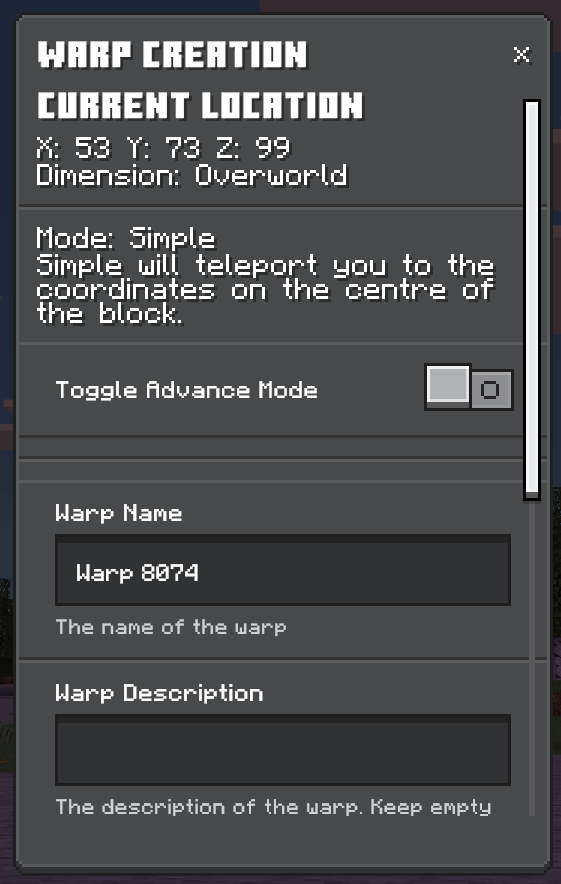
- When creating a warp, you can use the Simple Mode or the Advance Mode.
- Needs a Warp Name, which can't be reused.
- Needs the coordinates (x, y, z), the modes will change how the Coordinates will work.
- Needs the dimension, which can be changed. If you are in a Custom Dimension, then it will appear in the dropdown.
- Opitional use rotation, which doesn't work across dimensions. The rotation means that if you create a warp looking in a certain direction, you will teleport looking that way.
- Optional Warp Description.
- Optional Category, if there is one.
- You can choose to just create or create with conditions. To learn more about Condtions/Unlockables go down.
Advance Mode
Advance will teleport you to the exact coordinate that is provided.
Simple Mode
Simple will teleport you to the coordinates on the centre of the block you are one.
Manage
If you need to change something about the warp you create, you can manage it. You can:
- Change Warp's Name
- Change Warp's Description
- Change Location/Coordinates
- Change Category, if there is one
- Remove Warp
- Change Its Conditions
Categories
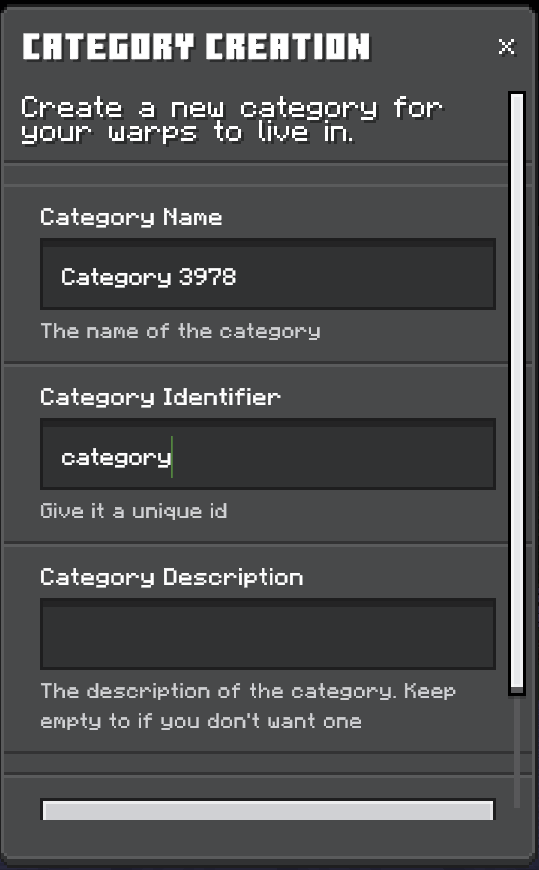
Categories are design to help organise your warps. Any warps without a category will be marked as uncategorised.
Creation
- Needs a name.
- Needs an identifier, which can't be reused.
- Optional Description.
There are safeguards to ensure the you create a valid category. If you remove a category with warps inside, they would be marked as uncategorised. If you make a new category with the same id as the one removed, it will move the warp to that new category.
Manage
If you need to change something about the warp you create, you can manage it. You can:
- Change Category's Name
- Change Category's Description
- Remove Category
Conditions & Unlockables
We are have added a way to unlock warps with conditions! We currently only have 6 conditions and we hope to expand more in the future. We also have a command to unlock warps, which you can use in Command Blocks & NPC.
We have:
- Visit
- Xp
- Scoreboard
- Hit (Entity)
- Interact (Entity)
- Admin
Each conditions have their own special options to help refine the conditions.
Warp Translator
I made a Warp Translator to translate the warps created by "Warps!" by "Hajsori" and make the warps in my system. I also added a parameter to say if you want to keep the old warps or delete them after creating the new one. It is defaulted to false.
Other Info
The commands /create, /manage, & /remove uses custom parameters, warpTypes. It accepts both warp & category, but if one isn't defined then it defaults to warp
There are 2 types of settings, Global Settings & Personal Settings
In Global Settings, you can turn on & off Admin override with tags you can add & remove that can also override.
In Personal Settings, you can turn on & off the fade effect which only effects you.
Diamond's Warps Team