🎮 Custom Nickname — By Baku
Change Your Name. Create Your Identity. Play Your Way!
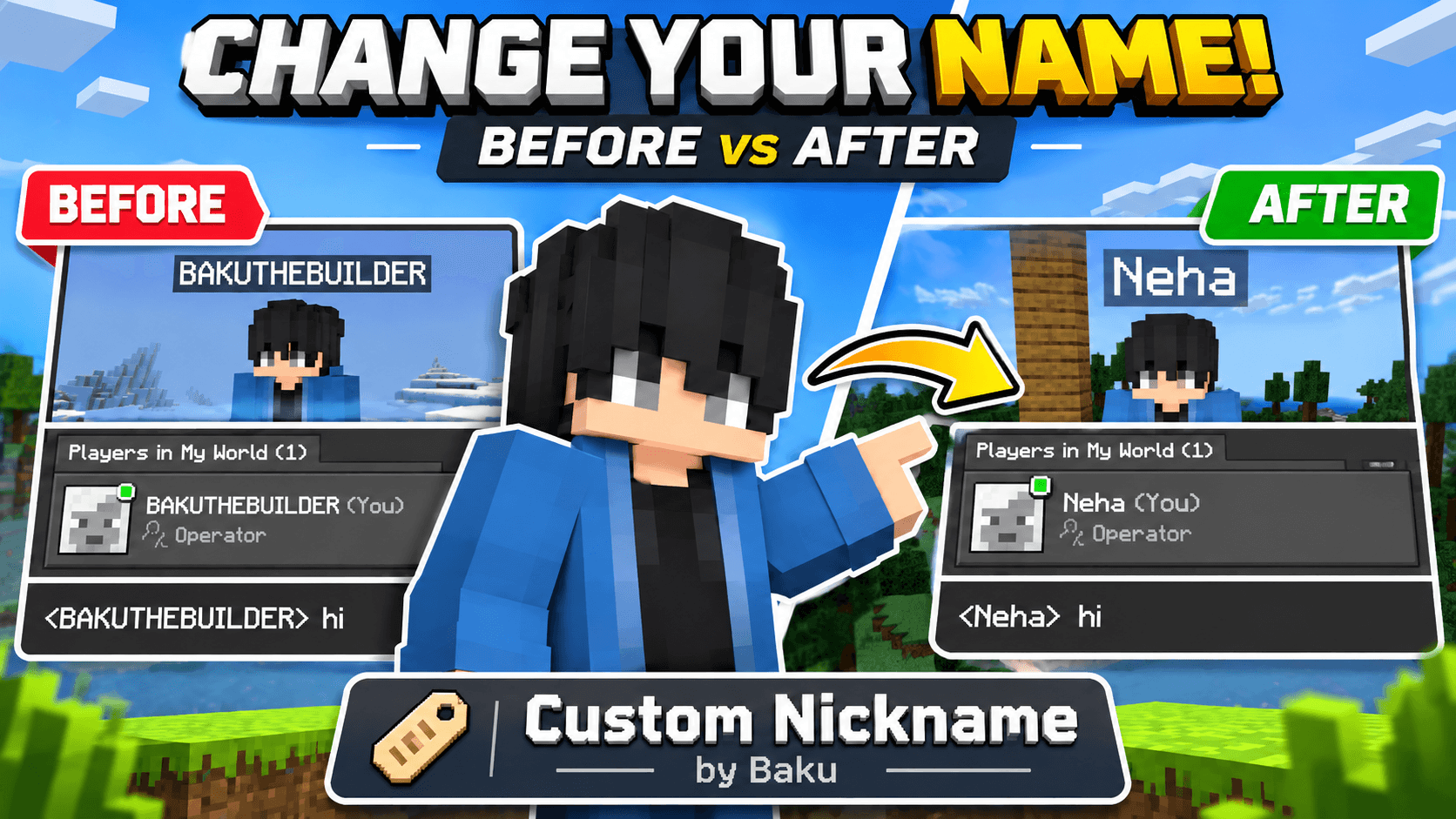
Introducing Custom Nickname, a lightweight and multiplayer-friendly addon for Minecraft Bedrock Edition and MCPE. Customize your in-game display name, send messages using your chosen nickname, and enjoy a simple nickname management system without complicated setup.
Whether you're playing survival, roleplay, SMP, or with friends, Custom Nickname makes it easy to create your own identity inside Minecraft.
✨ Main Features
- 🏷️ Custom Display Names: Change the nickname displayed above your Minecraft character.
- 💬 Nickname Chat: Send custom-nickname messages using a dedicated chat interface.
- ⌨️ Simple Commands: Access the entire system using two short commands.
- 👥 Multiplayer Support: Every player can create and manage their own nickname.
- 💾 Persistent Nicknames: Your nickname is saved in the world and restored when you rejoin.
- 🔄 Reset Option: Restore your original display name whenever you want.
- 🛡️ Nickname Protection: Duplicate-name checks and nickname validation help prevent confusion.
- ⏱️ Rename Cooldown: Prevents excessive nickname changes.
- 📱 Mobile-Friendly UI: Simple Minecraft-style forms designed for Bedrock and MCPE.
- ⚡ Lightweight Design: No unnecessary mobs, blocks, crafting recipes, or complex menus.
📋 Commands & Controls
| Command |
Function |
/nick |
Open the nickname menu to change or reset your display name. |
/chat |
Open the custom chat form to send a message using your nickname. |
🛠️ How to Change Your Nickname
- Join a Minecraft world with the addon activated.
- Open the Minecraft chat or command interface.
- Enter
/nick.
- Type your desired nickname into the nickname form.
- Save your nickname.
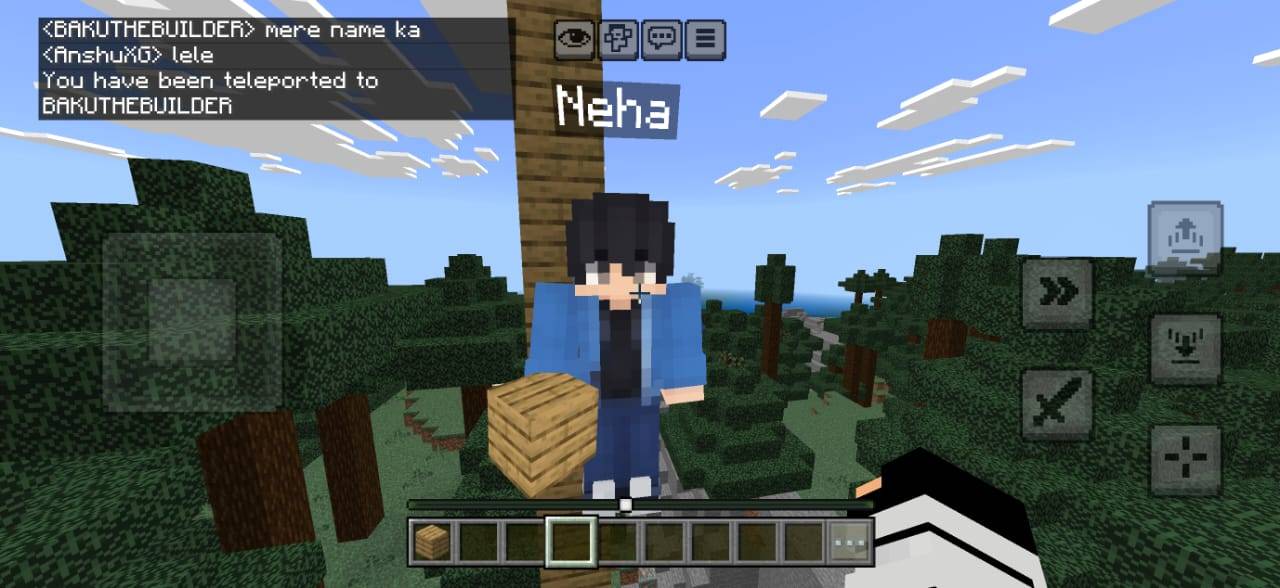
- Your new display name will appear above your character.
✅ Your nickname will be saved automatically for future sessions in that world.
💬 How to Use Nickname Chat
- Open the command interface.
- Enter
/chat.
- Type your message into the custom chat form.
- Submit the message.
- Your message will be broadcast using your selected nickname.
Example:
Original username: BAKUTHEBUILDER
Custom nickname: Neha
Custom chat message: <Neha> Hello everyone!
👥 Perfect For
- 🌍 Minecraft survival multiplayer worlds
- 🎭 Roleplay and character-based servers
- 🏰 Kingdom and civilization SMPs
- 🎬 Minecraft videos and content creation
- 🤝 Private multiplayer worlds with friends
- 🎮 Players who want personalized display names
📦 Installation Guide
- Download the Custom Nickname — By Baku addon file.
- Open the
.mcaddon file using Minecraft Bedrock Edition.
- Wait for Minecraft to complete the import.
- Create a new world or edit an existing world.
- Navigate to Behavior Packs.
- Activate Custom Nickname — By Baku.
- Enter the world and type
/nick to begin.
⚙️ Technical Information
| Property |
Details |
| Addon Name |
Custom Nickname |
| Creator |
Baku |
| Edition |
Minecraft Bedrock / MCPE |
| Version |
1.2.1 |
| Category |
Utility / Multiplayer / Roleplay |
| Multiplayer |
Supported |
| Nickname Storage |
World-persistent data |
| Interface |
Minecraft Script API Forms |
⚠️ Important Notes
- This addon changes the player's in-world display name, not their official Microsoft/Xbox gamertag.
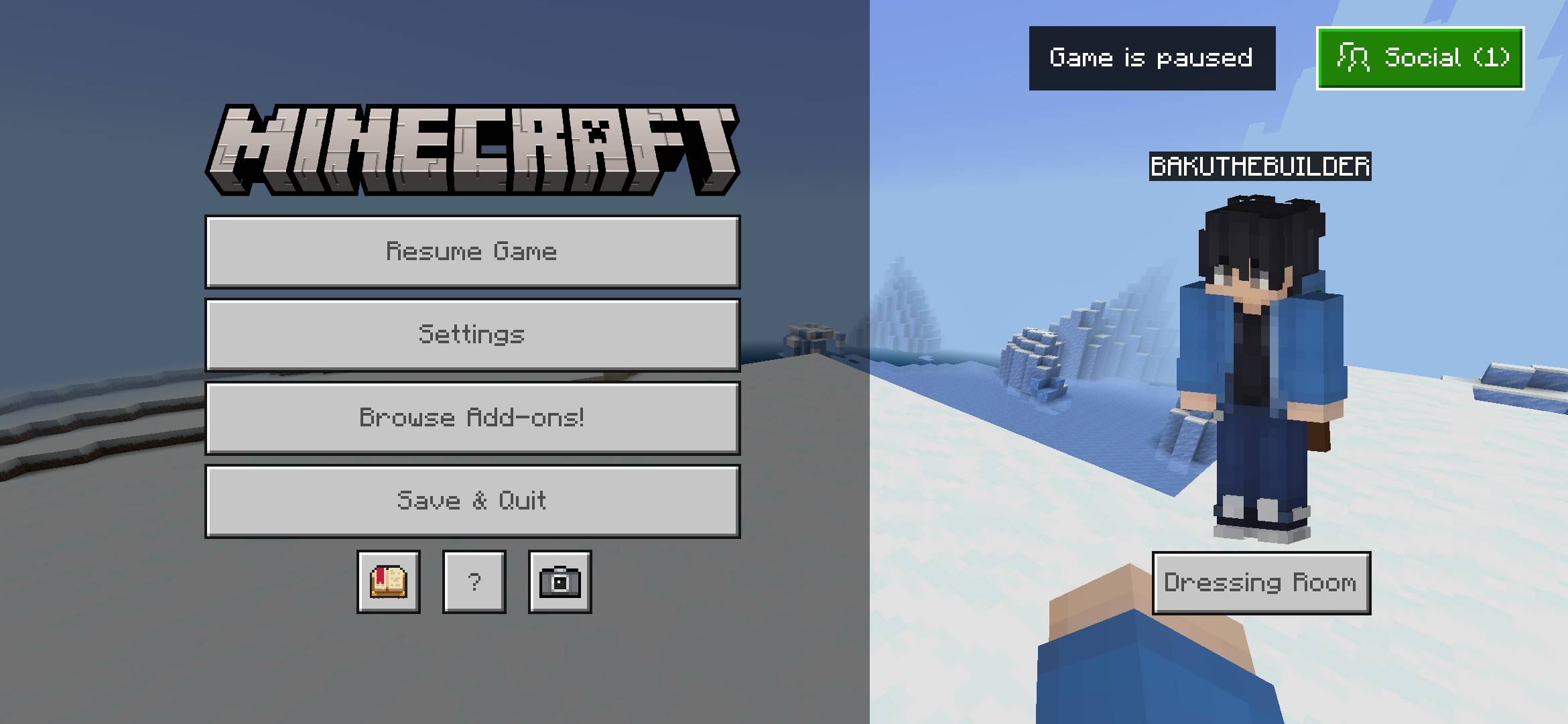
- The Minecraft pause menu and Social/Players List continue displaying the original account username.
- Use
/chat to send messages with your nickname. Normal vanilla chat may still use the original gamertag.
- Nickname data is stored separately for each Minecraft world.
- Compatibility depends on the Minecraft Bedrock version and supported Script APIs.
👑 Creator & Credits
Created By: Baku
All project credits, addon development, concept, design, branding, and creative ownership are attributed to Baku.
© Baku. All rights reserved.
Redistribution, unauthorized modification, reuploading, or claiming this addon as your own is not permitted without the creator's permission.
❤️ Support the Creator
If you enjoy Custom Nickname, consider sharing the addon with your friends, leaving feedback, and supporting future updates!
⭐ Your support helps Baku create more exciting Minecraft Bedrock addons.
🎮 Custom Nickname — By Baku
Your World. Your Nickname. Your Identity.