CuiCui SMP - Loot Crate Update
- By
966238b6-6c15-4531-ae45-0ca23e52a483.jpg
land and.jpg
mounts.jpg
kaz.jpg
settings 1.jpg
Description
## ** ADMIN PASSWORD BY DEFAULT: qwerty678 **
## - Place a chest in hub for loot crate
## - Place any cooper chest in hub for premium crate
added multiple theme for claim border in claim setting (particle)
## Overview
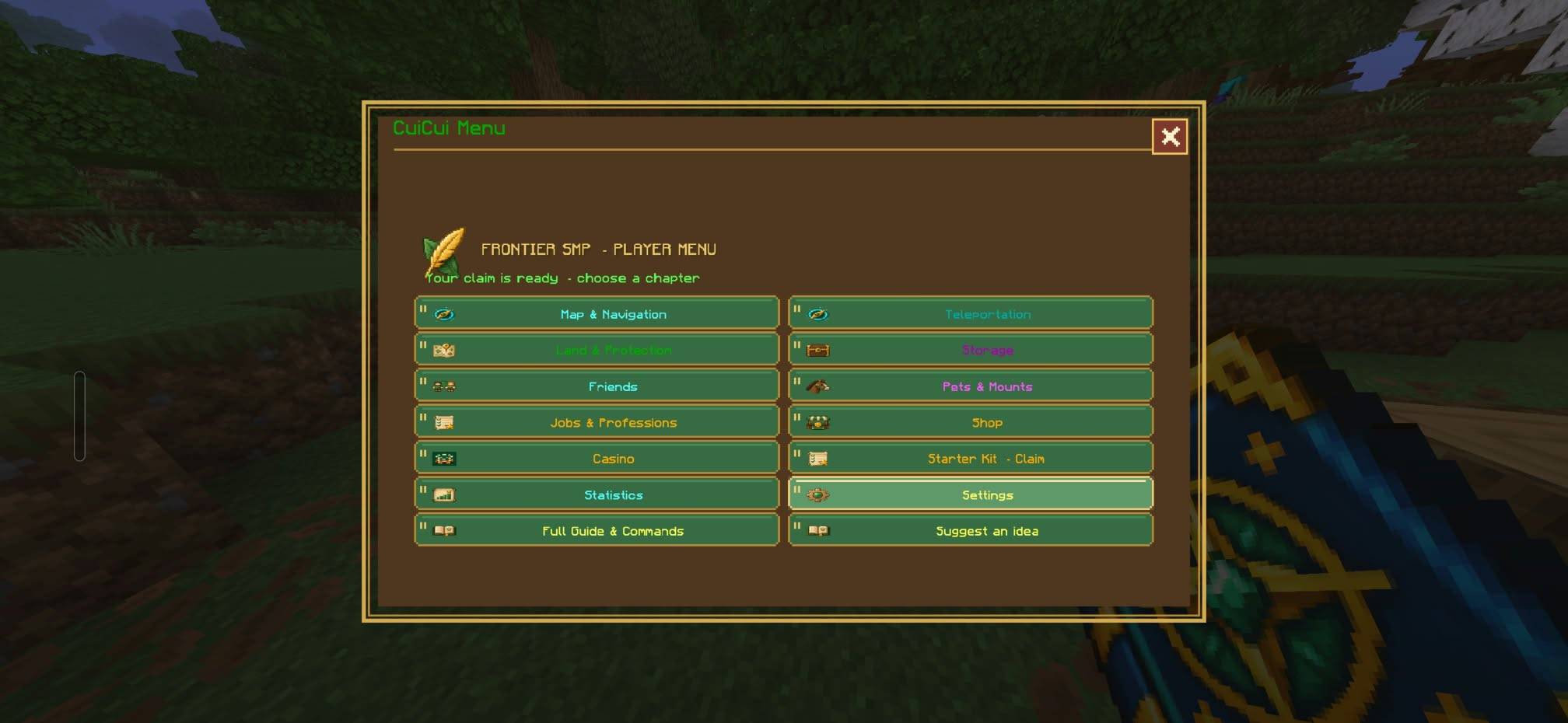
CuiCui Menu is a Bedrock multiplayer toolkit built around an in-game journal. The journal groups server features into chapters, so players can access land protection, travel, storage, friends, shops, progression, rewards, pets, mounts, and settings from one place.
The add-on is intended for shared survival worlds and SMP servers. It includes player-facing tools as well as administrator controls for managing which journal sections are available. The feature set is still being updated, so exact menus and behavior may change between versions.
## Getting started
### Open the menu
Craft the **CuiCui Menu** journal using the recipe shown in the crafting guide, then use it from your hand to open its chapters. The guide also lists a Bedrock command for opening the menu:
## You can do commands like this also : ./menu ( Instead of: ) ./com_cuicui_frontier_gwcp23su:menu
### (For any command)
```text
/com_cuicui_frontier_gwcp23su:menu
```
The mod includes direct commands for some sections, including:
```text
/com_cuicui_frontier_gwcp23su:claim
/com_cuicui_frontier_gwcp23su:home
/com_cuicui_frontier_gwcp23su:travel
/com_cuicui_frontier_gwcp23su:jobs
```
### First steps on a server
1. **Secure a build area.** Open **Land & Protection** and claim the chunk beneath you. A chunk is a 16×16-block area and costs 8 gold ingots.
2. **Set a home.** Open **Teleportation** and save a home at a useful location.
3. **Invite trusted players.** Use the friends and claim settings to manage access and permissions.
4. **Explore progression.** Check jobs, book quests, achievements, and rewards as you play.
5. **Stay still while travelling.** Teleports use a countdown, and moving during it can interrupt the trip.
## Journal chapters and features
### Land & Protection
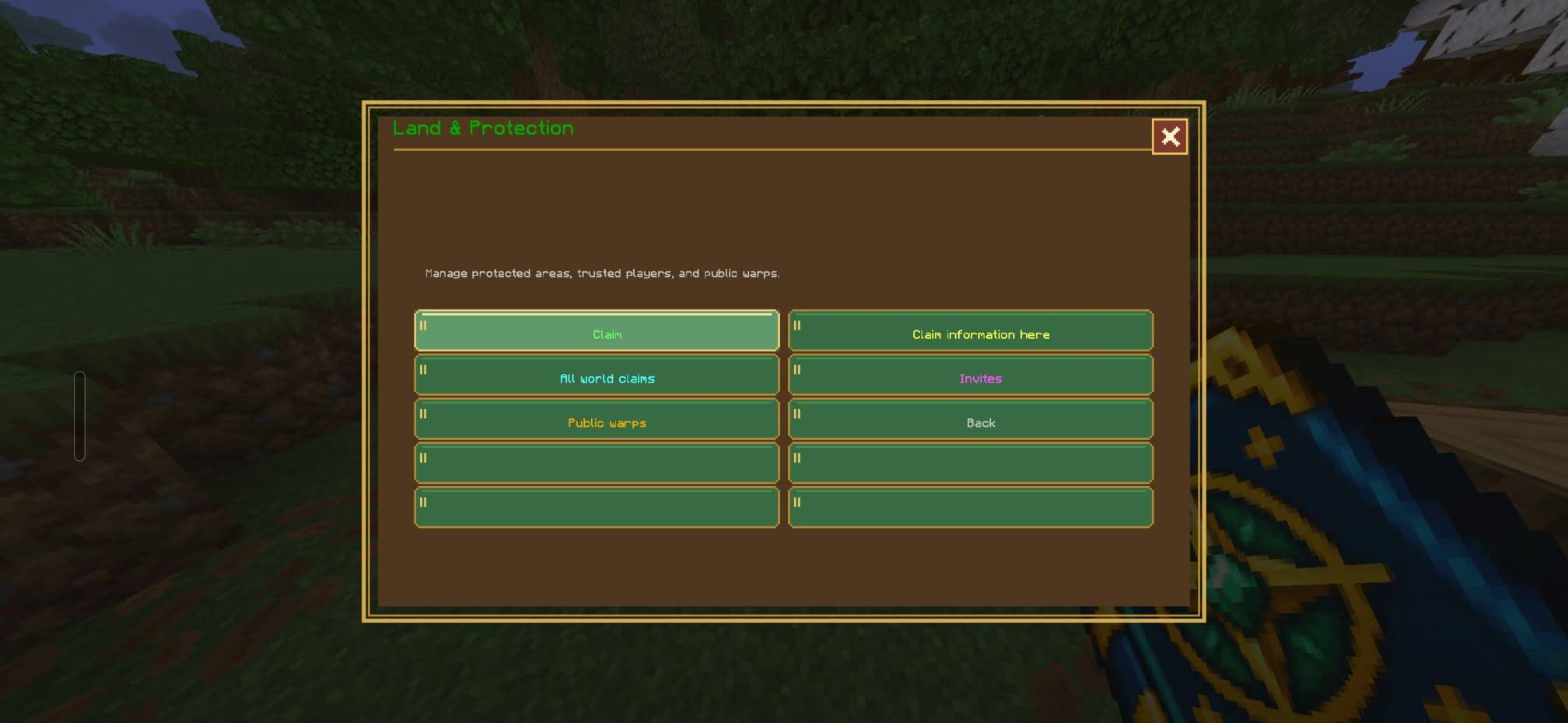
The claim system lets players protect chunks of land. Each claim covers one 16×16-block chunk and costs 8 gold ingots. Claims can be expanded one adjacent chunk at a time.
Claim-related tools include:
- Claim settings and protection controls
- Trusted players and member permissions
- Public warps
- Claim activity
- A visible claim boundary
Use the permissions controls thoughtfully: grant friends only the access they need. The author’s current version notes describe work on clearer claim-boundary particles, including colored dots intended to mark the border more precisely.
### Storage and claim bank
The journal provides private item storage separate from a player’s regular inventory. It also includes a claim bank for gold.
The bank is intended for use by the claim owner while inside their own claim. Players can deposit carried gold or request a withdrawal. Keep private storage and bank access in mind when organizing supplies and managing shared builds.
### Friends and social tools
The **Friends** chapter includes tools for interacting with other players, such as:
- Managing accepted friends
- Travelling to an online friend
- Tracking a player with a compass
- Trading
- Sending mail
Friendship and land permissions are separate considerations: being friends does not necessarily mean a player should receive every permission on a claim.
### Teleportation and maps
The travel tools include saved homes, random travel, return to the last death location, a local map, and access to the **Frontier Mining World**.
Teleportation has a stay-still countdown. Moving before it completes interrupts the process. The author’s latest version notes specifically distinguish ordinary travel options from random teleport destinations: the notes say that returning to the Overworld and going to the Mining World should use random teleportation, while travel to a home, claim, or public warp should not.
The **Hub** has a special inventory behavior: the guide says it stores a player’s inventory for the trip and restores it when the player returns to the Overworld.
### Pets and mounts
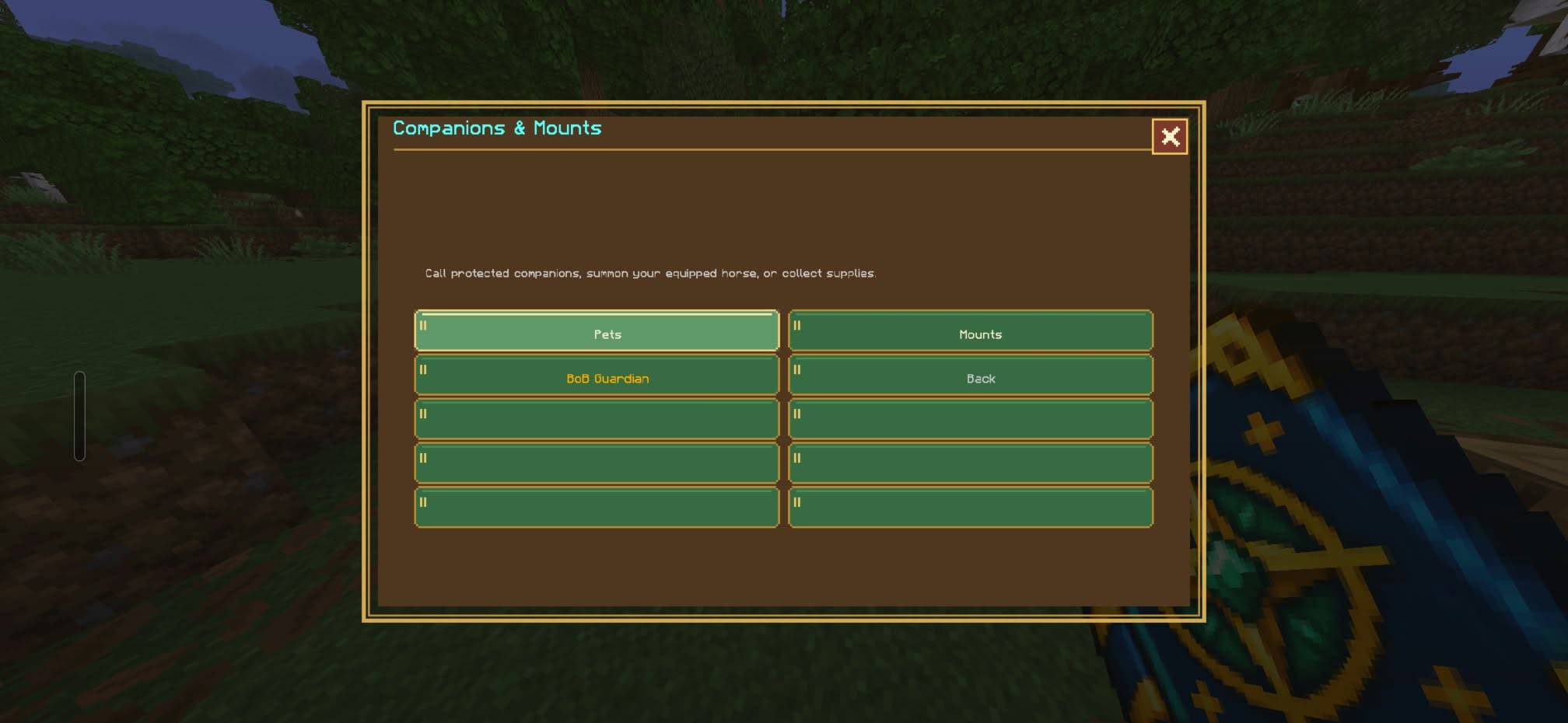
The **Pets & Mounts** chapter lets players summon, recall, rename, and manage companions or mounts. Listed companions and mounts include:
- **BoB**, a guardian
- Horses
- **Dook**, a donkey
- **Sandy**, a camel
- **CuiCui**, a flying mount
To use CuiCui, summon the mount, ride it, and use the on-screen **Flap** action to gain lift. A separate **CuiCui Sky Mount placer** can also be crafted and used on a block with enough room to summon the mount.
### Jobs, quests, and progression
The jobs system awards job experience for related activities. The listed professions are:
- Miner
- Farmer
- Hunter
- Builder
- Fisherman
- Explorer
- Blacksmith
The **Book quests** section provides objectives and one-time rewards. The same area links to daily rewards, achievements, and playtime rewards. The version notes also describe plans and changes involving casino statistics, casino-related job progression, and casino quests.
### Shops and services
The add-on includes several ways to spend or earn gold:
- **Item shop:** A server shop for buying items. The version notes mention making item IDs easier to find and adding keyword search.
- **Player market:** Players can list items for sale and collect proceeds through the market. The guide says only admins may sell gold there.
- **Repair service:** A service for repairing equipment.
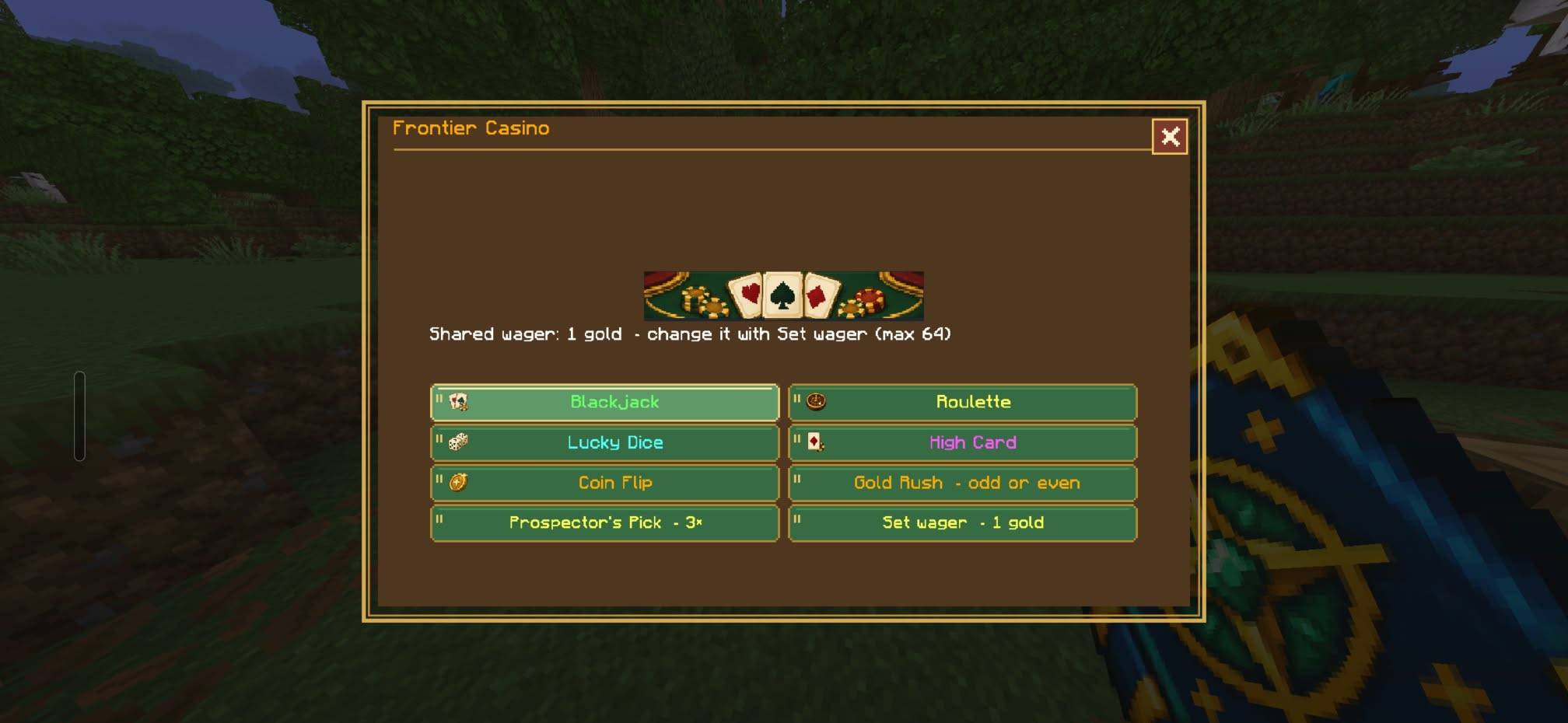
- **Casino:** A casino feature; its details may vary by version.
Some rare or valuable items may be restricted for regular players. The item shop and player market are separate systems.
### Settings and optional tools
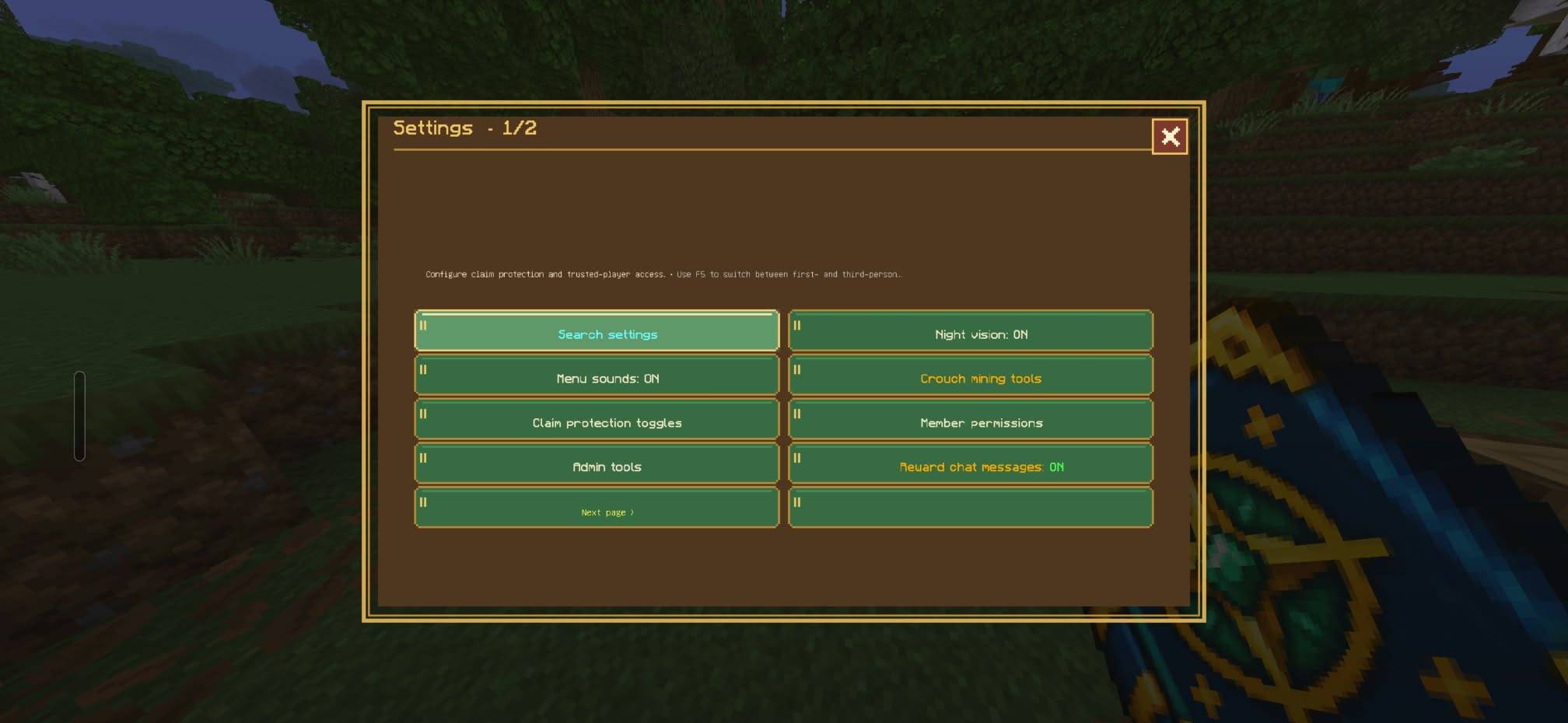
Player settings include options such as night vision, menu sounds, reward messages, and crouch-mining tools.
Crouch Mining Tools include:
- Vein mining
- Tree chopping
- 3×3 stone mining
- Auto-replanting
Auto-replanting uses seeds from the player’s inventory. Check the settings chapter to see which tools are enabled on your server.
## Crafting
### CuiCui Menu journal
The journal is crafted at a crafting table. Its recipe uses paper, a book, a compass, an iron ingot, and a custom item, arranged as shown in the mod’s recipe guide.
### CuiCui Sky Mount placer
The Sky Mount placer uses an ender pearl, an ender eye, and a stick. Use it on a block with enough open space to summon CuiCui.
## Administrator information
Administrators can manage server settings and control which journal chapters are available. The guide also describes an admin-tools section.
The draft page lists a default admin password. For security, server owners should change any default password before using the add-on on a public or shared server, and avoid publishing administrator credentials in a public wiki.
Recent version notes describe development work on:
- More admin roles
- Configurable ground-item clearing, limited to items dropped in the world
- Chat warnings before ground items are cleared
- Player reports that administrators can review and manage
- Loot crates in the Hub
- Additional commands and game statistics
- Improvements to menus, guides, and claim-border visibility
These are version-note items and may not all be present or complete in every release.
## Tips for players
- Claim your base before building valuable structures.
- Expand claims from adjacent chunks.
- Set a home somewhere safe and easy to recognize.
- Stay still until a teleport countdown finishes.
- Use claim permissions carefully when inviting friends.
- Check the claim bank and market when managing gold.
- Keep seeds in your inventory if you want to use auto-replanting.
- Review the journal regularly; the author says more updates are planned.
## Version notes
The page identifies **v107** as the latest released version in the version list, with **v110** shown as a draft. The draft notes focus on fixing unintended random teleports, improving border markers, making shop search easier, adding statistics and commands, and updating guides. Because the page is actively edited, features described in draft notes may not yet be available in the released build.
# CuiCui Menu — Community SMP Wiki
## Overview
CuiCui Menu is a Bedrock multiplayer toolkit built around an in-game journal. The journal groups server features into chapters, so players can access land protection, travel, storage, friends, shops, progression, rewards, pets, mounts, and settings from one place.
The add-on is intended for shared survival worlds and SMP servers. It includes player-facing tools as well as administrator controls for managing which journal sections are available. The feature set is still being updated, so exact menus and behavior may change between versions.
## Getting started
### Open the menu
Craft the **CuiCui Menu** journal using the recipe shown in the crafting guide, then use it from your hand to open its chapters. The guide also lists a Bedrock command for opening the menu:
```text
/com_cuicui_frontier_gwcp23su:menu
```
The mod includes direct commands for some sections, including:
```text
/com_cuicui_frontier_gwcp23su:claim
/com_cuicui_frontier_gwcp23su:home
/com_cuicui_frontier_gwcp23su:travel
/com_cuicui_frontier_gwcp23su:jobs
```
### First steps on a server
1. **Secure a build area.** Open **Land & Protection** and claim the chunk beneath you. A chunk is a 16×16-block area and costs 8 gold ingots.
2. **Set a home.** Open **Teleportation** and save a home at a useful location.
3. **Invite trusted players.** Use the friends and claim settings to manage access and permissions.
4. **Explore progression.** Check jobs, book quests, achievements, and rewards as you play.
5. **Stay still while travelling.** Teleports use a countdown, and moving during it can interrupt the trip.
## Journal chapters and features
### Land & Protection
The claim system lets players protect chunks of land. Each claim covers one 16×16-block chunk and costs 8 gold ingots. Claims can be expanded one adjacent chunk at a time.
Claim-related tools include:
- Claim settings and protection controls
- Trusted players and member permissions
- Public warps
- Claim activity
- A visible claim boundary
Use the permissions controls thoughtfully: grant friends only the access they need. The author’s current version notes describe work on clearer claim-boundary particles, including colored dots intended to mark the border more precisely.
### Storage and claim bank
The journal provides private item storage separate from a player’s regular inventory. It also includes a claim bank for gold.
The bank is intended for use by the claim owner while inside their own claim. Players can deposit carried gold or request a withdrawal. Keep private storage and bank access in mind when organizing supplies and managing shared builds.
### Friends and social tools
The **Friends** chapter includes tools for interacting with other players, such as:
- Managing accepted friends
- Travelling to an online friend
- Tracking a player with a compass
- Trading
- Sending mail
Friendship and land permissions are separate considerations: being friends does not necessarily mean a player should receive every permission on a claim.
### Teleportation and maps
The travel tools include saved homes, random travel, return to the last death location, a local map, and access to the **Frontier Mining World**.
Teleportation has a stay-still countdown. Moving before it completes interrupts the process. The author’s latest version notes specifically distinguish ordinary travel options from random teleport destinations: the notes say that returning to the Overworld and going to the Mining World should use random teleportation, while travel to a home, claim, or public warp should not.
The **Hub** has a special inventory behavior: the guide says it stores a player’s inventory for the trip and restores it when the player returns to the Overworld.
### Pets and mounts
The **Pets & Mounts** chapter lets players summon, recall, rename, and manage companions or mounts. Listed companions and mounts include:
- **BoB**, a guardian
- Horses
- **Dook**, a donkey
- **Sandy**, a camel
- **CuiCui**, a flying mount
To use CuiCui, summon the mount, ride it, and use the on-screen **Flap** action to gain lift. A separate **CuiCui Sky Mount placer** can also be crafted and used on a block with enough room to summon the mount.
### Jobs, quests, and progression
The jobs system awards job experience for related activities. The listed professions are:
- Miner
- Farmer
- Hunter
- Builder
- Fisherman
- Explorer
- Blacksmith
The **Book quests** section provides objectives and one-time rewards. The same area links to daily rewards, achievements, and playtime rewards. The version notes also describe plans and changes involving casino statistics, casino-related job progression, and casino quests.
### Shops and services
The add-on includes several ways to spend or earn gold:
- **Item shop:** A server shop for buying items. The version notes mention making item IDs easier to find and adding keyword search.
- **Player market:** Players can list items for sale and collect proceeds through the market. The guide says only admins may sell gold there.
- **Repair service:** A service for repairing equipment.
- **Casino:** A casino feature; its details may vary by version.
Some rare or valuable items may be restricted for regular players. The item shop and player market are separate systems.
### Settings and optional tools
Player settings include options such as night vision, menu sounds, reward messages, and crouch-mining tools.
Crouch Mining Tools include:
- Vein mining
- Tree chopping
- 3×3 stone mining
- Auto-replanting
Auto-replanting uses seeds from the player’s inventory. Check the settings chapter to see which tools are enabled on your server.
## Crafting
### CuiCui Menu journal
The journal is crafted at a crafting table. Its recipe uses paper, a book, a compass, an iron ingot, and a custom item, arranged as shown in the mod’s recipe guide.
### CuiCui Sky Mount placer
The Sky Mount placer uses an ender pearl, an ender eye, and a stick. Use it on a block with enough open space to summon CuiCui.
## Administrator information
Administrators can manage server settings and control which journal chapters are available. The guide also describes an admin-tools section.
The draft page lists a default admin password. For security, server owners should change any default password before using the add-on on a public or shared server, and avoid publishing administrator credentials in a public wiki.
Recent version notes describe development work on:
- More admin roles
- Configurable ground-item clearing, limited to items dropped in the world
- Chat warnings before ground items are cleared
- Player reports that administrators can review and manage
- Loot crates in the Hub
- Additional commands and game statistics
- Improvements to menus, guides, and claim-border visibility
These are version-note items and may not all be present or complete in every release.
## Tips for players
- Claim your base before building valuable structures.
- Expand claims from adjacent chunks.
- Set a home somewhere safe and easy to recognize.
- Stay still until a teleport countdown finishes.
- Use claim permissions carefully when inviting friends.
- Check the claim bank and market when managing gold.
- Keep seeds in your inventory if you want to use auto-replanting.
- Review the journal regularly; the author says more updates are planned.
CuiCui SMP - Loot Crate Update Team