Clear Lag Addon: Auto Entity Cleaner & Optimizer
- By
Keep your server running at maximum FPS! Automatically sweeps away dropped items, stuck arrows, and mobs on a timer with a fair 10-second warning.
Clear Lag Add-on (2).jpg
Clear Lag Add-on (3).jpg
Clear Lag Add-on (6).jpg
Clear Lag Add-on (4).jpg
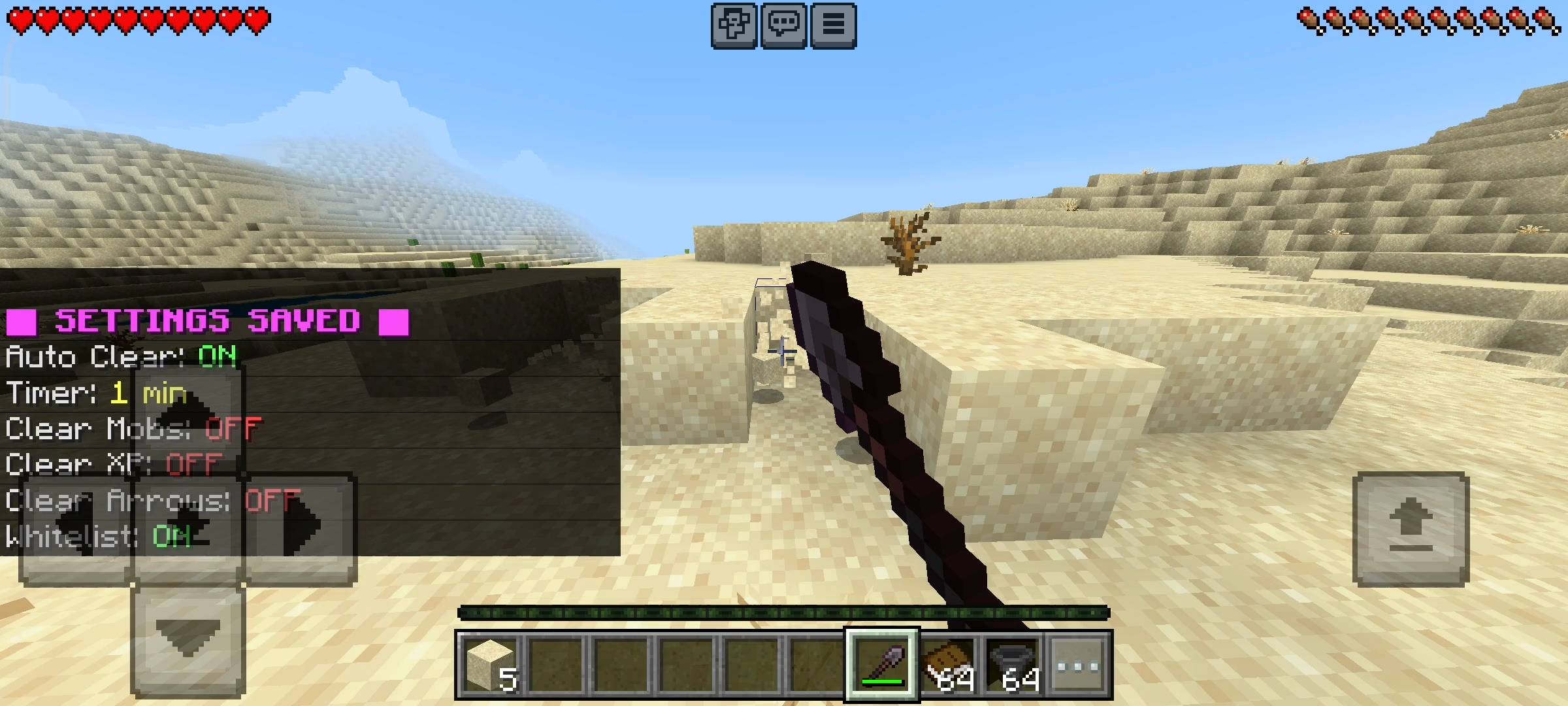
Clear Lag Add-on (5).jpg
Description
RR Clear Lag PRO v2.0.0 - The Ultimate Server Performance Optimizer
Hey everyone. If you have ever run a multiplayer SMP, a large Realm, or even a long-term single-player survival world, you know that lag is the biggest enemy in Minecraft. As your world gets older, players build massive automatic mob crushers, giant sugarcane farms, and complex redstone machines. Sometimes a player dies thousands of blocks away, leaving dozens of items sitting in loaded chunks. Sometimes someone forgets to turn off their skeleton farm, and hundreds of mobs pile up in one tiny room. Slowly but surely, the server frames start to drop. Blocks take forever to break, eating food gets delayed, and the game becomes completely unplayable. In vanilla Minecraft, you have no control over this background clutter.
I wanted to give server owners a permanent, fully automatic solution to keep their worlds running smoothly at a perfect sixty frames per second. That is exactly why I created the RR Clear Lag PRO addon. This expansion is an intelligent background utility that actively monitors your world and wipes out unnecessary entities before they can ruin your server performance. For Version 2.0.0, I completely rebuilt the targeting engine. I have also fully unlocked every single premium feature. There are no locked menus, no keys required, and absolutely no hidden paywalls. It is a complete, powerful optimization tool right from the moment you install it into your world.
The Smart Auto-Clearing System
The core of this addon is the highly customizable auto-clearing engine. Instead of just blindly deleting everything, it targets specific categories of entities that are known to cause severe server lag. The primary target is ground items. Any loose dirt, cobblestone, or rotten flesh sitting on the ground will be swept up automatically.
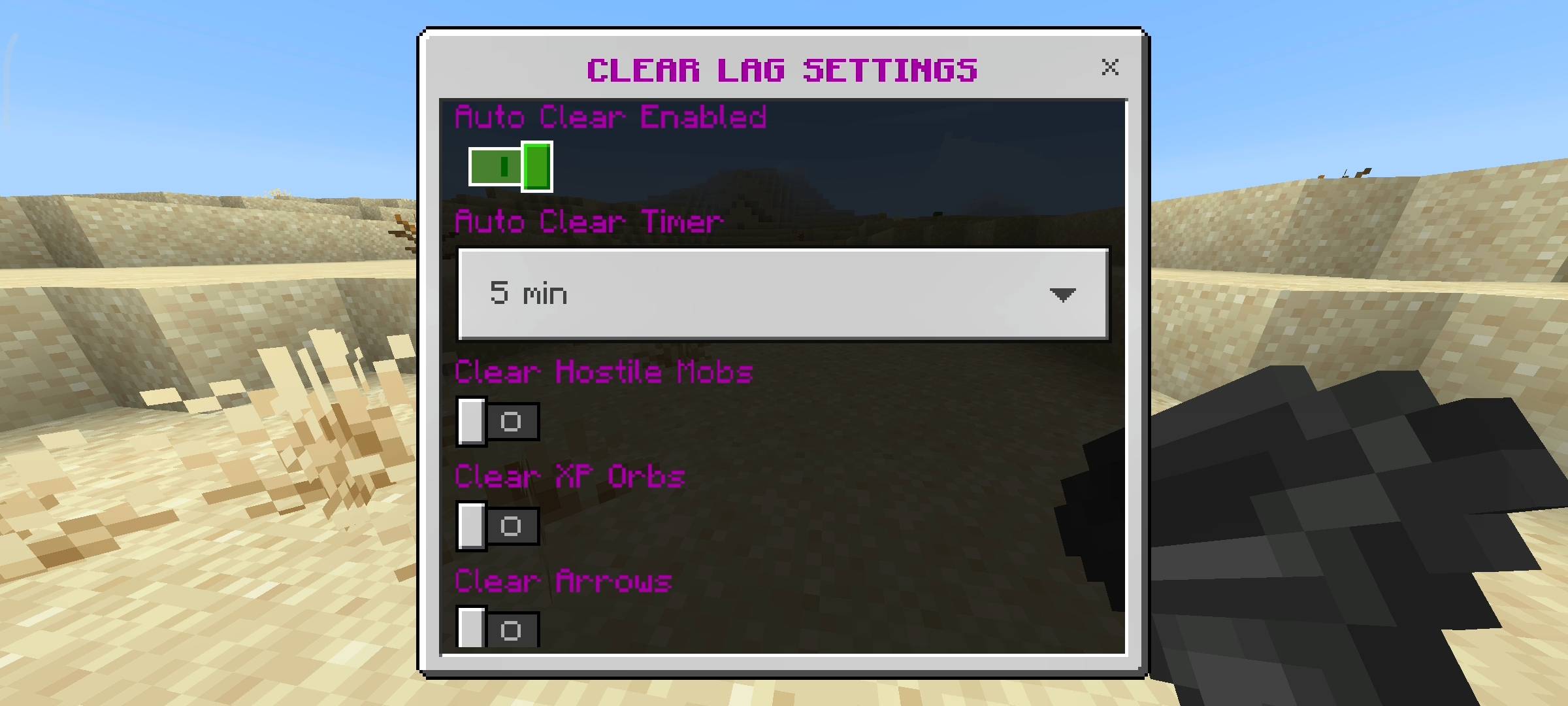
But the addon goes much deeper than just items. You can dive into your settings and tell the system to clear Hostile Mobs. This is an absolute lifesaver if a player leaves a zombie or spider spawner running overnight. It instantly wipes out the entities causing the entity-cramming lag. It also actively targets the newest 1.21 mobs like the Bogged and the Breeze.
Furthermore, you can enable toggles to clear dropped XP Orbs and stray Arrows. If you have ever fought a skeleton trap or used a massive bow, you know that arrows stuck in the ground cause huge rendering lag. In this new update, I also added a highly requested TNT Clear feature. If a troll tries to crash your Realm by lighting a massive cube of TNT, the addon will wipe out the primed TNT entities before the explosion calculations can freeze your game.
The Valuable Item Whitelist
The biggest fear players have with clear lag mods is losing their hard-earned gear. Imagine dying in the Nether, running back to get your stuff, and the clear lag timer goes off right as you get there, deleting your fully enchanted armor. I made sure that will never happen with this addon.
I built a massive, smart Whitelist system directly into the code. When the clearing sweep happens, the script actively scans the items on the ground. If it detects valuable late-game loot, it completely ignores them and leaves them safe on the ground. This whitelist protects all Diamond tools and armor, all Netherite gear, Elytras, Totems of Undying, Tridents, Nether Stars, and Beacons.
In this latest update, I expanded the protection list to include the brand new Mace, Dragon Eggs, Hearts of the Sea, and all Enchanted Books. It also completely protects all variants of Shulker Boxes, so if you accidentally drop your box full of building materials, it is completely safe from the sweeper.
Custom Timers and Fair Warnings
Every server handles lag differently, so server admins have complete control over how often the clearing happens. In the settings dashboard, you can choose from nine different timer intervals. If you run a massive public server with tons of active farms, you can set it to the brand new thirty-second timer to keep the ground spotless. If you just play with a few friends and want a relaxed experience, you can set it to sweep every ten, twenty, or thirty minutes.
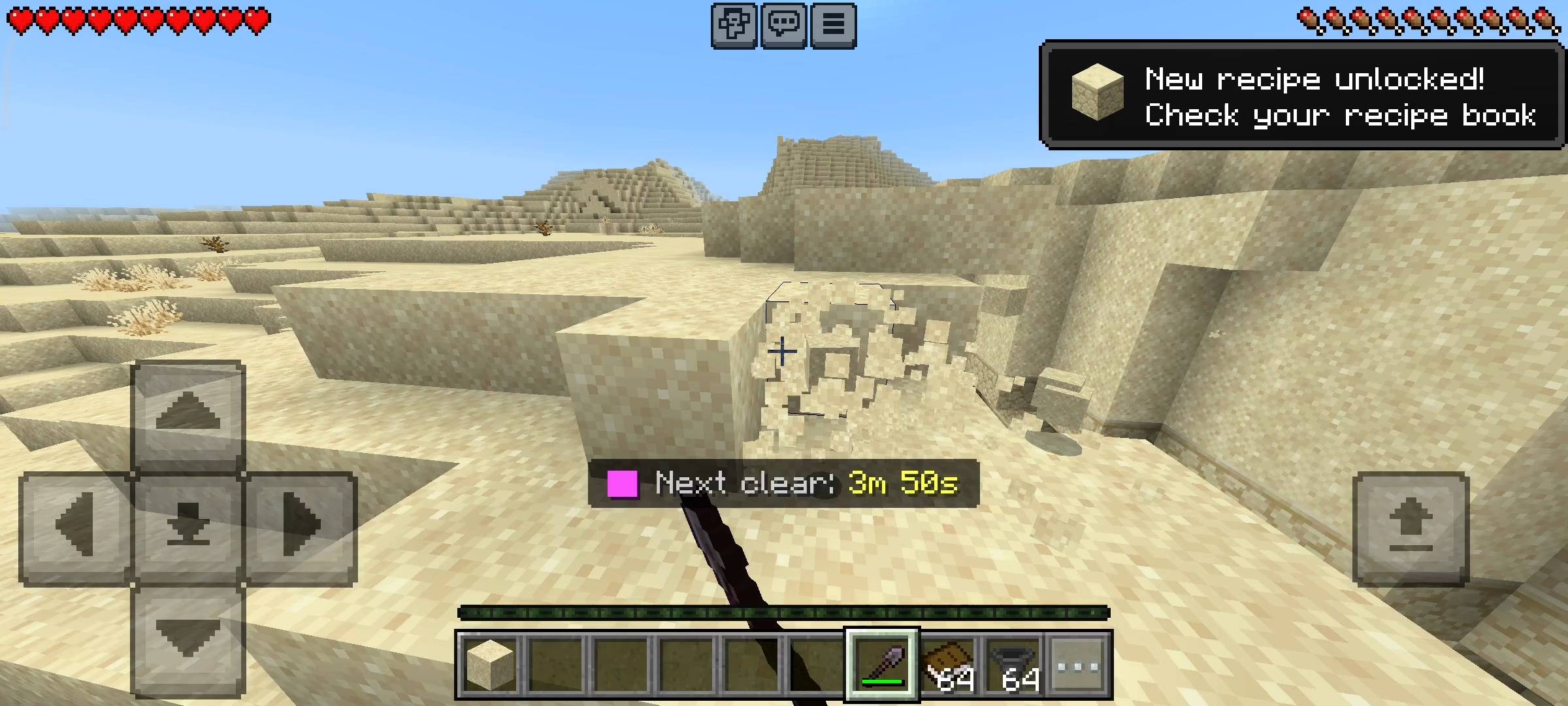
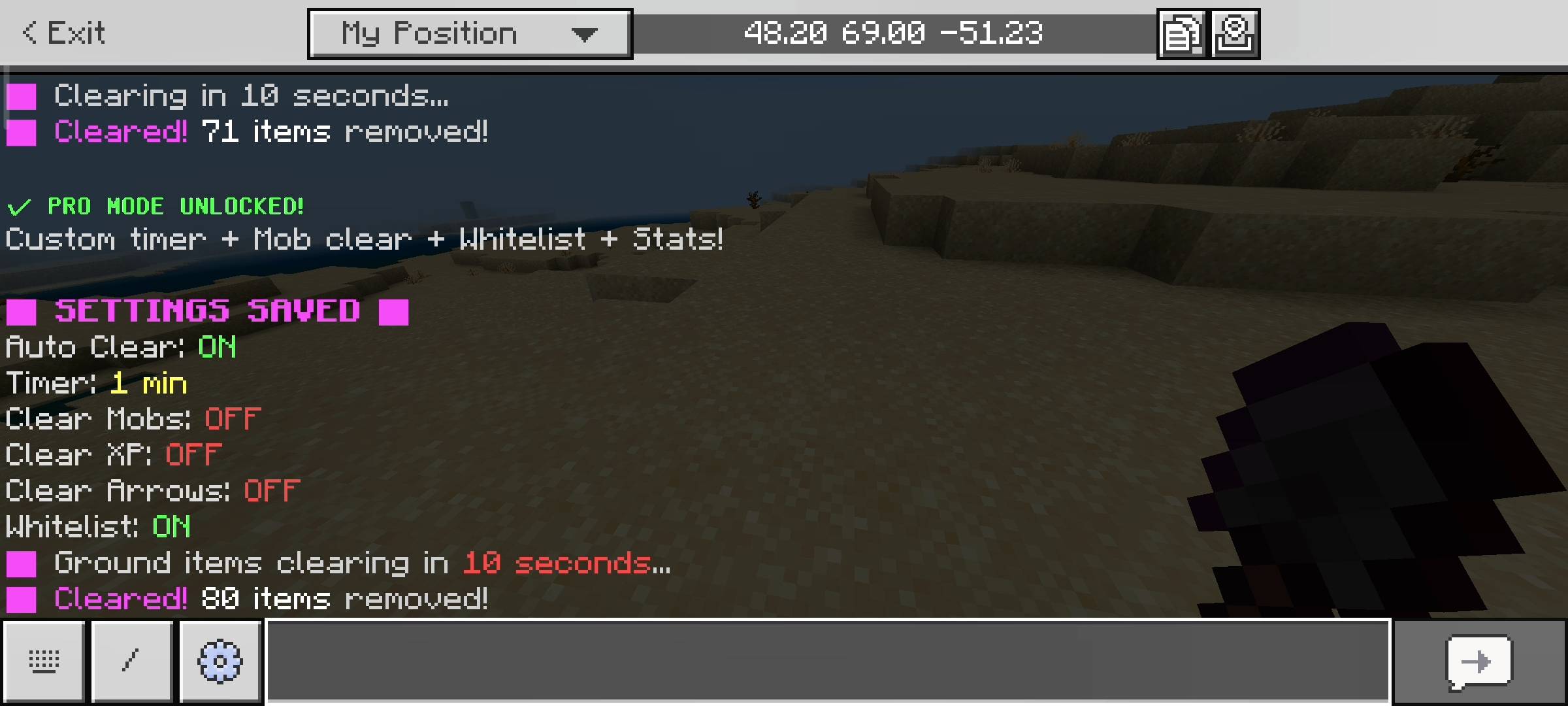
To make sure players are never caught off guard, the addon features a fair warning system. When the timer is getting close, an alert pops up on the action bar above your hotbar, letting everyone on the server know that ground items will be wiped in ten seconds. It also plays a loud countdown sound effect. This gives every player enough time to pick up their dropped items before the sweep happens.
Live Statistics and Entity Tracking
Managing a server is much easier when you actually know what is causing the lag. The addon runs a silent diagnostic tool in the background. If you open your main dashboard, you can see a live reading of the total entities and total ground items currently loaded in your world. If you feel the server lagging and see that there are thousands of entities loaded, you know exactly what the problem is.
You can also check your Lifetime Statistics panel. The system permanently records exactly how many thousands of items, hostile mobs, XP orbs, arrows, and TNT blocks it has deleted over the lifetime of your world. It is incredibly satisfying to look at your stats and realize the addon has cleaned up over a hundred thousand junk items for you.
The Interactive Admin Dashboard
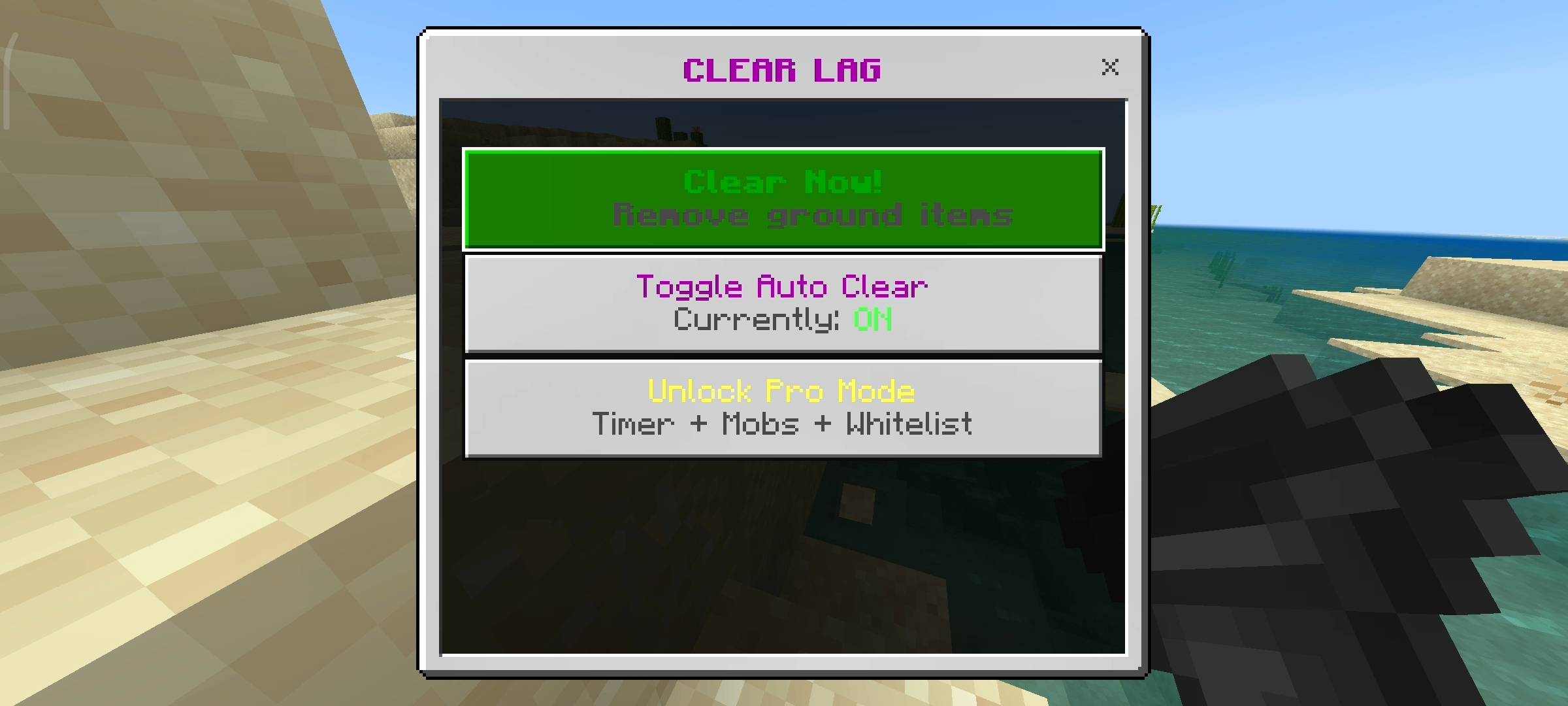
I absolutely hate addons that force admins to memorize long, complicated chat commands just to change a timer. To make server management completely effortless, I built a beautifully clean user interface. To access your entire optimization system, you simply need to hold a standard Hopper in your hand, sneak to crouch, and use the item. This instantly opens the Main Control Panel.
From this menu, you can toggle the auto-clear system on or off, adjust your timers, and manage what specific entities get deleted. I also added a Manual Clear button. If you see the server struggling and you cannot wait for the timer, you can hit this button. It triggers an instant ten-second warning for all players and forces an immediate server wipe. If you just want to check your statistics without opening the admin panel, you can sneak and use a regular Book to pull up your personal stats page.
Disclaimer Regarding Visuals: Please note that some of the promotional images, thumbnails, and gallery screenshots used to showcase this project may have been created or enhanced using AI generation tools to provide better visual presentation for the page.
Important Installation Requirement: The complex background systems required to scan loaded chunks, target specific entity types, protect whitelisted items, and generate the interactive admin menus rely on advanced scripting. Therefore, you MUST go into your World Settings, navigate to the Experiments tab, and turn on the Beta APIs toggle before you load the world. Without this toggle enabled, the auto-clearing systems will not run and the UI menus will not open.
Developer: Racing Raftaar
Version: 2.0.0
Supported Minecraft Versions: 1.21.0 and above
Clear Lag Addon: Auto Entity Cleaner & Optimizer Team

Owner