


Clay Army
- By
Clay Army
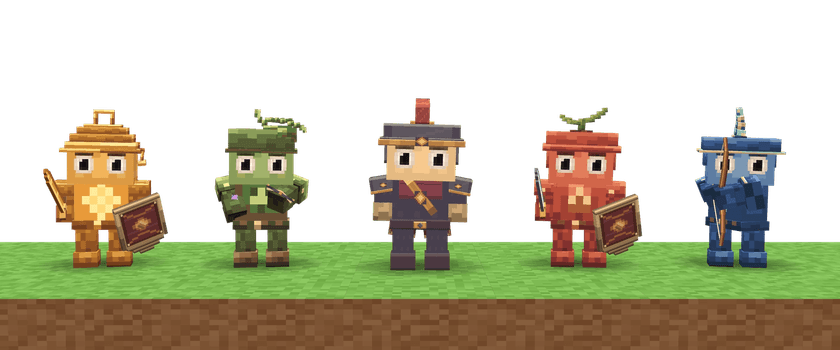
Raise a little clay army in Minecraft Bedrock. Equip your soldiers, send them into battle, and revive fallen troops with water.
Get started
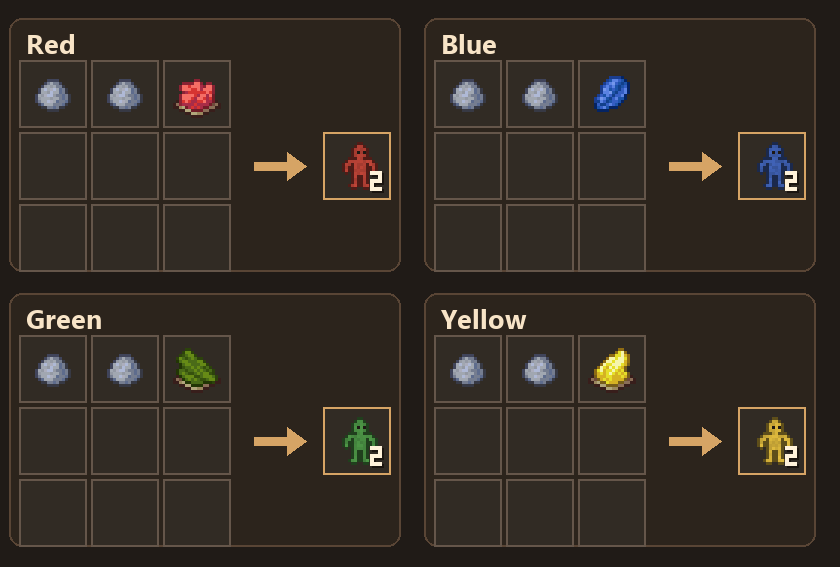
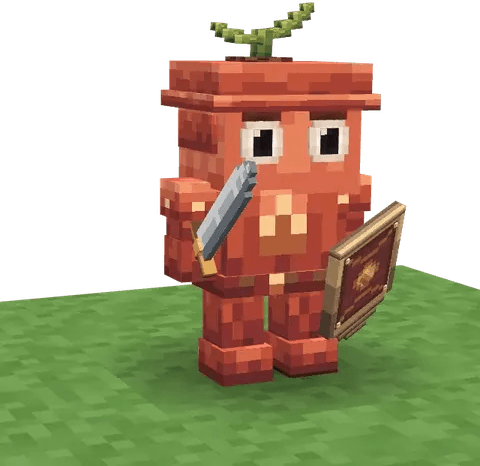
- Craft a Soldier Figure and use it on the ground to place a soldier that belongs to you. The four colors are red, blue, green, and yellow.
- Interact with your soldier with an empty hand to open its equipment screen. It has slots for a helmet, a weapon, and a shield.
- You can also equip a soldier by interacting while holding the gear, or drop a sword or an axe nearby for it to pick up.
- To recruit an unowned soldier, interact with it while holding a Clay Ball. Unowned soldiers of different colors can fight each other. Soldiers you own fight on the same side.
Meet the soldiers
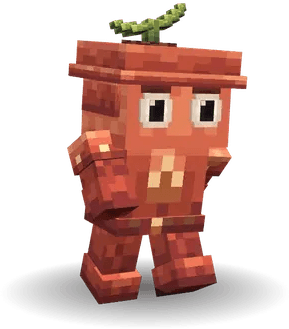
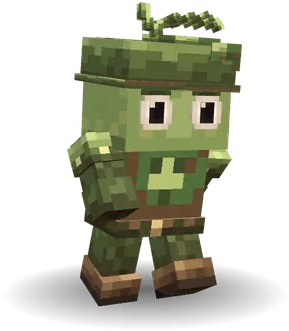
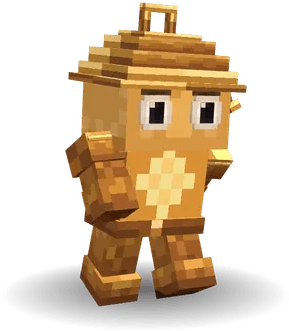
All four colors can take the same combat roles. Choose a color for its look, then equip the unit for the job you want it to do.
| Red Soldier | Blue Soldier |
|---|---|
 |
 |
| Green Soldier | Yellow Soldier |
 |
 |
Combat roles
| Unit | How to use it |
|---|---|
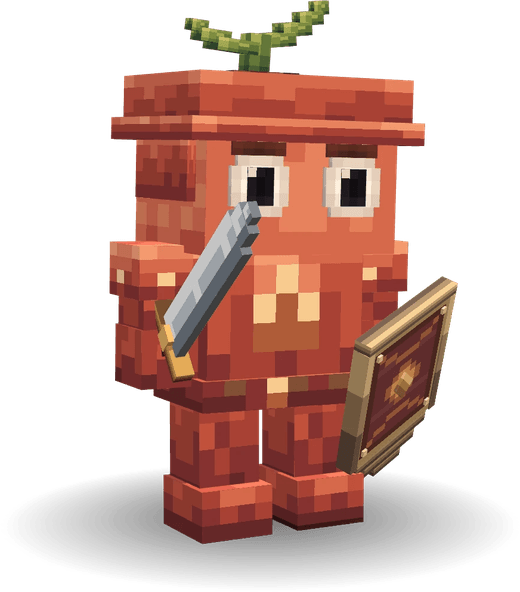 |
Warrior. Equip a sword, axe, spear, or mace for melee combat. A shield lets a warrior block attacks from the front for 5.5 seconds, followed by a 12-second cooldown. |
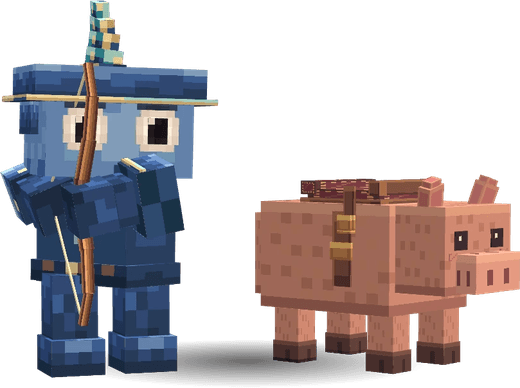 |
Archer. Equip a bow or crossbow. To give your archer a mount, interact with it while holding a Saddle. It mounts a clay minipig and can shoot while riding. If the minipig falls, the archer goes back to fighting on foot. The saddle is consumed in Survival. |
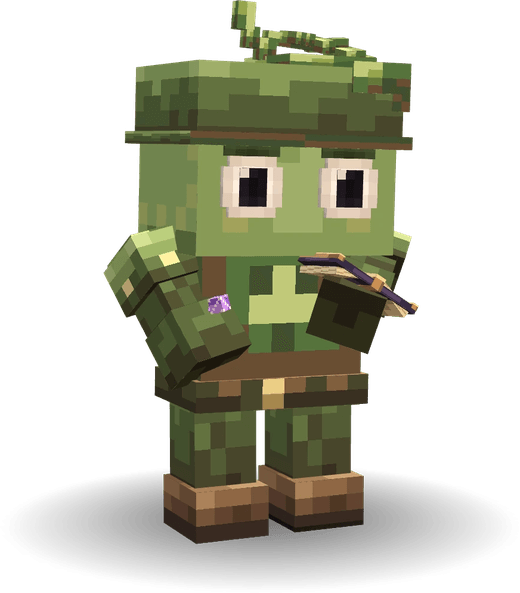 |
Mage. Equip a Book or an Enchanted Book. The mage casts a slow homing bolt. If the bolt reaches its target and there's room overhead, it opens a portal. Six meteors fall around the impact area, and an extra homing meteor tracks the original target. Meteor impacts deal area damage to enemies. Solid blocks can stop the bolt or the homing meteor. |
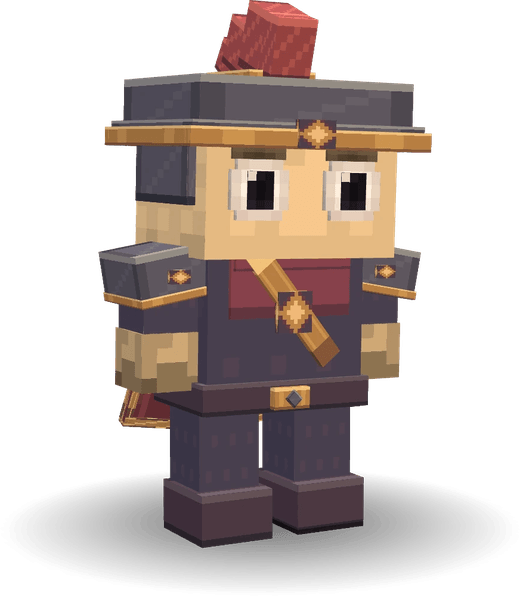 |
Commander. Craft and place a Commander Figure. When the commander detects a monster or rival soldier within 24 blocks, it looks for a clear spot to plant a Conquest Banner. Your squad advances toward the banner. It disappears after 50 seconds, so the commander can place another if enemies are still nearby. Use the Control Wand to make your squad follow you. Use it again to stop. While your squad is following you, the conquest order is paused. If the banner is still active when you stop following, your squad can return to it. |
Crafting recipes
Use a Crafting Table for all the recipes below.
Soldier Figures
Combine 2 Clay Balls + 1 Dye in any order to make 2 Soldier Figures of the dye's color. Use Red Dye, Blue Dye, Green Dye, or Yellow Dye.
Commander Figure
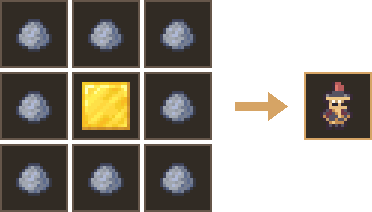
Put 1 Block of Gold in the center of the grid and fill the other 8 slots with Clay Balls to make 1 Commander Figure.
Control Wand
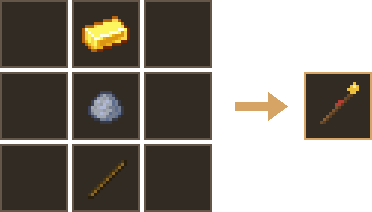
In one column, place 1 Gold Ingot on top, 1 Clay Ball in the middle, and 1 Stick at the bottom. This makes 1 Control Wand.
Clay Statues
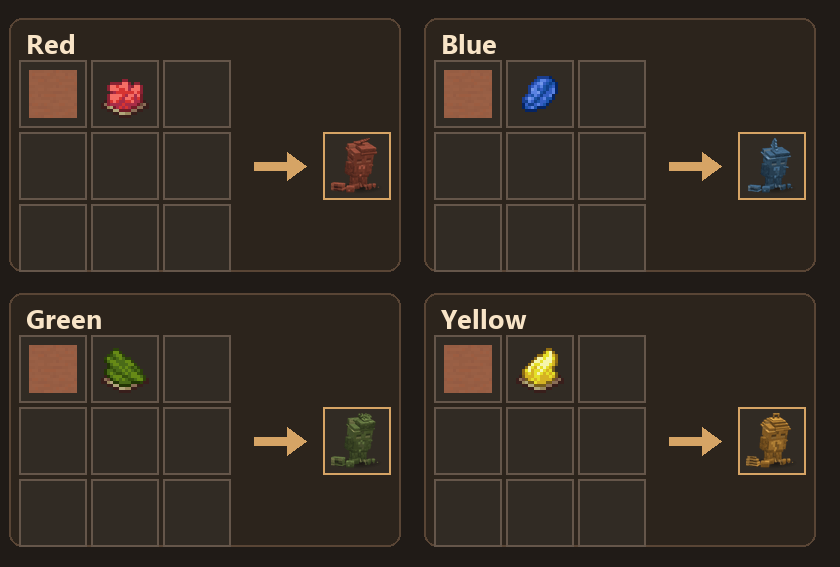
Combine 1 block of undyed Terracotta + 1 Dye in any order to make 1 Clay Statue of that color. Use it on the top face of a block with two empty spaces above it. Crafted statues can be revived the same way as fallen soldiers.
Revive fallen soldiers
When a soldier falls, it leaves behind a cracked clay statue that keeps its equipment. Break the statue to recover its gear, or revive it to bring the soldier back with its equipment.
| Method | What to do |
|---|---|
| Water Bottle | Interact with the statue while holding a Water Bottle. You get the empty bottle back in Survival. |
| Water Bucket | Interact while holding a Water Bucket. The bucket empties in Survival. |
| Water Block | Place water in the statue's space or immediately next to it. |
| Rain | Leave the statue under open sky for 30 seconds of continuous rain. |
Installation
- Download the .mcaddon file from the Files tab and open it with Minecraft Bedrock Edition.
- In your world settings, open Behavior Packs, find Clay Soldiers (Behavior Pack), and activate it. Clay Soldiers (Resource Pack) activates automatically.
- Enter the world. Craft your first figure in Survival or search for Clay Statue, Figure, or Control Wand in the Creative inventory.
Visit the Clay Soldiers website
Created by Pan_Panda12.
Clay Army Team
