

![CineZoom v1.5 [zooming like an optifine!] logo](https://media.forgecdn.net/avatars/thumbnails/1956/388/64/64/639211544455572411.png)
CineZoom v1.5 [zooming like an optifine!]
- By
IMG_2446.png
IMG_2552.png
Description
PLEASE READ BEFORE DOWNLOADING
______
⚙️ UPDATE CATALOG v1.5
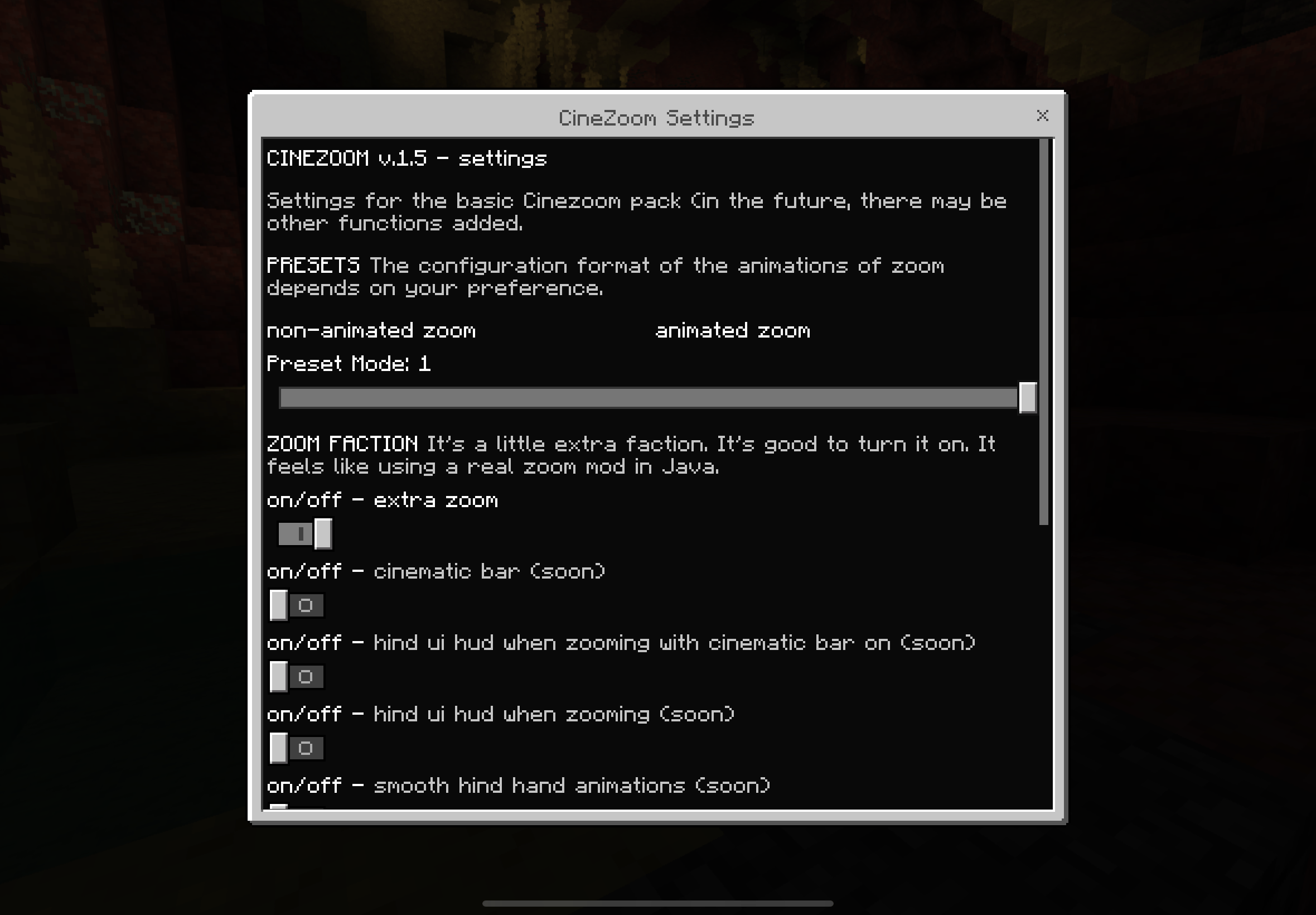
added settings in pack’s menu
l_ * on/off - extra zoom
l_ * zoom speed configurations
I_ * zoom animations style presets
bugs fixed
l_ * fix camera crash when player using zoom so fast
l_ * removes these message in chat while you’re zooming in/out “Script event cinezoom:zoom has been sent” or “Script event cinezoom:magnify has been sent”
_____
CineZoom BP
⁃ Cinematic Zoom Experience for Minecraft Bedrock Edition
Transform Minecraft Bedrock into a cinematic experience with smooth camera transitions, multi-stage zoom levels, and immersive first-person
_____
🎮 How To Use CineZoom
CineZoom is controlled using key macros.
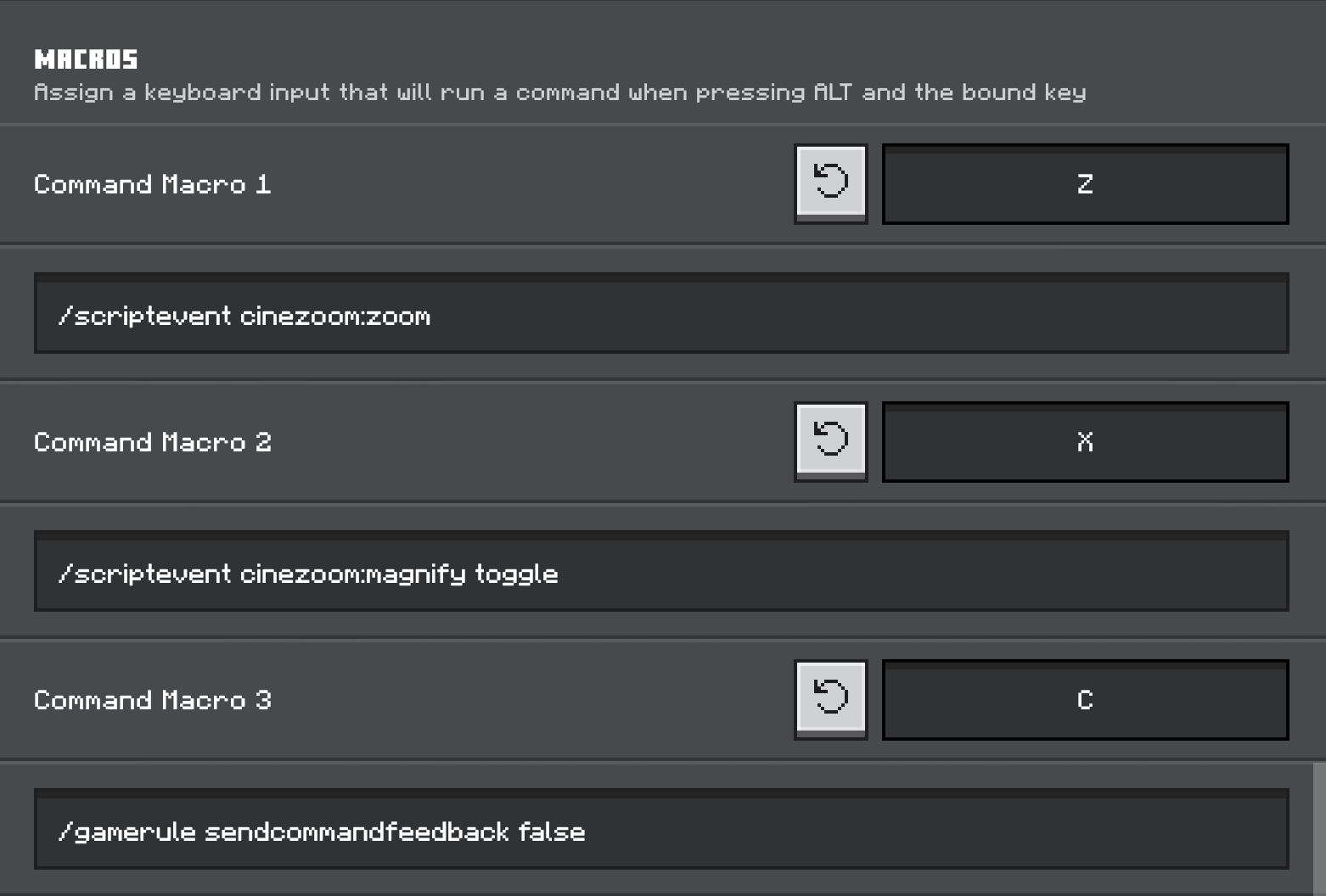
Default Controls Key: alt + (any key)
Commands
- /scriptevent cinezoom:zoom
(Zoom)
- /scriptevent cinezoom:magnify
(Extra zoom)
⸻
⚠️ PLASE FOLLOW THESE IMPORTANT RULES
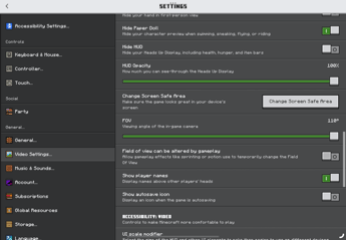
first : please always set your FOV to 110 as possible
Seconds: you need to turn off the function in video settings called
"Field of view can be altered by gameplay"
^ For better zooming experience
_____
THIS ADDON NOT SUPPORTED ACHIEVEMENT
Cheats Required
CineZoom uses Minecraft Bedrock Script API and /scriptevent commands internally.
Because of this:
• Cheats must be enabled
• Command blocks are not required
• Operator permissions are recommended for testing
Minecraft’s /scriptevent command requires cheats to function.
Mobile Devices Are Not Supported
Current versions of CineZoom are designed around:
• Keyboard input
• Macro software
• ScriptEvent commands
_____
Features
🎥 Smooth Cinematic Zoom
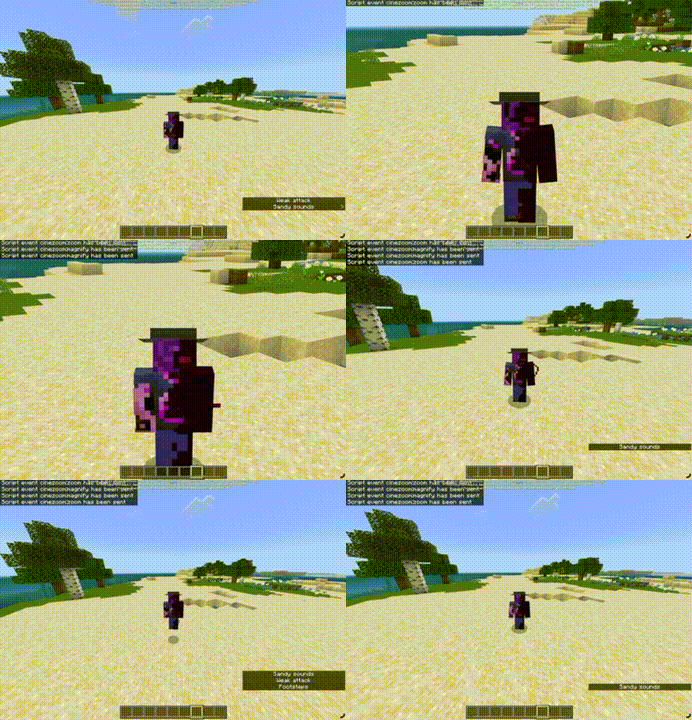
CineZoom replaces the instant vanilla zoom feeling with a smooth cinematic transition.
• Smooth zoom-in animation
• Smooth zoom-out animation
• Independent animation speeds for zooming in and out
• Custom easing curves for a more cinematic feel
🔍 Dual Zoom Levels
Switch between two zoom stages instantly.
Perfect for:
• Exploration
• Scenic screenshots
• Building details
• Survival scouting
• Machinima recording
Planned Features
Future Updates
• Animated cinematic bars
• Dynamic HUD integration
• Scope overlays
• Zoom sensitivity adjustment
• Custom sound effects
• Per-item zoom profiles
• Camera presets
• Advanced cinematic mode
⸻
Multiplayer Support
Fully compatible with multiplayer worlds.
Each player keeps:
• Their own zoom state
• Their own magnification level
• Their own cinematic state
No interference between players.
⸻
Performance
CineZoom was designed with low overhead in mind.
• No entities spawned
• No ticking particles
• No continuous raycasting
• Minimal script processing
⸻
Requirements
• Minecraft Bedrock Edition
• Script API enabled
• Compatible with modern RenderDragon versions
⸻
Why CineZoom?
Minecraft Bedrock has never had a true cinematic zoom experience.
CineZoom aims to bridge the gap between gameplay utility and cinematic immersion by providing a smooth, film-inspired camera system built specifically for Bedrock Edition.
—————
CineZoom is designed as a foundation for a complete cinematic camera system for Minecraft Bedrock Edition.
The CineZoom v1.5 [zooming like an optifine!] Team
