Chunk Loader Bd
- By
What is it?
Chunk Loader BD is an add-on for Minecraft Bedrock Edition that lets you choose which parts of your world stay loaded even when you walk away. Pick a simulation centered on where you stand, or draw your own zone between two chunks. Everything is handled from a simple menu, with no commands.
It is meant for keeping farms, crops, furnaces and redstone running in a specific place without staying nearby.
Features
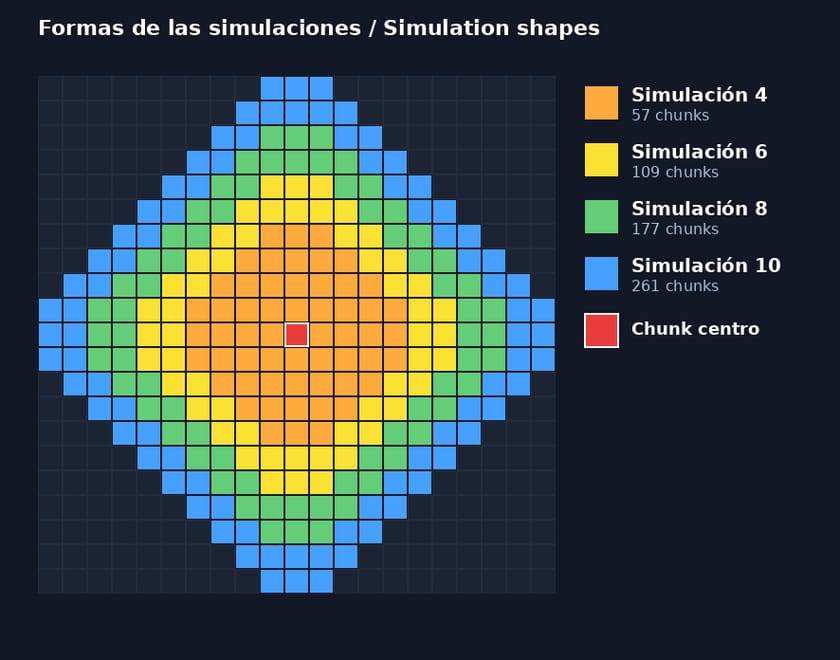
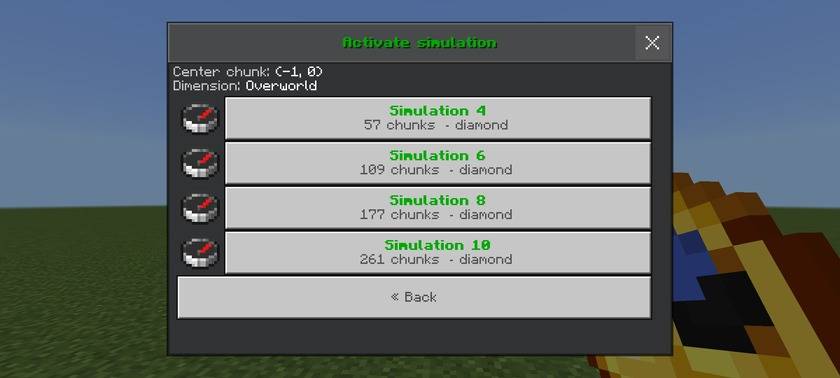
-Diamond-shaped simulations: 4, 6, 8 and 10, following the shape of the simulation distance chart. The chunk you are standing in is the center.
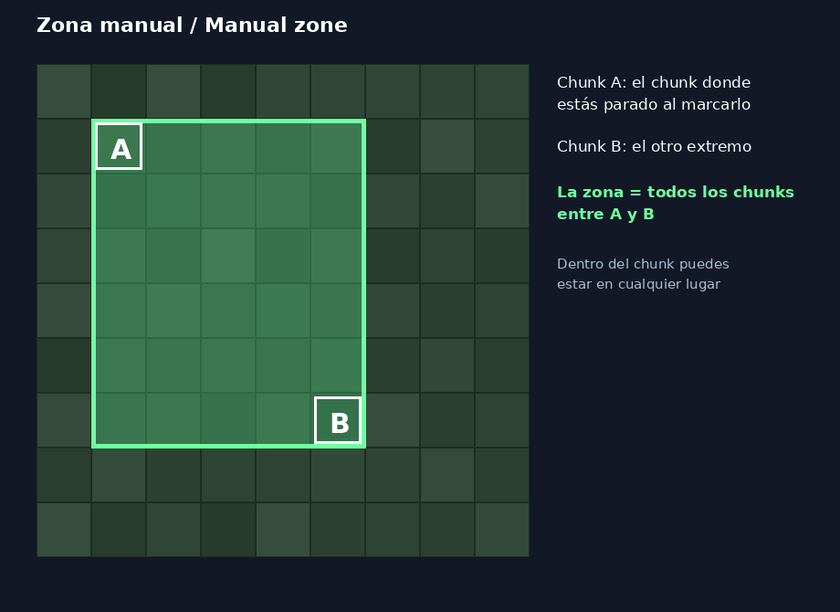
-Manual zones: mark a Chunk A and a Chunk B and everything between them loads. You can load a single chunk if you want.
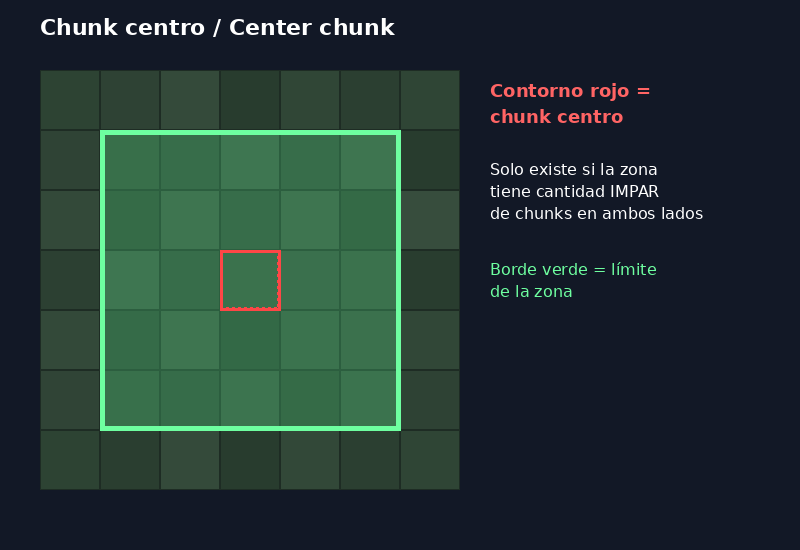
-Center chunk: if the zone has a middle chunk, it is outlined with red particles.
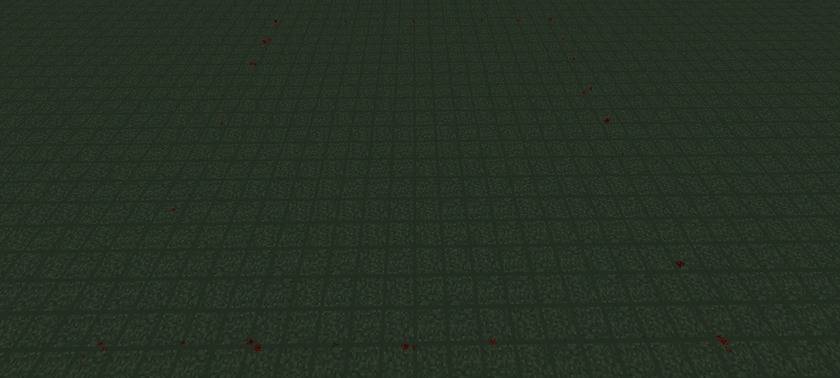
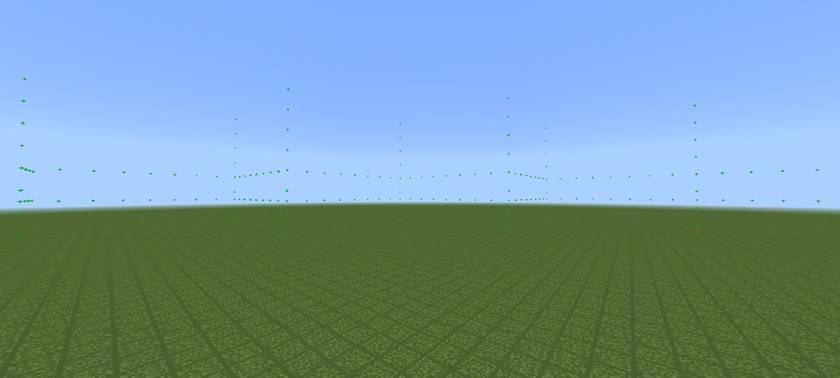
-Show borders: displays your zone borders with animated particles: a shimmering line along the edge and light pillars rising from the corners. Green = active, white = inactive.
-Light on performance:** particles are only drawn near you, thin out with distance, and have a hard cap per update, so it stays smooth on low-end devices.
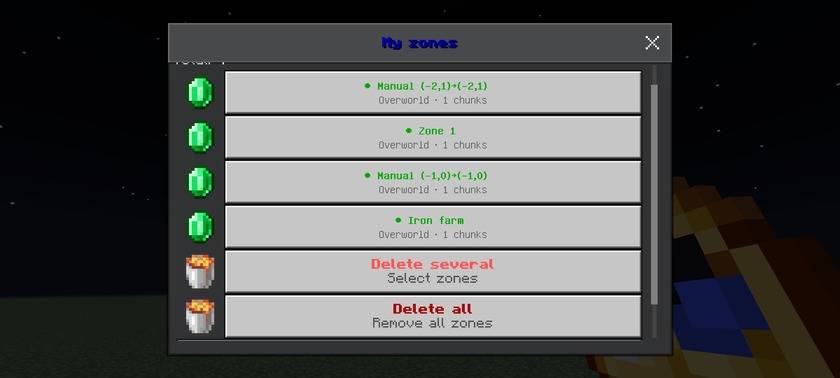
-Zone management: activate, deactivate, rename or delete each zone. You can also delete several at once or all of them.
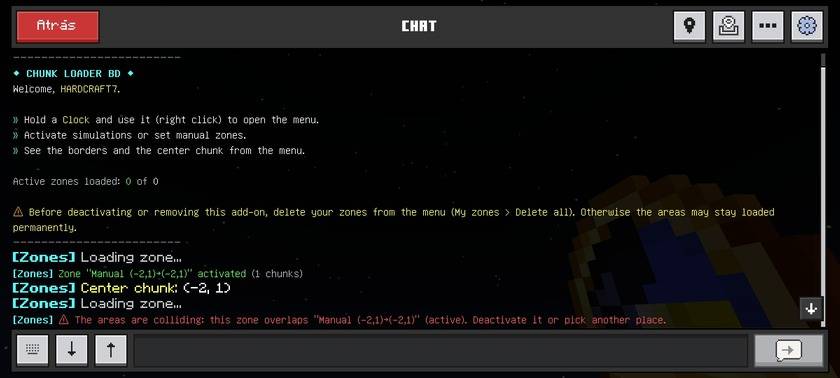
-No overlaps: the add-on will not load a zone that overlaps another active one and warns you in chat.
-Capacity at a glance: the menu shows "Loaded chunks X / max" using your game's real values.
-Auto-restore: saved zones reload every time you enter the world.
-Two languages: the whole menu, messages and instructions are available in English and Spanish. Each player picks theirs with the Idioma / Language button, and the choice is remembered.
-Welcome message: a short how-to appears in chat when you join, with a reminder to delete your zones before removing the add-on.
-No commands or cheats: it needs neither cheats nor experimental features.
Achievements: tested, achievements stay enabled. It requires neither cheats nor experimental features.
How to use
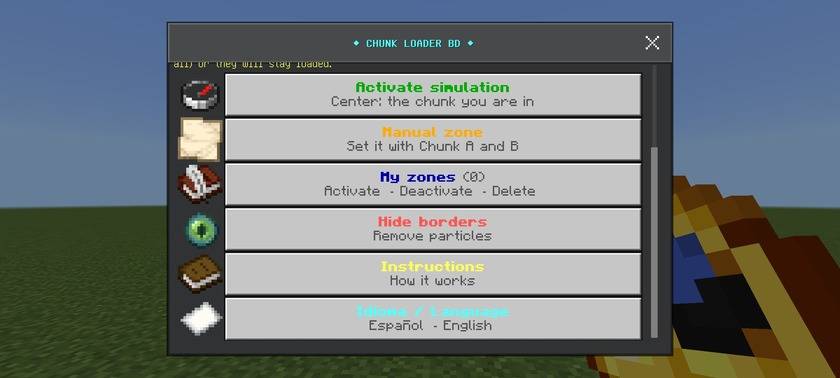
- Hold a clock and use it (right click). The menu opens.
2. Choose:
-Activate simulation: pick 4, 6, 8 or 10. The chunk you stand in is the center.
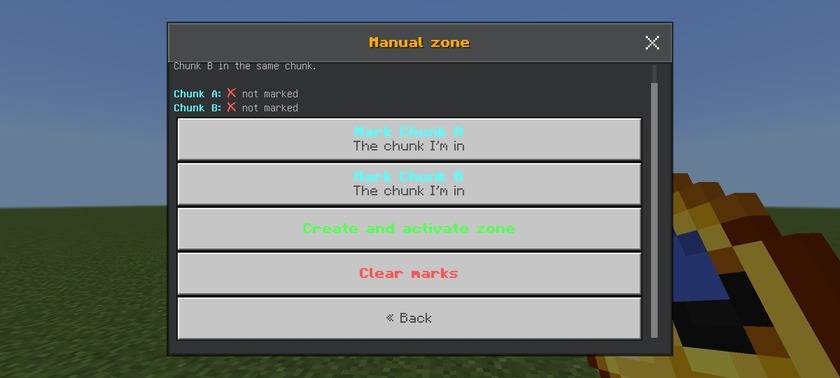
-Manual zone: stand anywhere inside the chunk you want and mark it as Chunk A, go to the opposite corner and mark Chunk B, then press Create and activate zone.
-My zones: activate, deactivate, rename or delete.
-Show borders: toggle border particles.
-Instructions: in-game summary.
-Idioma / Language: switch between English and Spanish.
Simulations
Manual zone
Mark two chunks and the zone covers every chunk between them, both included. If both marks are in the same chunk, only that chunk loads. The menu shows the zone size and whether it has a center chunk before you create it.
Center chunk
The center chunk only exists when the zone has an **odd** number of chunks on both sides. Simulations always have one. It is outlined with red particles one block above the ground when you turn on "Show borders".
Show borders
My zones
Overlap warning
If you try to load a zone that overlaps another active one, it will not load and you get a message in chat.
Installation
1. Download the file and open it with Minecraft (it imports automatically).
2. Create a new world or edit an existing one.
3. Under Behavior Packs, activate Chunk Loader BD.
4. Enter the world, hold a clock and use it.
Each world decides its achievements when it is created. To keep achievements, use the add-on in a new world with cheats and experiments off.
Limitations
-Loads whole chunks. Even if you mark a single chunk, the full chunk loads.
-The game sets the limit. There is a cap on loaded chunks for the pack and possibly on areas. If there is no capacity, the add-on warns you and does not load the zone.
-Large simulations use several areas. The diamond is built from multiple rectangles (7 for size 4, 19 for size 10), although the menu shows it as one zone.
-It does not change game rules. Keeping a chunk loaded does not guarantee everything behaves as with a nearby player. For example, natural mob spawning and some village and villager mechanics may depend on player distance. Test your farms before relying on them.
-Performance. Keeping many chunks active uses resources. Use it carefully on low-end devices.
FAQ
Does it work in multiplayer? It is designed for worlds where players can use a clock. Zones are stored in the world, not per player.
Can I have several zones at once? Yes, as long as they do not overlap and there is capacity.
What happens if I remove the add-on? The areas it loaded are no longer managed. Before removing it, deactivate or delete your zones from the menu.
Why won't my zone activate? Most likely it overlaps another active zone or there is no capacity. The chat message tells you which.
Credits and support
Created by HARDCRAFT7. If you find a bug, report it in the comments with your game version and what happened.
Chunk Loader Bd Team