Chunk Borders Lite | Chunk Viewer
- By
See the exact 16×16 boundaries of your current chunk with clean toggleable lines in this lightweight Minecraft Bedrock utility.
Description
About
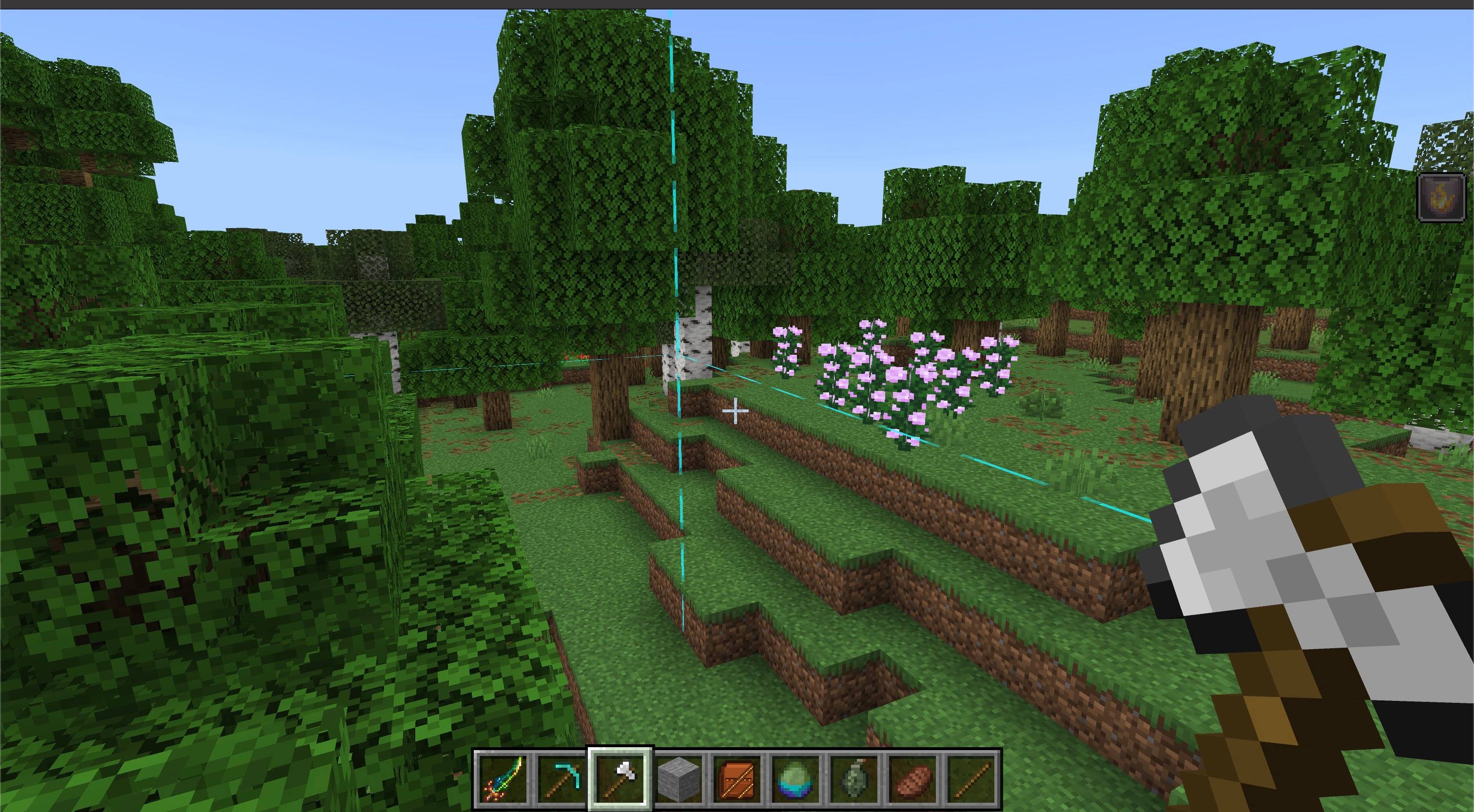
Chunk Borders Lite shows the exact boundaries of the chunk you are currently standing in.
Clean cyan lines outline the 16×16 area and follow you whenever you enter another chunk. Borders are enabled automatically, while a dedicated toggle item and simple commands let every player control their own display.
Features
- Clear chunk outline — continuous cyan lines mark the exact 16×16 boundary around your current chunk.
- Enabled by default — enter the world and the border appears automatically.
- Automatic tracking — the outline follows you when you cross into another chunk.
- Personal controls — every player can independently enable or disable their own border.
- Toggle item — use the Chunk Border Toggle from the Creative inventory for quick control.
- Command controls — explicitly turn borders on, off, or toggle the current state.
- Dimension support — works in the Overworld, Nether, and End.
- Lightweight display — short-lived visual lines require no placed blocks, entities, or permanent world changes.
- Multiplayer friendly — each player only sees their own selected state.
- Vibrant Visuals compatible — does not disable Vibrant Visuals for the world.
How to use
- Import the
.mcaddonfile into Minecraft Bedrock. - Activate both the Chunk Borders Lite Behavior Pack and Resource Pack for your world.
- Enter the world. Chunk borders are enabled automatically.
- Use the Chunk Border Toggle item or one of the commands below to control the display.
Get the toggle item:
/give @s ztp:chunk_border_toggleEnable chunk borders:
/scriptevent ztp:chunk_borders onDisable chunk borders:
/scriptevent ztp:chunk_borders offToggle the current state:
/scriptevent ztp:chunk_borders toggleThe selected state is stored separately for each player. Cheats are only required when using commands; the borders and toggle item work normally without command access.
Notes
- The horizontal outline is displayed near the player's current height so it remains visible above and below ground.
- Vertical corner lines extend around the player's current height instead of filling the entire dimension.
- The add-on does not load extra chunks or modify terrain.
- No experimental toggles are required.
Requirements
- Minecraft Bedrock Edition 1.26.40 or newer
- Both included Chunk Borders Lite packs must be active
- No external add-ons required

Chunk Borders Lite | Chunk Viewer Team

Owner