Before you begin: Server roles.
- Server Owner: Sets up the group, manages submissions, and installs the final
.mcaddon.
- Players / Members: Use the website to draw and submit items using the server's group code.
Step 1: The Base Pack (Owners Only)
Before your custom items will work, you must have the "CCA Base Framework" installed on your server. This pack provides the framework that allows new items to exist.
Download the Base Pack from the downloads section below. Install it on your server just like a normal addon (Behavior & Resource packs). Note: Without this, your custom items will not show in game!!!
Step 2: The Creating the Group (Owners Only)
Go to the owner tab on this site. Enter your server name and hit 'create new group'. You will get a 6 digit code - copy it and store it somewhere safe! This code is the only way for your players to add items. Make sure to share it with them and any other admins.
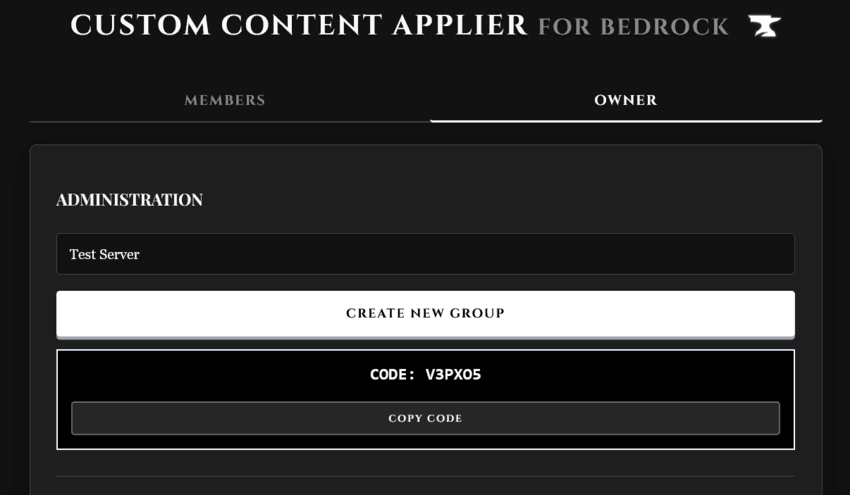
Step 3: Creating Items (Players and owners)
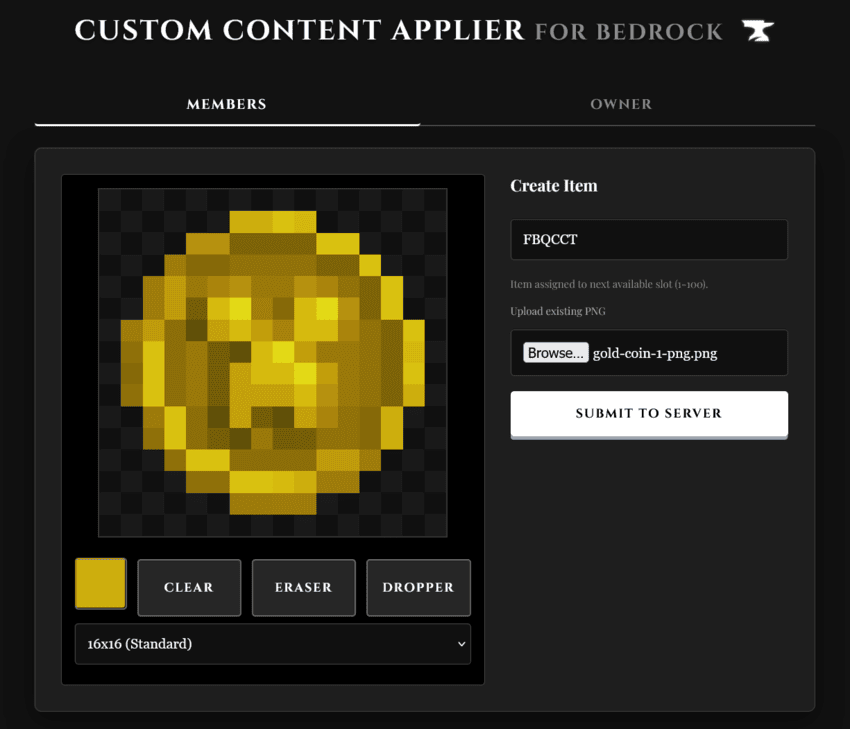
Go to the Members tab. Enter the Join Code provided by your server owner. Draw your item in the pixel editor or Upload a PNG (16x, 32x, or 64x). Hit Submit to Server. Your item is now safely stored in the server's cloud.
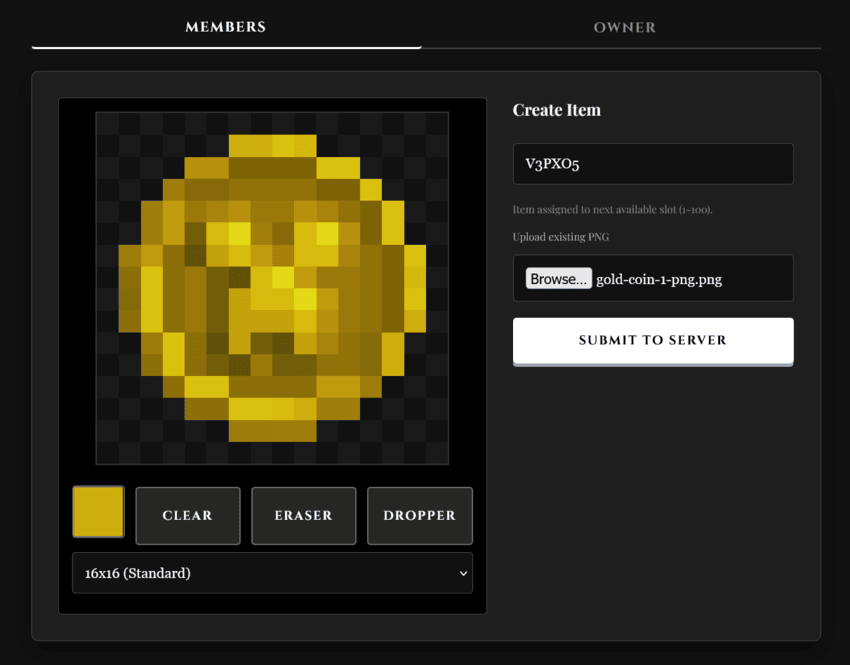
Step 4: Managing Submissions (Owners Only)
Go to the Owner tab and enter your code under Manage Group. Click Refresh Items to see what your players have created. If an item looks wrong or isn't appropriate, hit Delete to remove it instantly.
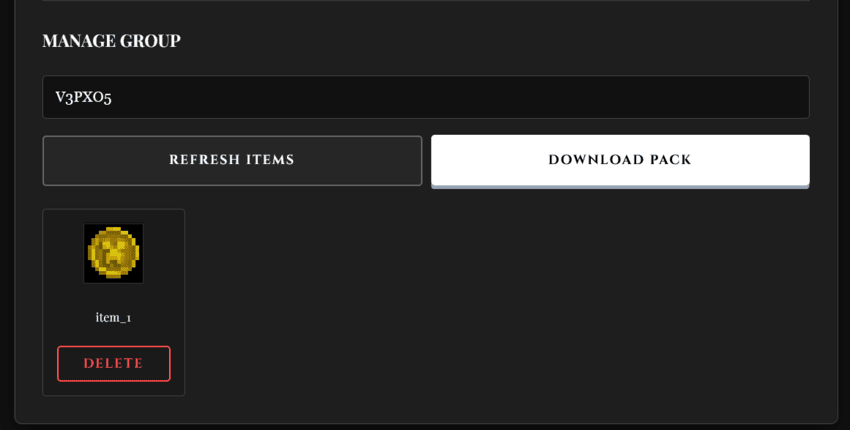
Step 5: Generating & Installing (Owners Only)
Once your players are done creating: Click Download Pack in the Owner tab. The site will package everything into an .mcaddon. Put this pack on your server. Activate it alongside the Base Pack (ensure it is top of the list). Restart your server to ensure all new textures are loaded. We recommend checking for new items every week or so, and updating the pack on your server.
Step 6: Getting Items In-Game
Place a Stonecutter. Put a block of Dirt into the Stonecutter. Every custom item submitted to your group will appear in the output list!



Check out our other projects:







![More to Creation [MTV] project image](https://media.forgecdn.net/avatars/thumbnails/1743/949/256/256/639109704692726528.png)

![Peaceful Complete [Achievement Friendly] project image](https://media.forgecdn.net/avatars/thumbnails/1382/638/256/256/638896725712821767.png)
![Bottleable XP [Achievements] project image](https://media.forgecdn.net/avatars/thumbnails/1529/125/256/256/638993155691446333.png)