promotional bannermobile promotional banner

casino dedsafio

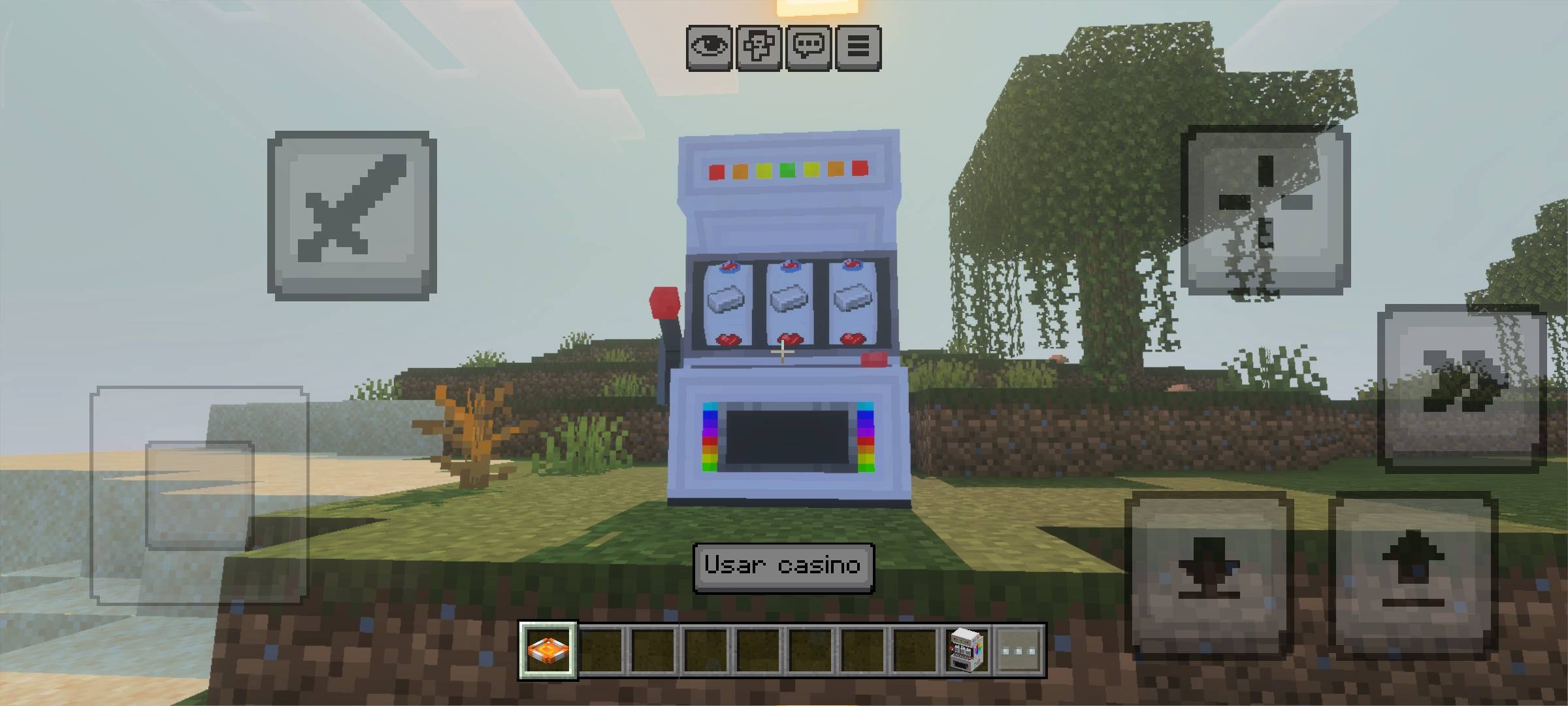
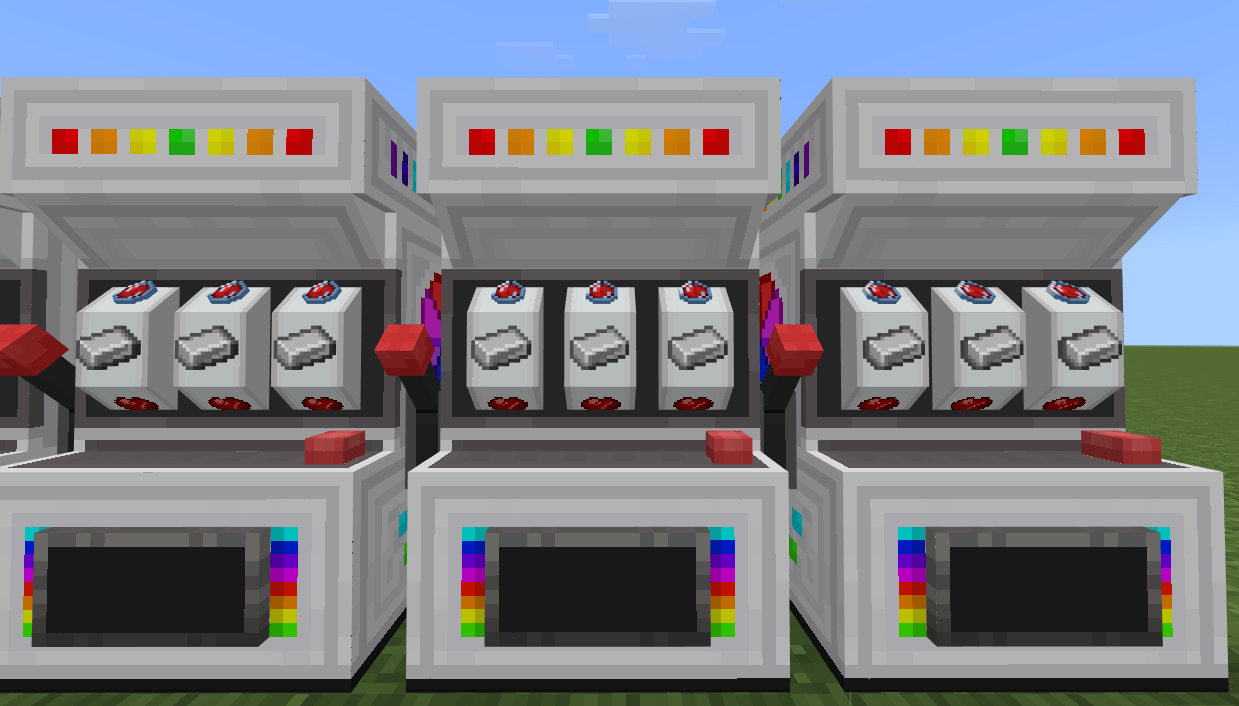
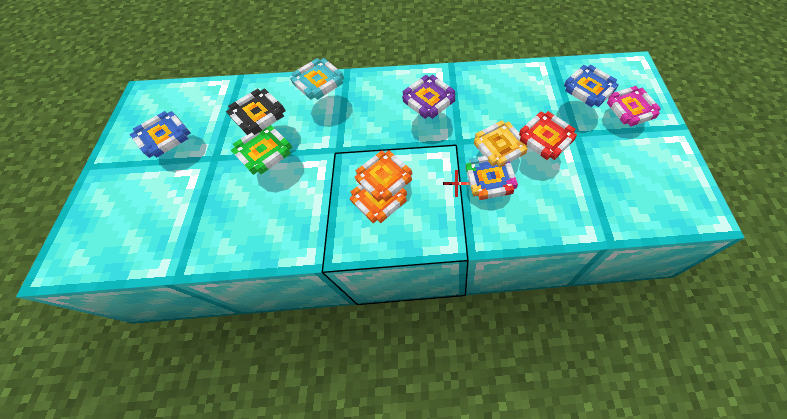
A set of 3 fully configurable casino systems inspired by Dedsafio 2, 3, and 4 with custom rewards.
Screenshot_2026-10-01-15-02-31-514_com.mojang.minecraftpe.jpg
Screenshot_2026-10-01-15-02-31-514_com.mojang.minecraftpe.jpg

casino dedsafio4.png
casino dedsafio4.png

Sin título.png

Sin título.png

Sin título.png

Sin título.png

Description


🎰 Casino Features

  • 3 Unique Casino Machines — Inspired by Dedsafío 2, 3, and 4.
  • Fully Configurable — Customize winning rewards and exchange methods for each machine.
🎮 How to Use

  • Place the Machines — Spawn any of the 3 casino entities in your world.
  • Start Playing — Interact with any machine while holding a "ded:dedita_anaranjado" to spin.
⚙️ How to Configure

  • Open Menu — Sneak (crouch) and interact holding the specific configuration item for the machine to open the settings UI.
  • Adjust Rewards — Select the option or reward slot you want to configure in the menu.
  • Assign Items — Interact standing up (without sneaking) while holding the configuration item to open an inventory where you can place the rewards dropped by the selected option.

📌 Requirements

Version — Compatible with the latest Minecraft Bedrock editions.


🎰 Características del Casino

  • 3 Máquinas de Casino Únicas — Inspiradas en Dedsafío 2, 3 y 4.

  • Totalmente Configurable — Personaliza las recompensas al ganar y los métodos de canje para cada máquina.

🎮 Cómo Usar

  • Coloca las Máquinas — Genera cualquiera de las 3 entidades de casino en tu mundo.

  • Empieza a Jugar — Interactúa con cualquier máquina mientras sostienes una "ded:dedita_anaranjado" para girar.

⚙️ Cómo Configurar

  • Abrir el Menú — Agáchate (shift) e interactúa sosteniendo el ítem de configuración específico de la máquina para abrir la interfaz de ajustes (UI).

  • Ajustar Recompensas — Selecciona la opción o recompensa que deseas configurar en el menú.

  • Asignar Ítems — Interactúa de pie (sin agacharte) sosteniendo el ítem de configuración para abrir el inventario donde podrás colocar las recompensas que soltará la opción elegida.

📌 Requisitos

Versión — Compatible con las últimas versiones de Minecraft Bedrock.


casino dedsafio Team
profile avatar
  • 15
    Followers
  • 6
    Projects
  • 10.1K
    Downloads

More from GroberPCView all

  • Dedsafio 2 project image

    Dedsafio 2

    This addon replicates the items, entities, and mechanics from the "Dedsafio 2" series. It adds a layer of difficulty and unique content to your world or server

    • 1.7K
    • July 31, 2026
  • Speedrun Random Challenge project image

    Speedrun Random Challenge

    A fast-paced speedrun challenge where players must find a random item or strike a random entity in the shortest time possible.

    • 3.3K
    • July 19, 2026
  • Chess project image

    Chess

    An immersive 3D chess simulator for Minecraft Bedrock that offers dynamic local multiplayer matches and scalable smart AI opponents.

    • 1.1K
    • June 24, 2026
  • Chaineds project image

    Chaineds

    A dynamic and immersive utility add-on that allows players to physically link, chain, and pull entities together using custom tools

    • 885
    • June 3, 2026
  • Dedsafio 2 project image

    Dedsafio 2

    This addon replicates the items, entities, and mechanics from the "Dedsafio 2" series. It adds a layer of difficulty and unique content to your world or server

    • 1.7K
    • July 31, 2026
  • Speedrun Random Challenge project image

    Speedrun Random Challenge

    A fast-paced speedrun challenge where players must find a random item or strike a random entity in the shortest time possible.

    • 3.3K
    • July 19, 2026
  • Chess project image

    Chess

    An immersive 3D chess simulator for Minecraft Bedrock that offers dynamic local multiplayer matches and scalable smart AI opponents.

    • 1.1K
    • June 24, 2026
  • Chaineds project image

    Chaineds

    A dynamic and immersive utility add-on that allows players to physically link, chain, and pull entities together using custom tools

    • 885
    • June 3, 2026