# 🧮 Minecraft Calculator Add-on
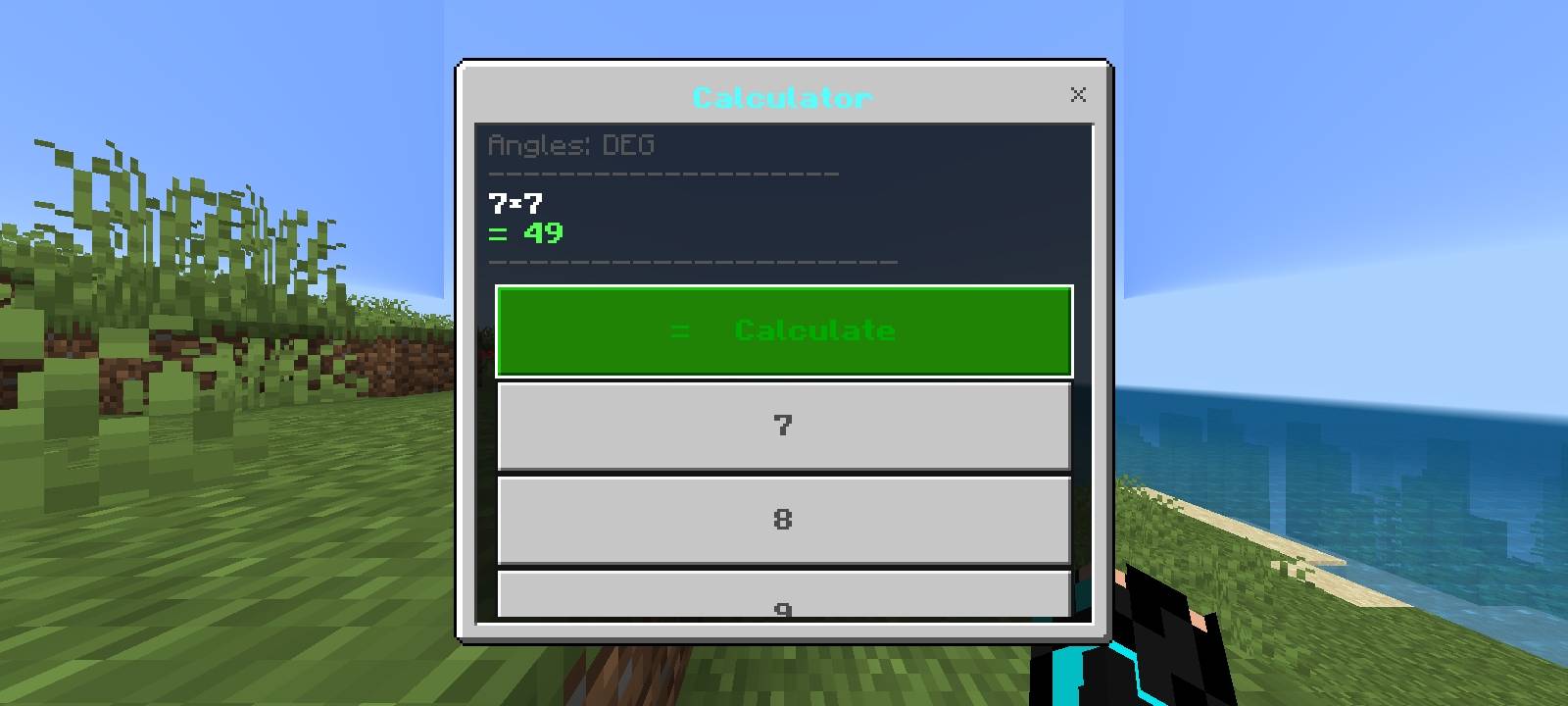
The Minecraft Calculator is a feature-rich calculator add-on for Minecraft Bedrock Edition. It brings a mobile-style calculator interface directly into your Minecraft world, allowing you to perform calculations without leaving the game.
🎮 HOW TO OPEN
Use /calc:open in the chat to open the calculator.
Use /calc:close to close the calculator.
Alternatively, rename a clock to "Calculator" in an anvil and use the renamed clock to open the calculator.
✨ BASIC CALCULATOR FEATURES
• Addition (+), subtraction (-), multiplication (×), and division (÷).
• Decimal numbers and negative numbers.
• Percentages and mathematical brackets.
• Backspace to remove the last character.
• Clear Entry (C) to clear the current number or part of an expression.
• All Clear (AC) to clear the complete expression.
• Calculate button to evaluate the expression.
• Automatic result preview for valid expressions.
🔬 ADVANCED SCIENTIFIC FUNCTIONS
• Square root (√) and cube root (∛).
• Squares (x²), cubes (x³), and custom powers (xʸ).
• Reciprocal (1/x) and sign change (+/-).
• Sine (sin), cosine (cos), and tangent (tan).
• Base-10 logarithm (log) and natural logarithm (ln).
• Absolute value (abs).
• Pi (π) and Euler's number (e).
• Switch between degrees (DEG) and radians (RAD).
⌨️ TYPE MATHEMATICAL EXPRESSIONS
Use the Type an Expression option to enter complete calculations. Supported examples include:
• (25+5)*4 = 120
• 25% of 200 = 50
• sqrt(144) = 12
• cbrt(27) = 3
• 2^10 = 1024
• sin(30) = 0.5 in degree mode
• log(100) = 2
• ln(e) = 1
• ans+1 = the previous answer plus one
📜 CALCULATION HISTORY
The History screen keeps up to 20 recent calculations in memory. It displays recent results, lets you reuse a result with one tap, and allows you to clear the history. The screen provides quick access to the most recent 10 results.
⚙️ ERROR HANDLING
The calculator checks expressions and reports problems such as division by zero, invalid numbers, invalid mathematical operations, and unsupported expressions. Its mathematical engine evaluates expressions without using JavaScript's unsafe eval() function.
📦 INSTALLATION
1. Import the .mcaddon file into Minecraft Bedrock Edition.
2. Open your world settings.
3. Activate the Minecraft Calculator behavior pack and its linked resource pack.
4. Use a compatible Minecraft version and ensure the required Script API modules are available.
5. Enter /calc:open in the chat and follow the instructions in-game.
📱 COMPATIBILITY
The add-on declares Minecraft Bedrock Edition 1.21.100 as its minimum engine version. Actual compatibility depends on the Minecraft version and the availability of the required Script API modules.
⚠️ IMPORTANT NOTES
• Calculation history and the previous answer are stored in memory and are not permanently saved.
• The calculator is designed for mathematical calculations, not automatic Minecraft inventory, crafting, redstone, or building analysis.
• If the calculator does not open, close the chat window and try again.
• The /scriptevent calc:open and /scriptevent calc:close commands are available as fallback options when custom commands are unavailable.
🚀 Make calculations easier while you play Minecraft with the Minecraft Calculator Add-on!