
CableCraft
- By
Screenshot 2026-10-22 174239.png
Screenshot 2026-10-22 174258.png
Screenshot 2026-10-22 174306.png
Description
Cablecraftv2
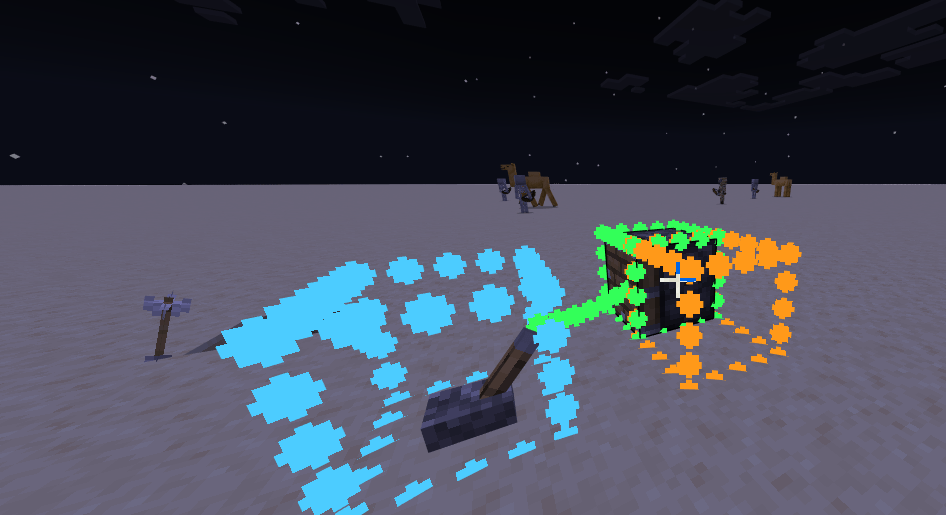
I got tired of running redstone dust all over my builds, so I made this. You hold a Wire Tool, click a lever, click a door, and they’re connected. A rope shows up between them, it can reach up to 64 blocks, and it goes straight through walls.
To make the Wire Tool, put 3 planks (or 3 logs, same type) in a column in a crafting table. If you’d rather skip crafting, /scriptevent rw:give all hands you everything.
Using it
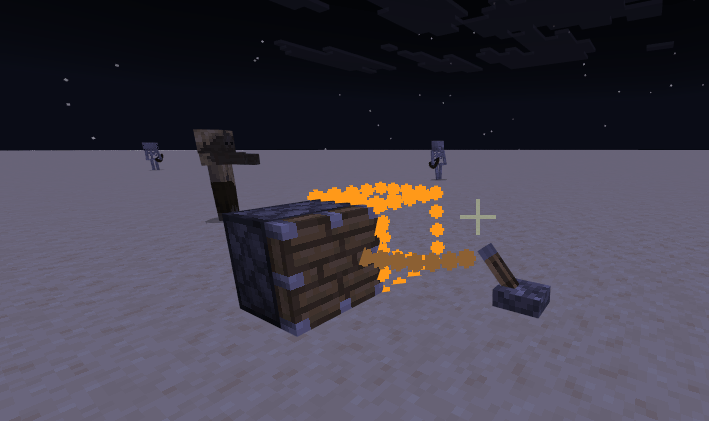
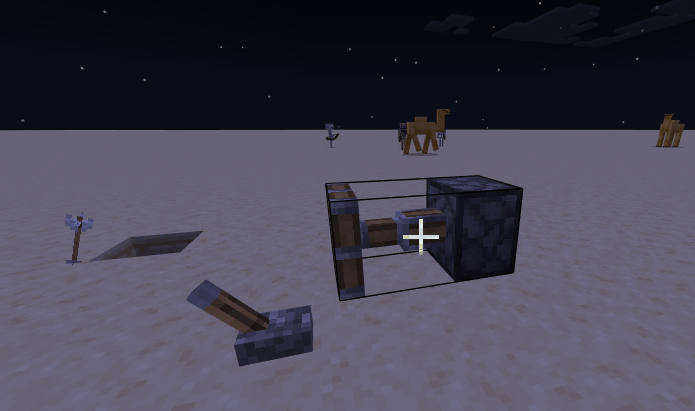
Click a power source, then click the thing you want it to power. It doesn’t matter which one you click first. The rope glows red when the wire is on. On the target, the side you click is where the hidden power block goes, and you’ll see it as an orange outline. A piston’s front face is the one side you can’t use. While you’re aiming, the tool shows green or red outlines and a hint at the bottom of the screen so you know whether the connection will work.
Click the same pair again to remove the wire. Sneak-click a block to wipe every wire on it, and right-click in the air to cancel a wire you’ve started.
The other three tools
- Inverter Wire Tool (Wire Tool + Redstone Torch) works the same way, but the target turns on when the source is off. It’s a NOT gate, and the rope is purple. Click an existing wire with the other tool to flip it between normal and inverted.
- Wire Cutter (Wire Tool + Iron Ingot) cuts every wire on a block in one click, and it shows how many it’ll cut before you do.
- Wire Tester (Wire Tool + Redstone + Glass Pane) tells you if a block is on or off and what it’s connected to. It also outlines the linked blocks in orange for a few seconds, which helps a lot when you’ve forgotten what goes where.
What it works with
Power sources: levers, buttons, pressure plates, redstone blocks, redstone torches, repeaters, comparators, observers, tripwire hooks, daylight detectors.
Outputs: pistons, redstone lamps, doors and trapdoors, fence gates, dispensers, droppers, hoppers, note blocks, powered and activator rails, crafters, copper bulbs, bells, TNT.
Commands
All of these go through /scriptevent:
rw:helpshows the listrw:listshows your wiresrw:clear allremoves every wire in the worldrw:clear <radius>removes wires near yourw:give [all|tool|inverter|cutter|tester]gives you toolsrw:showlets you see wires without holding a toolrw:mode node|blockswitches between the invisible power node (default) and a visible redstone block
Things you should know
Wires only show up when you’re holding a wire tool, unless you turn on rw:show. They’re only sent to you, so other players don’t get lag from them.
Power comes from an invisible block placed next to the target. You can’t mine it by hand, so remove the wire instead. Because it’s a full-power block, it can also power things sitting right next to the target. Breaking a wired block removes its wires.
The system checks power every 2 ticks, so it’s good for doors, lamps, traps and farms, but not for fast clocks. Wires can’t cross dimensions, and there’s a cap on how many a world can hold. If you uninstall the addon, any power nodes that were already placed stay in your world.
Requirements
You need Bedrock 1.21.120 or newer, with scripting enabled and cheats on so /scriptevent works. Don’t run it alongside the original Cablecraft, since they use the same item and block names and will clash.
CableCraft Team
