BuildBench
- By
Survival structure builder: stock a Building Table with materials, pick a structure and press Build. Stack-aware material list included.
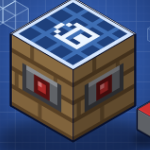
Build big structures in survival without placing every block by hand. Put a Building Table near your build site, stock it with materials, pick a structure and press Build.
How it works
- Craft a Building Table and a Build Button (recipes below).
- Place the table and use it to open its menu, then choose a structure.
- Deposit the materials into the table, or keep them in chests, barrels or shulker boxes within 5 blocks.
- Adjust the build point if needed (by default it is set beside the table, or at a nearby projector armor stand).
- Press Build in the menu, or place a Build Button within 8 blocks of the table and press it.
Features
- Table storage with no slot limit.
- Pulls materials from the table, nearby containers and, optionally, your inventory.
- Material list showing what you have, what you need and what is missing, with the stack equivalent (129 leaves = 2 stacks 1).
- Replace any material in a structure with another block before building.
- Rotate the structure (0°, 90°, 180°, 270°), preview the build area with particles and fine-tune its position.
- Optional layer-by-layer build animation.
- Free building in Creative mode.
- Includes ready-to-use structures (iron farm, slime farm, duplicator and more).
- Add your own
.mcstructurefiles instructures/mesa/, or save structures in your world with a Structure Block. - Can try to detect the structure from a Buildmatica projector (armor stand).
Recipes
Building Table
- Top row: 3 iron ingots
- Middle row: chest, crafting table, chest
- Bottom row: 3 planks (any type)
Build Button (shapeless): stone button + redstone + iron ingot
Requirements
- Minecraft Bedrock Edition 26.30 or newer
- No experimental toggles required
- Achievements stay enabled
Installation
Open the .mcaddon file with Minecraft, then activate both the Behavior Pack and the Resource Pack in your world.
Not an official Minecraft product. Not approved by or associated with Mojang or Microsoft.
BuildBench Team