Build Your Vehicle 2.0
- By
Build, glue and drive anything! Cars, trucks, boats and, new in 2.0, planes, helicopters, trains, airships and rockets to the Moon.
Description
Build Your Vehicle 2.0
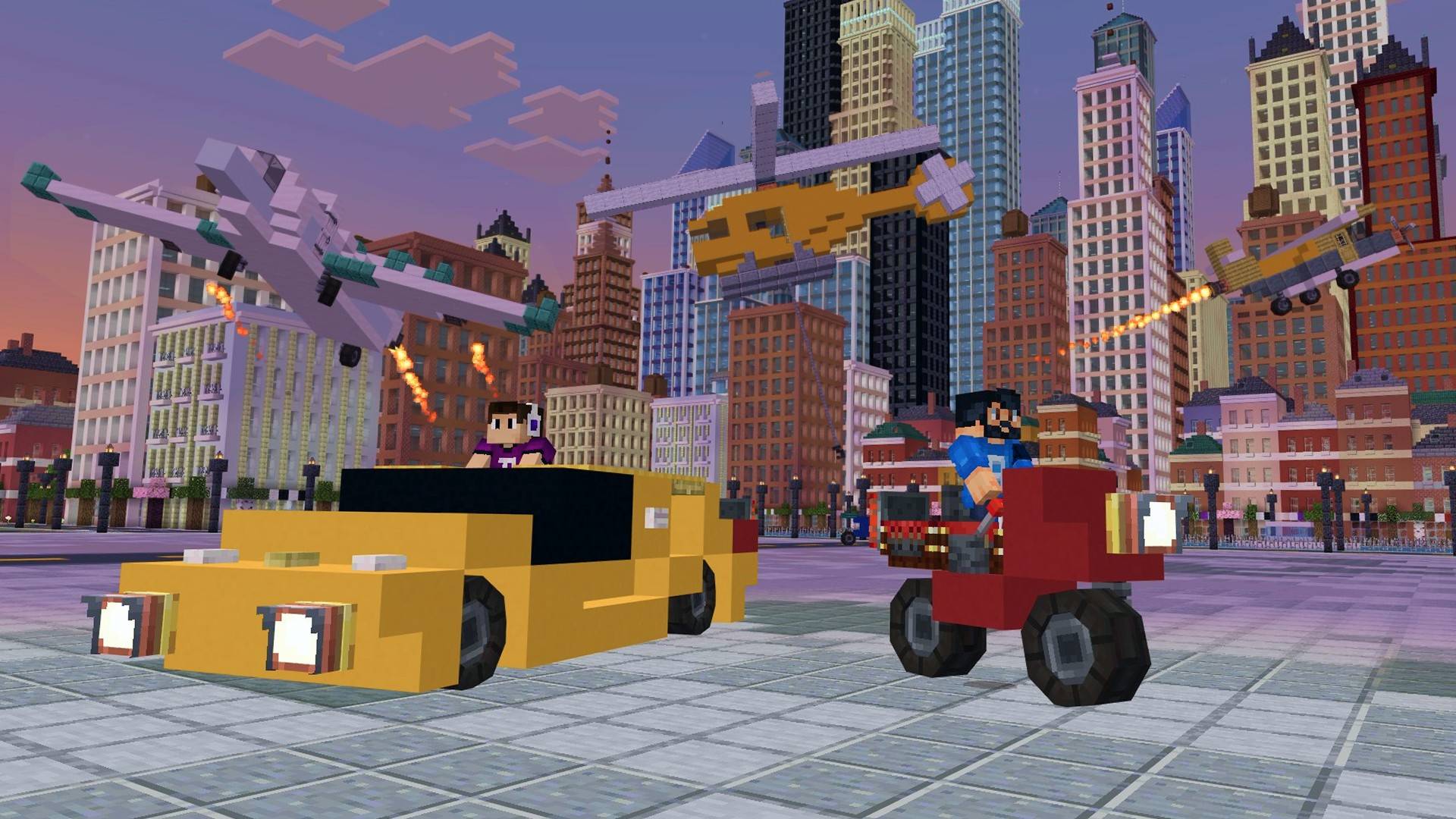
Build. Glue. Drive! Place blocks the way you want, glue them together and turn your build into a working vehicle. Cars, trucks, boats, amphibious rides and, new in 2.0, planes, helicopters, trains, airships, hot air balloons, walking mechs and rockets that fly all the way to the Moon. If you can imagine it, you can drive it.
There are no fixed models: every vehicle is made of your own blocks. Wheels, propellers, rotors, thrusters, legs, winches and machines are parts you glue to your build, and each one has its own settings. Made by A30X1, an Official Minecraft Partner studio from Brazil.


- Build any vehicle from your own blocks: glue them together and assemble them from a Control Seat
- Land: Wheels and Big Wheels with Drive and Steer setup, size, speed and turn angle
- Water: Propellers, Rudders and hulls that float, or sink and drive on the bottom like a submarine
- Air: slab wings for planes, Rotors for helicopters, Burners for hot air balloons and airships
- Space: Thrusters, rockets and a whole Moon with low gravity, 8 ores and Moon mobs
- Rails: track with curves, ramps and switches, Bogies and coupled wagons
- Machines: Excavator, Woodcutter, Harvester, Seeder, Sprayer and Plow that work while you drive
- Walkers: Leg Hinges and Leg Feet for mechs and spiders with up to 8 legs
- Controls: Wireless Control, colors, a second Control Seat, Control Buttons and Levers, and redstone on board
- Extras: lights in 15 colors, horns, passengers (mobs too), chests, doors, ladders, winches and cables
- Blueprints to save a build and rebuild it, plus 6 ready-made vehicles to start with
- 3D Guidebook in game that shows every part step by step

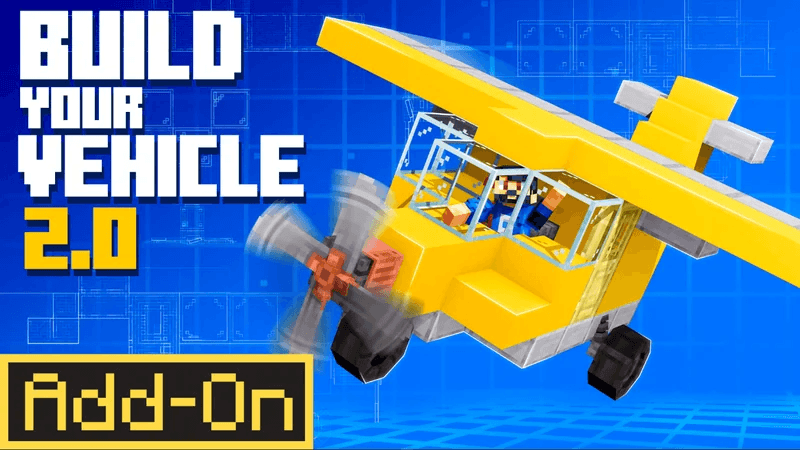
Build Your Vehicle 2.0 takes your builds off the road: into the sky, onto rails and all the way to the Moon.
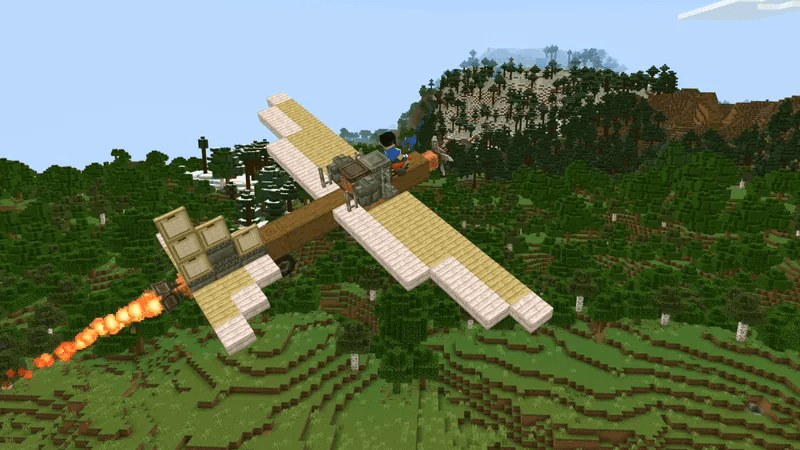
- Planes: build wings out of slabs and take off. Propellers now push in the air too, and flaps move with the Servo Motor.
- Helicopters: the Rotor spins any blocks glued to it as blades, and the Gyroscope Controller keeps it level.
- Hot air balloons and airships: trap air under a wool envelope and heat it with Burners to float.
- Trains: lay rails, put Bogies under your build and couple the cars with a Winch.
- Rockets and the Moon: the Thruster works with or without air. Fly high enough to reach the Moon.
- Work machines: the Excavator digs 3×3 tunnels, the Woodcutter fells whole trees, and farm parts plow, seed and harvest.
- Walkers, Winch & Cable Hook, Servo Motor, Control Button & Lever, Gyroscope Controller, Blueprints and the Configurator.

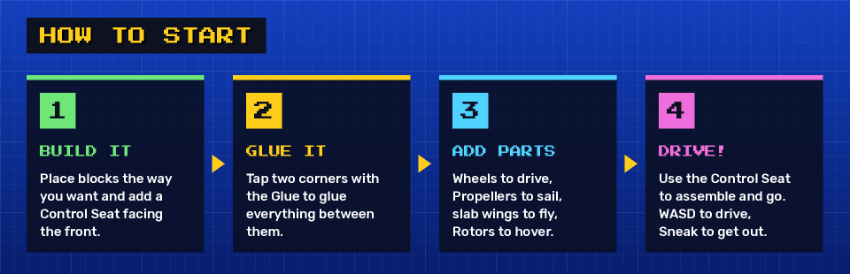
- Build the body of your vehicle and place a Control Seat on it. The front of the vehicle is the way the seat faces.
- Glue it: tap one block with the Glue, then another, and everything between them is glued. Sneak and tap to glue a single block. A block you do not glue stays behind.
- Add parts: Wheels to drive on land, a Propeller and a Rudder to sail, slab wings to fly or a Rotor for a helicopter.
- Interact with the Control Seat to assemble the vehicle and drive with the movement keys. Sneak to get out.
Craft the Guidebook for the full 3D guide in game, with an animated scene for every part.

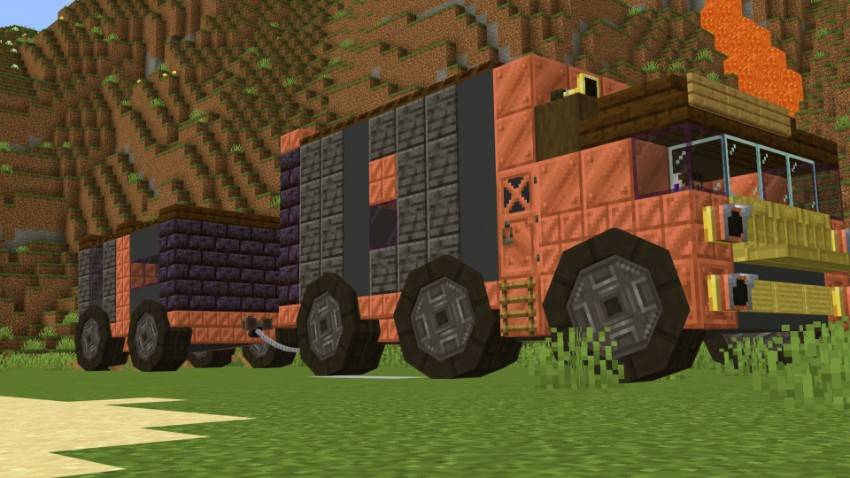
There are 2 kinds of wheel: the Wheel is quick and nimble, the Big Wheel is taller, stronger and climbs bigger obstacles. When you place a wheel, a quick menu asks if it should Drive (forward and back), Steer (turn) or both. In the full menu you set its size (Wheel 100% to 150%, Big Wheel 80% to 140%), speed, turn angle (15°, 30° or 45°) and what each of the five buttons does. Left wheels on Drive and right wheels on Reverse and you have a tank that spins on the spot.
- There is no brake: press the opposite direction. Let go of everything and the vehicle coasts to a stop and parks itself.
- A moving wheel climbs a one block step. Only the Big Wheel at 140% gets over a two block wall.
- Light Bulbs and Headlights in 15 colors light up the world: headlights, brake lights or blinking turn signals.
- Horns with car, truck, train and ship sounds.
- Passenger Seats for your friends and for any creature: cows, wolves, villagers, even zombies.
- Glued chests keep their items, and doors, trapdoors, fence gates and ladders work while you drive.
- Change an assembled vehicle without taking it apart: add or remove blocks, wheels, seats and lights directly on it.

Fit your vehicle with a Propeller low enough to sit underwater for forward and back, and a Rudder touching the water to turn. More motors make the boat faster, up to four. Light blocks like wool, wood and glass float; stone, concrete and metal sink. A heavy hull still floats with an empty space inside. Too heavy anyway? It sinks and drives on the bottom on its wheels, and in deep water it rides one block under the surface like a submarine.

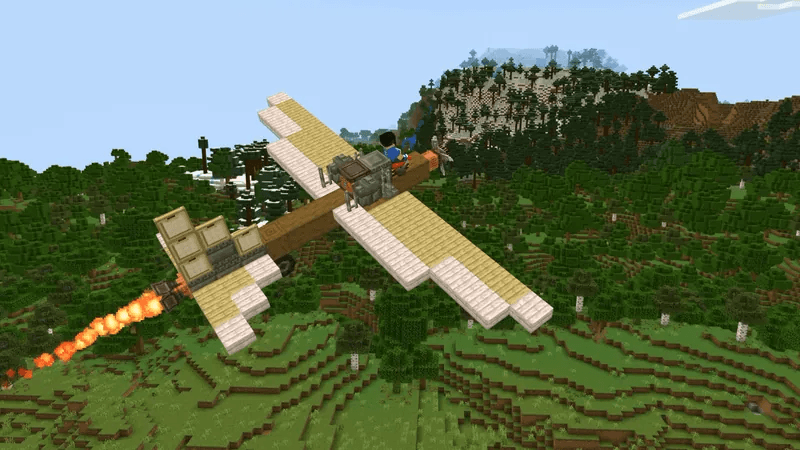
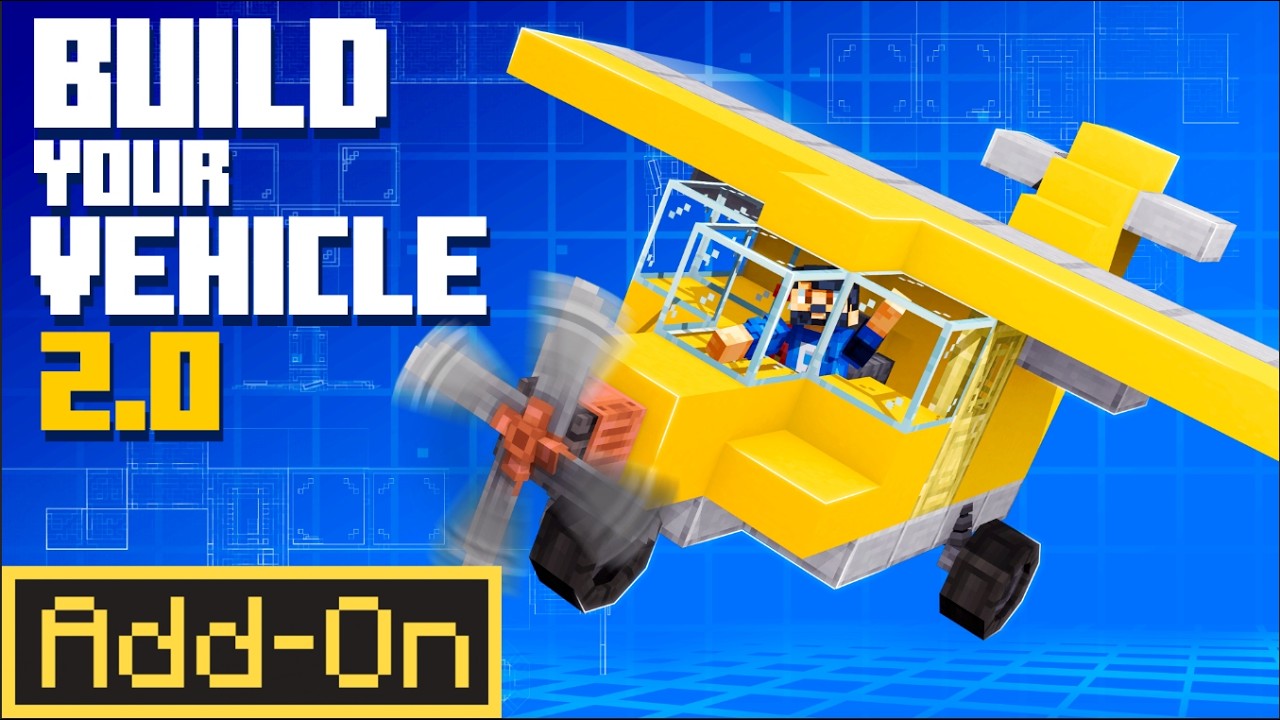
Planes: slabs that stick out of the body at least 2 blocks are wings. Go fast enough and they hold the vehicle in the air. Set the Propeller to Jump and hold it to speed up; the bar above your hotbar shows your speed and the speed you need to take off. Let go and the plane glides down and lands on its wheels.
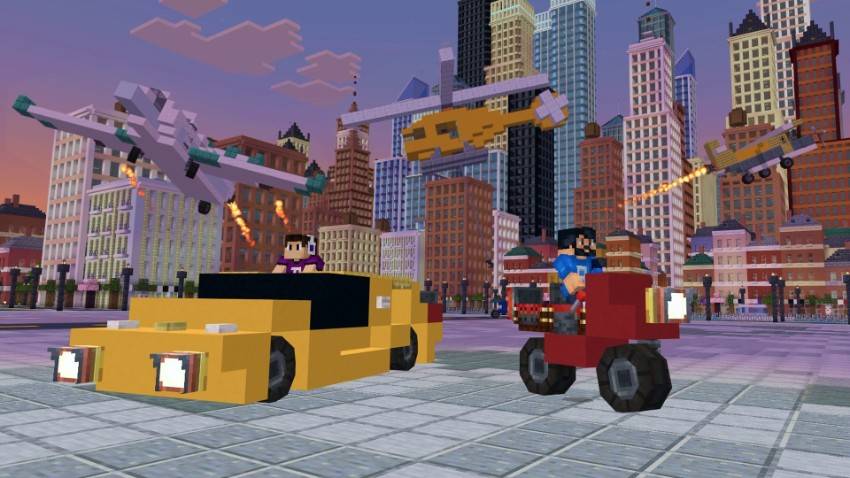
Helicopters: a Rotor spins the blocks glued to it. Wool, slabs and trapdoors make thrust; more blade area and more RPM lift more. Put a Rotor on top, bind it to Jump with Keep the current speed, and let the Gyroscope Controller handle WASD: tilt forward and the helicopter flies forward. The Gyroscope also has an Easy plane fly mode and Stabilization only.

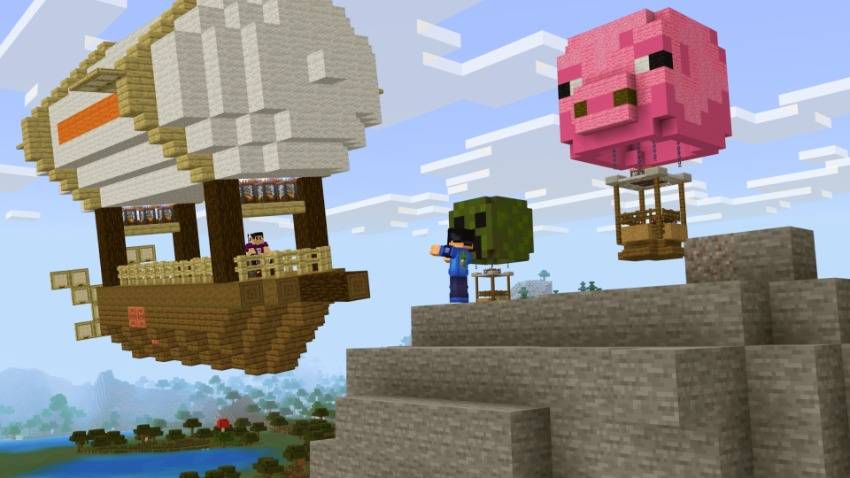
Build a basket, put a Burner on it and close a wool envelope above it, any color and any shape. The air trapped under the wool lifts the balloon: a bigger envelope lifts more, and one Burner heats up to 150 blocks of air. Hold Jump to climb, Back to come down, let go of both and it floats. Add Propellers to move and steer, and you have an airship.

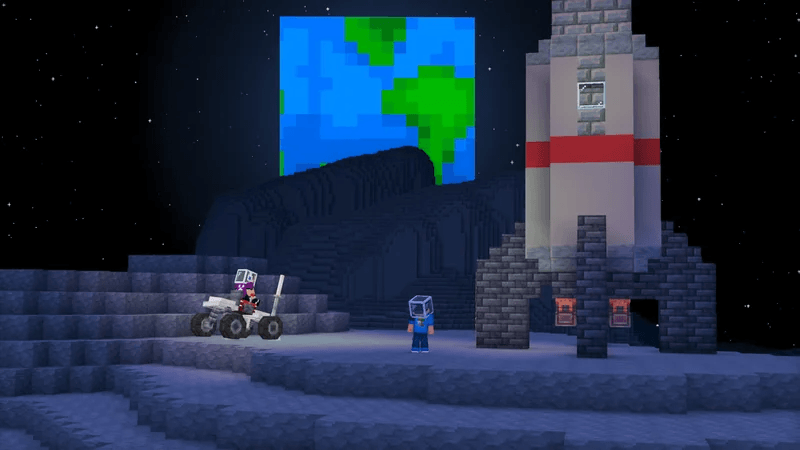
The Thruster is a rocket engine that pushes at any speed, with or without air. On a car, boat or plane it adds a boost; point the nozzles down and you have a rocket. Every 5% of power lifts about 6 blocks, so a Thruster at 100% lifts about 120. A Gyroscope Controller holds the rocket upright, and a Thruster on a Servo Motor can be aimed to steer.
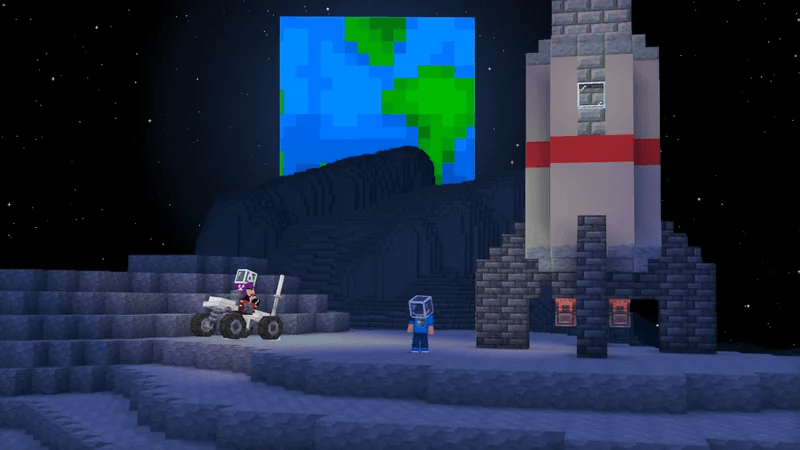
Climb with the engines burning until the sky ends, about 800 blocks up, and you arrive above the Moon: gravity is one sixth, there are Moon rocks, 8 lunar ores (iron, coal, copper, gold, redstone, lapis lazuli, diamond and emerald) and Moon Zombies, Skeletons, Creepers and Spiders. Bring a Space Helmet to breathe. Launch from the Moon the same way to come back; everyone seated travels with the rocket.

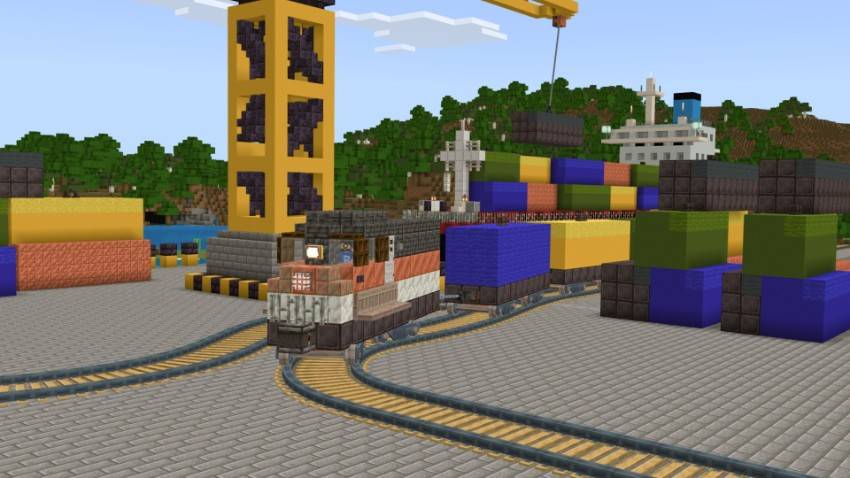
Place Rails and link them with straight runs, curves, S-curves and ramps; a ghost track shows the result before you build it. Put Bogies under your build, add a Control Seat and assemble: Forward accelerates, Back brakes and reverses, Left and Right pick the side at the next switch. Join wagons with a Winch cable to couple them, and put a Bogie on each of two tracks for a wide vehicle.

| Part | What it does |
|---|---|
| Excavator | Digs a 3×3 tunnel in front of it as fast as diamond tools. Drops go into the vehicle's chests. |
| Woodcutter | Cuts a trunk and brings the whole tree down, logs and leaves. |
| Plow | Turns grass, dirt and paths into farmland. |
| Seeder | Plants seeds from the vehicle's chests on empty farmland. |
| Sprayer | Uses bone meal from the chests to grow the crop below it. |
| Harvester | Harvests fully grown crops into the chests. |
Machines never break bedrock, portals, blocks with an inventory or parts of the add-on. A server can turn block breaking off with /scriptevent rc_bv:dig off.

Build a mech, a spider or a walking house. A leg is a Leg Hinge glued to the hull and a Leg Foot at the end; every extra Hinge along the leg is a joint. Up to 8 legs and 48 blocks per leg: 4 legs trot, 6 walk in a tripod. Walkers climb stairs and 2 block steps, jump, run and crouch under low doorways.

- Wireless Control + Wireless Receiver: drive a vehicle without sitting in it. Every part has a color, and a control drives the parts of its own color.
- Several controls on one vehicle: wheels on one color, the winch on another, each driven by its own control.
- A second Control Seat: co-driver and gunner seats that drive only the colors you switch on.
- Control Button and Lever: keys built into the vehicle. Redstone on board can press them too.
- Redstone Transmitter: redstone holds a button for you, great for automatic cars and boats.
- Redstone Trigger: a button of yours powers redstone on the vehicle: dispensers, lamps, pistons and doors. Jump next to a dispenser is a cannon.
- Servo Motor: turns the part glued in front of it: flaps, turrets, doors and landing gear.

A Winch holds a steel cable and a Cable Hook is where it attaches. Tow a trailer, moor a boat, lock a vehicle in place, couple train wagons or build a lift with one Winch on each corner of a platform. With no cable attached, the hook hangs below the vehicle and latches onto any Cable Hook it touches.

| Tool | What it does |
|---|---|
| Glue | Decides which blocks come along. Tap two corners to glue a whole area. |
| Honey Glue | Makes a separate moving piece for motors, rotors and servos. |
| Wrench | One hit sets a stuck or flipped vehicle upright, two hits take it apart with every setting kept. Sneak and tap to assemble trailers without a seat. |
| Blueprint | Saves a glued build and builds it again block by block. Comes with 6 ready-made vehicles: car, plane, helicopter, crane, tractor and airship. |
| Configurator | Sets up many parts of the same kind at once. |
| Guidebook | The full 3D guide in game. |

- Download the .mcaddon file (or install it with the CurseForge app).
- Open the file. Minecraft imports both packs automatically.
- Create or edit a world, go to Add-Ons and activate Build Your Vehicle (behavior pack and resource pack).
Requirements: Minecraft Bedrock 1.26.50 or newer.
Community and more from A30X1
Join our Discord for update news, help and to share your builds: discord.gg/a30x1

Build Your Vehicle 2.0 is also on the Minecraft Marketplace: Build Your Vehicle 2.0 Add-On.
Found a bug or have an idea for a new part? Leave a comment on this page or join our Discord.
Build Your Vehicle 2.0 © A30X1. All rights reserved. Please do not reupload this add-on to other sites. Share the CurseForge link instead.
Build Your Vehicle 2.0 Team