Bridge Tool
- By
Build bridges, areas, walls, volumes and hollow volumes in just two or three clicks, and set the height with your mouse wheel.
Bridge Tool
Aim, click, move the mouse, click again. The shape grows with your mouse and turns into real blocks instantly.
Features
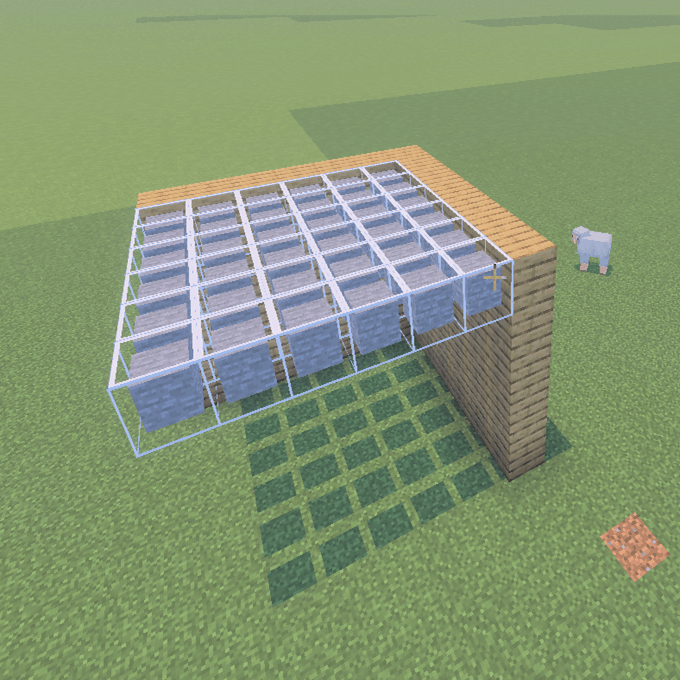
- Live selection box: a transparent 1×1×1 outline with a small copy of the block you hold inside it, so you see what you will build before you place anything.
- Smart direction: no mode switching. The shape follows the way you move the mouse along X, Y or Z.
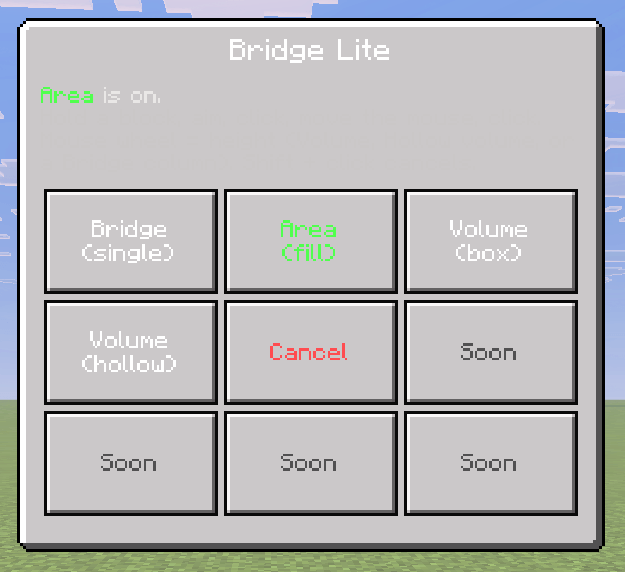
- Bridge (single): a line of blocks, horizontal or vertical.
- Area: a flat floor, or a wall of any length when you change height.
- Volume: pick a base, then raise the height with the mouse wheel. One layer per scroll step.
- Hollow volume: the same, but only a 1-block-thick shell is built, with an empty inside.
- Instant build: the whole shape is placed at once.
- Clean 3×3 menu opened with the wand.
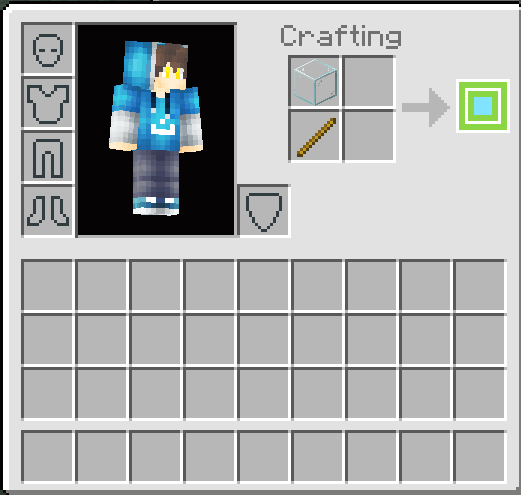
How to use:
- Craft the BridgeTool Wand: 1 stick + 1 glass (shapeless).
- Right-click with the wand to open the menu, and choose a tool.
- Hold any block, aim at a spot and right-click to set the start.
- Move the mouse to stretch the shape, then right-click again to build.
- For Volume / Hollow volume: click twice to set the base, scroll the mouse wheel up or down for the height, then click to build.
- For a Bridge column: after the first click, scroll up to grow a column upwards.
- L-Shift to cancel building.
Mod by Khalifa Hawill
Bridge Tool Team