BONY162 Gamer Furniture
- By
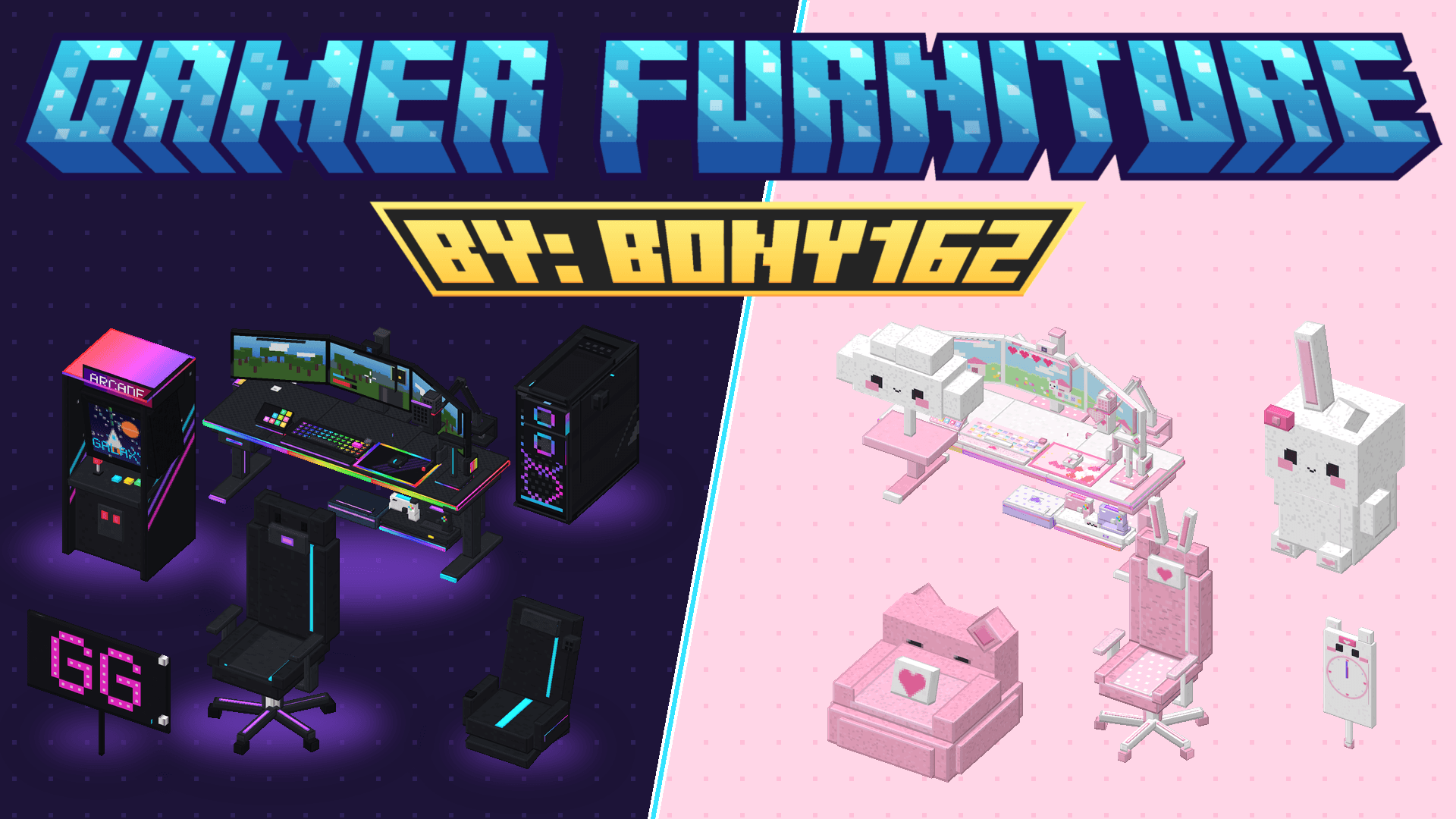
74 gamer and kawaii furniture pieces for Minecraft Bedrock: chairs you can sit on, desks you fill with accessories, PCs, consoles, RGB light shows, storage and more, bought from an in-world catalog.
MCPEDL.png
Description
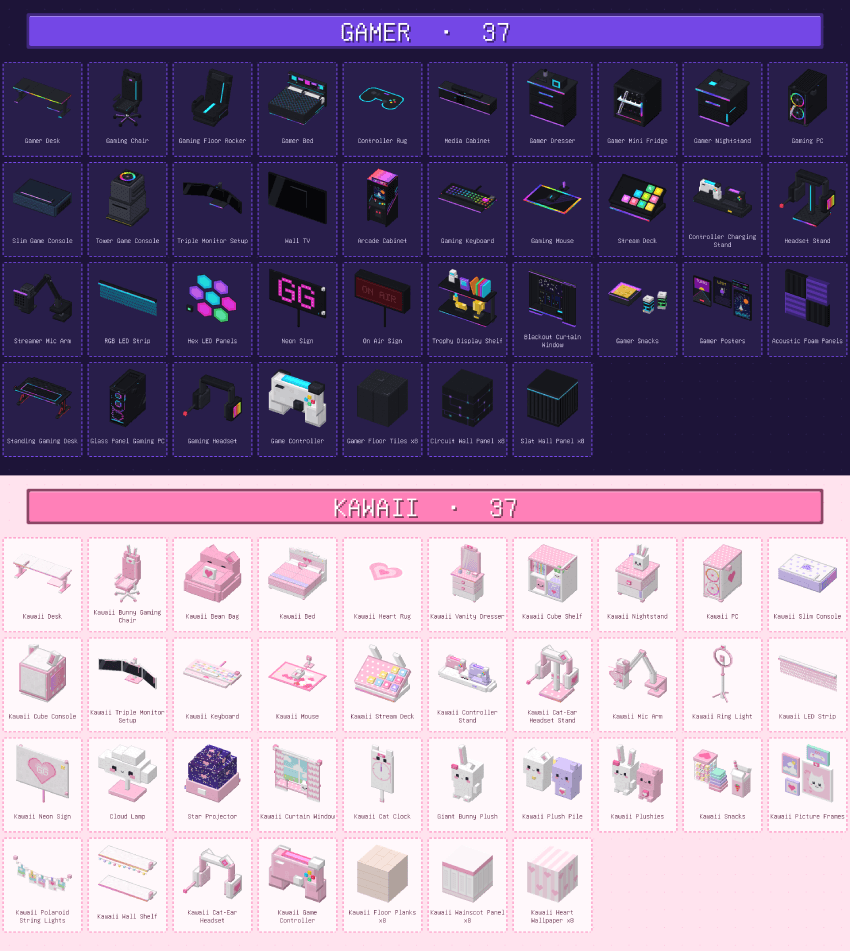
Gaming Furniture adds 74 pieces of furniture in two styles:
- Gamer: dark builds with RGB and neon (37 pieces).
- Kawaii: pastel pink, with bunnies and cats (37 pieces).
Almost every piece does something. You can sit on the chairs and sleep in the beds. Desks hold real accessories. Lights have colour modes and animated patterns, and drawers and fridges hold items.
Everything is bought from the Furniture Catalog, a floating pixel-art shop menu.
What's included
- Seating and beds: gaming chairs, a floor rocker, a cat bean bag, gamer and kawaii beds.
- Desks: gamer and kawaii 3-wide desks that hold accessories, and a 2-wide standing gaming desk.
- Tech:
- gaming PCs (one with a removable glass panel), slim and tower consoles;
- triple monitors, a wall TV and an arcade cabinet;
- keyboards, mice, stream decks and mic arms;
- headset and controller stands.
- Lights and decor:
- RGB and kawaii LED strips, hex LED panels and a ring light;
- neon signs, an ON AIR sign, a cloud lamp and a star projector;
- polaroid string lights, a wall shelf and a trophy shelf;
- curtain windows, posters, picture frames, a cat clock, rugs and plushies.
- Storage: dressers, a media cabinet, a mini fridge, nightstands, a cube shelf, and the desk drawers.
- Wearables: gaming and kawaii cat-ear headsets you can wear, and game controllers you can hold.
- Building blocks: gamer floor tiles, circuit and slat wall panels, kawaii floor planks, wainscot panels and heart wallpaper.
Getting started: the Furniture Catalog
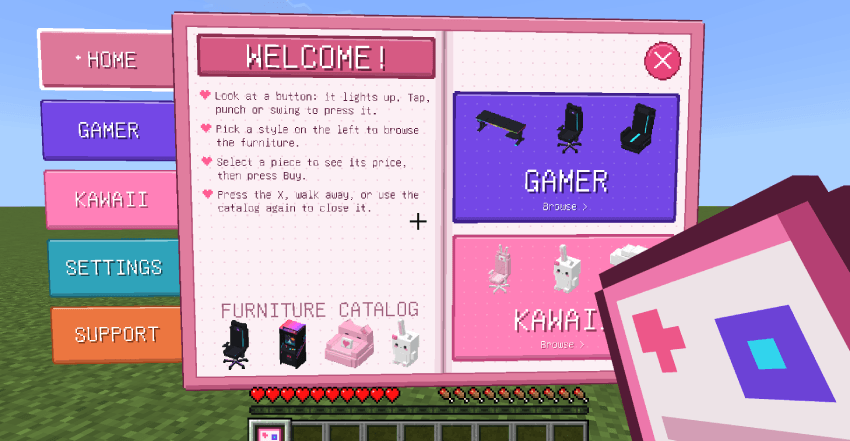
When you first join a world with the add-on, you get a Furniture Catalog and a short welcome message.
If you lose it, craft a new one: put 1 emerald in the middle of a crafting table, with 1 paper above, below, left and right of it (4 paper total).
Using the catalog:
1. Use the Furniture Catalog item. A pixel-art book menu appears in front of you.
2. Look at a button. It lights up with a gold outline.
3. Press the highlighted button by tapping, punching or swinging your arm.
4. Pick a tab on the left: Home, Gamer, Kawaii, Settings or Support.
5. Select a piece of furniture. Its card gets a green outline, and its name and price appear above the Buy button.
6. Press Buy. The emeralds are taken from your inventory and the item goes into it. Building blocks come in stacks of 8.
7. Close the menu with the red X, by walking away, or by using the catalog again while not looking at a button.
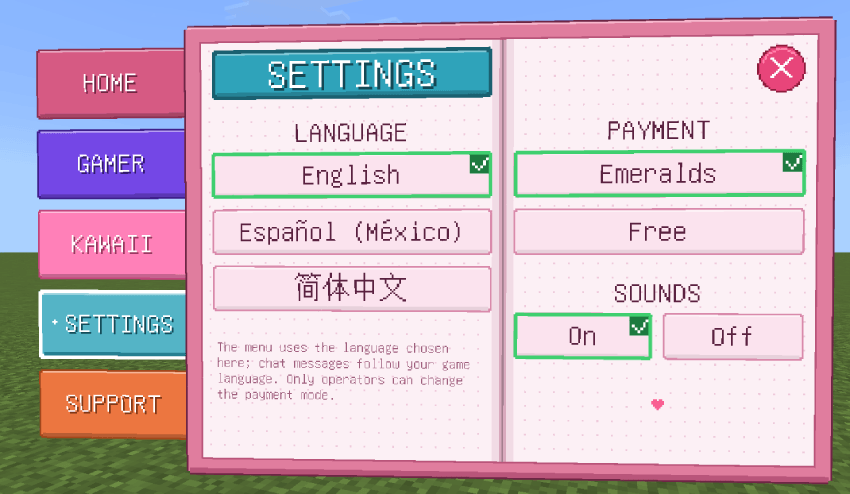
Settings tab:
- Language: English, Español or 简体中文. This is remembered for each player.
- Sounds: turn the menu's sounds on or off.
- Payment: world operators can switch between Emeralds and Free.
- In Creative mode, everything is free.
Basic controls
- interact (use): the main action of a piece.
- Sneak + interact: the second action.
- interact while holding an item: desk accessories and stand items.
- Rotation: furniture faces you when you place it.
- Big pieces (desks, beds, tall pieces) need room to place. Breaking any part removes the whole piece.
Sitting
- Sit: interact with a gaming chair, the floor rocker or the bean bag.
- Stand up: sneak.
- Recline: on the gaming chairs, sneak + interact to switch the backrest between upright and reclined.
Beds
- interact to sleep. This sets your spawn point, and the night is skipped when everyone is asleep.
- Sneak + interact to turn the bed lights on or off.
Storage (opening and closing)
Dressers, the media cabinet, mini fridge, cube shelf and vanity have storage. On nightstands, the storage is on sneak + interact.
1. interact once to open the doors or drawer.
2. interact again to look inside.
3. To close it: sneak + interact, punch it, or walk away.
4. If the piece breaks, its contents drop on the ground.
The gamer and kawaii desks (adding accessories)
The desks are 3 blocks wide. Hold an accessory and interact the desk to place it in its own spot on the desk.
Accessories that can be added:
- Triple monitor: interact to switch off, game screen, or stream screen.
- Keyboard: interact to wake the monitors.
- Mouse: interact to wake the PC or console.
- Stream deck: interact to open the stream deck menu (see below).
- Mic arm: interact to go live or mute.
- Headset stand: interact to take the headset. Hold a headset and interact to hang it back.
- Snacks: interact to eat or drink for a small buff. interact again to restock when empty.
- Controller stand: on the under-desk shelf.
- Console: goes on the floor under the middle of the desk. interact to turn it on or off.
Desk controls:
- Sneak + interact an accessory to take it off the desk. You get the item back.
- interact the desk itself to open the drawer (27 slots).
- Breaking the desk drops every accessory that's still on it.
Lights and light patterns
Lights you turn on and off by interactping:
- neon signs, the ON AIR sign, the ring light (sneak + interact to tilt it), the star projector and the trophy shelf;
- the kawaii nightstand and picture frames.
Lights that cycle colours or modes when you interact them:
- RGB and kawaii LED strips, hex LED panels and the cloud lamp;
- the gamer nightstand.
Polaroid string lights and the kawaii wall shelf:
- interact: lights on or off.
- Sneak + interact: next pattern. The patterns are Steady, Set A, Set B, Chase, Bounce, Alternate, Twinkle, Fill and drain, and Blink.
Other lighting controls:
- Standing gaming desk: interact to raise or lower it. Sneak + interact toggles its RGB strip.
- Blackout curtain window: interact to open or close the curtain. Sneak + interact toggles the rod LEDs.
- Kawaii vanity: sneak + interact toggles the mirror lights.
PCs, consoles and screens
- PCs and consoles: interact to turn on or off.
- Glass panel gaming PC: sneak + interact removes the side panel to show the components.
- Slim consoles: sneak + interact ejects the disc tray.
- Triple monitors and wall TV: interact to change what's on screen.
- Keyboard and mouse: wake nearby screens and PCs.
- Arcade cabinet: sneak + interact to power it on. interact to play a mini-game.
Stream deck
interact the stream deck to open its menu. It controls everything within 7 blocks: power, game mode, Go LIVE (sets screens to stream mode and turns on the mic and ON AIR sign) and light patterns.
Headsets and controllers
- Taking them: interact a headset stand to take a headset, or a controller stand to take a controller (two per stand).
- Headsets: wear them on your head. On the stand, sneak + interact flips the mic boom.
- Controllers: hold one and use it to turn the nearest console or PC on or off from up to 10 blocks away.
- Putting them back: hold the headset or controller and interact its stand.
Fun extras
- Plushies: interact the plushies, plush pile or giant bunny for a squish and hearts.
- Cat clock: shows the real in-game time.
- Snacks: eat for a buff and restock later.
- Kawaii curtains and picture frames can be toggled.
Languages
English, Spanish (Mexico) and Simplified Chinese.
Support
These add-ons are made for free. If you'd like to support me, check out my add-on World Forger on the Minecraft Marketplace.
Found a bug or have a suggestion? Leave a comment on my YouTube channel, BONY162!
BONY162 Gamer Furniture Team

Owner