Blocks With Traits - Stairs, Slabs, Fences and More
- By
This pack exclusively uses the new Traits option for placing blocks. IT USES NO CODE. The pack includes 12 blocks, each using either a different placement method, or connection feature.
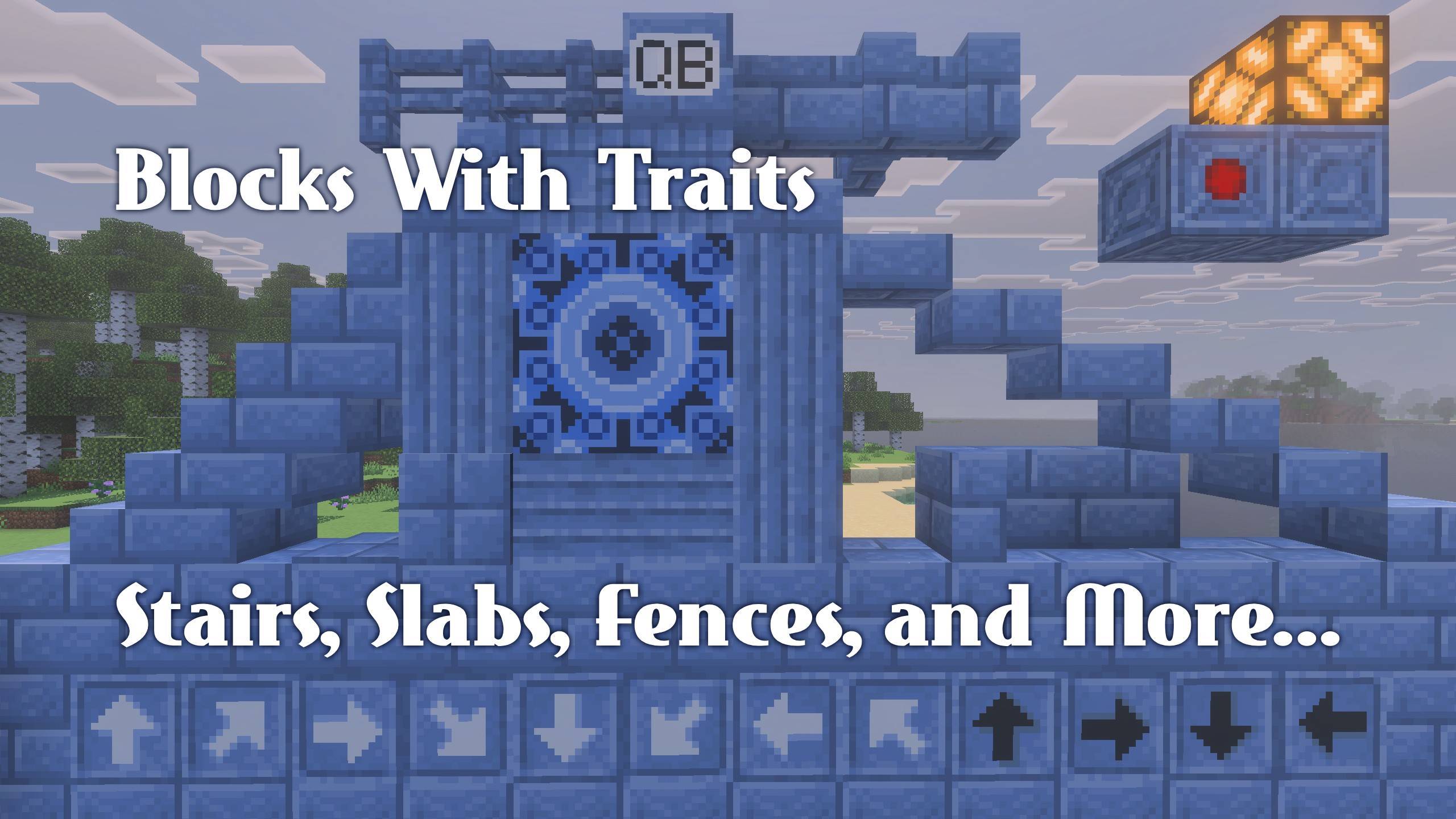
All Bocks.jpg
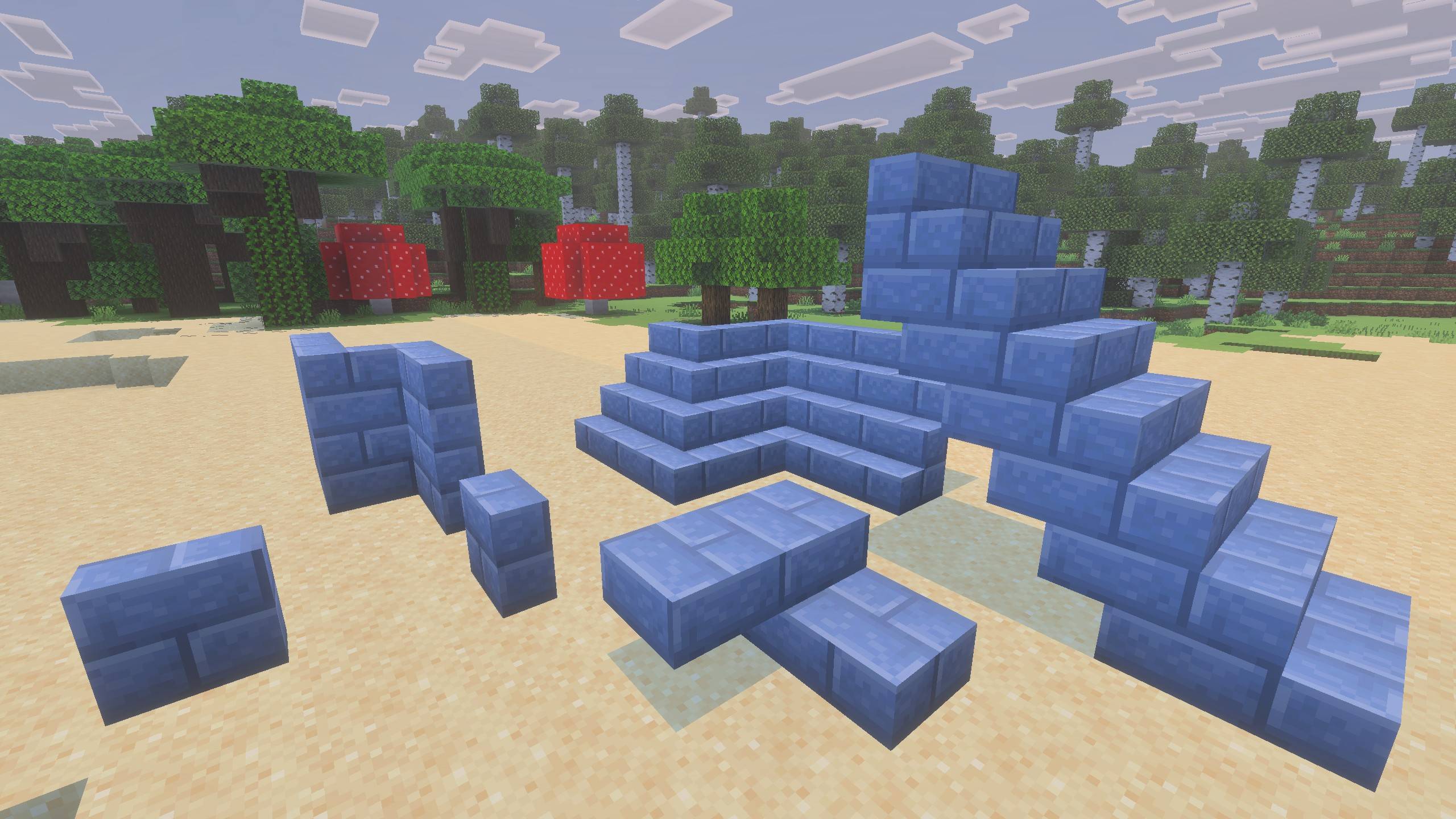
Stairs and Slabs.jpg
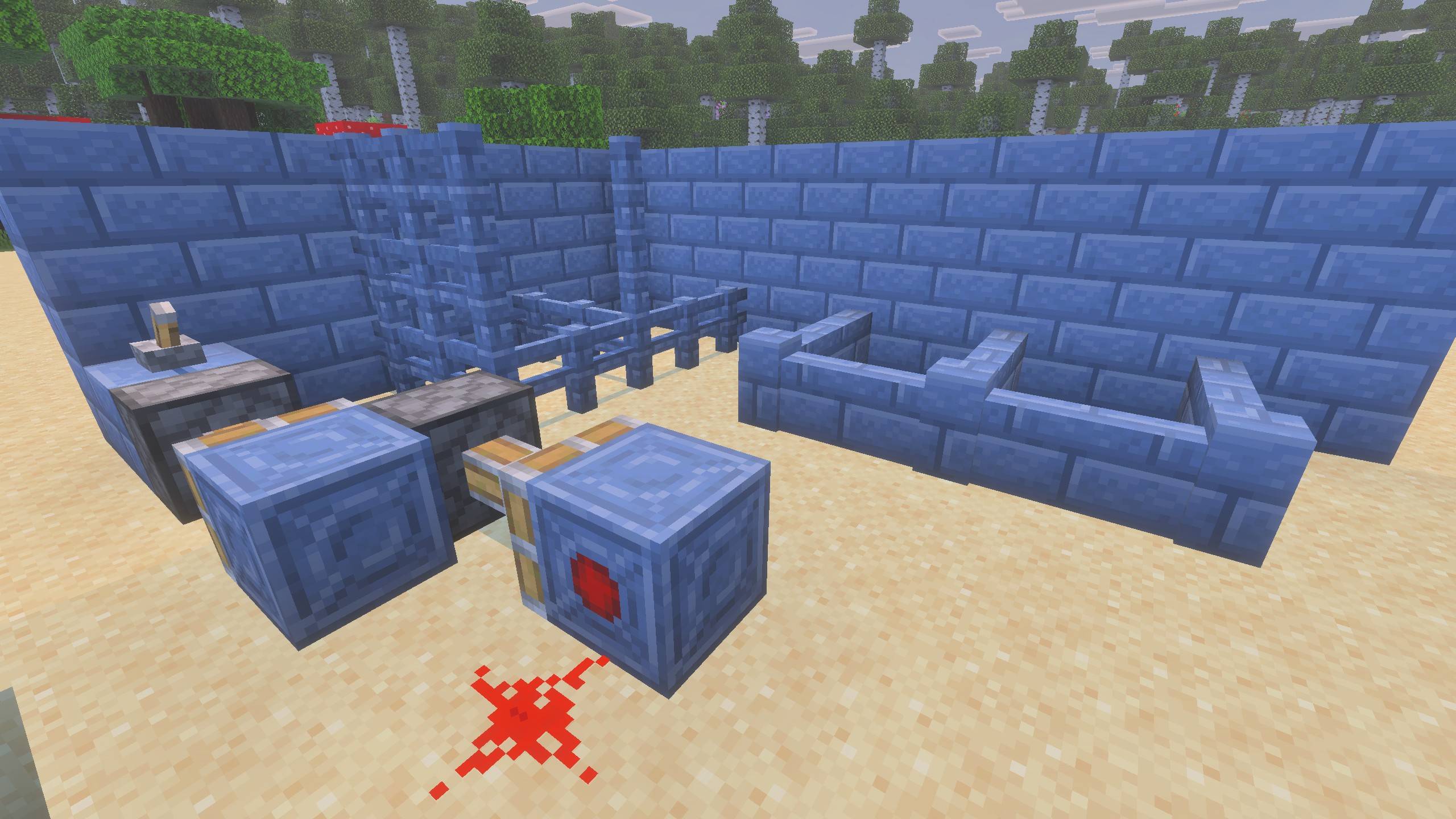
Fences, Walls and Redstone Emitter.jpg
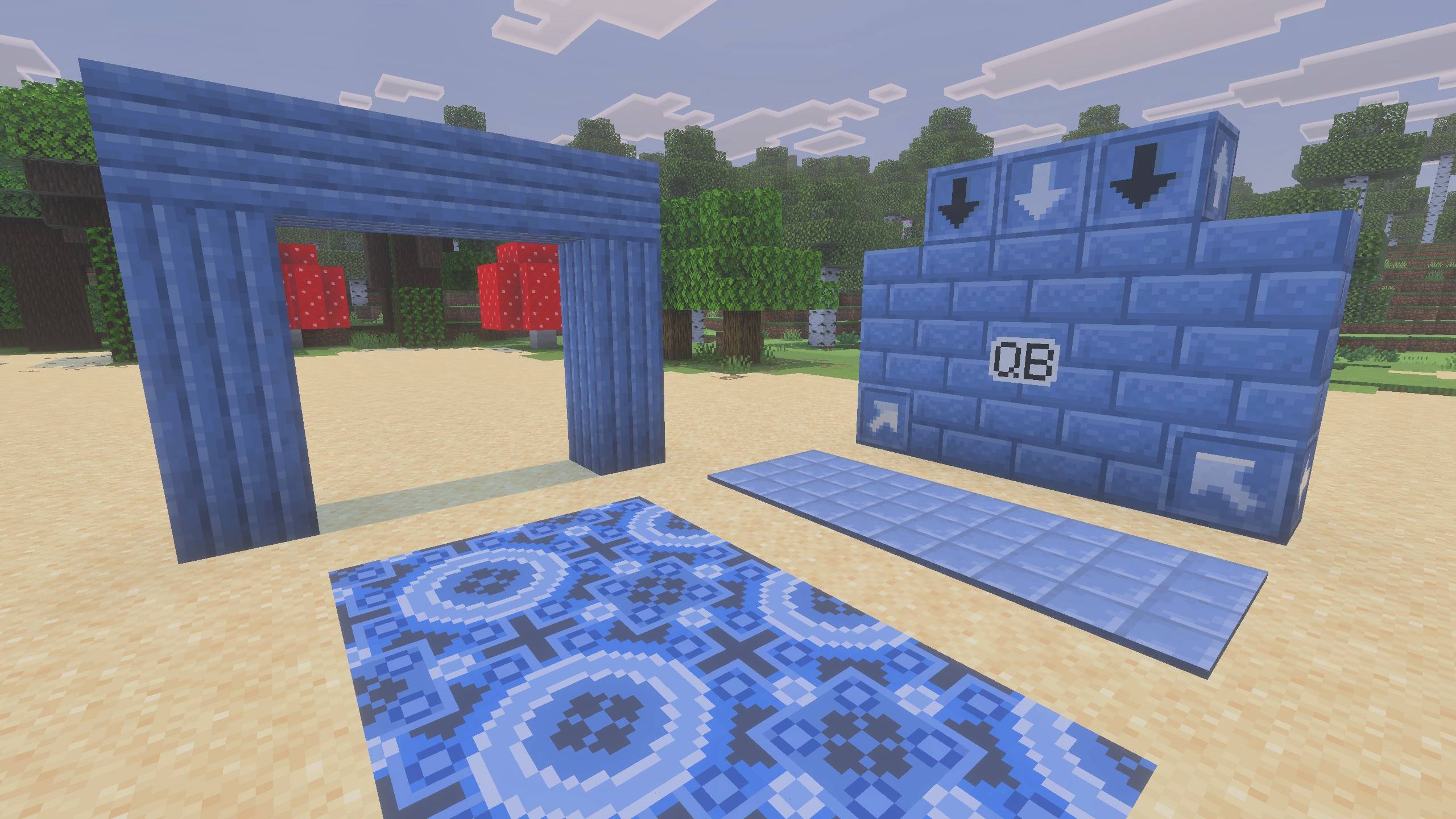
Pillars, Glazed, Tiles and Arrows.jpg
Description
This pack exclusively uses the new Traits option for placing blocks. IT USES NO CODE.
It's purpose is to act as a template for creating new blocks.
I started this pack as I was curious to what was possible using the trait options. Plus, I wanted some of these block templates for myself.
Unlike the examples I have found online, this pack ensures that texture tessellation does not break. This can commonly occur when a transformation (rotation or tranlation) is used in the permutations.
I have only used rotation when it is necessary for the type of placement.
The pack includes 12 blocks, each using either a different placement method, or connection feature.
You are welcome to use these for your own packs and swap in your own textures.
Bluestone Bricks
- Standard block using no traits.
- Matches the behavior of most standard blocks, such as planks or bricks.
Bluestone Pillar
- Uses the trait placement_position > block_face, but has only 3 variations.
- Place on a block face to set the direction, including up and down.
- The 3 variations are based on the X, Y or Z axis it is placed on.
- Matches the behavior when placing pillars, logs or a Barrel.
Bluestone Tiles
- Uses the trait placement_position > block_face.
- Place on a block face to set the direction, including up and down.
- This is a unqiue block, similar to carpets in style, but can be placed sideways, or facing up or down.
- Matches the behvior when placing buttons.
BlueStone Brick Slab
- Uses the trait placement_position > vertical_half.
- Place by pointing towards the top or bottom half of a block face.
- Matches the behvior when placing slabs, but not double-slabs.
- The trait does not support adding slabs to slabs to make double-slabs blocks.
Bluestone Brick Stairs
- Uses 2 traits: placement_direction > corner_and_cardinal_direction & placement_position > vertical_half.
- Placed depending on which direction the player is facing.
- Will make corners if another stair block is placed perpendicutlarly next to this block.
- Will make an upward stair block if placed while pointing to the top half of a block face.
- Matches the behvior when placing stairs.
- Currently does not corner with vanilla stairs, but I understand this fix is currently in beta.
BlueStone Brick Vertical Slab
- Uses the trait placement_direction > corner_and_cardinal_direction.
- Although this trait is designed for placing stairs, it can be used any block that corners.
- Placed depending on which direction the player is facing.
- Will make corners if another vertical slab is placed perpendicutlarly next to this block.
- Unlike stairs, this block does not place differently when pointing to the top or bottom of a block face.
- Does not match to any Minecraft block, but can be compared to stairs without a bottom step.
Logo on Bluestone Bricks
- Uses the trait placement_direction > cardinal_direction.
- Placed depending on which direction the player is facing.
- Matches the behvior when placing a Furnace, Chiselled Bookshelf, Beehive or Carved Pumpkin.
Glazed Bluestone
- Also uses the trait placement_direction > cardinal_direction.
- Placed depending on which direction the player is facing.
- Uses the same pattern on all sides, but each is rotated differently.
- This block style does benefit from using rotation in the permutations.
- Matches the behavior when placing Glazed Terracotta.
Redstone Emitter
- Uses the trait placement_direction > facing_direction.
- Placed depending on which direction the player is facing, including up and down.
- This type of placement is typical for functional blocks, rather than decorational.
- This is a unqiue block that emits a constant Redstone signal, but only in one direction (i.e. a unidirectional Redstone Block).
- Matches the behavior when placing a Dispenser, Dropper, either Piston, or Observer.
Arrow
- Uses 2 traits: placement_direction > facing_direction & placement_direction > cardinal_direction
- Has 12 different ways to place: depends on which direction the player is facing, but also varies if the player is looking up or down.
- For example, if the player is facing north and looks up to place the block, then the south face will still be pointing towards the player (i.e. downwards), and the top face is now placed on the south side.
- Although this block has only 6 sides, with 6 arrows, it can be placed with the arrows pointing in any direction.
- Matches the behavior when placing the Crafter. (It's surprising how many ways this one block can be placed)
Bluestone Fence
- Uses the connection trait.
- Connects to itself and other fences in any of the 4 directions, plus gates and solid blocks.
- Matches the behavior when placing fences.
Bluestone Wall
- Also uses the connection trait.
- This was added to see how well walls, panes and bars are supported using the new connection trait. Unfortunately, it seems these are not well supported.
- This wall will connect to itself and to solid blocks. It will not connect to other walls, but does (incorrectly) connect to fences.
- In addition, the wall will not extend to full height when another block or wall is placed on top.
The Blocks With Traits - Stairs, Slabs, Fences and More Team