


Block & Image Video Player
- By
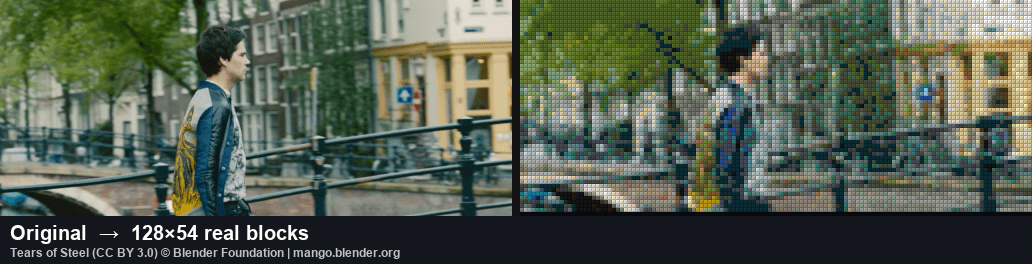
shot_canal.png
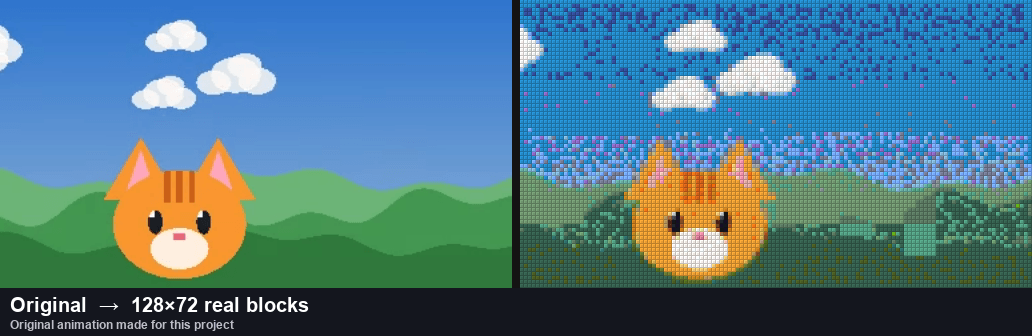
shot_cat.png
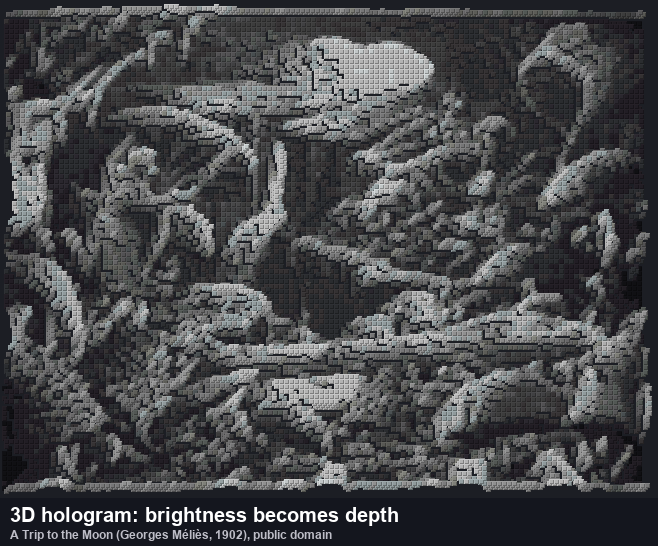
shot_moon.png
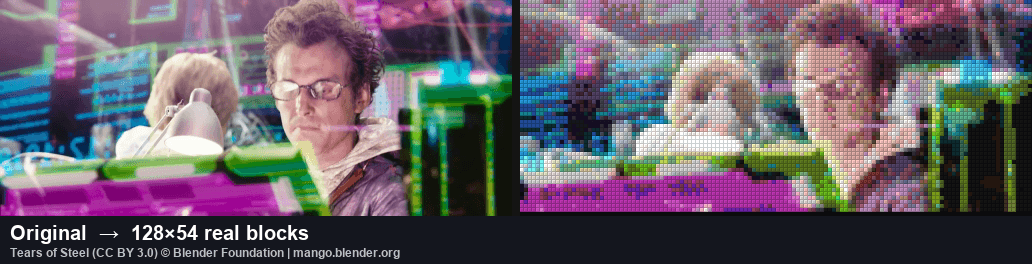
shot_neon.png
Description
Block & Image Video Player
Watch videos in Minecraft Bedrock — made of real blocks, or as smooth 30 fps textures (new image mode), with synced sound. Flat screens, walk-around 3D holograms, and a trompe-l'oeil dancer that is repainted for your eye as you move. No cheats and no experimental toggles needed. Converting your own video is free and runs in your browser.
This download is the showcase with 5 demo clips (an original animated short, three 3D holograms and a dancing trompe-l'oeil figure). To play your own video, convert it first with the free web converter or Windows app (see below) — it is not an in-game video player for files on your device.
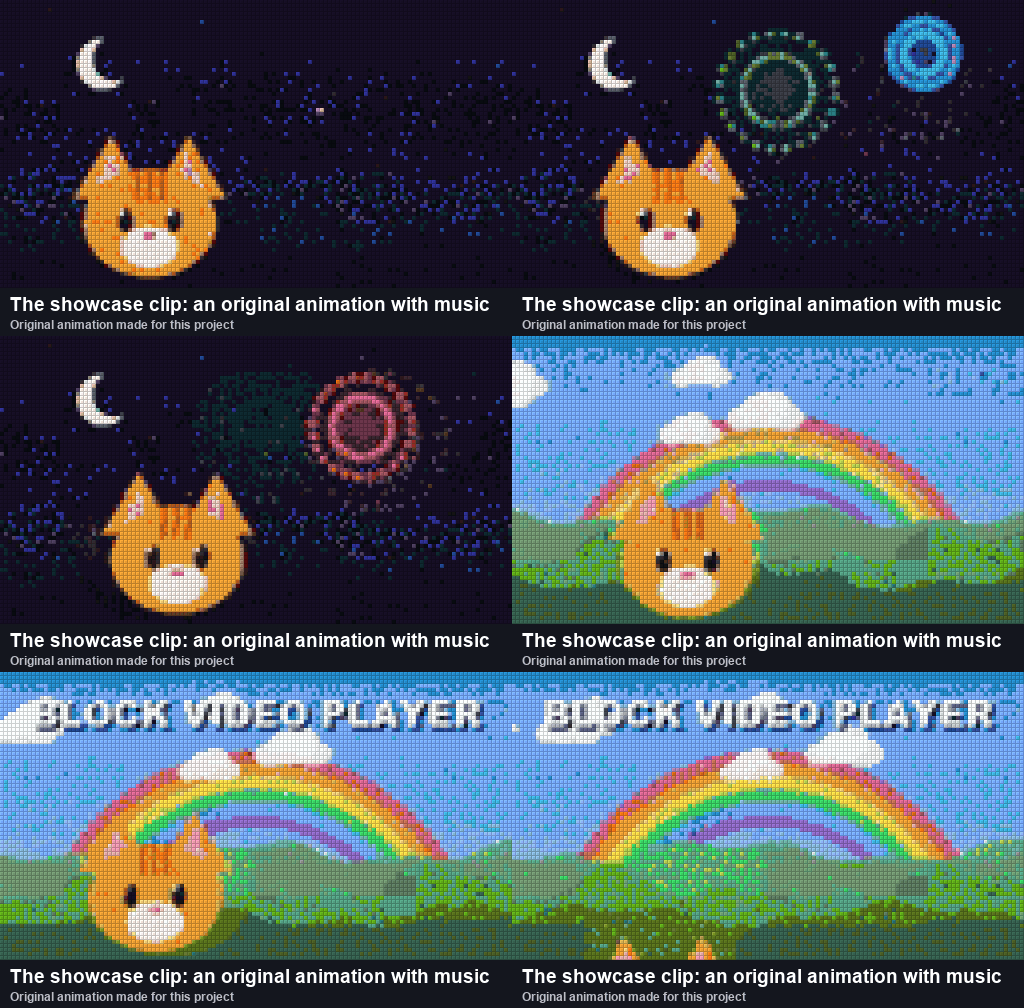
▶ Try the showcase (3 minutes)
- Open the
.mcaddonwith Minecraft (on a phone: tap it and choose Open with Minecraft; see the install guides on this page). - Use a new test world (superflat works best) and turn on both the Behavior Pack and the Resource Pack (same name). Cheats can stay off. When you join, the add-on prints these steps in the chat.
- Stand on flat, open ground, face where you want the screen, and type
/badapple:setup wall. The screen stands up in front of you like a TV. Blocks in that area are replaced. - Type
/badapple:start. - To pause, seek, change the volume or switch videos, open the remote with
/badapple:remote(or use a compass if you have one).
Needs Minecraft Bedrock 1.26.10 (shown as 26.10 on MCPEDL) or newer. For 1.21.80 to 1.26.0, make your add-on in the web converter with Minecraft version: 1.21.80 to 1.26.0, or use v6.31.0 from GitHub. Both need cheats and use /scriptevent badapple:setup.
The commands are for the world's operators (the host in single player). On a Realm or server, ask an operator to run setup; anyone can use the remote.
Showcase videos (switch with /badapple:play <id> or Choose from the list in the remote; /badapple:list shows the IDs):
| ID | What it is |
|---|---|
screen |
An original 15-second animated short with music on a 128×72 screen: sunset, fireworks, a rainbow and an orange cat |
walk |
A walking silhouette inflated into a rounded 3D figure |
waves |
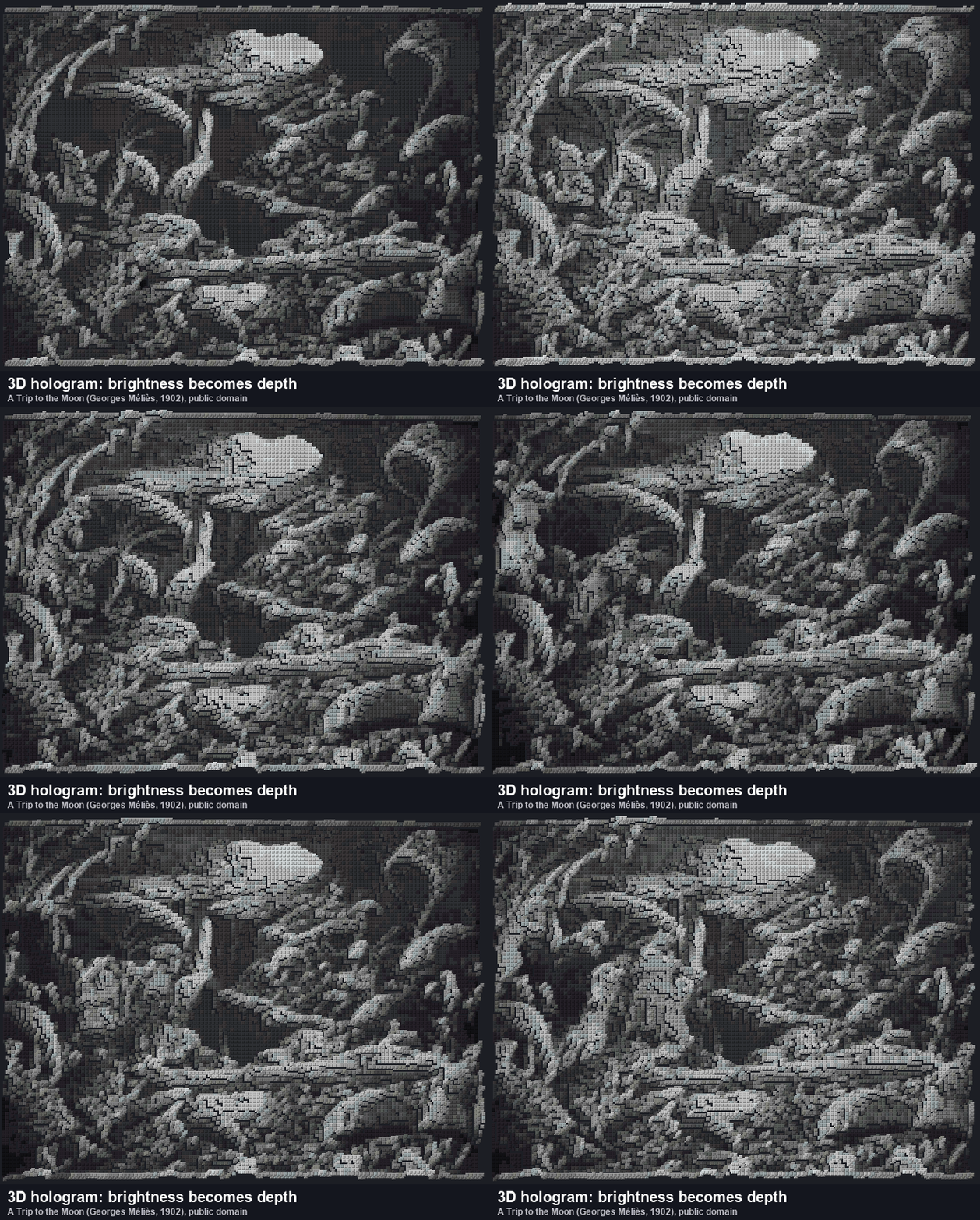
A colourful wave landscape as a 3D relief (brightness = depth) |
bounce |
A MagicaVoxel animation of a striped ball bouncing on a floor |
dancer |
A trompe-l'oeil dancing girl on a floor and back wall that plays the animated short. She keeps dancing as you walk or fly around |
Where things appear: setup wall stands a flat screen up 3 blocks in front of you. Plain /badapple:setup lays it flat at your feet (spreading east and north), so look down at it from above. 3D holograms stand 2 blocks north of you. The dancer stage is about 118 × 51 blocks with an 84-block-high back wall, north of you — watch from in front of it or above the floor. The screen replaces blocks in its way, so pick an empty spot.
🎞 Put YOUR video in Minecraft
- Open the free web converter on Windows, Mac, Linux or Chromebook. Nothing to install, and your video never leaves your computer.
- Add a video (MP4 etc.), a picture, a clip from your camera, a MagicaVoxel
.voxor an MMD model with a dance, and press Create .mcaddon. - Preview how it will look in Minecraft right on the page — every frame, next to the original with sound — then open the
.mcaddonin Minecraft and use it like the showcase.
For bigger screens, faster conversion and the AI person cutout, use the free Windows app (below).
✨ What makes it different
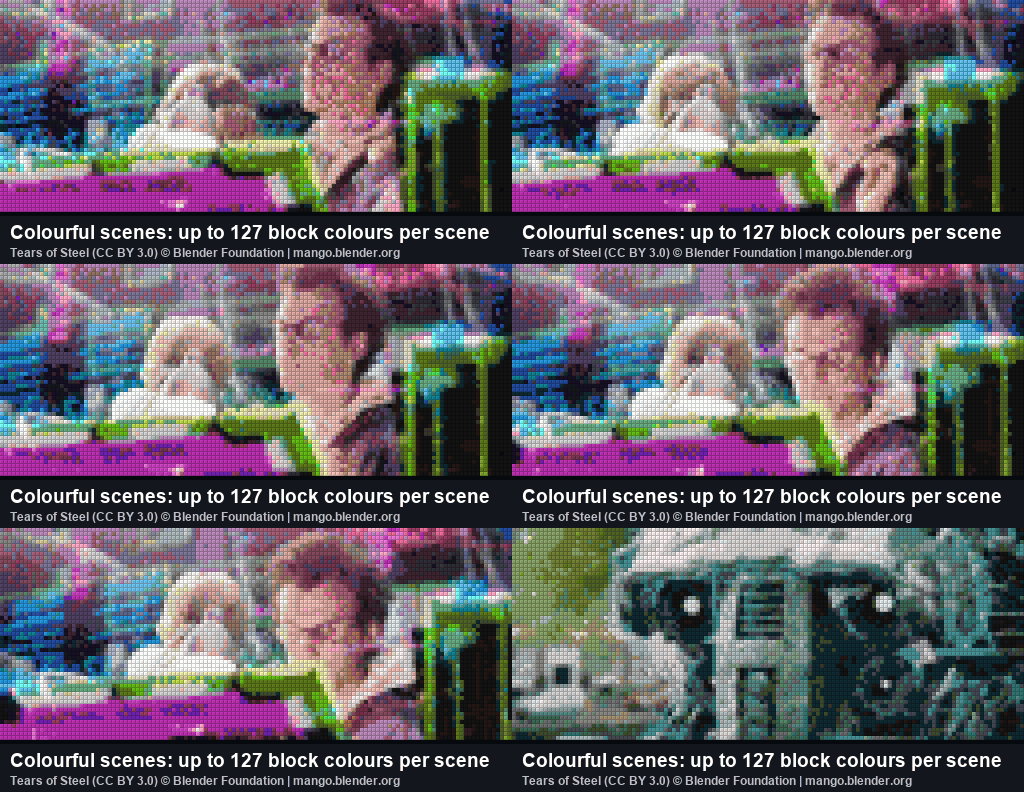
- Real blocks, measured colours — up to 221 real blocks (concrete, terracotta, wool, wood, stone, ores and more), with colours measured from the game's textures. The best 24–127 are picked for each scene.
- 3D holograms you can walk around — reliefs (brightness as depth), extruded silhouettes, rounded "inflated" shapes and MagicaVoxel animations.
- Trompe-l'oeil — the figure is painted onto a floor and back wall exactly as your eye sees it and repainted as you move, so it looks solid from the front, above and the side. A video can play on the back wall. It looks right for one viewer at a time.
- 3D and flat in one add-on — tick one box to also include the normal flat version of the same video (
<id>_flat). The sound is stored once, so the add-on barely grows. - Synced sound that follows pause and seek.
- No cheats, no experimental toggles — the commands work in normal worlds (operators can use them), and only the stable Script API is used.
- Plays nicely with your world — the screen is kept loaded with the add-on's own ticking areas, so it does not use up the world's limit of 10.
- Small files — only changed blocks are sent, compressed with an adaptive range coder that also picks the cheapest way to draw each 8×8 area.
- 10 languages — English, 日本語, 简体中文, 繁體中文, 한국어, Español, Português, Français, Deutsch and Русский. In-game messages and the remote follow each player's game language.
⌨ Commands
| Command | What it does |
|---|---|
/badapple:setup |
Place the screen where you stand. Add wall to stand a flat screen up like a TV facing you, face to turn it toward where you look, align to shift it (up to 15 blocks) so it covers fewer chunks |
/badapple:start |
Play the selected video from the start (to resume after pausing, use the remote) |
/badapple:play <id> |
Play a specific video |
/badapple:stop |
Stop and clear the screen |
/badapple:list |
List the videos and their IDs |
/badapple:remote |
Open the remote (same as using a compass) |
/badapple:render auto|rect|list|block |
How blocks are placed (auto is best) |
/badapple:bench |
Measure how fast your device places blocks (auto uses the result) |
/badapple:stats |
Real fps, server TPS and late frames of the last playback |
The old /scriptevent badapple:... commands still work (they need cheats). badapple is the showcase's prefix; add-ons you make use the prefix you choose.
🖼 Image mode (new): smooth video as a texture
The Windows app can also make an image mode add-on: instead of placing blocks, the video plays as a texture on a thin panel, so it is smooth (up to 30 fps) and sharp (up to 512×288 pixels).
- Same controls as block mode:
/<prefix>:setupwithwall,faceandalign,start,play <id>,volume,seek,stats, and a remote you open with a clock (block mode keeps the compass, so both can be installed together). - Long videos don't fit in the game's texture memory. When converting, choose what to keep: picture quality (lower fps), smoothness (smaller picture) or length, and whether it should also run on phones and consoles.
- Put block mode and image mode in one
.mcaddon, or make them separately. - Not real blocks: you can't walk through or build on the picture, and there are no 3D modes yet. Tested on PC only so far.
| Block mode | Image mode | |
|---|---|---|
| Looks like | Real blocks | A sharp, smooth picture |
| fps | Depends on your device | Up to 30 |
| Long videos | Fine | Limited by texture memory |
| 3D and trompe-l'oeil | Yes | Not yet |
🖥 Windows app (faster, bigger, smaller add-ons)
- Download
BlockVideoPlayer-…-windows-x64.zipfrom the GitHub releases, unzip and runBlockVideoPlayer.exe(no Python needed). - Install FFmpeg with
winget install Gyan.FFmpeg, or putffmpeg.exenext to the EXE. - A first-run guide checks your PC, suggests settings for your video and tells you how to play the result.
- Uses NVIDIA, AMD or Intel GPUs when available, and the CPU otherwise.
- AI person cutout for dance videos: the dancer becomes a rounded 3D figure (or a trompe-l'oeil dancer, with the rest of the video on the back wall). A separate AI model handles anime and illustrated characters.
🧊 3D modes
| Mode | Best for |
|---|---|
| Relief (brightness = depth) | Landscapes, CG, gradients |
| Silhouette (extruded) | Black-and-white videos, shadow-art music videos |
| Inflate (rounded) | Silhouettes and logos |
| Person cutout (AI, Windows app) | Dance videos |
MagicaVoxel .vox |
Voxel art and animations (scene graphs and keyframes) |
MMD (.pmx + .vmd) |
Dancing 3D models |
| + Trompe-l'oeil (option) | Any of the above (figures up to about 64 blocks tall run best) |
| Stained glass palette | See-through holograms (16 colours) |
💡 Tips
- Bigger screens look better but cost more performance. Use a PC for 256×256 and up.
- Run
/badapple:benchonce so the add-on learns your device's speed. After playing,/badapple:statsshows the real fps — if it is far below the target, use a smaller screen or a lower fps. - If the game refuses to place some blocks, the add-on says so once in chat with the reason. Please share it in the comments.
❓ FAQ
- Java Edition? No, Bedrock only.
- Phones and consoles? It uses only the stable Script API, so it should work on every Bedrock platform, but so far it has only been tested on PC. Start with a small screen, and please tell us in the comments how it runs on your device.
- The video IDs don't show up as suggestions after
/badapple:play. This seems to be a Minecraft limitation. Use/badapple:listto see the IDs. - Can I convert videos I don't own? Only convert videos you have the right to use. The showcase's pictures and music were made from scratch.
🎬 Credits for the preview images
- Tears of Steel © Blender Foundation (mango.blender.org), CC BY 3.0, converted to blocks.
- A Trip to the Moon (Georges Méliès, 1902), public domain, converted to a 3D relief.
- The cat animation, its music and the dancing girl were made for this project.
- The animated previews are drawn from the block colours outside the game, so lighting and textures look slightly different in-game.
🔓 Open source
MIT License. The converter, the in-game player, documentation and benchmarks are on GitHub. Bug reports and ideas are welcome in the comments or on GitHub Issues. Designed and built with help from AI (Claude).
Block & Image Video Player Team
