

![Better Lighting - Handheld Light Sources [Achievement Friendly] logo](https://media.forgecdn.net/avatars/thumbnails/1692/894/64/64/639074411480652531.png)
Better Lighting - Handheld Light Sources [Achievement Friendly]
- By
Better_Lighting_title-2ca32033-768x439.webp
Description
-This add-on does not disable achievements-
-Multiplayer supported-
-No experimental features required-
]
-More lightweight than others-
-Does not use player.json-
What Makes It Unique?
- 73 items supported by default - (torches, lanterns, glowstone, and more)
- 8 entity types emit light - (Blazes, Magma Cubes, Glow Squids, etc.)
- Add custom items - Support items from other addons.
- In-game configuration GUI - No file editing required for customization.
- Lightweight - Lighter than other similar addons.
- No experimental features required - Works in any world.
- Doesn't use player.json - No data collection, privacy-friendly.
- Achievement-friendly - Doesn't disable achievements.
Each item has different brightness.
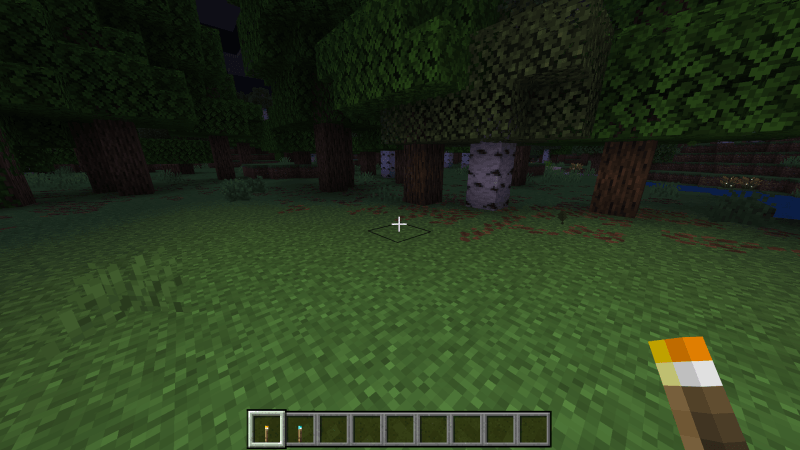
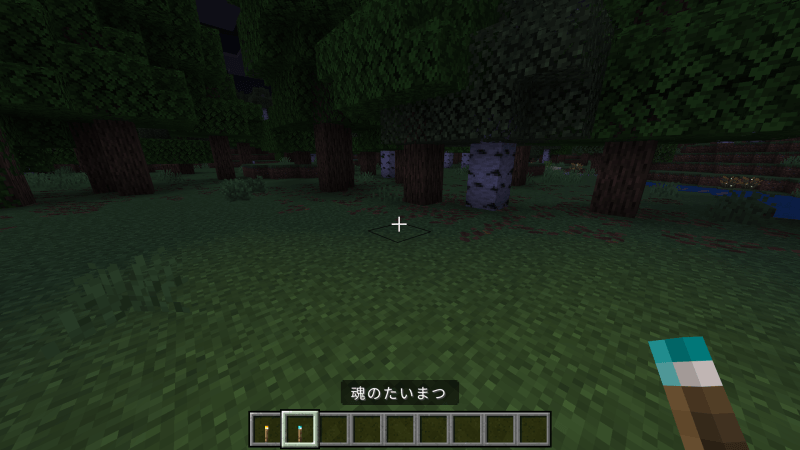
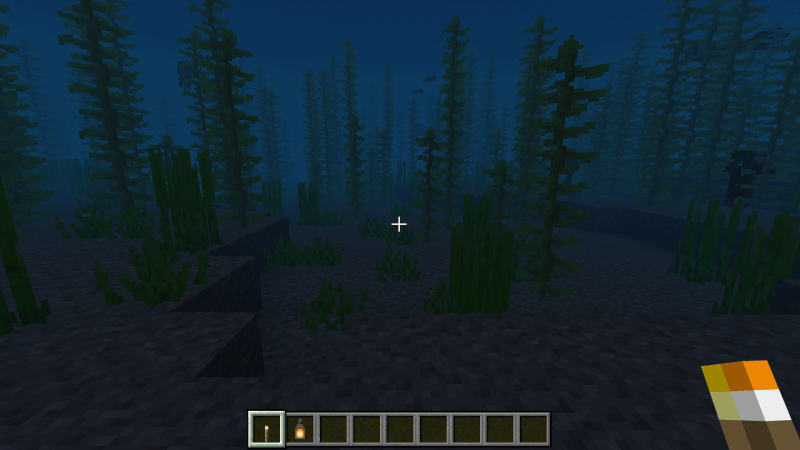
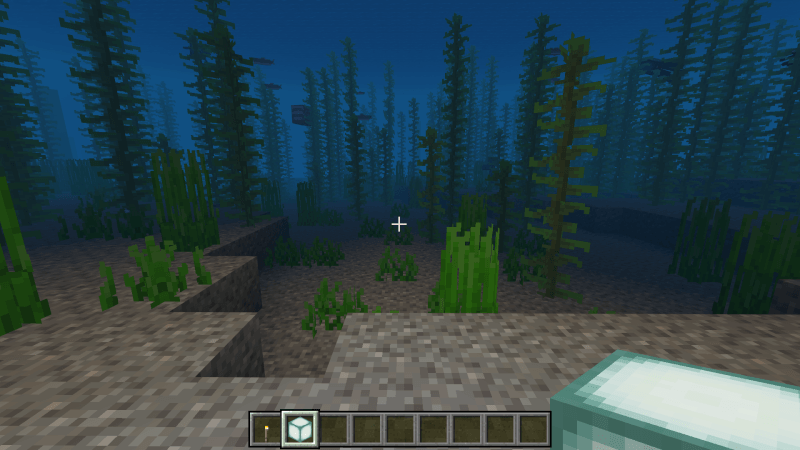
Some items glow underwater.
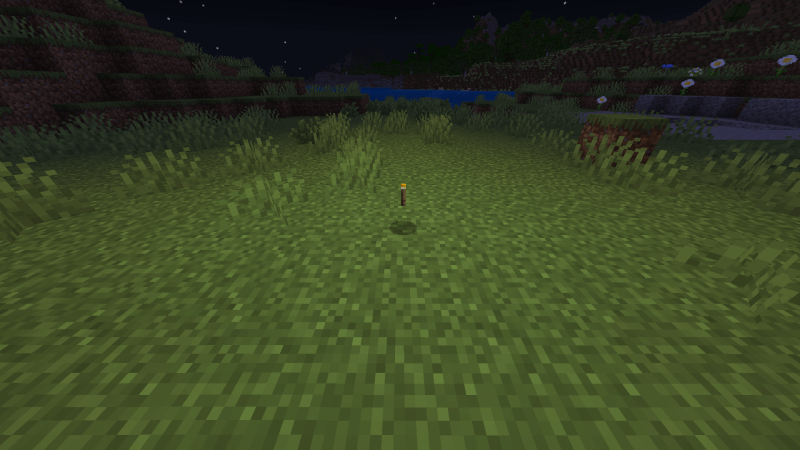
Dropped items illuminate
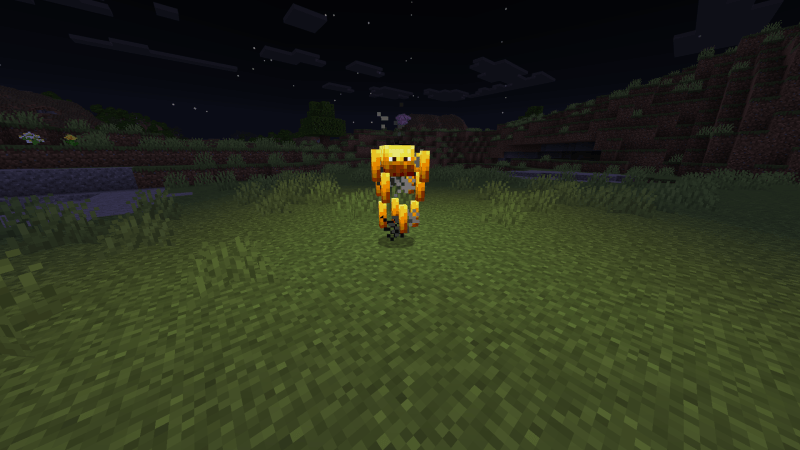
Some entities like Blazes and Glow Squids emit light
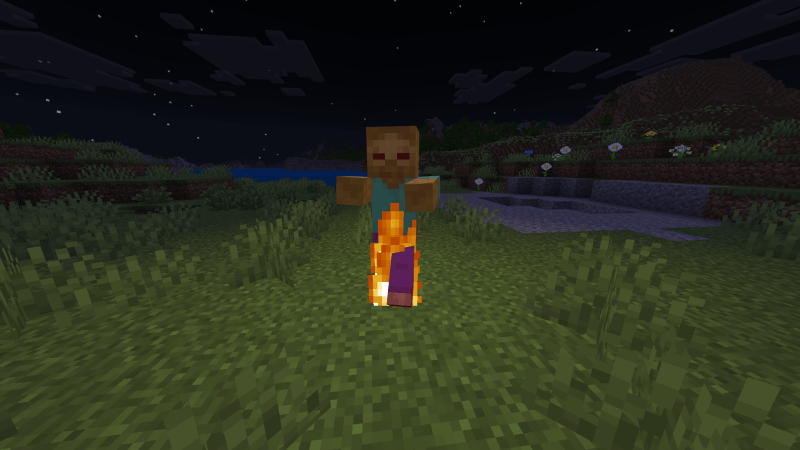
Burning mobs emit light
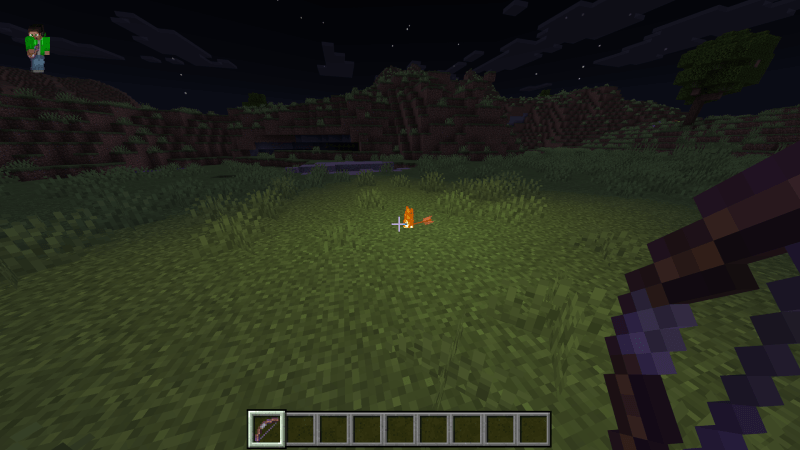
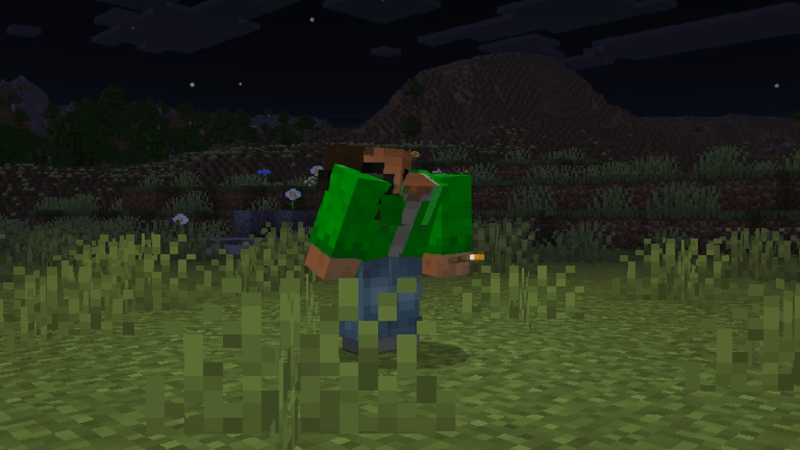
Offhand-compatible items can be equipped to the offhand
To equip: Look up + Sneak + Right-click
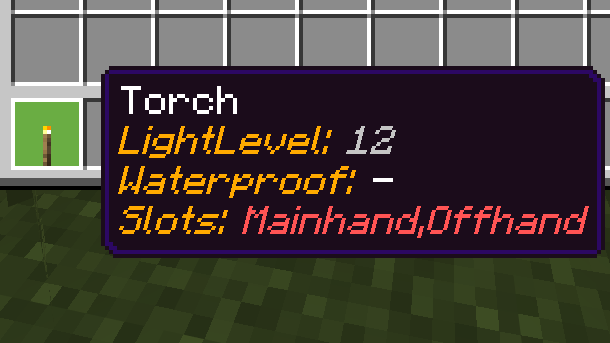
Tooltips show light level and settings
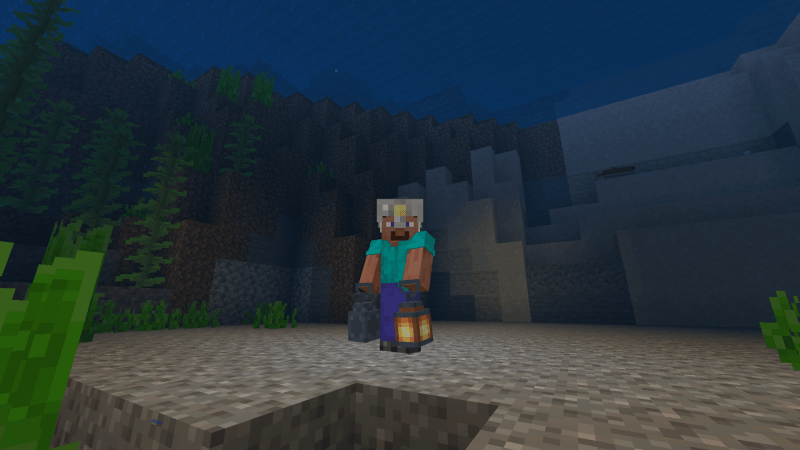
Added Items
- Portable Lantern - Can be toggled ON/OFF and equipped in the offhand.
- Bandana with Light - A Wearable light source for your head.
- Iron Helmet with Light - An illuminating iron helmet with the same stats as a regular iron helmet.
- Better Lighting Controller - Configuration item. Crafted with a single torch.
How to Configure Add-on Settings.
How to Configure Item Settings In-Game.
1. Hold the item you want to configure settings or add, and run "/scriptevent lights:edit" in chat.

2. Configure the settings, then press the Send Button
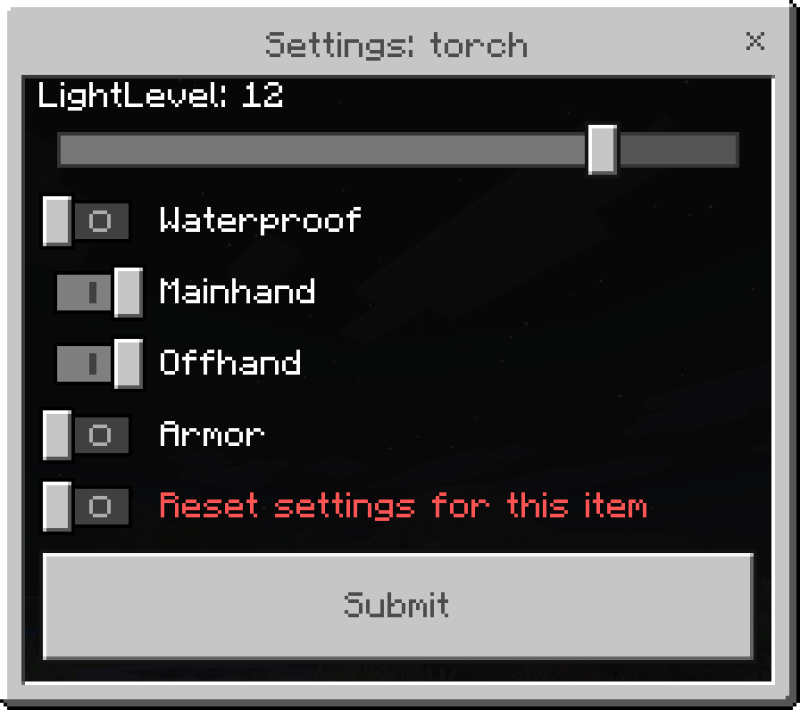
・LightLevel: Set light level of the item from 0 to 15 (0 = disabled).
・Waterproof: Enable/disable underwater lighting.
This image shows the item not glowing.
・MainHand/OffHand/Armor: Choose which slots emit light.
Example: This image shows the item glowing when held in the mainhand or offhand.
・Reset settings for this item: Check this box and submit to restore defaults.
-Held item and dropped item settings are shared-
-Settings are saved per world-
How to Configure Entities In-Game.
1.Attack the entity you want to configure with the Better Lighting Controller (left-click)
No damage will be dealt.
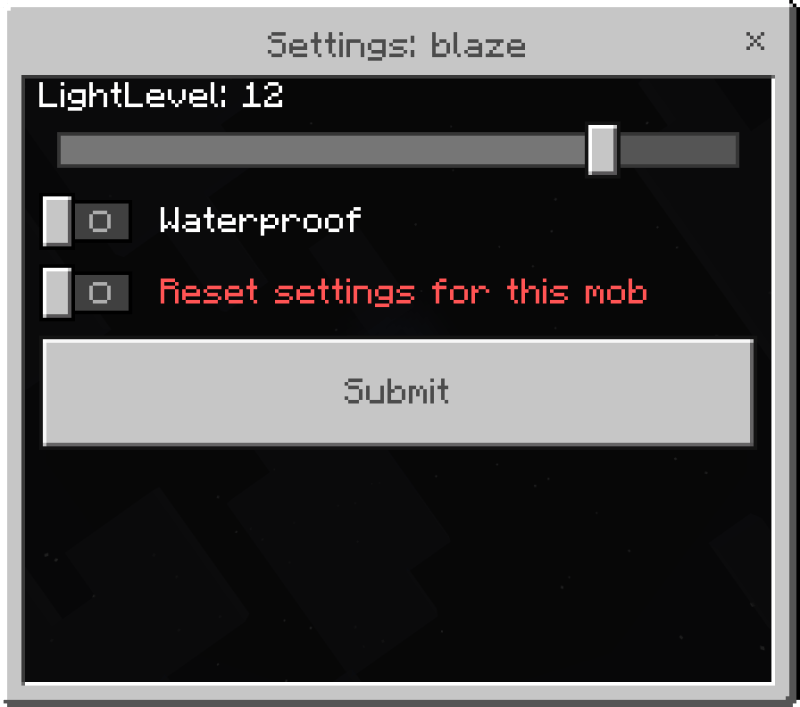
・LightLevel: Set light level of the mob from 0 to 15 (0 = disabled).
・Waterproof: Enable/disable underwater lighting.
This image shows the mob not glowing.
・Reset settings for this mob: Check this box and submit to restore defaults.
-Settings are saved per world-
How to Reset your Setting In-Game.In-Game.
1.Run "/scriptevent lights:edit" in chat.

-Item settings configured here are saved per world-
How to Configure the Default Value of Add-ons.
Modifying item_config.js or entity_config.js changes the default values for ALL worlds.
(If the in-game settings are not set, these default values will be used)
-This operation will affect the initial values for all your worlds with the add-on installed-
Lightweight
Method: Summon 100 blazes in Superflat midnight and measure the total latency experienced over a 10-second period.
The higher the number, the greater the latency and the heavier the game is.
Results:
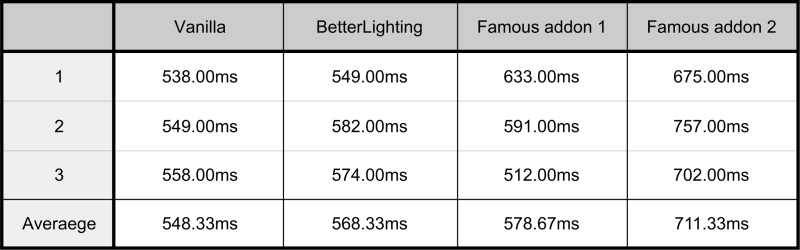
Vanilla: Baseline value measured using only the measurement add-on.
Others: Values measured with the measurement add-on and each add-on installed.
How to Install
Simply double-click .mcaddon file to open it.
Technical Details
- Built entirely with Script API - No commands used for lighting.
- Coordinate-based system - No entity spawning required.
- Lightweight performance - Tested with 4+ players and 100+ glowing mobs.
- No experimental features required - Works in any world.
- Doesn't use player.json - No data collection, privacy-friendly.
- Achievement-friendly mode available - Doesn't disable achievements.
- In-game configuration GUI - No file editing needed.
- Cross-addon compatibility - Add items from other addons.
Terms of Use
License: All Rights Reserved
-ALLOWED
- Use in videos/streams (credit appreciated)
- Include in map distributions (with credit)
- Modify for personal use only
-NOT ALLOWED
- Reupload or redistribute this add-on
- Claim it as your own work
- Use its textures in other projects
- Sell or monetize it
Update history
2026/6/18 - ver.1.1.5 uploaded
2026/3/2 - ver.1.1.4 uploaded
2026/2/24 - ver.1.1.3 uploaded
Better Lighting - Handheld Light Sources [Achievement Friendly] Team
