BedrockDeathLog
- By
A Bedrock add-on that logs and saves your last death position in any dimension you're in!
Banner
Description
BedrockDeathLog
> Also available on MCPEDL!
A Bedrock add-on that logs and saves your last death position in any dimension you're in!
- To start, the add-on should be installed on your world (obviously)
- …and you need to rename an item first (like a
StickorDirt- your choice) to/bdl - Once you've renamed the item, you can then right-click/hold down the item to open up the
BedrockDeathLogmenu
Let's start with a question first. How is this useful?
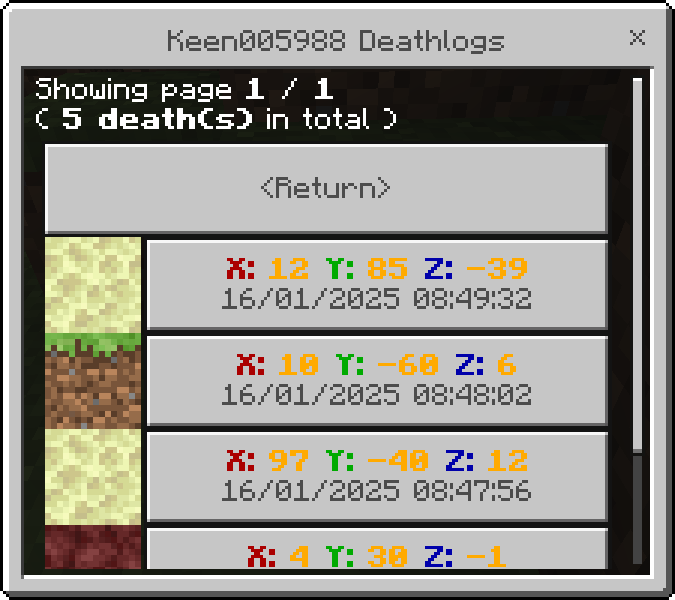
- Let's say your friends died in the End City, far away from the home end gate. You can check his deathlog to find the location of where he died and immediately set off for the journey of returning his items back!
- You can also see how he died. (the controversy begins from this part) Died in the void? Yeah, no chance I'm going there. You tell him the bad news and in the next second he starts up a new world. Neat, huh?
BedrockDeathLog menu
Navigate through the menu easily!
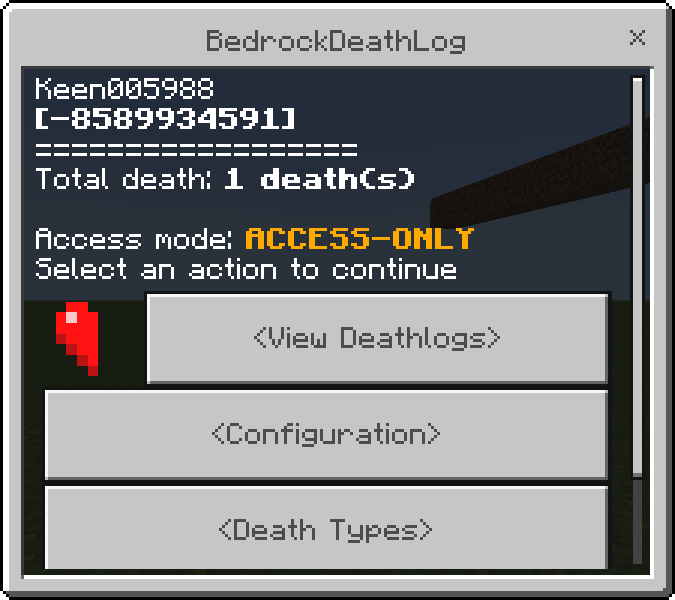
<View Deathlogs>- Opens up a list of death a player/you have experienced<br>(does not includes death happened before the addon was installed)<Configuration>- Change your DeathLog experience into your preferences!<Death Types>- Gives you types of deaths that might/might not happen to you<Access Settings>- Change your deathlog access type to…<br>Everyone(everyone can see your deathlog)<br>Only those who has access(certain people you added so they can see your deathlog)<br> You can also add/remove a player to anexception of who can't see your deathlogorgive them access to your deathlog
BedrockDeathLog is also open-source! If you would like to contribute to the add-on and make a change or add new features, now you can!
Installation
- Double-click/Open the .mcpack to automatically install the add-on
- Manual installation: Unzip the .zip file as a folder and move the folder to…<br>
Android:
Android/data/com.mojang.minecraftpe/files/games/com.mojang/behavior_packs<br> Windows:%appdata%\Minecraft Bedrock\Users\Shared\games\com.mojang\behavior_packs - Edit your world/Create new world and add
BedrockDeathLogin the Behavior Packs section!
For Beta API pack version:
Beta-API allows you to open BedrockDeathLog menu in chat!
Type in !bdl in chat! If you're an Admin, you can also type !bdladmin!
But, beware; Beta-API is an unstable version. BedrockDeathLog can't be guaranteed to keep working once Minecraft updates
Here are the steps you need to do to enable the pack:
- You need to enable Beta APIs Experimental on your world for the pack to work.
- Edit your world or Create a new world
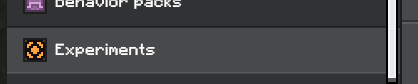
- Go to Experiments
- Enable Beta APIs

The BedrockDeathLog Team