ARC smart glasses
- By
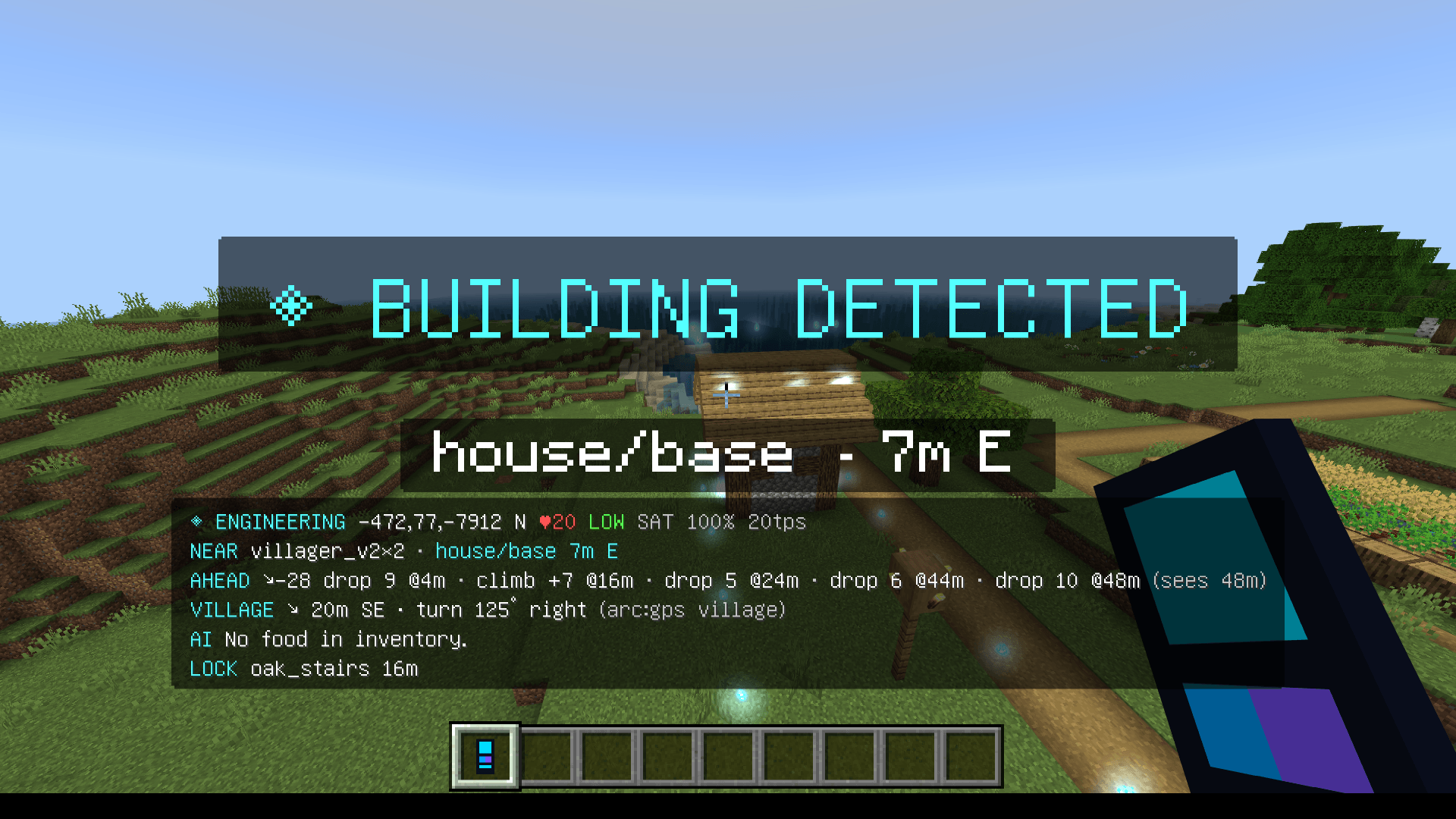
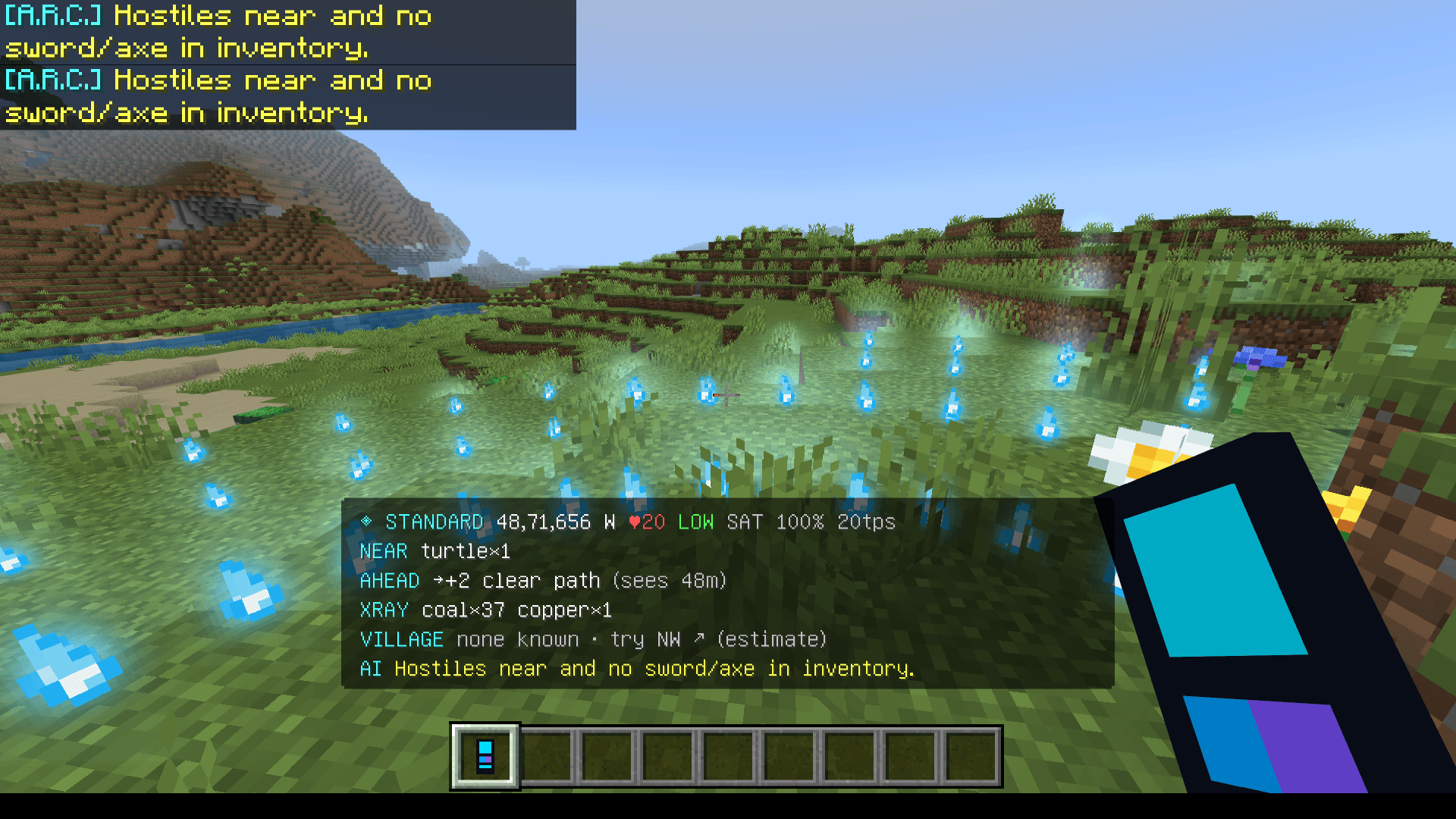
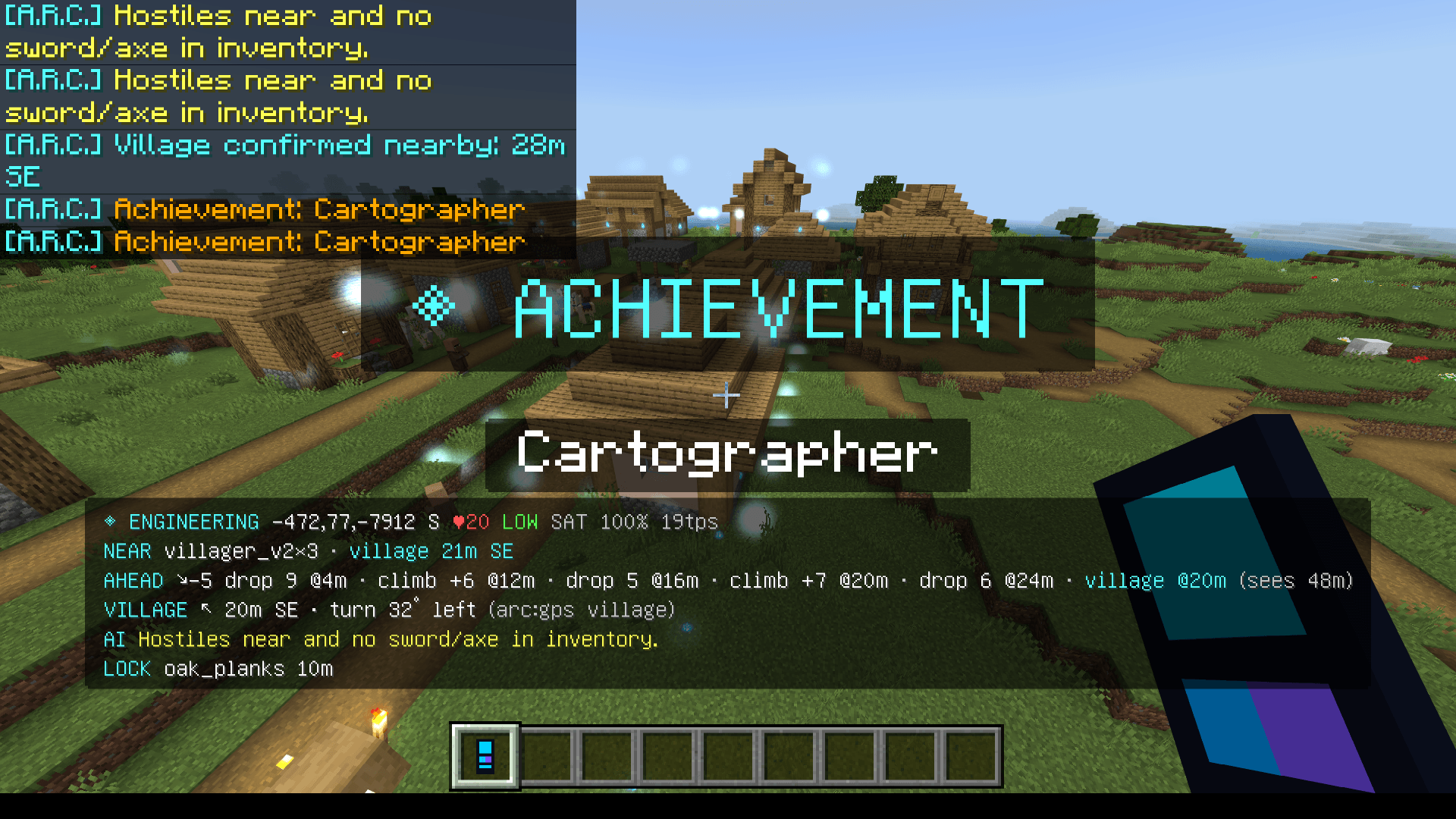
ARC: Smart Glasses adds engineering, science, building design, block analysis, GPS navigation, and environmental scanning to Minecraft Bedrock. Wear the glasses and explore a smarter Minecraft world
Screenshot (155).png
Screenshot (148).png
Screenshot (154).png
Description
🥽 ARC: SMART GLASSES – Advanced Engineering & Science Add-On
Turn Minecraft Bedrock into an Intelligent Engineering and Scientific World!
Welcome to ARC: Smart Glasses, an advanced Minecraft Bedrock add-on that introduces engineering tools, scientific experiments, environmental scanning, GPS navigation, and intelligent construction systems.
Equip your ARC glasses and explore a new way of interacting with Minecraft!
⚙️ FEATURES
🏗️ 1. Engineering System
- Design buildings using text commands.
- Generate building material lists.
- Receive step-by-step construction instructions.
- Place blocks according to construction plans.
- Verify your building progress.
- Analyze completed structures.
🔬 2. Scientific System
- Scan your surroundings.
- Analyze individual blocks.
- Ask scientific questions.
- Experiment with movement speed.
- Test falling physics.
- Generate experiment reports.
🧭 3. Exploration & Navigation
- Open the ARC interactive menu.
- Check your current location.
- Scan your environment.
- Locate nearby villages using GPS.
📥 INSTALLATION INSTRUCTIONS
- Download and import the ARC add-on file.
- Open your Minecraft Bedrock world settings.
- Enable BOTH the required Resource Pack and Behavior Pack.
- Turn on Cheats.
- Enter your world.
- Give yourself the ARC glasses:
/give @s arc:glasses
- Equip the glasses in your helmet slot.
- Wait approximately 10 seconds for initialization.
- Press F5 to check the glasses in third-person view.
⌨️ COMPLETE COMMAND LIST
All commands below use Minecraft's chat command system.
🥽 BASIC ARC COMMANDS
| Command | Function |
|---|---|
/scriptevent arc:menu |
Opens the ARC main menu |
/scriptevent arc:where |
Displays location information |
/scriptevent arc:scan |
Scans your surroundings |
/scriptevent arc:gps village |
Activates village GPS |
🏗️ ENGINEERING COMMANDS
Step 1 – Design your building
/scriptevent arc:eng design a 9 by 7 stone brick house with a spruce roof and two floors
Creates a building design.
Step 2 – Check required materials
/scriptevent arc:eng mats
Displays the materials needed for your design.
Step 3 – Prepare construction
/scriptevent arc:eng place
Stand on flat ground and face the direction you want your building to face.
Step 4 – Activate construction mode
/scriptevent arc:eng mode construction
Step 5 – Get your next building instruction
/scriptevent arc:eng next
Place the block specified by the system and repeat until finished.
Step 6 – Verify your building
/scriptevent arc:eng verify
Checks whether your placed blocks match the construction plan.
Step 7 – Analyze your construction
/scriptevent arc:eng analyze
Provides a construction analysis.
Troubleshooting commands
If verification marks correctly placed blocks as incorrect:
/scriptevent arc:eng ids
Aim at a block you placed to inspect its block ID.
Then use:
/scriptevent arc:eng replace stone_bricks <the id it shows>
This replaces the expected block identifier with the correct identifier.
🔬 SCIENCE COMMANDS
| Command | Function |
|---|---|
/scriptevent arc:sci scan |
Scans the environment |
/scriptevent arc:sci block |
Analyzes the targeted block |
/scriptevent arc:sci ask how far does water flow |
Asks a scientific question |
/scriptevent arc:sci exp speed 5 |
Starts a 5-second movement experiment |
/scriptevent arc:sci exp fall |
Starts a falling experiment |
/scriptevent arc:sci report latest |
Displays your latest experiment report |
Experiment instructions:
- Speed experiment: Run the command and sprint straight for 5 seconds.
- Falling experiment: Run the command and fall from at least 10 blocks. Landing in water is the safer option.
🎮 ADDITIONAL MODE COMMANDS
/scriptevent arc:mode engineering
Displays the Engineering HUD.
/scriptevent arc:mode scientific
Displays the Scientific HUD.
⚠️ IMPORTANT INFORMATION
- Both packs must be enabled.
- Cheats must be turned on.
- Script-event commands are required.
- Wear the glasses and allow initialization time.
- Some features may depend on your Minecraft Bedrock version.
- If a command fails, check your Content Log under Settings → Creator → Content Log Settings.
©️ COPYRIGHT, OWNERSHIP & REDISTRIBUTION POLICY
ARC: Smart Glasses is an original add-on created by YD.
If you download, showcase, share, review, or redistribute this add-on, you MUST:
- Give proper credit to the original creator.
- Include the original download/source link in your description.
- Clearly identify the original author.
- Never claim the add-on, its original code, or its original assets as your own.
- Never redistribute modified versions as your own original creation.
IMPORTANT: If you share or redistribute this add- Failure to provide proper attribution or unauthorized redistribution may result in a copyright complaint or other action where legally justified.
Please respect the creator's work and intellectual property.
❤️ SUPPORT THE ORIGINAL CREATOR
If you enjoy ARC: Smart Glasses, support the original creator by sharing the original download link and giving proper credit.
ARC: SMART GLASSES *See More. Understand More. Build Smarter.
ARC smart glasses Team