Aperion's Debug stick
- By
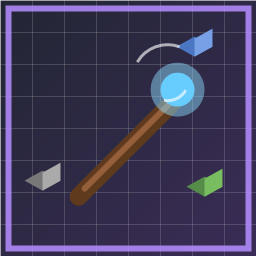
A simple Bedrock addon that adds only the Java Edition Debug Stick.
MCPEDL
Description
Apeion's Debug Stick brings the familiar Java Edition debug stick to Minecraft Bedrock. Cycle block states in Creative mode, just like on Java — no extra items, blocks, or gameplay changes.
What it does
- Adds the Debug Stick item (enchanted stick appearance)
- Left-click / right-click a block to cycle its selected state
- Sneak + use to switch which property you are editing
- Break a block (while holding the stick) to cycle backward
- Supports hundreds of blocks: doors, stairs, redstone components, furnaces, logs, crops, and more
- Handles Bedrock quirks such as lit torches, powered repeaters, and variant block IDs
- Pinning keeps edited appearances from reverting; pinned states persist across world reloads
- Per-player DDUI settings to enable or disable blocks by category
- Optional Force pin toggle: pin only states that would revert (default), or pin every edit
Commands
/debugstick:give— Give yourself a Debug Stick (Game Directors)/debugstick:settings— Open the settings menu
Requirements
- Minecraft Bedrock 1.26.30 or newer
- Beta APIs enabled in world settings
- Behavior pack and resource pack both active
- Creative mode; operator permission when other players are online
Permissions
In single-player, Creative mode is enough. With multiple players connected, you must be an operator.
Settings menu
Open /debugstick:settings to:
- Turn individual block types on or off by category
- Bulk enable/disable blocks (including low-visual blocks)
- Choose Force pin all state changes:
- OFF (default): Pin only when the game would otherwise revert the appearance (lit blocks, brewing stand bottles, etc.)
- ON: Pin every block you edit with the Debug Stick until you break it
Notes
- Some connection-based blocks (e.g. iron bars) cannot be fully controlled on Bedrock because those states are not exposed to Script API
- Sugar cane
ageis a growth timer and does not change appearance - Item name is localized: Debug Stick (English) / デバッグ棒 (Japanese)
Installation
- Download both the behavior pack and resource pack (or the combined
.mcaddonif provided) - Import into Minecraft
- Enable Beta APIs in your world
- Activate Debug Stick behavior and resource packs
- Run
/debugstick:giveor obtain the stick from your workflow
Aperion's Debug stick Team

Owner


![Rapier — Precision Thrust & Sweet-Spot Combat [Vanilla+ 2D] project image](https://media.forgecdn.net/avatars/thumbnails/2018/693/256/256/639237708069518892.png)