ALN:WarpScroll
- By
Craft a Warp Scroll, pick a named Beacon Gate, and teleport after a 3-second Nausea charge that uses the scroll up.

by ALNStudios
Craft a Warp Scroll, pick a named Beacon Gate, and teleport after a 3-second Nausea charge that uses the scroll up.
This add-on adds the Beacon Gate block and the single-use Warp Scroll, both with 32x32 textures. Players name their own waypoints and jump between them across the Overworld, Nether and End.
Bedrock: 1.26+
Experimental: No
Achievements: Yes, achievement-friendly

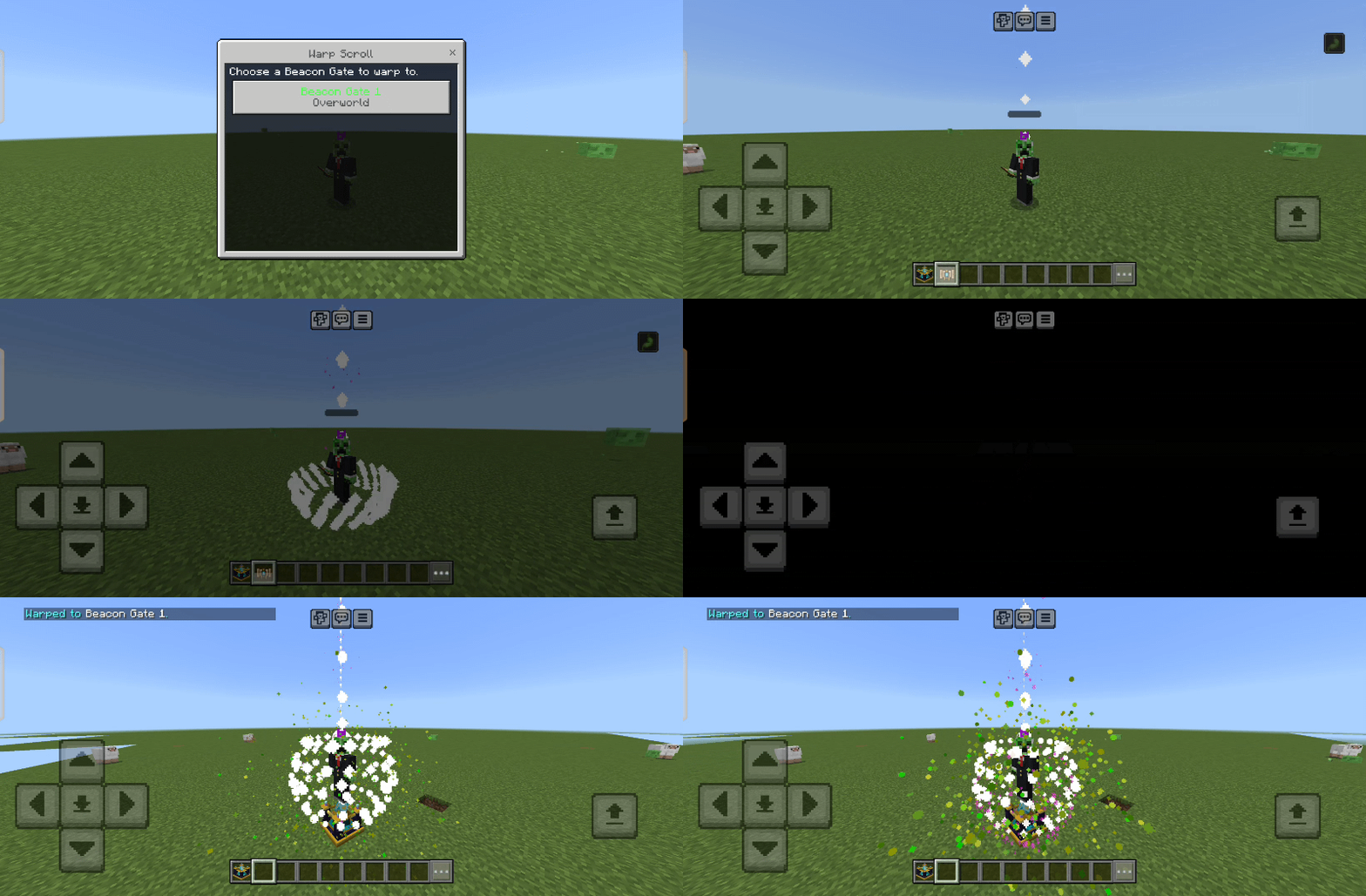
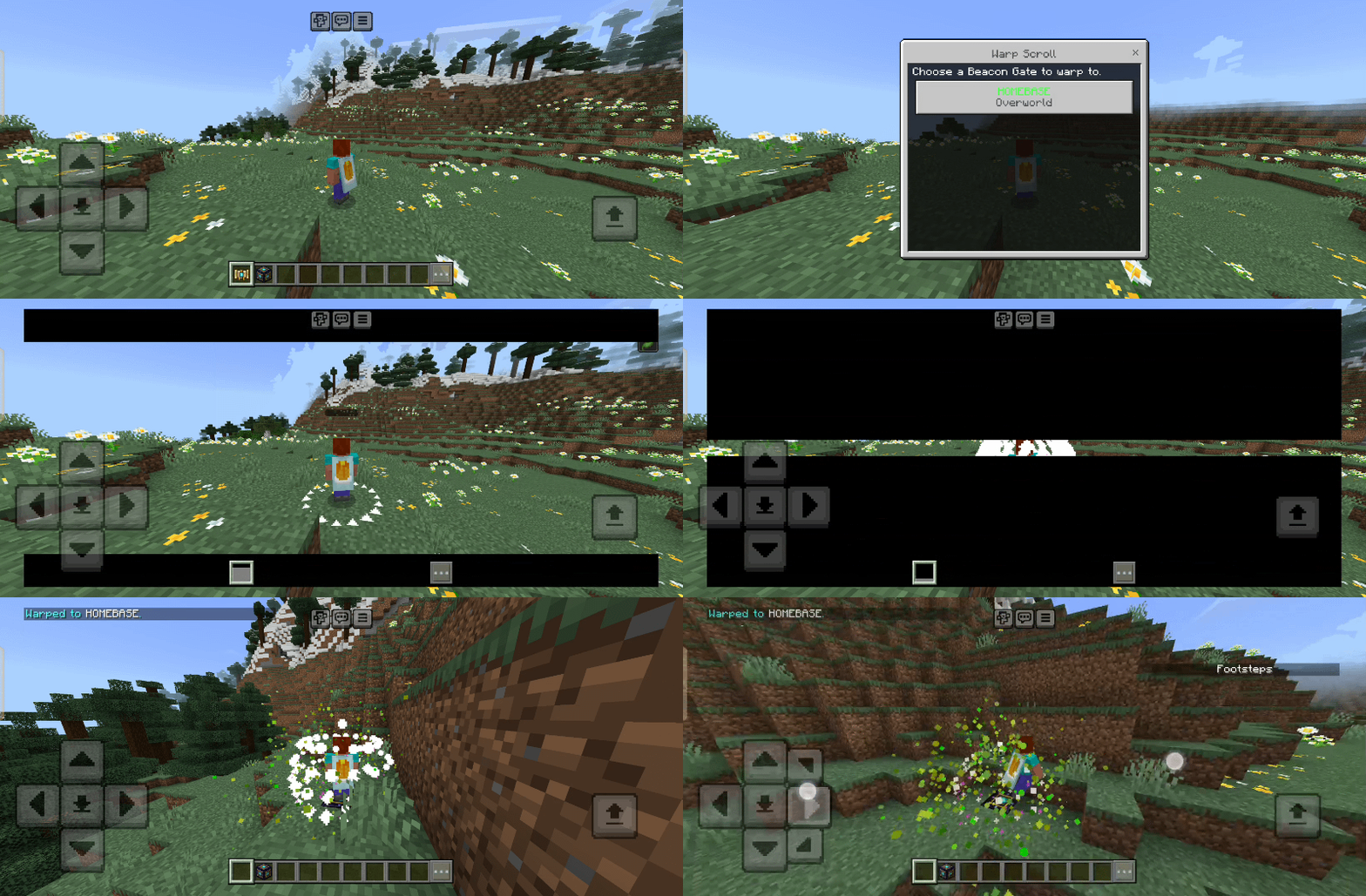
Place a Beacon Gate wherever you want a destination and give it a name. Later, right-click a Warp Scroll, choose a gate from the colored list and wait out the 3-second charge. You arrive on top of the gate and the scroll is gone, so every trip costs one scroll.

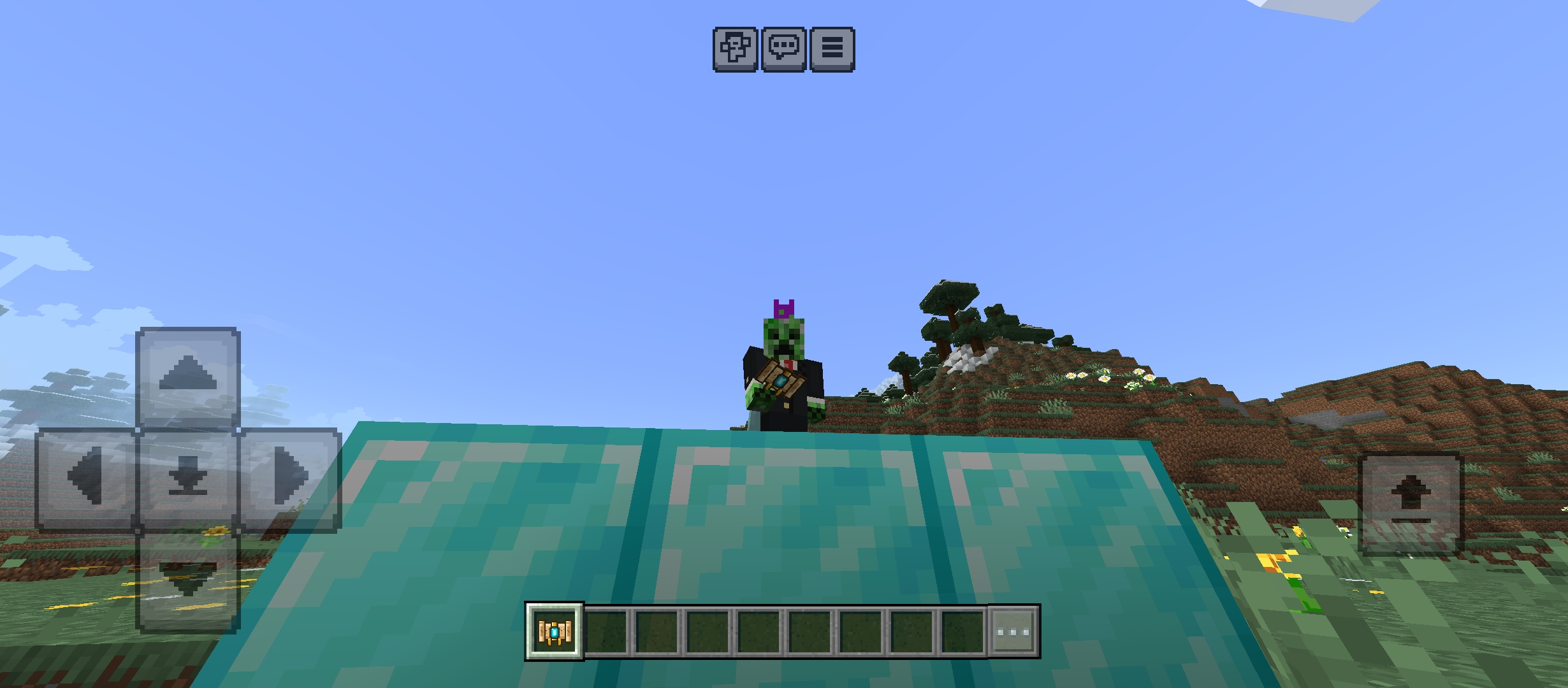
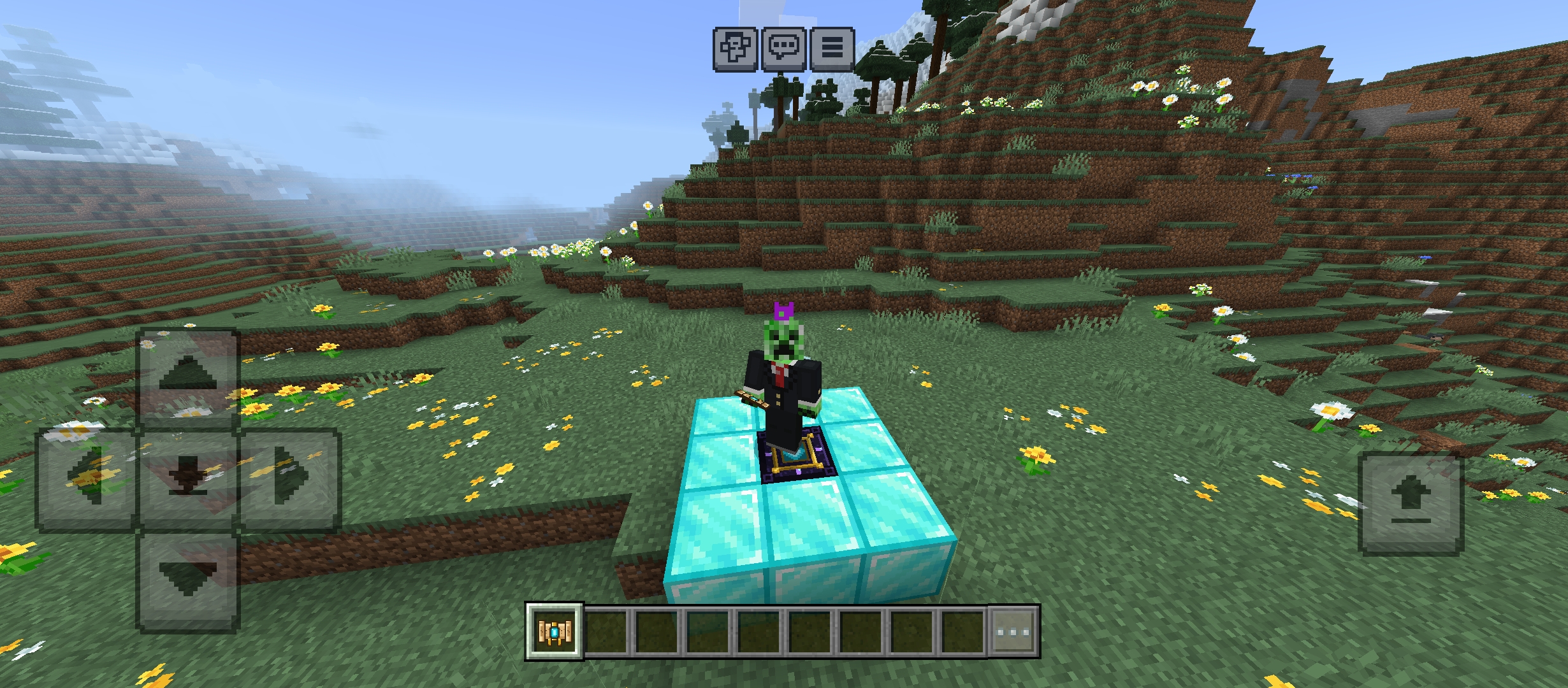

Beacon Gate
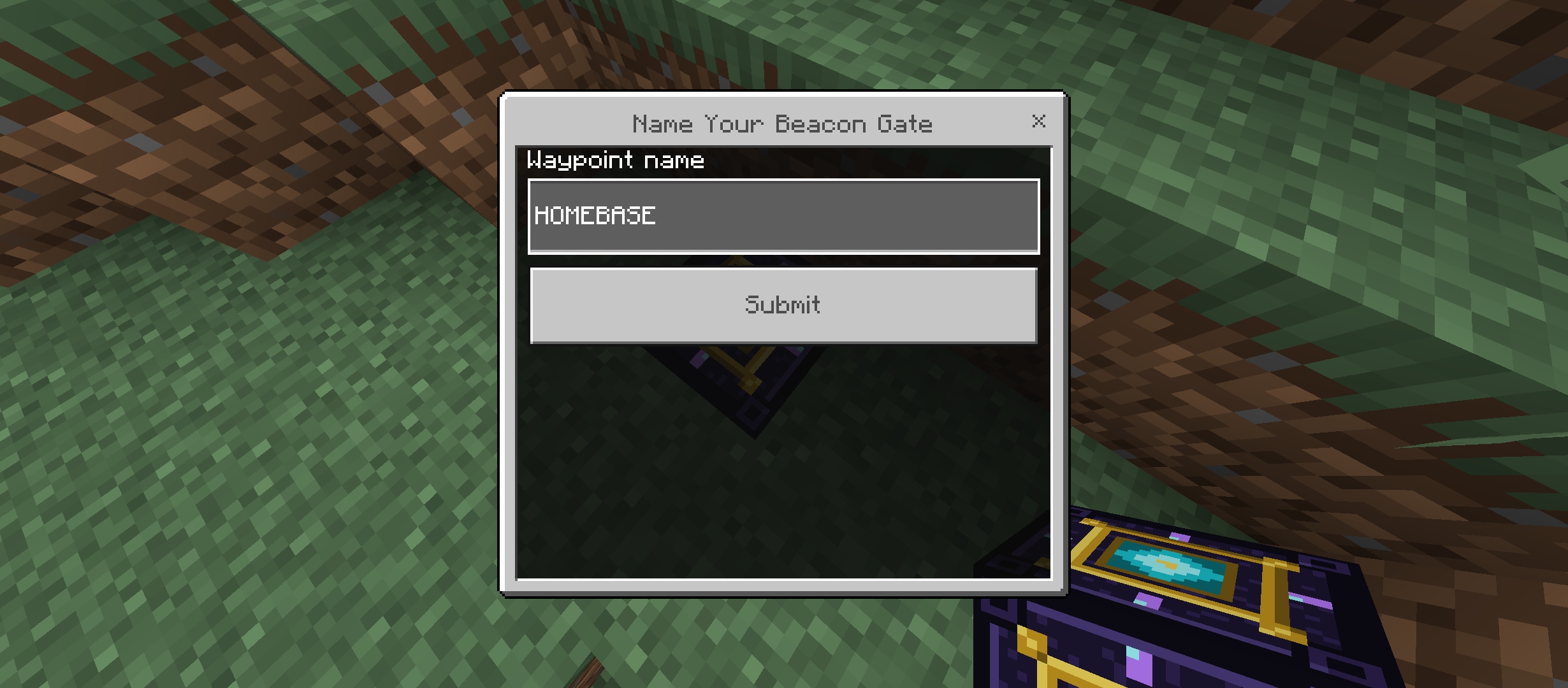
Place a Beacon Gate and a form asks for a waypoint name such as Home Base. The gate glows at light level 10 and is saved with its name and dimension. Its custom 3D model has a gold plinth, four obsidian pillars with amethyst tips, gold rails and a floating crystal.
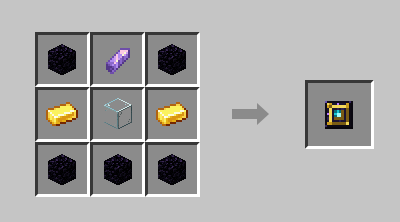
How It Works: Craft it with 5 Obsidian, 1 Amethyst Shard, 2 Gold Ingots and 1 Glass in a crafting table.
Good To Know: Breaking a gate removes it from the destination list and drops the block. The world keeps up to 100 gates.
Warp Scroll
Right-click a Warp Scroll to open a menu of every Beacon Gate. Names are green for the Overworld, red for the Nether and purple for The End, with no coordinates shown.
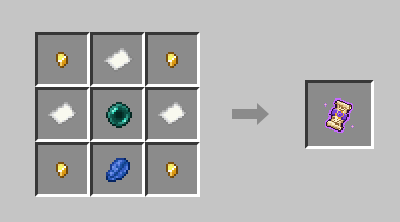
How It Works: Craft it with 4 Gold Nuggets, 3 Paper, 1 Ender Pearl and 1 Lapis Lazuli in a crafting table.
Good To Know: A Warp Scroll stacks to 1 and is used up when the teleport finishes.
3-Second Warp Sequence
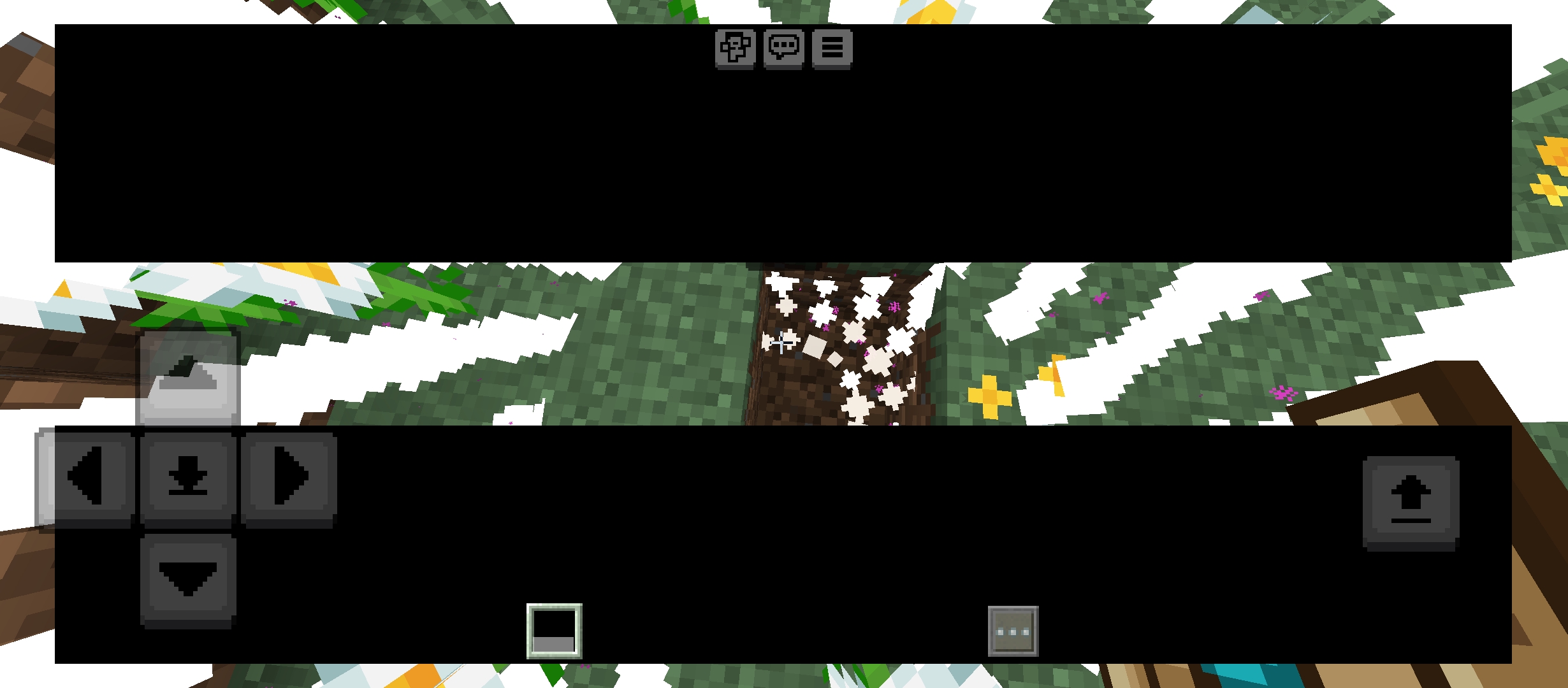
After you pick a gate, the scroll shows a 3-second cooldown sweep, you get 3 seconds of stronger Nausea, your eyelids slowly close over the screen, a hollow sphere of portal particles rises from your feet to above your head, and a pillar of light shoots up from you while a rising charge sound plays.
How It Works: When the 3 seconds end, your eyes snap open, you land on the block directly above the Beacon Gate, a second sphere rises around you, a light beam shines over the gate for a couple of seconds, an arrival chime and particle burst play, and the scroll tears apart.
Good To Know: Moving during the charge cancels the warp, and so does the scroll leaving your inventory. A cancelled warp keeps the scroll. The eyelid screen comes from the Resource Pack, so keep it enabled with the Behavior Pack.
Custom Sound Effects
Four new sounds ship with the pack: the warp charge, the crystal arrival, the paper and glass scroll break, and the gate registration chime.
Good To Know: Minecraft needs a full restart after installing a pack with new sound files.

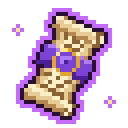





1 | Craft a Beacon Gate and place it, then type a waypoint name in the form. |
2 | Craft a Warp Scroll and right-click it to open the destination menu. |
3 | Pick a gate and stand still for 3 seconds until you land above it and the scroll breaks. |

Does a Warp Scroll stack?
No. Each scroll stacks to 1 and is used up on arrival.
What happens when I break a Beacon Gate?
It leaves the destination list and drops as a block you can place again.

1 | Download the file from this page and open it with Minecraft. |
2 | Create or edit a world and turn on the new pack(s) in its settings. |
3 | Play. No Experimental toggles needed. |
Found a Bug or Have a Suggestion?
Please leave a comment on this project page! All bug reports, gameplay feedback, and pack suggestions are welcome and appreciated.


CurseForge | MCPEDL | Ko-fi
By ALNStudios
Permissions and credits
- Rights: All rights reserved for ALNStudios.
- Content creators: You may feature this creation in videos and streams with credit to ALNStudios.
- Redistribution: Do not re-upload this pack or provide direct monetized download bypasses. Link to this page.
- Visual: Promotional/cover imagery used on this page is AI-generated to illustrate the concept and purpose of the pack.
- Unofficial community creation. Not an official Minecraft product and not approved by or associated with Mojang or Microsoft.
Minecraft Bedrock add-on, ALN:WarpScrolls Bedrock mod, teleport scroll, waypoint block, Beacon Gate, Warp Scroll, custom sound effects, Minecraft PE survival, MCPEDL add-on, CurseForge Bedrock, ALNStudios.
ALN:WarpScroll Team