Alan Becker Stickman Addon MCPE
- By
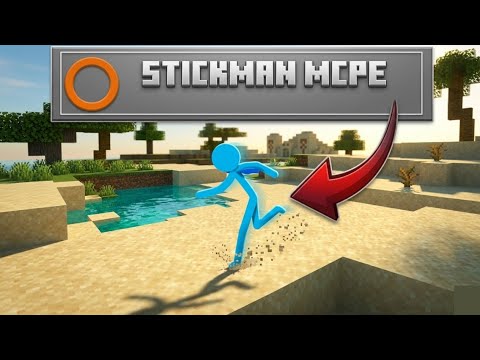
Transform into an Alan Becker-style stickman with smooth 3D walking, running, and sitting animations! ❤️ Red 💙 Blue 💛 Yellow 💚 Green included. 🚫 Orange not included. Watch 👀 the tutorial 🔥below to learn how to use the addon. 🎥✨
Description
Alan Becker Stickman Addon MCPE 🔥
⚠️ Important:
✅ Activate ALL Experimental Features
💿 Enable the addon in the Resource Pack
📀 Enable the addon in the Behavior Pack
This addon transforms players into a stylish Alan Becker-inspired stickman with a clean 3D model and animated movement poses that make the character feel alive and expressive. ⚡🧍
You can transform and untransform easily using in-game items:
---
🎒 Creative Inventory Method
Go to the Creative Inventory and scroll to the bottom.
There you will find an item called "Transform" 🌀
Use this item to:
🔁 Transform
↩️ Untransform
---
🛡️ Manual Transform Method
If you want to transform manually, open the Creative Inventory and go to the Combat section at the bottom.
You will find invisible items named:
❤️ Red
💙 Blue
💛 Yellow
💚 Green
Equip one of these invisible items in the helmet armor slot to transform into that stickman color. 🎭
To manually untransform, simply remove the invisible item from the helmet slot. ✨
---
🌟 Features
✅ 3D stickman model
✅ Dynamic walking animation
✅ Dynamic running animation
✅ Sitting pose 🪑
✅ Multiple color variants
✅ Easy transform and untransform system
✅ Creative inventory support
✅ Manual armor-slot transformation
✅ Smooth visual style inspired by Alan Becker
---
🚫 Not Included
❌ Orange stickman
---
🎮 How to Use
1. Enable all required experimental settings ⚙️
2. Activate both packs 📀💿
3. Open Creative Inventory
4. Use the Transform item or equip a colored invisible helmet item
5. Enjoy your stickman transformation! 🎉
---
💡 Notes
This addon is made for players who want a fun, animated, and visually unique stickman experience in Minecraft Bedrock. Perfect for roleplay, videos, and creative worlds! 🎬🌍
Alan Becker Stickman Addon MCPE Team