Aether shop
- By
file_00000000df2071f88055ebce46f4ea0d.png
Description
Aether shop Addon
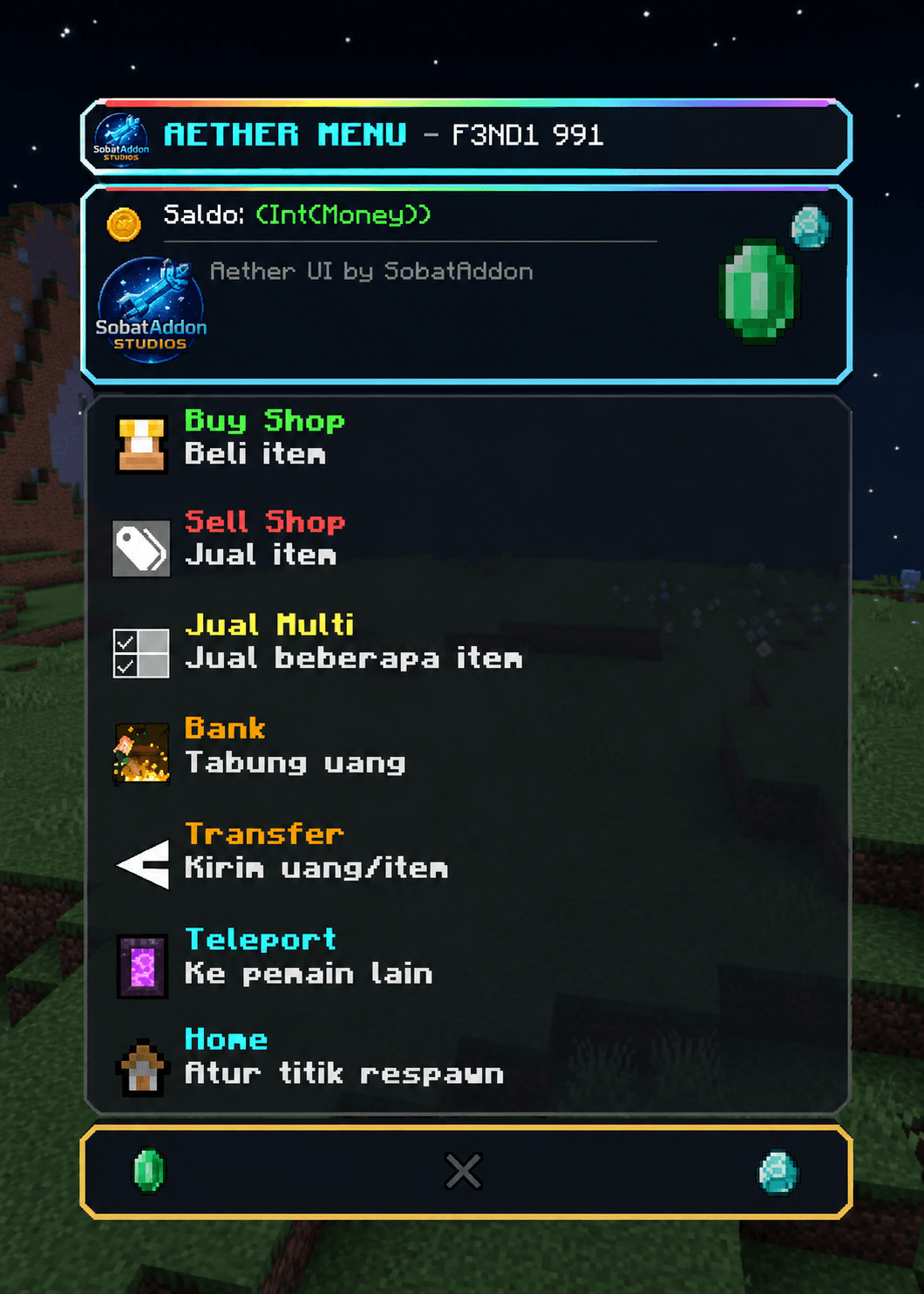
Aether Shop Add-on
Upgrade your Minecraft Bedrock survival experience with Aether Shop!
This add-on adds a fully functional shop to your world, allowing you to access useful features through a simple and easy-to-use interface.
Features
- Easy-to-use Shop UI
- Open the shop using a Stick
- Multiple built-in utility features
- Designed for Survival gameplay
- Lightweight and easy to use
How to Use
1. Join your Minecraft world.
2. Hold a Stick in your hand.
3. Right-click (PC) or tap the screen (Mobile) to open the Shop UI.
4. Select the feature you want to use.
Requirements
- Minecraft Bedrock Edition
- Enable Holiday Creator Features (if required by your Minecraft version)
- Make sure both the Behavior Pack and Resource Pack are enabled.
Installation
1. Download the ".mcaddon" file.
2. Open it with Minecraft.
3. Activate the add-on in your world settings.
4. Enjoy!
If you encounter any issues or have suggestions for future updates, feel free to leave a comment. Thank you for downloading Aether Shop!
Aether shop Team