Advanced Enchanting Table
- By
Take full control of enchantments: choose enchantments and levels, repair and upgrade your gear, unlock custom enchantments, and master a new way of enchanting with the Advanced Enchanting Table.

1000307724.png
1000307673.png
1000308203.jpg
1000308201.jpg
1000308202.jpg
Description
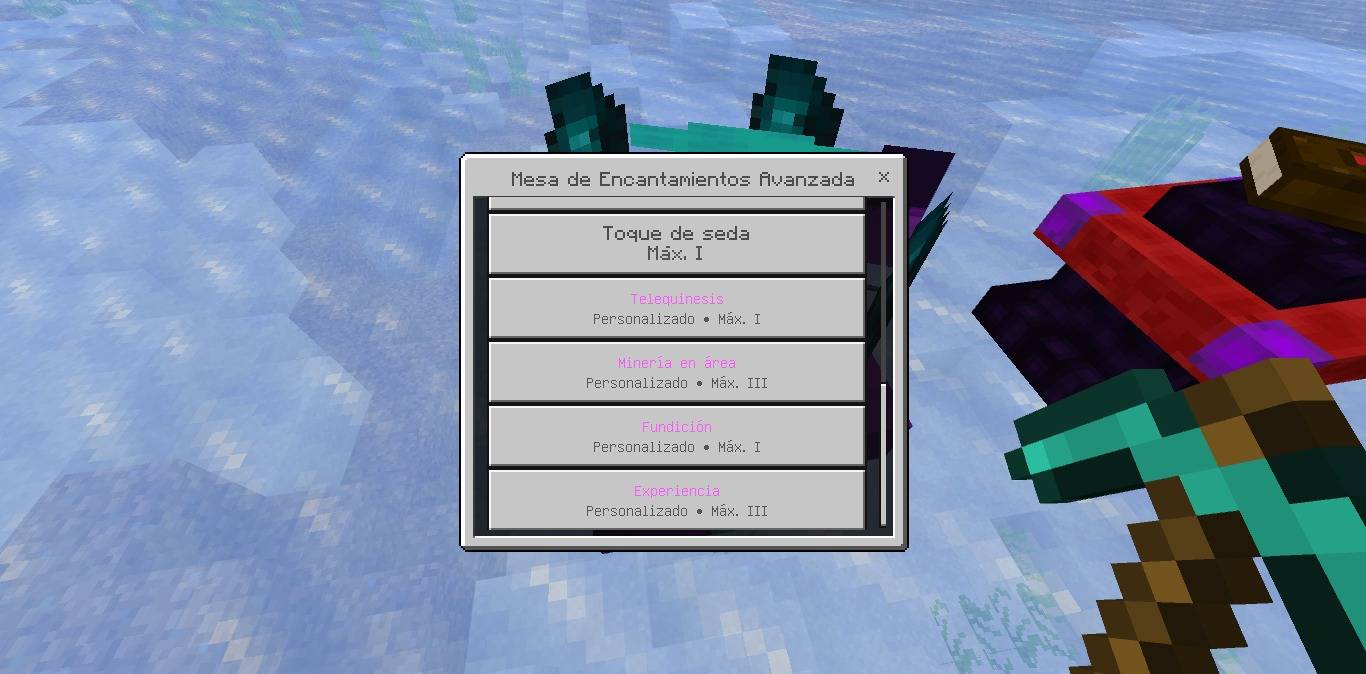
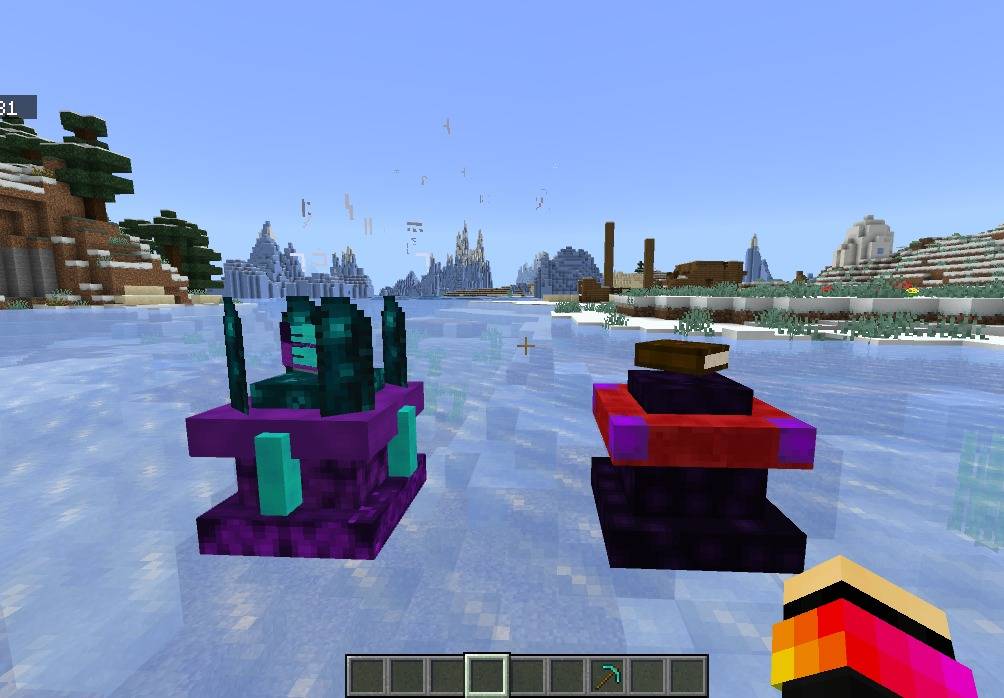
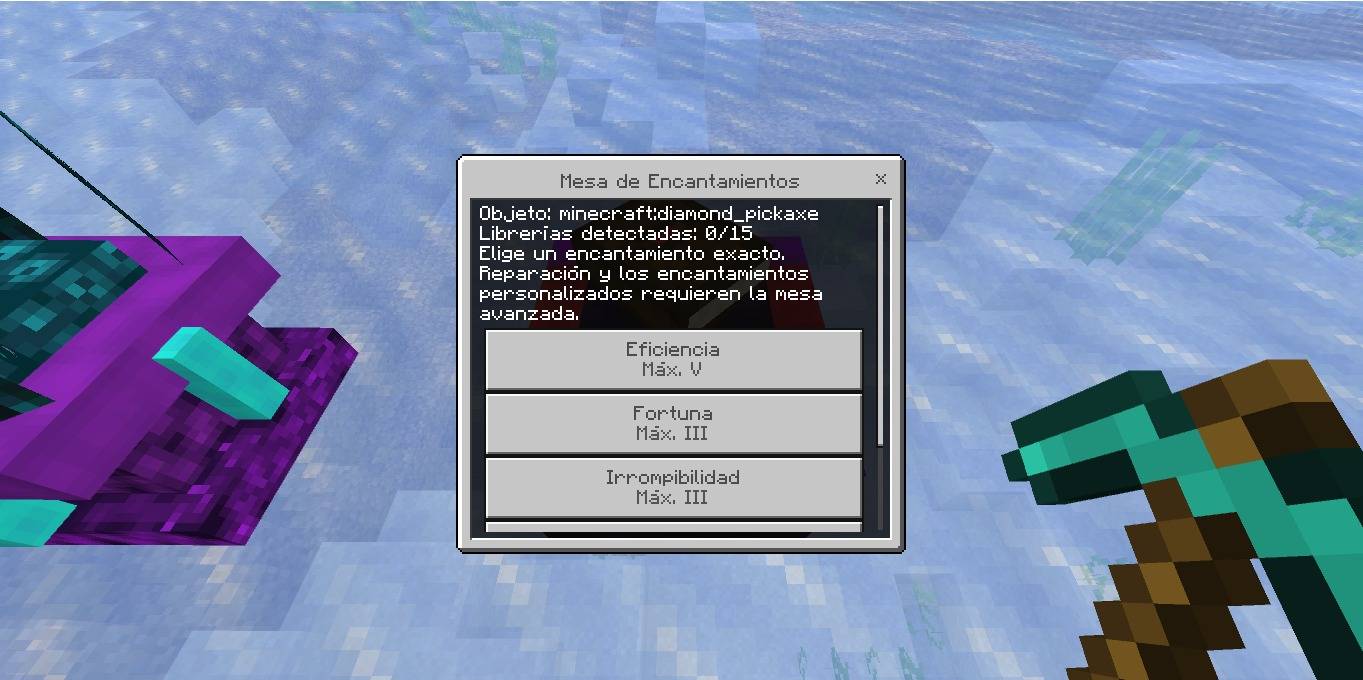
✨ Advanced Enchantment Table Transform the way you enchant your equipment with a complete overhaul of Minecraft Bedrock's enchanting system. Forget random enchantments forever! Take full control over the enchanting process, upgrade your gear, and unlock powerful new abilities with two unique enchanting tables. 📖 Features Choose exactly which vanilla enchantment you want. Select the enchantment level before applying it. View the exact XP and Lapis Lazuli cost. Create enchanted books. Upgrade and remove enchantments. Repair equipment using experience. 17+ custom enchantments. Exclusive shield enchantments. Balanced survival progression. Multiplayer compatible. Works on Mobile, Windows, Xbox, and Realms. 🪄 Enchantment Table The standard Enchantment Table allows you to: Select any vanilla enchantment. Choose the enchantment level before enchanting. View the required XP cost. View the required Lapis Lazuli cost. Requires nearby Bookshelves, just like the vanilla enchanting table. Create enchanted books. Enchant: Swords Axes Pickaxes Shovels Hoes Armor Bows Crossbows Tridents Compatible equipment 🔮 Advanced Enchantment Table Designed for experienced players, this upgraded table unlocks exclusive late-game features. Exclusive Features Repair damaged equipment using XP. Upgrade existing enchantments. Remove enchantments and recover part of the XP spent. Lower enchanting costs. Access to every custom enchantment. Create custom enchanted books. ⚔️ Custom Enchantments Combat Vampirism I–III Heal yourself when attacking living creatures. Freezing I–III Slows enemies after every successful hit. Electrocution I–III Chance to summon lightning on enemies. Poison I–III Poisons enemies over time. Executioner I–III Deals bonus damage to weakened enemies. Mining Telekinesis Automatically sends mined blocks directly into your inventory. Area Mining I–III Break multiple blocks at once. Lumberjack Cuts down entire trees instantly. Smelting Automatically smelts ores while mining. Experience I–III Increases XP dropped by mined blocks. Movement Magma Walker I–II Temporarily allows you to walk across lava. 🛡 Shield Enchantments (Beta) Exclusive enchantments for shields. Charge I–III Your next attack after blocking deals extra damage and knockback. Iron Wall I–III Greatly reduces knockback while blocking. Thorn Guard I–III Damages enemies that strike your shield. Shockwave I–III Blocking powerful attacks releases a magical shockwave. Vengeance I–III Your next melee attack after blocking deals increased damage. Protector I–III Grants nearby allies Resistance while blocking. 📚 Custom Enchanted Books Custom enchantments are exclusive to the Advanced Enchantment Table. Players can: Create custom enchanted books. Store custom enchantments inside books. Apply them to compatible equipment using a vanilla Anvil. Reuse books as part of their enchanting progression. Custom enchantments cannot be obtained from loot chests, villagers, trading, fishing, or natural world generation. The Advanced Enchantment Table is the only way to obtain them. 📘 How to Use Enchantment Table Place the Enchantment Table. Surround it with Bookshelves to unlock higher-level enchantments. Hold the item you want to enchant. Interact with the table. Select a compatible enchantment. Choose the enchantment level. Confirm the XP and Lapis Lazuli cost. Apply the enchantment. Advanced Enchantment Table Use this table to: Apply every custom enchantment. Repair equipment using XP. Upgrade enchantments. Remove enchantments. Create custom enchanted books. Custom Books Hold a regular Book. Open the Advanced Enchantment Table. Select any custom enchantment. Choose its level. Create the enchanted book. Use a vanilla Anvil to transfer the enchantment to compatible equipment. 🎮 Compatibility ✔ Survival Friendly ✔ Multiplayer Compatible ✔ Mobile ✔ Windows ✔ Xbox ✔ Realms ⭐ Take complete control of enchanting and forge the ultimate gear with the Advanced Enchantment Table! A comprehensive multilingual system has been added to the add-on. Upon entering a world for the first time, each player automatically receives a language configuration stick. This item is granted only once per player. Using the stick opens a selection menu with four available languages: 🇪🇸 Spanish, 🇺🇸 English, 🇧🇷 Portuguese, 🇷🇺 Russian. Once a language is selected, the entire add-on is fully translated, including: all menus and interfaces; buttons and confirmation dialogs; item and block names; custom and base-game enchantment names; descriptions and messages; XP and Lapis Lazuli cost displays; and warnings and notifications.
Advanced Enchanting Table Team