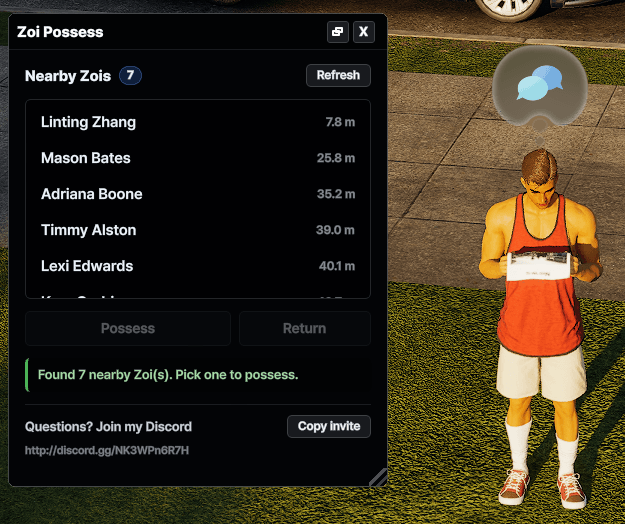
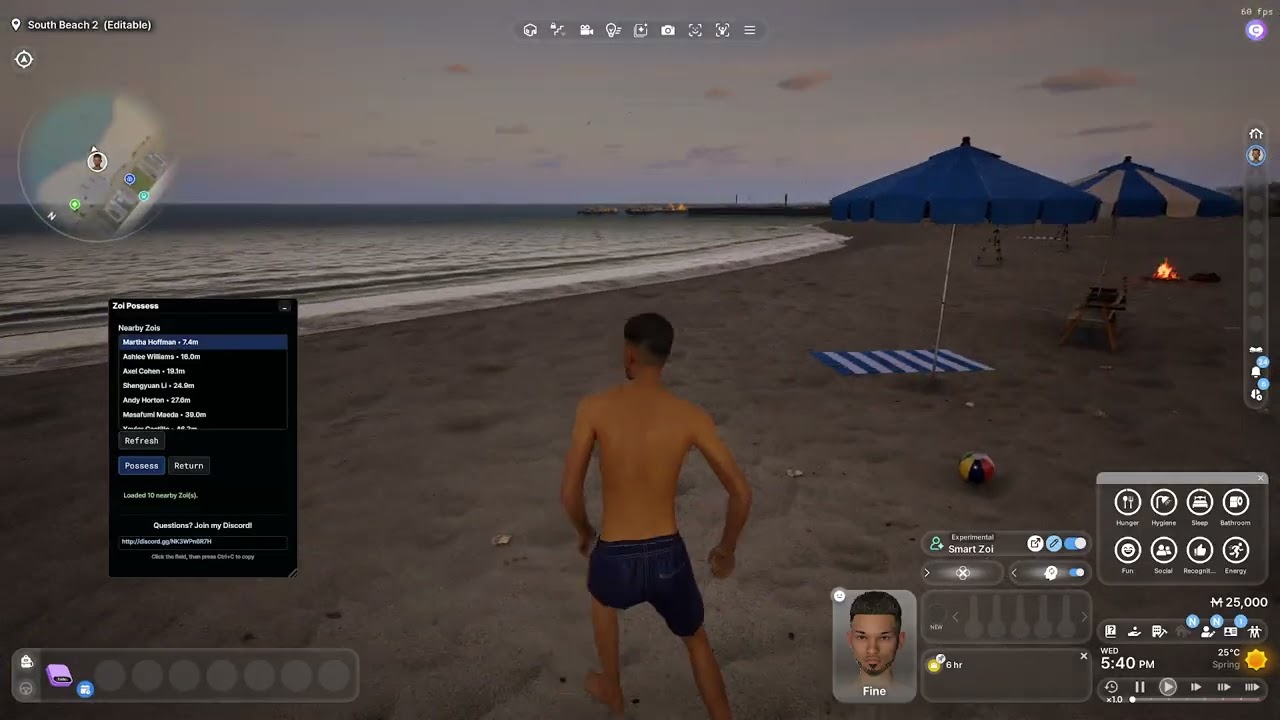
Take direct control of nearby Zois with Zoi Possess.
Press Ctrl+F7 in-game to open the UI. The mod displays a list of nearby Zois, allowing you to select one and switch control to them with the Possess button.
When you are finished, press Return to switch back to the original Zoi you were controlling when the panel was opened.
Update 11/09/2026:
- Changed keybind from F7 to Ctrl+F7 to avoid conflict with other mods using this same keybind.
- Updated the method of minimizing the UI to the default ModKit's to avoid conflicts, this allows you to minimize it to the in-game UI Mod Windows Manager (top right once hidden).
- Updated UI to make it easier to understand and control.
Features
- Open the UI with Ctrl+F7
- View nearby Zois
- Select a Zoi from the list
- Possess the selected Zoi
- Return to your original Zoi at any time
- Lightweight in-game UI
- No Lua files or external dependencies required
Usage
- Enter the game and press Ctrl+F7.
- Select a nearby Zoi from the list.
- Click Possess.
- To switch back, open the panel again with Ctrl+F7 and click Return.