Zoi Height Adjuster
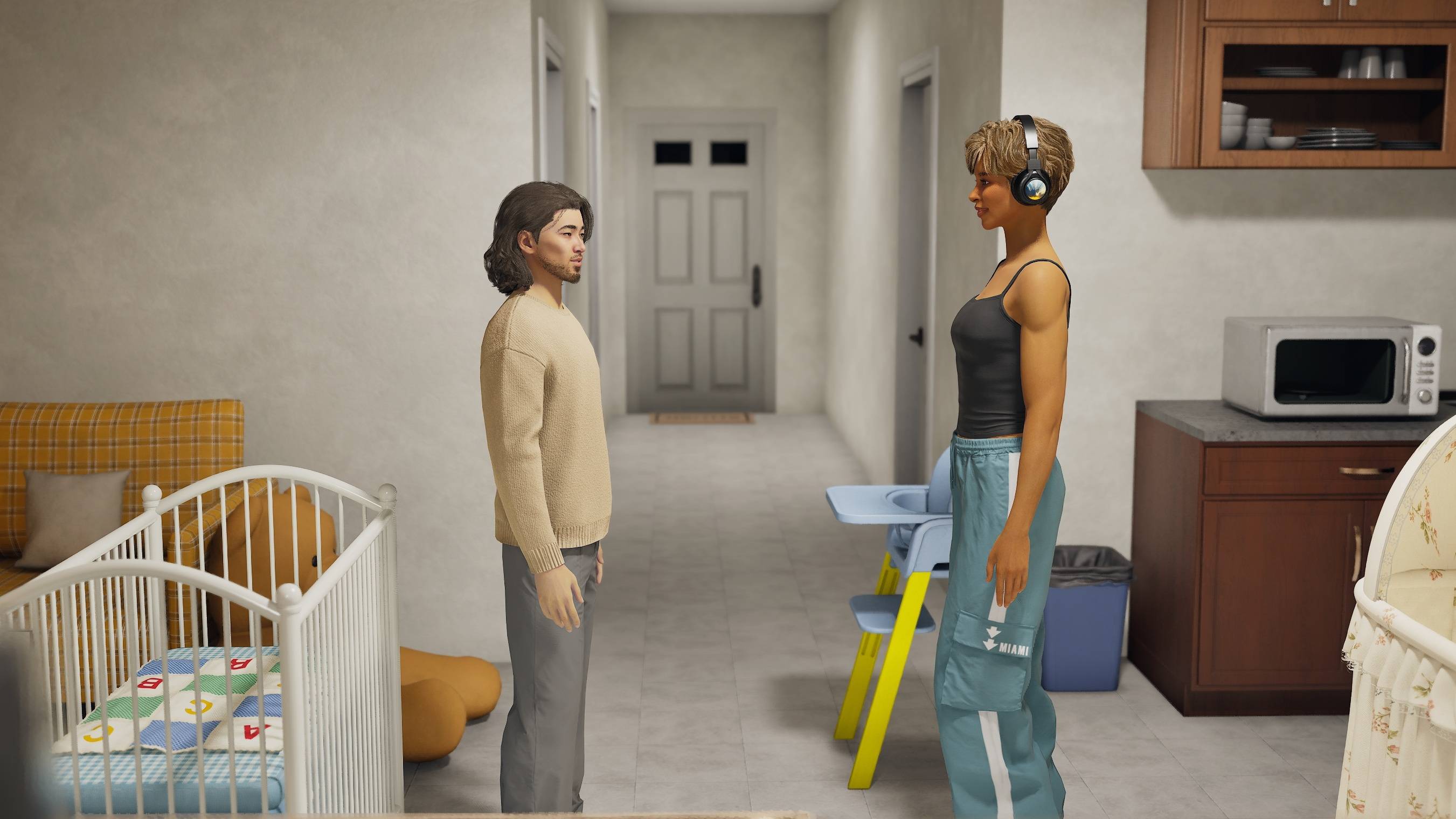
Give your Zois a little more height—or make them a little shorter!
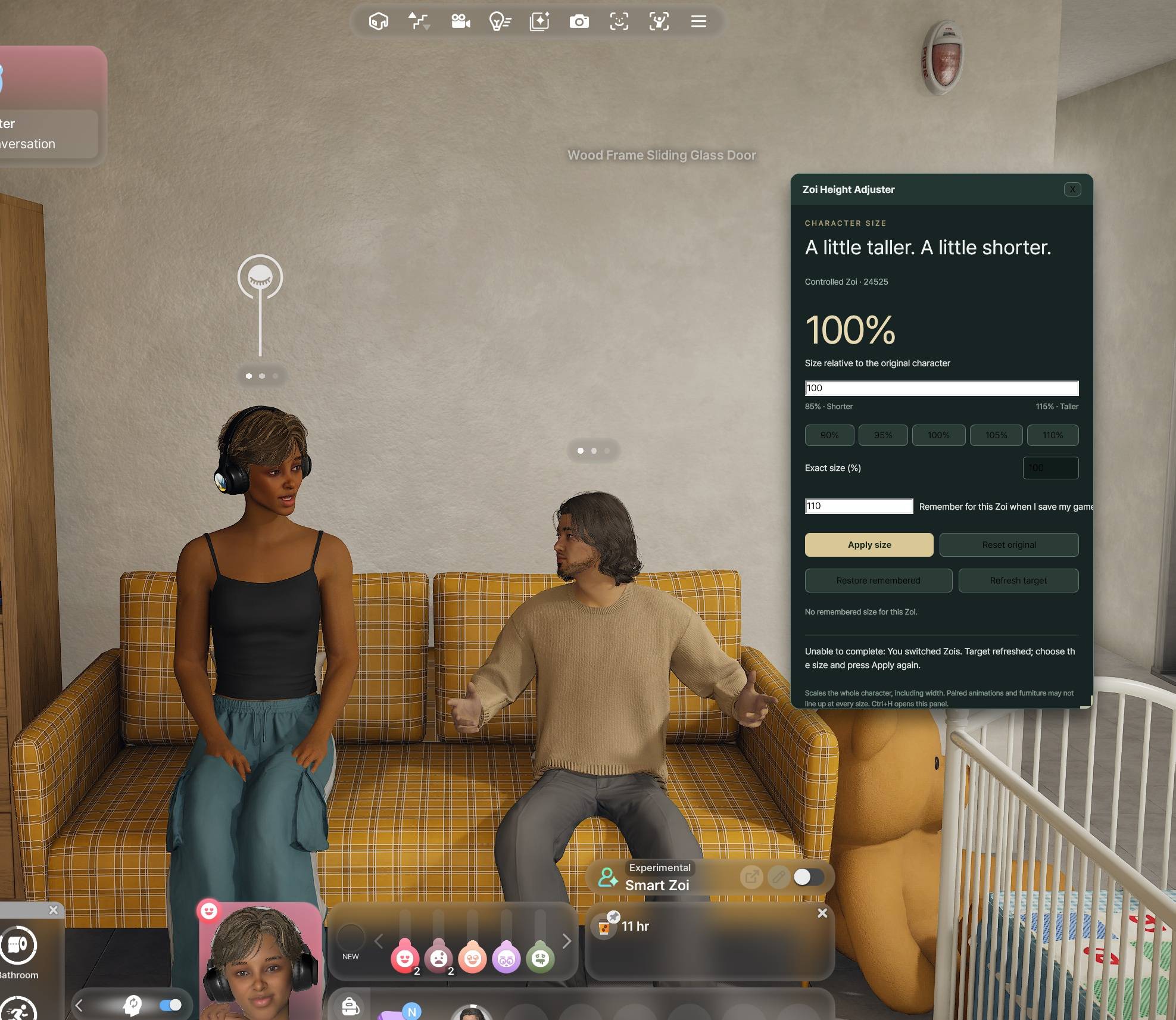
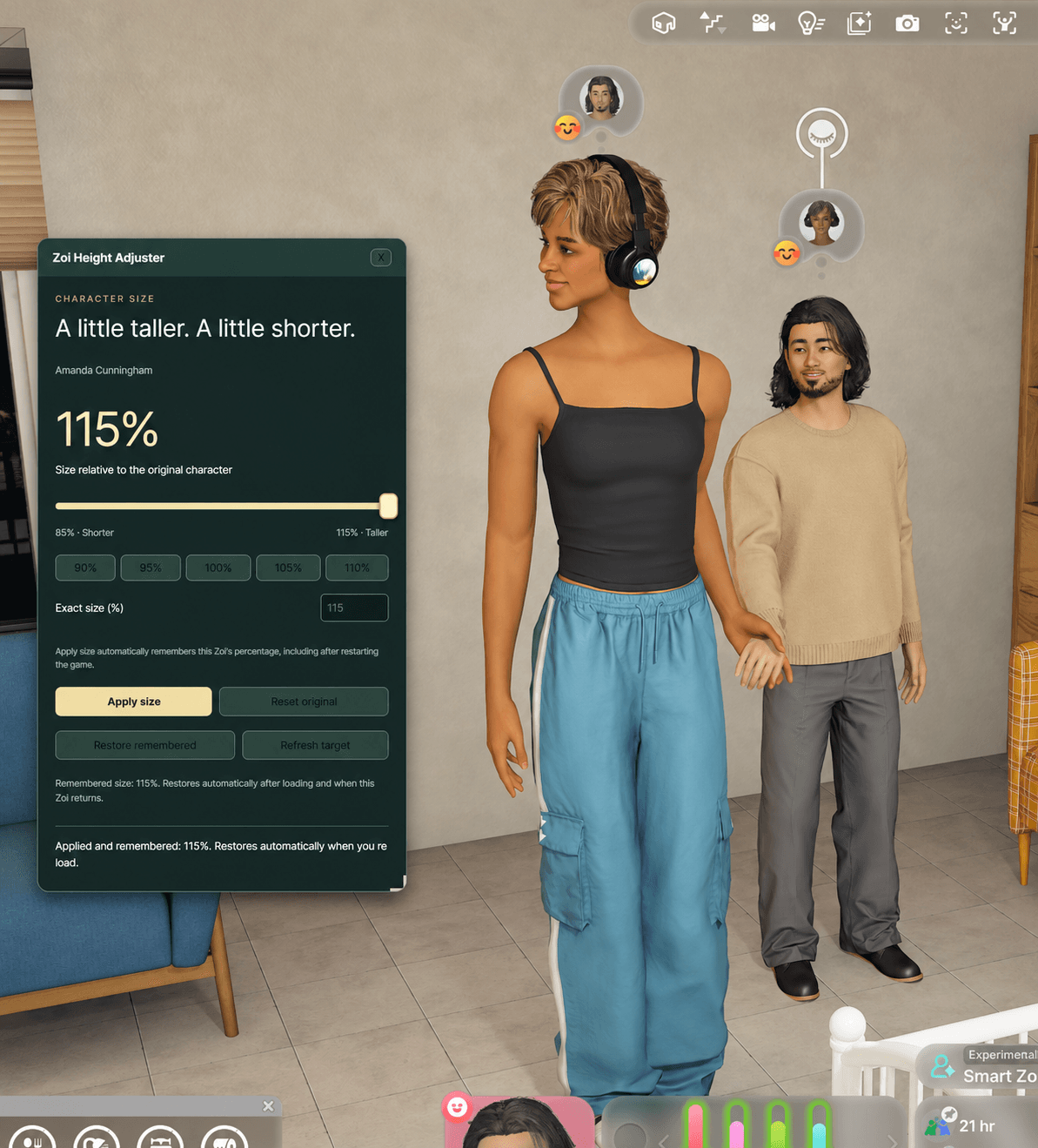
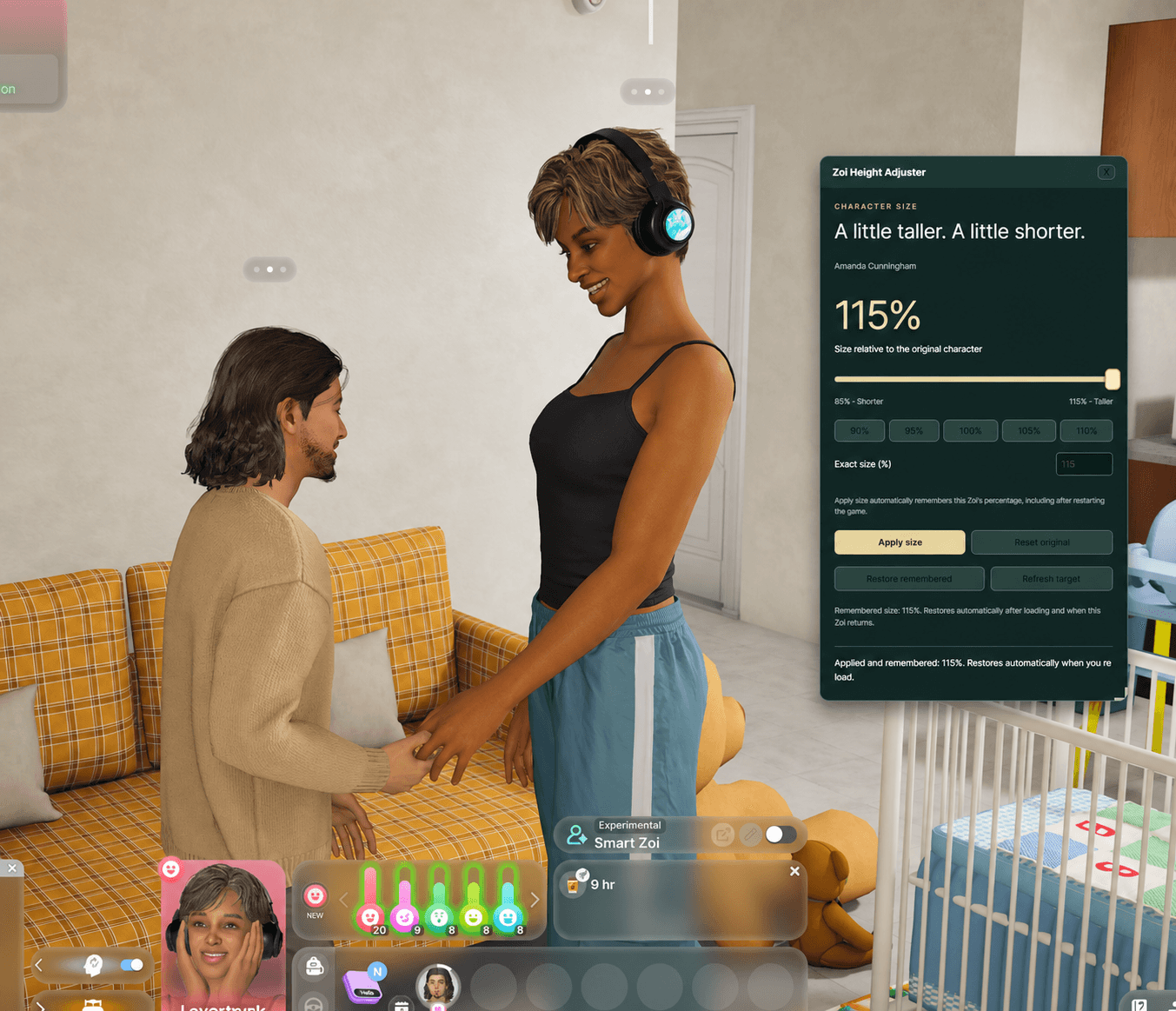
Zoi Height Adjuster is a standalone inZOI mod that adds a simple, customizable in-game panel for adjusting the size of the Zoi you currently control.
Work in Progress — Please Read
This is an experimental, just-for-fun mod that is still being improved. It can be fun if height differences matter to your characters, but expect rough edges rather than a fully polished experience.
Panel not opening? If Ctrl+H does not bring up the panel after loading or starting a game, reload that save and try Ctrl+H again. This should usually get the panel working.
Height may need reapplying after a reload. The mod usually restores your remembered size automatically, but this is not guaranteed every time. If your Zoi returns to normal size, open the panel, choose the height you want, and press Apply Size again. Automatic restoration can also wait until a full-body animation finishes.
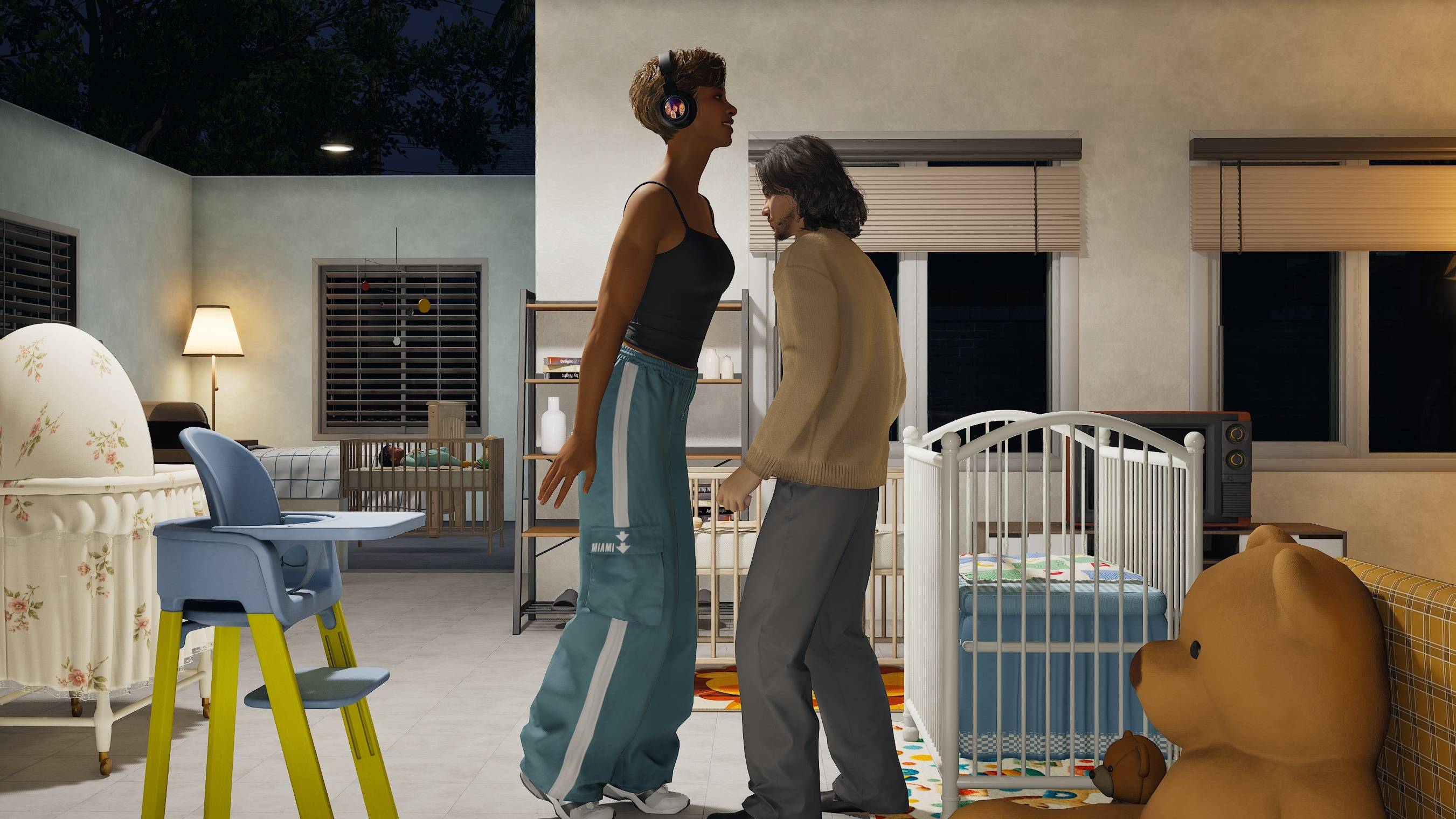
Some animations become janky at different heights. Changing character scale can misalign or break parts of interactive animations, including couple dances, spinning kisses, sitting, sleeping, and other furniture or paired interactions. You may see clipping, floating, or bodies and hands not lining up. This is a current limitation of height changes; this mod does not include animation fixes for every size combination.
The whole character scales proportionally. Height, width, and head size change together; this is not an independent leg-length or body-proportion editor.
If you value having taller or shorter characters and can live with imperfect animations and occasional reload/reapply steps, this mod is available to enjoy now while development continues.
Features
Adjust Zoi size from 85% to 115% in precise 1% increments.
Multiple Adjustment Options: Click or drag the large slider, enter an exact percentage, or select a quick preset.
Apply Size: Apply your chosen size whenever you're ready.
Reset Original: Return your Zoi to their original size.
Automatic Remembering: Apply Size immediately saves the chosen percentage for that Zoi. Saved heights usually restore automatically after loading; occasional manual reapplication may be needed.
Customizable Panel: Move and resize the adjustment panel. It starts closed and opens only when you press Ctrl + H.
Standalone Mod: No Age of Magic or other mod dependencies required.
How to Use
Enter live gameplay and select the Zoi you want to adjust.
Press Ctrl + H to open the Height Adjuster panel.
Choose your desired size using the slider, quick presets, or exact percentage field.
Click Apply Size to resize your Zoi.
When switching between Zois, click Refresh Target to select the currently controlled Zoi.
To undo your changes, click Reset Original.
Close the panel using X and reopen it anytime with Ctrl + H.
Remembering Your Zoi's Height
Click Apply Size to apply and immediately remember that Zoi's percentage. There is no Remember checkbox and no extra game-save step is needed to remember height.
Saved sizes usually restore automatically when you reload and as remembered Zois appear in gameplay. If restoration fails, reapply the desired percentage in the panel. The invisible background worker stays active while the adjustment panel is closed.
Reset Original returns the Zoi to their original settings and removes the remembered percentage.
Preferences are stored locally per Zoi. Copies of the same Zoi/save share that local preference.
The percentage displayed in the panel represents your requested size, not a live measurement of your Zoi's height.
Requirements
The October 15, 2026 inZOI update with UI and script mod support.
Important Information
Zoi Height Adjuster uses uniform character scaling, meaning your Zoi's entire body changes proportionally, including height, width, and head size.
This mod does not independently adjust leg length or individual body proportions.
Because inZOI's animations and interactions are designed around standard character proportions, certain interactions may not align perfectly at modified sizes. This can include furniture interactions, vehicles, paired animations, and clothing physics.
Version 0.1.8
Fixed Apply Size being deferred during ordinary actions: pressing Apply now resizes immediately and remembers your choice. Only automatic background restoration waits for full-body motion to finish.
Added a gameplay-mode trigger to reactivate the hidden worker on gameplay re-entry and clear stale restoration state. The active worker can recover a missing registered adjustment panel after two view checks.
Ctrl+H and resizing have worked after reload in testing, but intermittent startup and restoration issues remain. During a save switch, diagnostics also showed the views return without a manual mod reset and the worker reload the remembered preferences.
Keeps the draggable slider, automatic remembering, and a panel that starts closed. Repeated periodic scale forcing remains removed. Furniture and paired-animation alignment can still vary with size.
Resetting your Zoi's size
Before removing the mod, use Reset Original on each Zoi whose size you have modified.
Keeping a backup of your save files is recommended.