The Grapevine 1.4.1
- By
Your town is talking: a gossip feed on your Zoi's phone, made from the real romances, breakups and babies around you.
Description
Your town is talking. 🍇
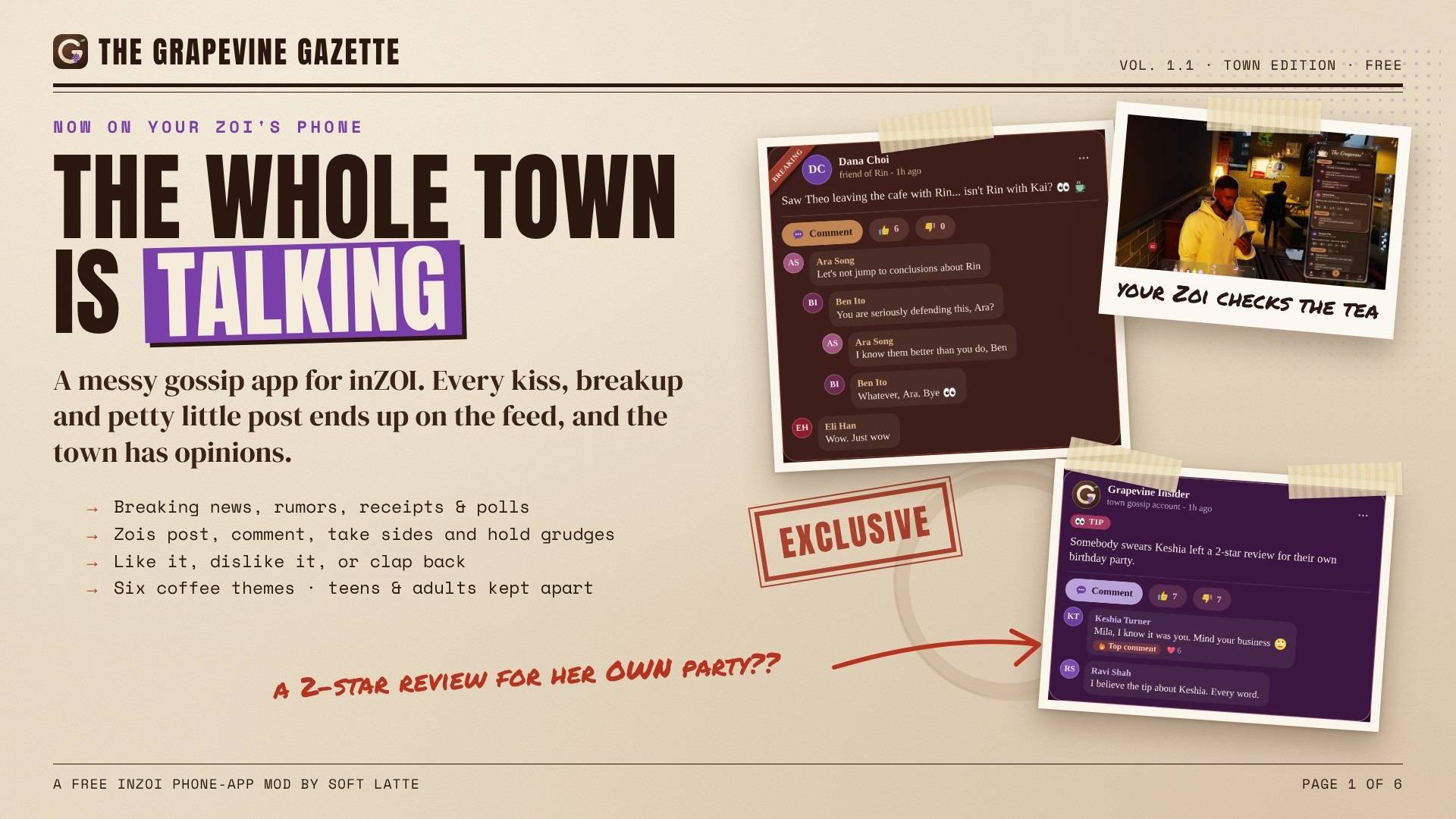
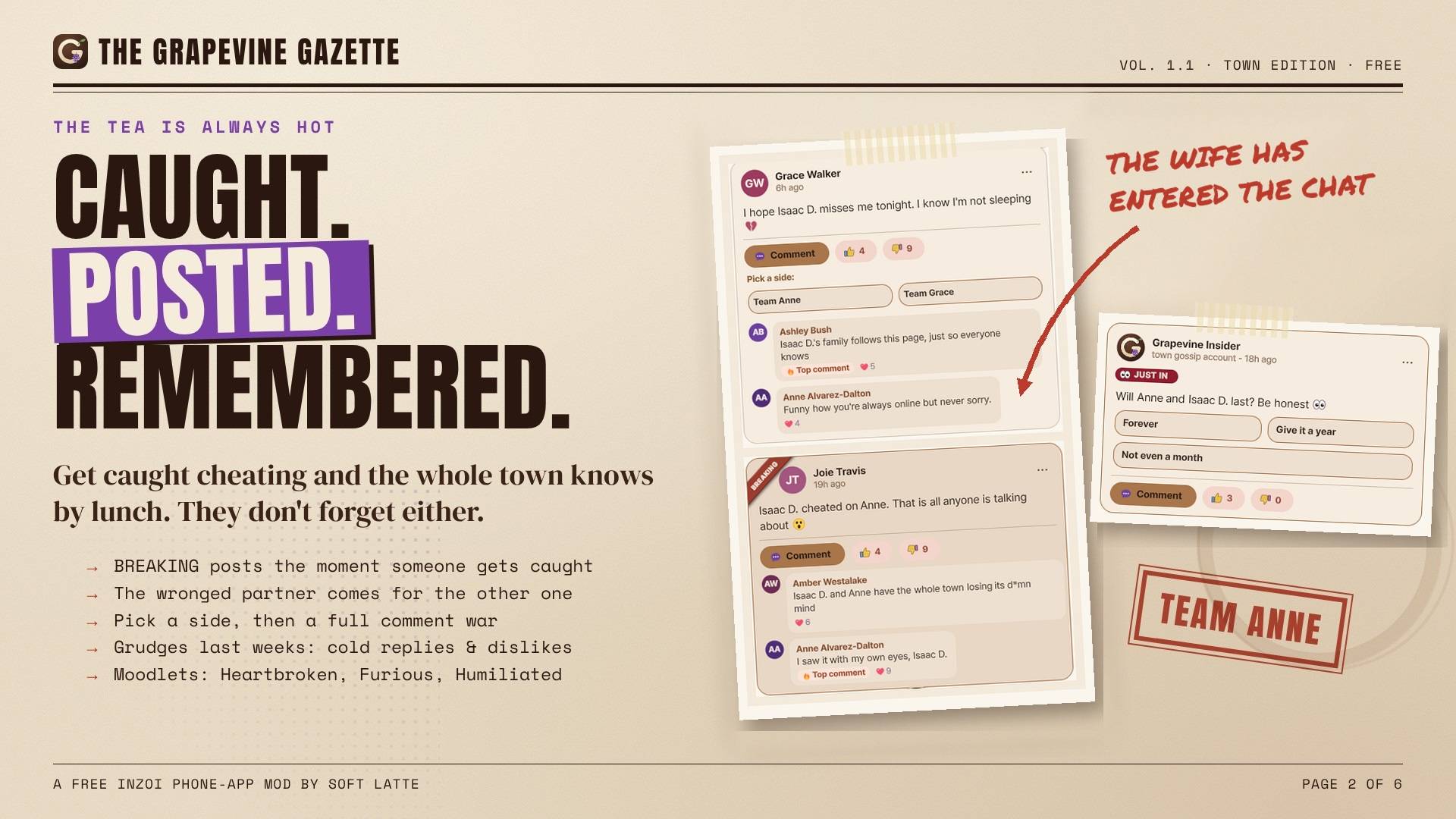
The Grapevine is a social app on your Zoi's phone. When Zois fall in love, get engaged, marry, have a baby, break up, divorce, get caught cheating or start a feud, the people who know them post about it, comment, take sides, text you and even call. Nothing is staged: every story comes from what really happens in your game, with the real Zois.
No AI needed. Every post, comment, text and call is written by hand, and the app works fully without any AI. AI replies are an optional extra (Beta, off by default) if you want Zois to answer in their own words with your own key. AI tools helped me build The Grapevine.
☕ WHAT'S ON YOUR PHONE
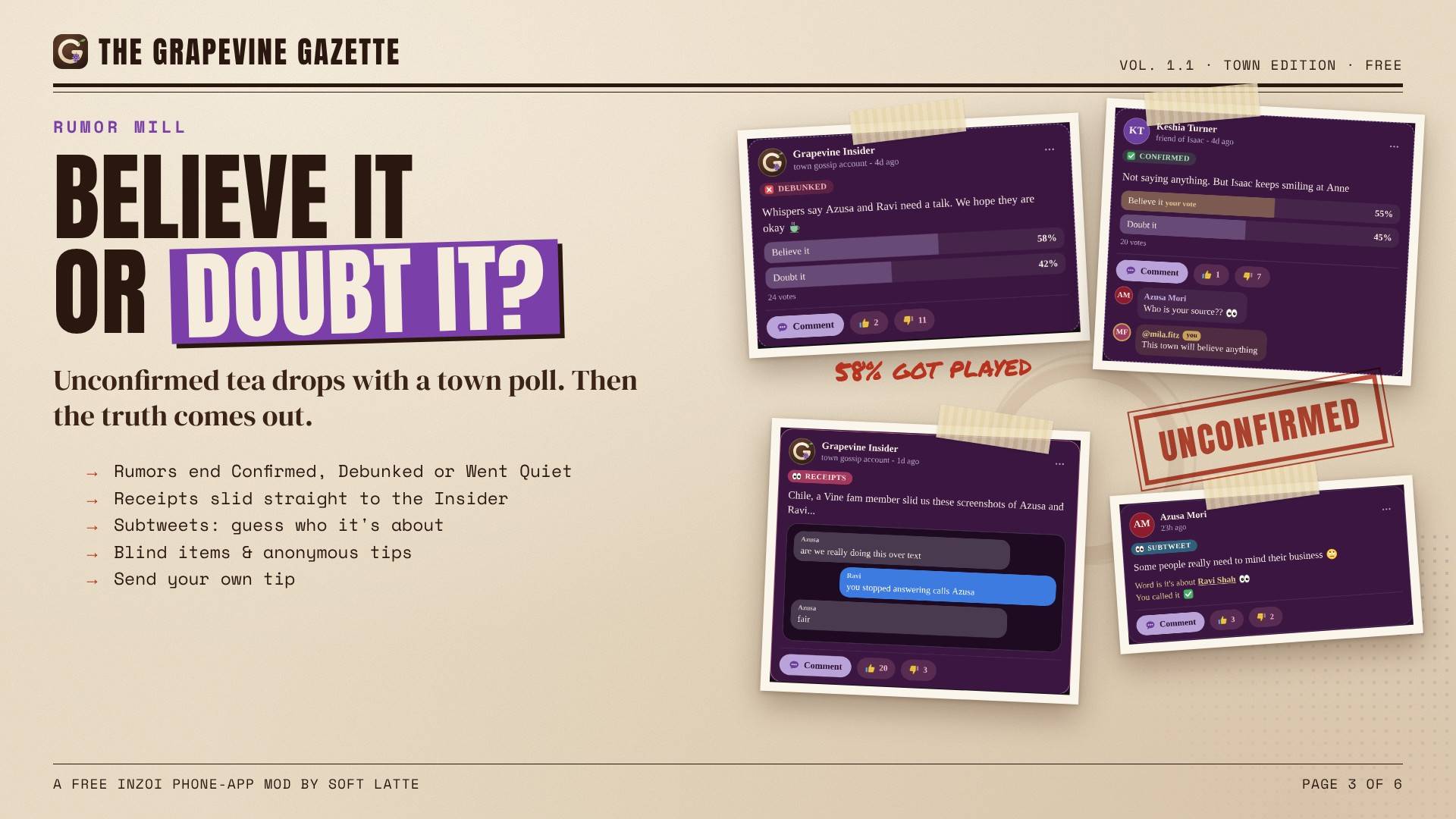
The Feed • Friends, family and coworkers post about real moments in their lives • Tabs for Everyone, Friends & Family, My Household and Trending • The town's real gossip: the game's own rumors, shady vibes, bad dates and parties nearby show up with the real people (secrets stay vague, no names) • The Grapevine Insider, the town's messy gossip page: town news, anonymous tips and an evening recap of the day's drama • Trending: big moments trend under one hashtag, the day's hottest posts get their own spot, and your own viral post gets a tag
Join in • Like, dislike and comment: let the app write your line, type your own, or both • Comment wars, Pick a side, rumors with Believe it / Doubt it, blind items, vagueposts and weekly awards • Post your own status and tag friends. The comments fit what you wrote: post "I need a man" and the town plays matchmaker • Call-out posts: post "CHEATER" and tag someone, and they answer in character while the town takes sides
The town answers back • The people in the story reply in character: the partner, the ex, the bestie, the hater • Call someone out under a comment ("don't you have a wife?") and they always answer: caught, defensive or laughing it off. Their partner may see it • Throw shade and the poster claps back • The town remembers who did what
DMs • Friends text you first with big news, a heads-up, or a confrontation when the post is about you • Type back or tap a quick reply, with 150 emoji drawn just for The Grapevine • Seen, typing…, hearts and reactions • Left on read: read a text and don't answer for a few hours, and they notice • Scam texts that end like scams: say no and they get cocky and block you
Calls • The phone rings in The Grapevine's own call screen, ring-ring, with Answer / Decline • Answer and the game's own call card opens, with the caller's real name and photo • Your reply choices answer what the caller just said, and every call keeps one mood
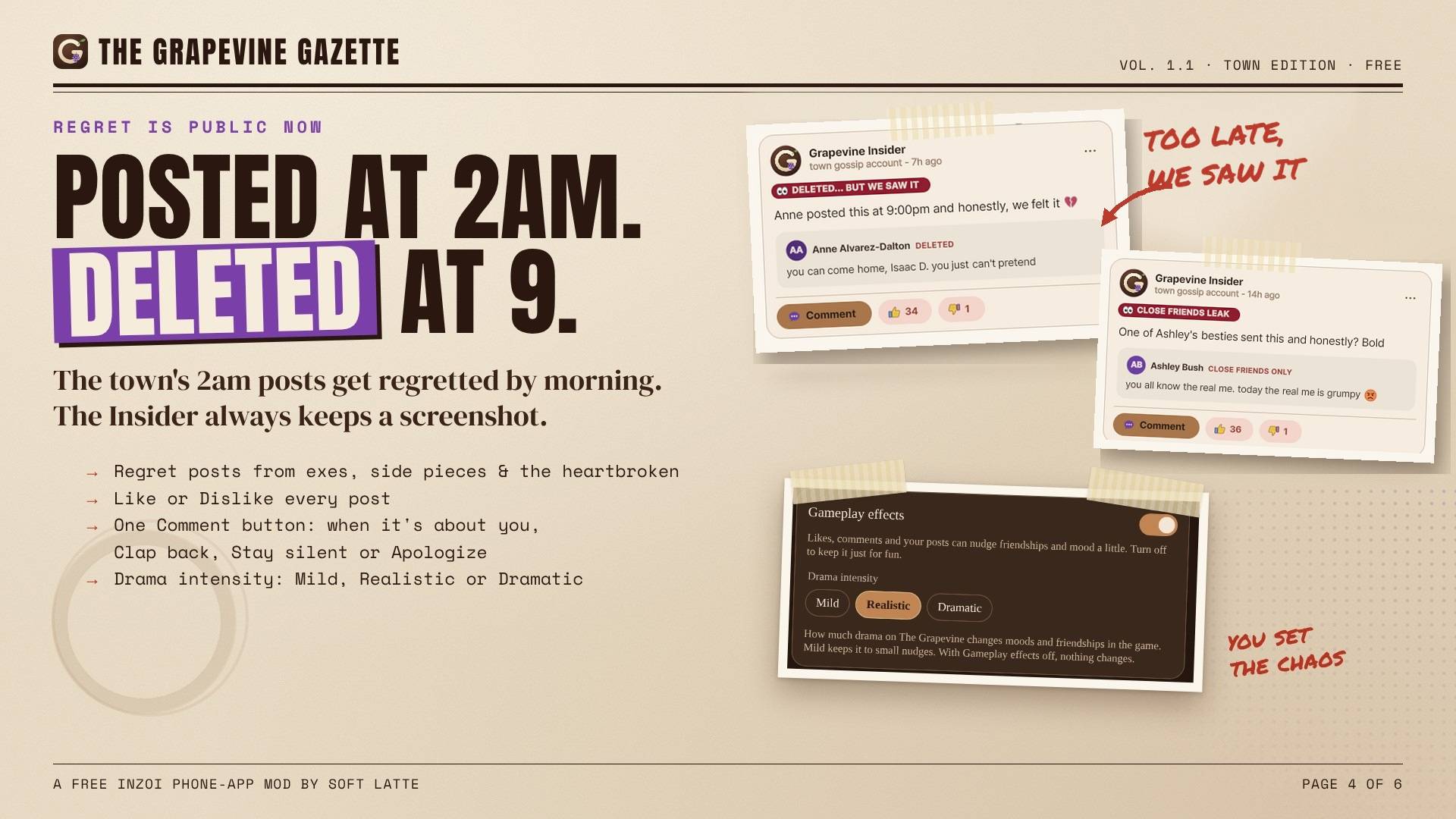
It really happens in your game • Scams, coins and sales change your real Mew • Party invites go into the game's Family Calendar at the host's home • Drama in person: Zois walk up to talk, confront, spill tea or come over, and you pick what your Zoi says. Words only, never at work, school or bedtime • Cheating gets caught, hurts, and takes time to forgive. Until then it's small talk only, and it's frosty • Moods for the big moments: went viral, got ratio'd, left out, Feeling Cute and more (mild, and teens only get the gentle ones) • Likes and comments can nudge friendship and mood a little, never romance. Switch it off if you like
Life, all of it • Proud-parent posts about babies and kids, wholesome only • Grief done gently: memorials and supportive comments only • Zois who have passed away no longer post
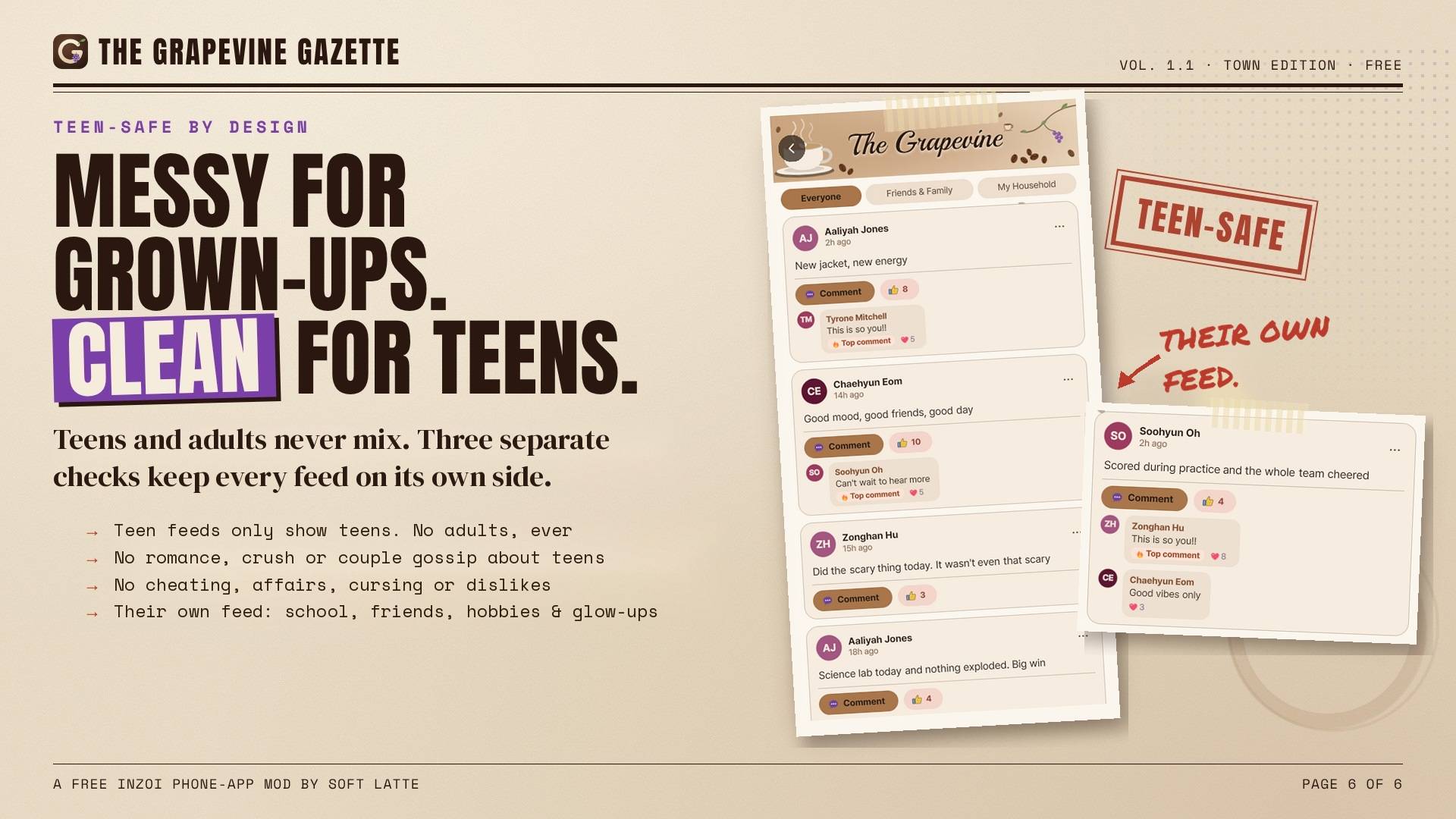
🧡 TEENS HAVE THEIR OWN SIDE • Teens see only teens and their family's clean news: school, hobbies, glow-ups, friends, sweet crushes • No adult drama, and adults and teens never mix • Campus Buzz keeps a new teen's feed from being empty • Teen friend drama (Inner Circle) is gentle • Nobody flirts with a Zoi who isn't into them (the game's own romance settings)
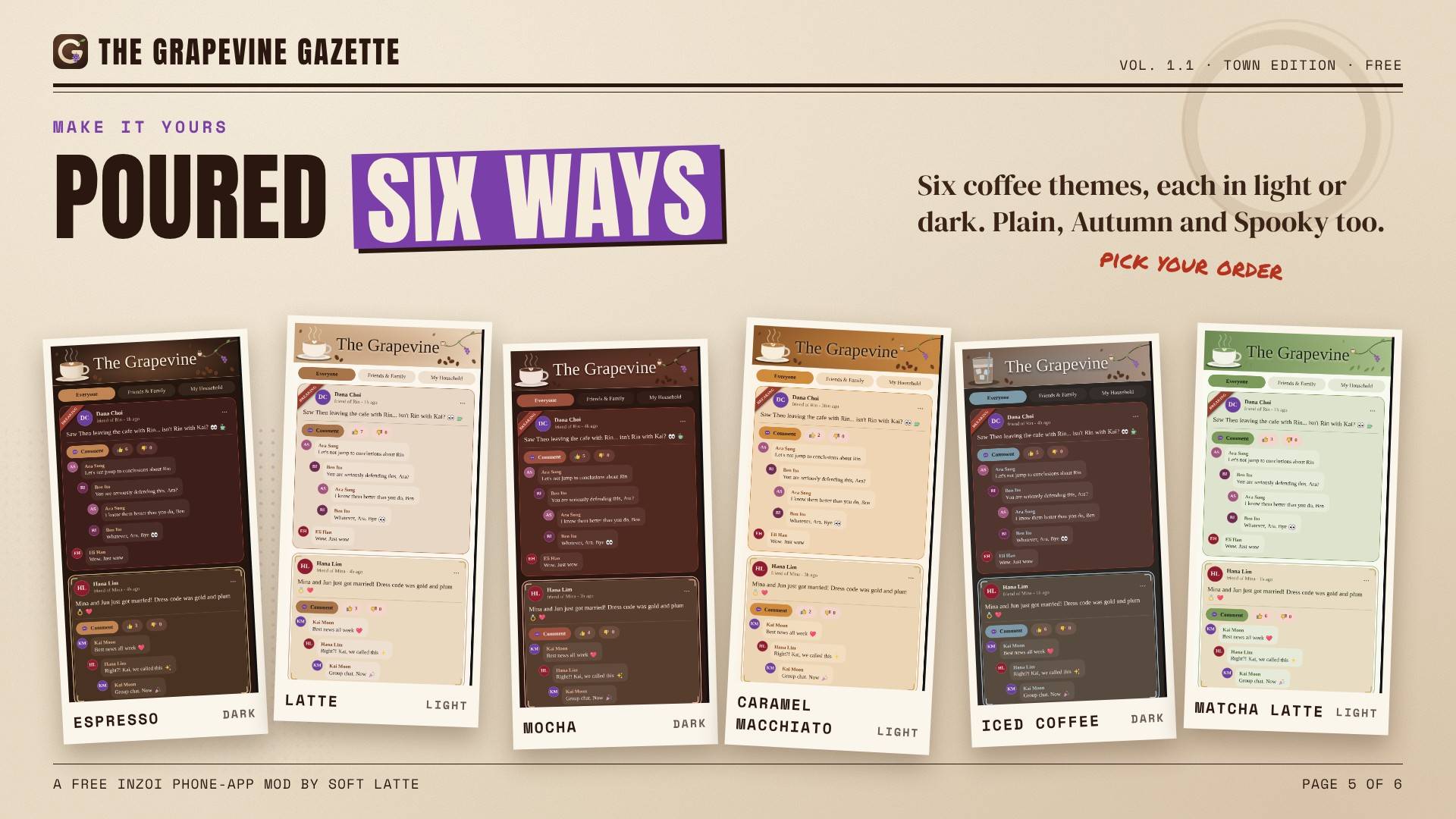
🎨 MAKE IT YOURS • Themes: Plain, Autumn, Spooky and six coffee themes (Espresso, Latte, Mocha, Caramel Macchiato, Iced Coffee, Matcha Latte), in light or dark • Text size from Small to Extra large, and Reduce motion • Feed pace (Chill / Normal / Buzzing) and Drama intensity • Notifications for replies, new posts, drama about you and DMs, each one can be switched off, with four notification sounds made for the app (or none) • Turn off Messy mode, rumors and polls, gameplay effects or Drama in person • Mute people, and Clear feed to start fresh (Zois keep their memories)
🤖 AI REPLIES (BETA, OPTIONAL) Off by default. Turn it on and Zois write their own DMs, comments, replies and calls, remember what you told them on earlier days, and "I'll come by at 8" really brings them over. Bring your own key: Gemini (free tier), Claude or OpenAI, or Local with Ollama or LM Studio on your own PC. If the AI is slow or says no, the hand-written lines answer instead.
How to set it up:
- Get a key: Gemini (free tier) at aistudio.google.com > Get API key; Claude at console.anthropic.com > API keys; OpenAI at platform.openai.com > API keys. Local needs no key: run Ollama or LM Studio on your PC (it needs spare video memory next to the game).
- In the game: phone > The Grapevine > Settings > AI replies (Beta), switch it on, tap Set up.
- Pick your AI service, paste your key under Your key (Local: type the address on your PC, like http://127.0.0.1:11434 for Ollama).
- Leave Model empty for the default, tap Save, then Test AI. "Works!" means you're set. Your key stays on your PC (Forget my key deletes it). With AI on, what you type plus the Zois' first names and a short summary of the drama go to the service you picked; nothing is sent while it's off. Pay-per-use services charge you directly, so check their prices.
✅ REQUIREMENTS • inZOI with script mods (Steam or Epic) • An internet connection and your own key only if you turn on AI replies
📥 HOW TO INSTALL Install with the CurseForge app, or by hand:
- Unzip the download.
- Put the TheGrapevine_14E7306E folder in Documents\inZOI\Mods\InGame\ (if there's no InGame folder, make one with exactly that name). The folder must sit directly inside it.
- Start inZOI and make sure mods are on.
Updating by hand: copy the new folder over the old one and choose Replace. Never delete Mods\InGame\TheGrapevine_14E7306E: The Grapevine saves your settings and your AI key there. Using the CurseForge app? It installs and updates the mod in its own folder for you. Don't add a second copy in InGame.
📱 HOW TO USE
- Open your Zoi's phone and tap The Grapevine.
- Your feed starts with posts from the people your Zoi knows, plus the Insider's town news.
- Tap Comment on any post to join in, or the + to post your own status.
- Activity shows replies and reactions, Me is your profile, and Settings has everything else.
- Want AI replies? Settings > AI replies (Beta) > Set up, pick your service, paste your key, and tap Test AI.
⚠️ KNOWN CONFLICTS • If you use a Teen Height mod whose panel sits in the phone's top corner, The Grapevine's "<" can overlap it. Tap the "<" again or use Esc.
❓ FAQ The app doesn't open after starting a new game? Save and reload. This affects every UI mod.
My feed is quiet? Stories come from people your Zoi knows, so a new town starts slow. Meet a few people and check back. The Insider posts town news in the meantime.
Can I remove it? Yes, nothing breaks.
Does it work with other phone apps? Yes. It shares tea with Pingo by Meru and reacts to OnlyZois by ZoiWorks if you have them. Neither is required.
🐞 FOUND A BUG? Open Settings > Diagnostics and take a screenshot, then send it to me with the files in Documents\inZOI\Mods\InGame\TheGrapevine_14E7306E\debug\ and tell me what happened. Reports never bother me, they help!
📌 GOOD TO KNOW • English only • Effect on achievements is unknown • Works alongside other UI mods
Made by Soft Latte 💜 Free, always.
The Grapevine 1.4.1 Team